
TL;DR:
- Encryption is crucial for protecting SME data from ransomware, theft, and breaches.
- Full disk encryption is recommended over file-based for comprehensive data at rest security.
- Encryption must be paired with layered security measures like MFA and staff training for effective protection.
Picture this: a Brisbane accountancy firm gets hit by ransomware, and the attacker walks away with thousands of unencrypted client records. The firm faces regulatory scrutiny under the Australian Privacy Act, potential fines, and a reputation in tatters. Data encryption is the single most effective technical control that could have prevented that outcome. This article walks Queensland SME owners through exactly what encryption means in practice, how to assess your current exposure, how to switch it on across Windows, macOS, and cloud platforms, and how to keep it working properly over time.
Table of Contents
- Understanding data encryption and legal obligations
- Preparing for encryption: Assessing needs, devices, and software
- Step-by-step: Enabling encryption on key platforms
- Managing keys and maintaining ongoing security
- Why encryption alone is not enough for Queensland SMEs
- Boost your SME security with expert help
- Frequently asked questions
Key Takeaways
| Point | Details |
|---|---|
| Encrypt everything sensitive | Protect all essential business, client, and financial data with strong encryption at rest and in transit. |
| Choose full disk encryption | Full disk methods offer better protection than file-level options and are recommended for Queensland SMEs. |
| Manage keys securely | Store, document, and rotate encryption keys safely to avoid data loss and meet compliance. |
| Layer your security controls | Combine encryption with multi-factor authentication and backups for the highest level of protection. |
Understanding data encryption and legal obligations
Encryption is the process of converting readable data into a scrambled format that only authorised parties can decode using a key. For SMEs, there are two forms that matter most. Encryption in transit protects data as it moves between devices and servers, for example when you send an email or upload a file to the cloud. Encryption at rest protects data stored on hard drives, USB sticks, or cloud storage when it is not actively being used.
Queensland businesses handling personal information are bound by the Privacy Act 1988 (Cth) and the Australian Privacy Principles (APPs). APP 11 specifically requires organisations to take reasonable steps to protect personal information from misuse, interference, loss, and unauthorised access. Failing to encrypt sensitive data is increasingly considered a failure to meet that standard, particularly after a notifiable data breach.
The threats encryption directly addresses include:
- Ransomware attacks that lock your files and demand payment
- Physical theft of laptops or USB drives containing client records
- Insider threats where staff access data they should not
- Compliance fines under the Privacy Act for inadequate data protection
- Reputational damage following a publicly disclosed breach
When it comes to choosing an encryption approach, Australian government encryption guidance is clear: use full disk encryption rather than file-based encryption for data at rest, as it provides greater protection against unauthorised access. File-based encryption leaves operating system files and temporary data exposed, whereas full disk encryption protects everything on the drive automatically.
Encryption is not just a technical safeguard. For Queensland SMEs, it is a legal and commercial obligation that protects your clients, your business, and your licence to operate.
If you are unsure where your business currently stands, start by reviewing your approach to protecting sensitive data before moving into implementation.
Preparing for encryption: Assessing needs, devices, and software
Now that you understand what encryption does and why it is critical, the next step is planning what to encrypt and with what tools.
Not all data carries the same risk, and not all devices are equally exposed. Start by asking: what information would cause the most harm if it fell into the wrong hands? For most Queensland SMEs, that includes:
- Financial records including invoices, payroll data, and bank details
- Client personal information such as names, addresses, and health records
- Intellectual property including contracts, proposals, and trade secrets
- Staff records covering employment contracts and performance reviews
Once you know what data you hold, map it to the devices and platforms where it lives. Here is a quick comparison of encryption tools available across common SME environments:
| Device or platform | Built-in encryption tool | Notes |
|---|---|---|
| Windows 10/11 Pro | BitLocker | Requires TPM chip; free and built in |
| macOS | FileVault | Built into System Settings; straightforward setup |
| Android devices | Enabled by default | Most modern Android devices encrypt automatically |
| iOS/iPadOS | Enabled by default | Encryption activates when a passcode is set |
| Microsoft 365 | AES-256 by default | Customer-managed keys available for extra control |
| Google Workspace | AES-256 by default | Client-side encryption available on higher tiers |
For Queensland SMEs using cloud platforms like Microsoft 365 or Google Workspace, the PSPF encryption compliance framework recommends leveraging built-in AES-256 but enabling customer-managed keys for full compliance with the Privacy Act and the Protective Security Policy Framework. Our cloud data encryption guide covers this in more detail.

Pro Tip: Before touching any settings, create a data inventory spreadsheet. List every type of sensitive data, where it is stored, and which device or platform holds it. Prioritise by sensitivity. This one step prevents you from missing a critical gap and gives you a clear record for compliance purposes. For financial firms in Brisbane, our practical IT guide offers sector-specific advice on this process.
Step-by-step: Enabling encryption on key platforms
With your data and device inventory ready, you are set to enable encryption. Here is exactly how to do this across common SME platforms.
Enabling BitLocker on Windows 10/11 Pro:
- Open the Start menu and search for BitLocker.
- Select Manage BitLocker from the results.
- Click Turn on BitLocker next to the drive you want to protect.
- Choose how to unlock the drive at startup (PIN or USB key recommended for SMEs).
- Select where to save your recovery key: Microsoft account, USB drive, or printed copy. Store it somewhere separate from the device.
- Choose Encrypt entire drive for maximum protection.
- Select New encryption mode for fixed drives, then click Start encrypting.
Enabling FileVault on macOS:
For macOS devices, enable FileVault by navigating to System Settings, then Privacy and Security, then FileVault. Turn it on, choose your recovery method (iCloud or a locally created recovery key), and restart to begin encryption.
Microsoft 365 cloud encryption:
Microsoft 365 encrypts data by default at rest and in transit using AES-256. For greater control, extend this with Customer Key via Azure Key Vault or apply sensitivity labels to classify and protect documents automatically.
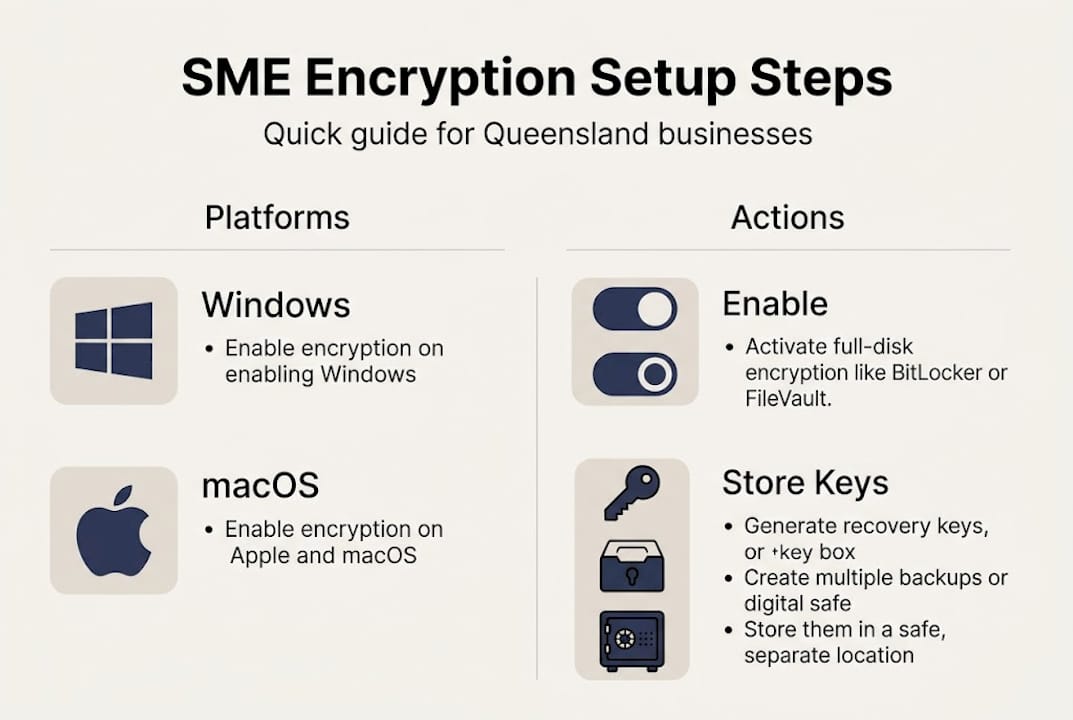
| Platform | Key action | Recovery key storage |
|---|---|---|
| Windows BitLocker | Turn on via Control Panel | Microsoft account, USB, or printed |
| macOS FileVault | System Settings > Privacy & Security | iCloud or local recovery key |
| Microsoft 365 | Default on; enable Customer Key | Azure Key Vault |
For further guidance on hardening your Microsoft environment, see our resources on M365 security best practices and hardening Microsoft 365. You can also explore broader data security in cloud computing to understand how encryption fits into your wider cloud strategy.
Pro Tip: Always note down and securely store your recovery keys immediately after enabling encryption. A locked-out device with no recovery key means permanent data loss, not a temporary inconvenience.
Managing keys and maintaining ongoing security
Turning on encryption is only half the job. True protection relies on smart key management and ongoing vigilance.
Your encryption key is essentially the password to your entire encrypted drive. Lose it, and you lose your data. Mishandle it, and an attacker gains access just as easily as if you had no encryption at all. Here is what good key management looks like for a Queensland SME:
- Document your key management process in writing, including who holds keys, where backups are stored, and what the recovery procedure is
- Store recovery keys separately from the device they protect, ideally in a password manager or secure offline location
- Rotate keys regularly, particularly after staff departures or a suspected security incident
- Use ASD-approved algorithms such as AES-256 for any custom encryption implementations
- Test your recovery process at least once a year to confirm backups actually work
The Australian Cyber Security Centre’s key management guidelines recommend documenting processes, backing up keys securely, rotating regularly, and using ASD-approved algorithms like AES-256 to maintain a strong security posture.
Encryption should sit inside a broader layered security approach. Think of it as one wall in a fortified building. The other walls include multi-factor authentication (MFA), regular backups, network monitoring, and staff training.
Combining encryption with zero trust, MFA, and backups blocks up to 99% of attacks based on empirical security data, making layered protection far more effective than any single control on its own.
For SMEs looking to build this layered approach, our resources on data protection compliance and IT compliance tips are a practical starting point.
Why encryption alone is not enough for Queensland SMEs
Here is something most IT guides will not tell you plainly: encryption gives many SME owners a false sense of complete security. We see it regularly. A business enables BitLocker, ticks a mental box labelled “secure,” and then carries on without MFA, without access controls, and without any staff training on phishing.
The uncomfortable truth is that encryption alone prevents only 60 to 70% of attacks. The remaining threats exploit human behaviour, weak passwords, and gaps in access management that encryption simply cannot address. A staff member who clicks a phishing link hands an attacker valid credentials, bypassing encryption entirely.
Real risks that encryption does not cover include lost or stolen keys, insider threats from disgruntled employees, and attackers who compromise a logged-in session rather than the encrypted drive itself. The importance of cloud security extends well beyond encryption settings.
Our view at IT Start is that encryption is non-negotiable, but it must be paired with MFA, role-based access controls, regular staff training, and monitored backups. Treat it as the foundation, not the finished building.
Boost your SME security with expert help
Ready to fortify your SME with proper encryption and smarter protection? Setting up and maintaining encryption across multiple devices, cloud platforms, and user accounts is manageable, but it requires the right process and ongoing attention to stay effective. At IT Start, we help Queensland SMEs implement end-to-end encryption, configure secure key management, and build layered security frameworks tailored to their industry and risk profile. Explore our cyber security services and cloud services for SMEs to see how we can support your business, or contact us for a no-obligation consultation today.
Frequently asked questions
Is full disk encryption mandatory for Queensland SMEs?
While not strictly mandatory, full disk encryption is strongly recommended under Australian government guidelines and is widely considered industry best practice for businesses handling personal information.
What happens if I lose my encryption keys?
Losing your recovery keys can mean permanent data loss with no way to recover your files, which is why storing backups securely and separately from the encrypted device is essential.
Do cloud platforms like Microsoft 365 handle encryption automatically?
Yes, Microsoft 365 encrypts data at rest and in transit by default using AES-256, but enabling customer-managed keys gives you greater control and supports compliance with Australian privacy requirements.
Is encryption alone enough to meet Australian data security laws?
Encryption is essential but not sufficient on its own. Layering MFA and access controls alongside encryption is required to achieve comprehensive protection and meet the full expectations of Australian data security legislation.