TL;DR:
- Implementing a structured IT helpdesk workflow increases efficiency and consistency for Brisbane SMEs.
- Key metrics like FCR, response time, and CSAT help measure and improve support performance.
- Overcoming common challenges such as after-hours gaps and documentation issues requires automation and proactive strategies.
Recurring tech issues, slow response times, and inconsistent ticket handling are quietly draining productivity across Brisbane’s small and medium businesses every single day. When your team can’t get timely IT support, deadlines slip, frustration builds, and security gaps widen. A structured IT helpdesk workflow changes all of that. It brings order to chaos, speeds up resolution, and gives your business a repeatable system for handling everything from a forgotten password to a full-blown cybersecurity incident. This guide walks you through the practical steps, key components, and performance benchmarks that make modern helpdesk workflows genuinely effective for Brisbane SMEs.
Table of Contents
- What is an IT helpdesk workflow?
- Key components of an effective IT helpdesk workflow
- Benchmark metrics every SME should track
- Common challenges and advanced solutions for Brisbane SMEs
- Helpdesk vs service desk: Which support model fits your business?
- Our perspective: Why a flexible, evolving workflow is the real competitive edge
- Streamline your workflow with trusted local IT support
- Frequently asked questions
Key Takeaways
| Point | Details |
|---|---|
| Clear workflow boosts efficiency | A well-structured IT helpdesk workflow accelerates problem resolution for Brisbane SMEs. |
| Track the right metrics | Monitoring FCR, MTTR, and CSAT weekly helps identify improvement opportunities. |
| Local challenges need tailored solutions | Addressing after-hours gaps and compliance ensures your workflow actually works in Brisbane. |
| Choose the right support model | Selecting between helpdesk, service desk, and MSP options impacts your IT workflow outcomes. |
What is an IT helpdesk workflow?
An IT helpdesk workflow is a repeatable, documented process for logging, classifying, prioritising, and resolving IT issues. Think of it as the operating manual for your support team. Without it, every technician handles requests differently, tickets fall through the cracks, and users are left wondering if anyone is actually working on their problem.
A solid workflow follows a tiered structure. The ITIL tiered structure organises support into levels: L1 handles basic issues with a 70 to 80 per cent resolution target, while L2 and L3 tackle more complex technical and infrastructure problems. All requests enter through a single front door, whether that’s a portal, email, or phone, and are converted into tickets immediately.
For Brisbane SMEs, this matters enormously. Here’s what a standard workflow looks like in practice:
- Single entry point: All requests arrive via one channel and become trackable tickets
- Triage and prioritisation: Issues are ranked by impact and urgency using a defined matrix
- L1 resolution: First-line support resolves the majority of requests without escalation
- Escalation to L2 or L3: Complex issues move up the chain with full context attached
- Closure and verification: The user confirms the issue is resolved before the ticket closes
“A structured workflow isn’t just about speed. It’s about consistency. When every ticket follows the same path, nothing gets lost and nothing gets forgotten.”
You can explore how IT service desks overview differ from basic helpdesk setups to understand which model suits your business best. A clear help desk process flow is the foundation for everything that follows.
Key components of an effective IT helpdesk workflow
Now that you understand the workflow’s purpose, let’s examine the core building blocks that make it efficient and resilient.
A well-designed workflow isn’t complicated, but it does require each component to work together. Here’s a model flow from intake to closure:
- Request intake: User submits via portal, email, or phone
- Ticket creation: System auto-generates a ticket with a unique ID and timestamp
- L0 self-service check: Knowledge base articles filter out common, repetitive queries
- L1 triage: First-line technician assesses, categorises, and prioritises the ticket
- Resolution or escalation: L1 resolves or escalates to L2 or L3 with full notes
- User communication: Regular status updates keep the user informed throughout
- Closure and feedback: User confirms resolution; satisfaction score is collected
| Workflow stage | Key activity | Goal |
|---|---|---|
| Intake | Single entry point | No missed requests |
| Triage | Impact and urgency scoring | Right priority, right team |
| Resolution | L1, L2, or L3 action | Fast, accurate fix |
| Communication | Status updates | User confidence |
| Closure | Verification and CSAT | Quality assurance |
Automation for routing and acknowledgment, combined with a knowledge base for self-service, SLAs (service level agreements, which define how quickly issues must be addressed), and continual improvement via metrics analysis are the methodologies that separate average workflows from excellent ones. You can find practical helpdesk automation tips that apply directly to small teams.
Documenting every resolution is just as important as fixing the issue. When technicians record what worked, that knowledge feeds back into the self-service layer and reduces future escalation load.

Pro Tip: Set up automated acknowledgment messages the moment a ticket is created. Users who receive instant confirmation are far less likely to submit duplicate requests or chase your team for updates, which saves everyone time.
The ITIL process flow provides a useful reference for mapping your own workflow stages against industry-standard practices.
Benchmark metrics every SME should track
Understanding workflow mechanics leads naturally to measuring results. Here are the industry benchmarks you should aim for.
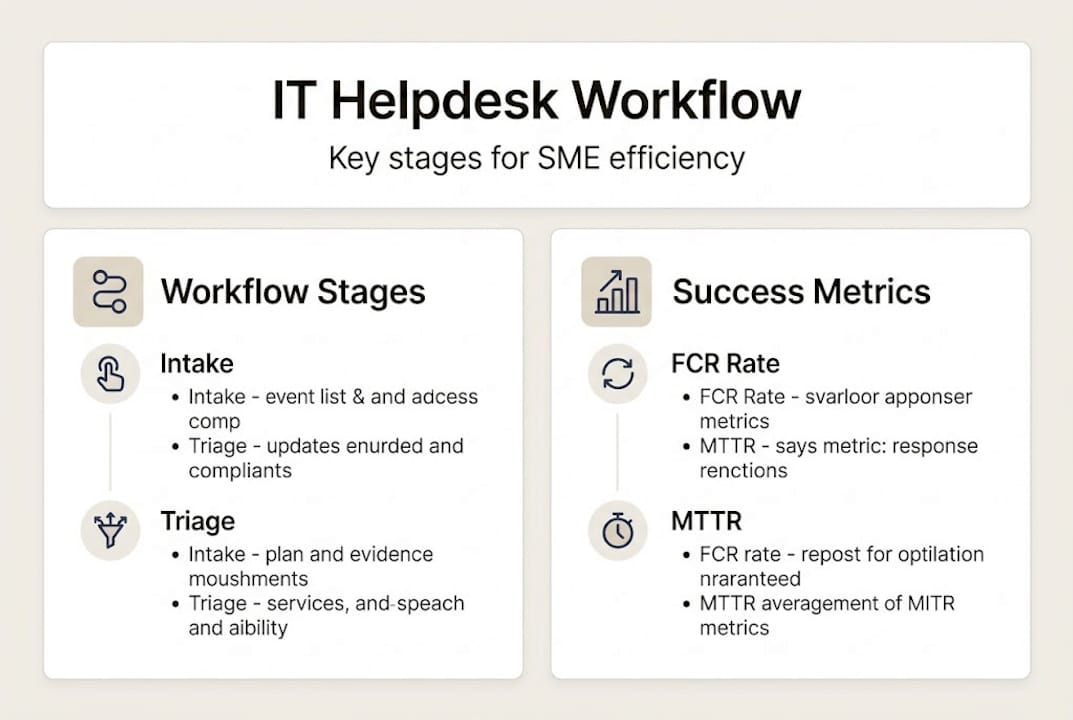
Numbers tell the real story of your helpdesk’s health. Without tracking performance, you’re guessing rather than improving. Industry benchmarks give you a clear target: average time per ticket sits at around 63 minutes, same-day close rates hover near 46 per cent, and top performers achieve a First Contact Resolution (FCR) rate of 70 to 75 per cent, with the best reaching 85 per cent. Mean Time To Resolve (MTTR) drops below 15 hours with AI-assisted workflows compared to over 30 hours without. Customer satisfaction (CSAT) scores at top-performing desks reach 99 per cent.
| Metric | Industry average | Top performer target |
|---|---|---|
| Average time per ticket | 63 minutes | Under 45 minutes |
| First Contact Resolution (FCR) | 54% | 70 to 85% |
| Same-day close rate | 46% | 60%+ |
| Mean Time To Resolve (MTTR) | 30+ hours | Under 15 hours |
| Reopen rate | 5% | Under 3% |
| CSAT score | Varies | 99% |
| Response time | 1 to 4 hours | Under 1 hour |
For Brisbane SMEs, the metrics that matter most are FCR, response time, same-day close rate, and CSAT. These four directly reflect the user experience and signal whether your workflow is genuinely working. Reviewing help desk performance benchmarks quarterly lets you spot trends before they become problems.
Tracking these figures also builds a business case for investment. When you can show leadership that MTTR dropped by 40 per cent after introducing automation, budget conversations become much easier. Explore managed IT support insights for more context on how these metrics translate into real business outcomes.
Common challenges and advanced solutions for Brisbane SMEs
Meeting benchmarks is one thing, but real-world challenges need local, actionable solutions. Here’s how Brisbane SMEs can address the toughest workflow blockers.
Even well-designed workflows hit obstacles. Brisbane SMEs commonly face:
- After-hours support gaps: Issues don’t wait for business hours, but small teams often can’t staff 24/7
- Single-point dependency: One senior technician holding all the institutional knowledge creates serious risk
- Escalating cybersecurity threats: Security incidents require a separate, faster escalation path
- Documentation gaps: Poor records mean every issue is solved from scratch, wasting time
- Repeated escalations: Escalations exceeding 30% of total tickets signal poor documentation or insufficient training
Local compliance requirements add another layer. Australia’s Essential Eight cybersecurity framework shapes how incidents must be detected, isolated, and escalated. Workflows that don’t account for this create compliance risk alongside operational risk.
Advanced solutions that work for Brisbane SMEs include co-managed MSP (Managed Service Provider) arrangements, where your internal team handles day-to-day requests while a partner covers after-hours and specialist escalations. Automation handles ticket triage and routing, reducing the burden on your senior tech. A robust internal knowledge base converts solved problems into reusable assets.
Pro Tip: Map your after-hours support gaps before you hit a crisis. A co-managed model with automated responses and documented checklists can bridge the gap and significantly reduce unplanned downtime.
Reviewing the benefits of managed IT support and understanding core IT management for Brisbane businesses will help you identify which gaps are costing you the most. Best practices for service desks offer further guidance on building resilience into your workflow design.
Helpdesk vs service desk: Which support model fits your business?
Not all support is created equal. Let’s compare which structures can take your workflow to the next level.
The terms “helpdesk” and “service desk” are often used interchangeably, but they represent fundamentally different approaches. A helpdesk is reactive and tactical. It responds to issues as they arise. A service desk is proactive and strategically aligned with your business goals, following ITIL strategic principles to manage and continuously improve IT services.
| Feature | Helpdesk | Service desk |
|---|---|---|
| Focus | Issue resolution | Business alignment |
| Approach | Reactive | Proactive |
| Scope | Technical fixes | End-to-end IT management |
| Improvement | Ad hoc | Structured and ongoing |
| Best for | Basic support needs | Growing or complex SMEs |
For in-house teams, the honest reality is that a shared inbox fails as a ticketing system. Structured ticketing is non-negotiable once your team grows beyond two or three people. A co-managed or fully managed MSP model often delivers better outcomes for SMEs that lack dedicated IT staff.
Signs you might benefit from switching models:
- Tickets are regularly missed or handled inconsistently
- Your IT person is also your accountant or office manager
- Security incidents are increasing in frequency
- You’re growing quickly and IT is struggling to keep pace
- After-hours issues are causing significant downtime
Exploring in-house vs managed IT options gives you a clear framework for making this decision. Service desk best practices can also help you evaluate which model aligns with your current and future needs.
Our perspective: Why a flexible, evolving workflow is the real competitive edge
With models and metrics in mind, here’s our take on what actually drives lasting helpdesk success for Brisbane SMEs.
The businesses we see struggling most aren’t the ones with bad technology. They’re the ones with rigid processes that haven’t changed since the business was half its current size. A workflow that worked perfectly for a team of five will crack under the pressure of twenty.
The real competitive edge isn’t finding the perfect workflow and locking it in. It’s building a culture of continuous review. Monitor FCR, MTTR, and CSAT weekly. Review your processes quarterly. When something consistently underperforms, fix the process before you blame the people.
AI and automation genuinely halve MTTR, but only when supported by smart processes and strong documentation. The technology is only as good as the thinking behind it. We’ve seen businesses invest in automation tools that made things worse because the underlying workflow was broken.
Don’t neglect your team’s knowledge base or their training. Human factors break the best tech setups. And never overhaul everything overnight. Pilot workflow changes with a subset of users first, measure the results, then scale what works. Reading about proactive support strategies will give you a clearer picture of how this mindset translates into day-to-day IT management.
Pro Tip: Set a calendar reminder for a quarterly workflow review. Thirty minutes every three months reviewing your top metrics will catch problems early and keep your process aligned with how your business actually operates.
Streamline your workflow with trusted local IT support
If you’re ready to optimise your helpdesk workflow, practical local support is just a step away.
At IT Start, we work with Brisbane SMEs to design, implement, and continuously improve IT helpdesk workflows that match how your business actually operates. From automating ticket triage to closing after-hours support gaps, we bring the structure and expertise your team needs to stay efficient and secure. Whether you need business IT support to stabilise your day-to-day operations, robust cybersecurity solutions to protect your data, or scalable cloud services to support your growth, we’re here to help. Reach out to IT Start today for a no-obligation conversation about what a better workflow could mean for your business.
Frequently asked questions
What is the difference between IT helpdesk and IT service desk?
An IT helpdesk focuses on reactive technical issue resolution, while an IT service desk offers a broader, more strategic IT approach to managing and improving IT services across the business.
How can automation improve my IT helpdesk workflow?
Automation for routing and acknowledgment speeds up ticket triage and frees your staff to focus on higher-level tasks that genuinely need human judgement.
What helpdesk metrics are most important for SMEs?
First Contact Resolution, Mean Time To Resolve, response times, and CSAT are the most critical, with top performers achieving FCR rates of 70 to 85 per cent and CSAT scores near 99 per cent.
What should I do if tickets are frequently escalated or unresolved?
Review your knowledge base and documentation quality, then invest in targeted staff training, as escalations above 30% typically indicate gaps in both areas rather than a technology problem.
Recommended
- Role of Help Desk – Enabling Seamless IT Operations – IT Start
- Understand IT service desks: Boost efficiency for Brisbane SMBs – IT Start
- IT helpdesk role for Queensland businesses: key facts – IT Start
- IT Security Workflow for Queensland SMEs: MSS Cuts Risks 60% – IT Start
- Voordelen van IT-ondersteuning voor mkb: wat levert het op?