TL;DR:
- Many Queensland SME owners wrongly believe IT monitoring tools are only for large companies with big budgets. Effective monitoring provides real-time visibility, alerts, and logs essential for quick breach detection and compliance. Continuous review and process integration are crucial to transforming monitoring into a core component of cyber resilience and business success.
Many Queensland SME owners assume IT monitoring tools are the domain of large corporations with dedicated security teams and seven-figure IT budgets. That assumption is not just wrong, it is genuinely dangerous. Cyber threats targeting small and medium-sized businesses are increasing in both frequency and sophistication, and the consequences of a breach, from regulatory penalties to permanent reputational damage, fall squarely on the business owner. This guide walks you through what monitoring tools actually do, how to implement them effectively, and why the process around them matters just as much as the technology itself.
Table of Contents
- Why monitoring tools matter for SMEs
- What do IT monitoring tools actually do?
- How monitoring supports cyber defence and compliance
- Best practices: Making monitoring an ongoing advantage
- Turning monitoring data into action: practical steps for Queensland SMEs
- What most SMEs miss about monitoring: it is not the tool, it is the process
- Get more from your monitoring strategy with local IT support
- Frequently asked questions
Key Takeaways
| Point | Details |
|---|---|
| Monitoring is essential | Effective monitoring tools are critical for SMEs to detect threats and support compliance. |
| Continuous improvement | Cyber security monitoring is a looping, ongoing process—not a one-off task. |
| People and process matter | The strongest results come from combining tools with training, staff buy-in, and review. |
| Turn insights into action | Act on alerts and monitoring data by updating processes, training, and incident response. |
Why monitoring tools matter for SMEs
There is a widespread belief that if you have an antivirus programme and a firewall, you are protected. The reality is far more nuanced. Cyber threats today range from credential-stuffing attacks and ransomware to insider threats and supply chain compromises. A firewall does not tell you when an employee account has been compromised. Antivirus does not alert you when someone is slowly exfiltrating data over weeks.
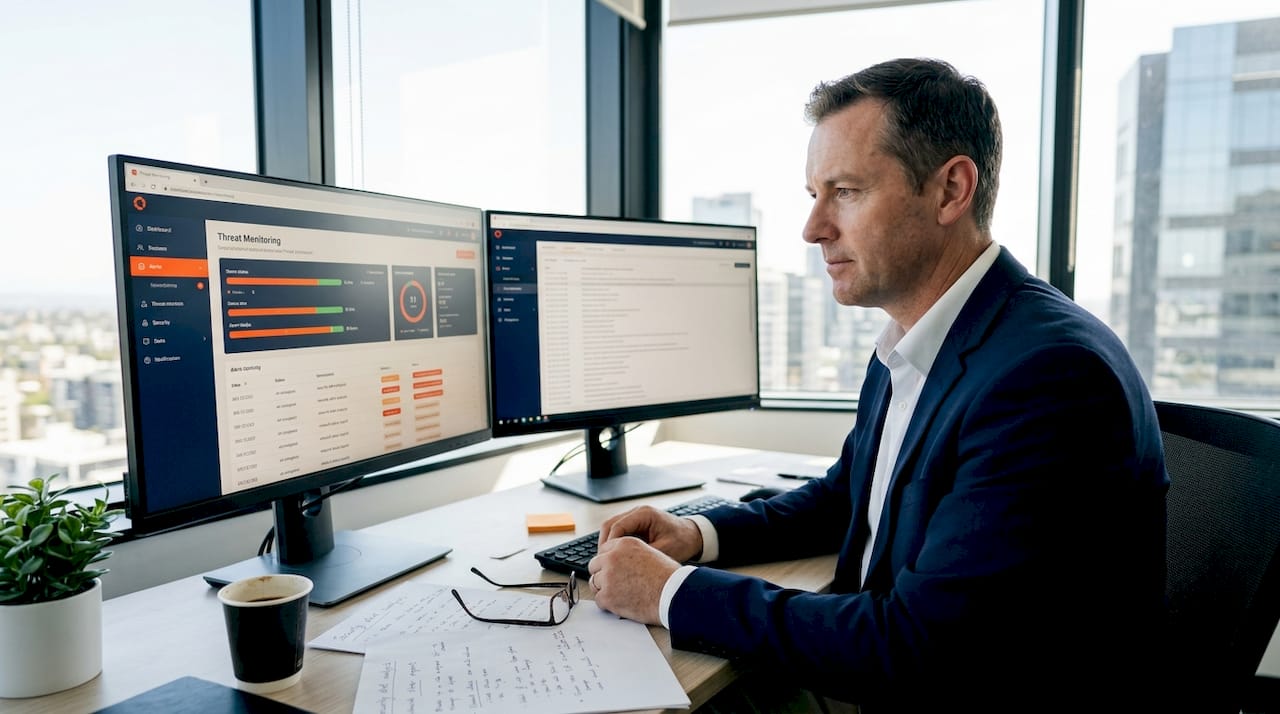
Monitoring tools provide real-time visibility into what is actually happening inside your IT environment. They watch your network, your endpoints, your cloud platforms, and your user accounts, and they flag behaviour that does not belong. For a business owner, that visibility is the difference between catching a breach in minutes and discovering it three months later in a news article.
The key practices that form a solid cyber defence include:
- Keeping software patched and updated regularly
- Training staff to recognise phishing and social engineering
- Maintaining secure, tested backups offsite or in the cloud
- Having a documented data breach response plan ready to activate
- Running monitoring tools continuously across all key systems
Cybersecurity guidance for Queensland businesses makes clear that business owners remain responsible for cyber resilience, not just their IT providers. You cannot outsource accountability. What you can do is put the right tools and processes in place so you are never caught off guard.
“Cyber resilience is not a product you purchase once. It is a discipline you practise continuously, and monitoring is the heartbeat of that discipline.”
Monitoring tools, when combined with those foundational practices, boost business efficiency by reducing downtime, catching problems early, and freeing your team from reactive firefighting. They also ensure you have a documented trail of evidence should you ever need to demonstrate compliance or investigate an incident. Having a clear cyber security response plan sitting alongside your monitoring capability makes your entire defence dramatically more effective.
Now that we have reframed monitoring as vital for all businesses, let us clarify what monitoring tools actually do.
What do IT monitoring tools actually do?
The term “monitoring tool” covers a broad category of software, so it helps to break this down into practical functions that apply directly to your business.
1. Security and event log monitoring
Every device, server, and application in your environment generates logs. These logs record who logged in, what files were accessed, when configuration changes were made, and whether any errors or warnings fired. Security log monitoring collects these logs, centralises them, and analyses them for suspicious patterns.
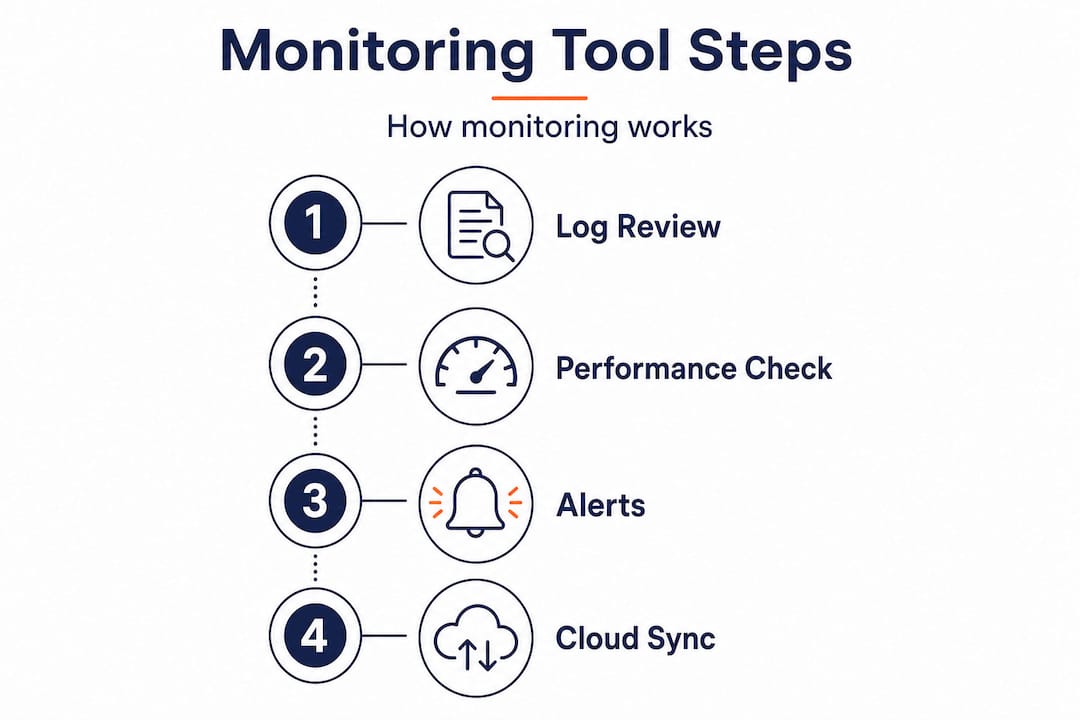
2. Performance and health monitoring
These tools track system metrics like CPU usage, memory consumption, disk space, and network throughput. An unusual spike in CPU at 3am might indicate crypto-mining malware running on a server. A sudden drop in available memory on a workstation could point to a rogue process. Health monitoring turns these technical signals into actionable alerts.
3. Alerting and notification
Raw data is useless without action. Good monitoring tools let you configure alerts so the right person is notified when something specific happens, such as a user account logging in from two countries within 20 minutes, or a critical system going offline. Alerts should be tuned to your environment to avoid alert fatigue.
4. Cloud and SaaS integration
Most Queensland SMEs now run at least some workloads in the cloud. Whether you use Microsoft 365, Google Workspace, or Azure-hosted applications, proactive IT monitoring must extend to those platforms. As Azure’s security logging guidance outlines, cloud monitoring involves enabling diagnostic settings for audit, security, and diagnostic logs, ingesting those logs into a central analytics workspace, and regularly analysing them for anomalous behaviour alongside configured alerting.
Here is a quick comparison of the main monitoring tool types and what they cover:
| Tool type | What it monitors | Best for |
|---|---|---|
| SIEM (Security Information and Event Management) | Centralised log collection and correlation | Detecting complex, multi-stage attacks |
| RMM (Remote Monitoring and Management) | Endpoint health, patch status, uptime | Day-to-day IT operations management |
| Cloud monitoring (e.g., Azure Monitor) | Cloud resource usage, login events, config changes | SaaS and cloud-hosted workloads |
| Network monitoring | Traffic patterns, bandwidth, device availability | Spotting unusual data flows or outages |
| Endpoint Detection and Response (EDR) | Behaviour on individual devices | Catching malware and insider threats |
Pro Tip: Start with the platforms your team uses every day, your cloud email, file storage, and identity provider. These are the most targeted entry points for attackers, and monitoring them first gives you the highest return for your investment.
With the main tool types clarified, let us see how effective monitoring makes the difference for cyber defence and compliance.
How monitoring supports cyber defence and compliance
Monitoring is not just about catching attackers in the act. It is also about building a body of evidence that proves your business takes security seriously, which matters enormously for compliance, insurance, and client trust.

Centralised, secure event logging is the foundation. When logs from all your systems flow into a single, tamper-resistant location, you can query them, correlate events across different platforms, and reconstruct exactly what happened during an incident. That capability is essential for satisfying regulatory obligations and for any forensic investigation following a breach.
For businesses operating under frameworks like the Essential Eight or handling sensitive client data under the Privacy Act, log retention periods matter. Australian network defence guidance specifies that you should establish centralised secure event logging, forward processed logs to analytics tools such as SIEM or XDR platforms, and retain searchable logs for at least 12 months. That 12-month window is not arbitrary; it reflects the reality that some intrusions are not discovered for weeks or months after they begin.
Baselining is another critical concept. When your monitoring tools understand what “normal” looks like for your environment, such as typical login times, usual traffic volumes, and standard CPU patterns, they can alert you to deviations rather than just known bad signatures. This matters because sophisticated attackers often use legitimate tools and credentials to move through a network. Rule-based detection alone misses them. Baseline telemetry catches the anomaly.
| Monitoring capability | Compliance benefit | Detection benefit |
|---|---|---|
| Centralised log storage | Evidence for audits and breaches | Correlate events across systems |
| 12-month log retention | Privacy Act and framework compliance | Investigate historic activity |
| Baselining and anomaly alerting | Demonstrates proactive controls | Catches living-off-the-land attacks |
| SIEM/XDR integration | Structured reporting capability | Reduces noise, surfaces real threats |
Having solid monitoring data directly supports incident response plans because your team knows exactly where to look when something goes wrong. It also underpins business continuity planning by helping you identify which systems are critical and how quickly you can detect and recover from an outage or attack.
To get the best from these tools, it pays to understand that monitoring must be an ongoing process, not a set-and-forget solution.
Best practices: Making monitoring an ongoing advantage
Most SMEs who invest in monitoring tools make the same mistake. They implement them, confirm the dashboards are running, and then leave the configuration untouched for years. The threat landscape does not stay still. Your business does not stay still. Your monitoring setup cannot stay still either.
Frameworks like the NIST continuous monitoring approach offer a structured roadmap. As detailed in the NIST SP 800-37 monitor step guide, effective monitoring is an ongoing loop that includes maintaining awareness of your security posture, assessing whether controls are still working, responding to identified risks, and sustaining authorisation decisions over time. That loop does not have a finish line.
Here are the key practices to make monitoring genuinely continuous:
- Review log sources quarterly. New applications, cloud services, or devices can appear in your environment and fall outside your current monitoring coverage. Audit what you are collecting every quarter.
- Tune alert rules regularly. If your team is drowning in false positives, alerts get ignored. Work to refine thresholds so every alert demands attention.
- Adopt modular detection logic. Rather than relying on a single monolithic rule set, build detection logic in layers so you can update one module without disrupting the whole system. Smarter detection strategies from the MITRE ATT&CK community offer excellent guidance here.
- Involve business leaders, not just IT. Monitoring has business implications. When a critical system throws unusual alerts, the decision about how to respond involves risk tolerance, operational priorities, and customer commitments. Those are business decisions.
- Feed monitoring outcomes into staff training. Real incidents or near-misses in your own environment are the most compelling training material you will ever have. Use them.
“The businesses that get the most from monitoring are the ones that treat it as a standing agenda item in their leadership meetings, not just an IT department report.”
Pro Tip: Schedule a quarterly “monitoring review” meeting that includes both your IT team and a senior business leader. Review alert volumes, any incidents, and coverage gaps together. This keeps monitoring aligned with your actual business risk rather than just technical metrics. For the human side of cyber defence, training your staff and building cyber security awareness should run in parallel with your monitoring programme.
After establishing a continuous improvement approach, let us focus on how to put monitoring insights into action for your business.
Turning monitoring data into action: practical steps for Queensland SMEs
Visibility without action is just noise. The goal of monitoring is to change what your business does as a result of what the tools surface. Here is a practical roadmap to move from raw monitoring data to real business outcomes.
-
Tie every alert to a business risk. Before configuring an alert, ask: if this fires, what does it mean for our operations, our clients, or our compliance obligations? Alerts with no clear business significance should be deprioritised or removed.
-
Create a response runbook for your top five alert types. A runbook is simply a documented set of steps your team follows when a specific alert fires. Who gets notified? What gets checked? What gets escalated? Runbooks remove the guesswork during high-pressure moments.
-
Feed monitoring findings into training programmes. Queensland business guidance emphasises staff education as a core pillar of cyber resilience. When monitoring reveals that three staff members clicked a phishing simulation link, that becomes the content of your next training session.
-
Document incident outcomes formally. Every time an alert leads to an investigation, write up what happened, what you found, how you responded, and what you would do differently. These records improve future response and demonstrate due diligence to auditors.
-
Review and adjust monthly. Set a recurring calendar item to review monitoring performance. Are alerts being actioned? Are there recurring issues pointing to an underlying problem? Is coverage still complete?
-
Use your threat response guide to validate your process. Ensure your monitoring outcomes connect directly to a tested, documented response capability.
Pro Tip: If your monitoring tools surface the same alert repeatedly, do not just dismiss it as a false positive. Recurring alerts often point to a genuine misconfiguration, a policy gap, or a user behaviour problem that needs addressing at its root.
What most SMEs miss about monitoring: it is not the tool, it is the process
We have worked with many SMEs across Brisbane and Queensland who come to us after spending significant money on monitoring software, only to tell us it has not made much difference. Almost every time, the issue is the same. The tool was installed, the default settings were left in place, nobody was assigned ownership of reviewing alerts, and the business moved on.
The hard truth is that the most sophisticated monitoring dashboard in the world will not protect your business if nobody looks at it regularly, nobody acts on what it says, and nobody improves the configuration over time. Tools are enablers. Process is the actual protection.
The SMEs that get security right are the ones that build monitoring into their operational rhythm. They treat it as a standing business function, not a technical installation. They assign clear ownership. They review outcomes and improve continuously. They connect what the tools show them to how they train their teams and how they plan their response. That mindset is the real differentiator.
Investing in a proactive IT monitoring guide is a strong starting point, but the businesses that sustain genuine cyber resilience are the ones that build a culture of ongoing review and improvement around their tools. The technology is the easy part. The discipline is what separates businesses that weather attacks from those that do not.
Get more from your monitoring strategy with local IT support
Building and maintaining an effective monitoring strategy is not a one-person job, and for most Queensland SMEs, it should not be attempted without experienced guidance. The right business IT support partner can help you identify coverage gaps, configure alerts that match your actual risk profile, and ensure your log retention meets Australian regulatory requirements. IT Start works with SMEs across Brisbane and Queensland to design monitoring frameworks that scale with your business, not just your current headcount or IT stack. Our cyber security services are built around the same frameworks outlined in this guide, so you get proactive, evidence-based protection rather than reactive firefighting. Reach out today to see how we can strengthen your monitoring capability.
Frequently asked questions
What types of monitoring tools are most important for Queensland SMEs?
Security log monitoring, system health tracking, and cloud and SaaS platform monitoring are the top priorities for local SMEs. Cloud monitoring best practice includes enabling diagnostic settings, centralising logs, and configuring alerting for anomalous behaviour.
How often should SMEs review or update their monitoring setup?
Monitoring should be reviewed continuously, with log sources and alert logic updated whenever your business or technology changes. The NIST continuous monitoring approach treats it as an ongoing loop of awareness, assessment, and improvement rather than a one-time implementation.
How long do I need to keep event logs for cyber compliance?
Australian network defence guidance recommends retaining searchable logs for at least 12 months to support compliance and forensic investigation after a breach.
Can monitoring tools help with staff cyber security awareness?
Yes. Real alerts and near-miss events surfaced by monitoring tools are highly effective training material. Queensland business guidance specifically emphasises staff education as a core part of ongoing cyber resilience.
Is monitoring only for IT teams, or should business owners be involved?
Business owners must remain actively involved. Cyber resilience responsibility sits with the business owner, not just the IT team, so monitoring outcomes need to inform business decisions, not just technical ones.