
Data leakage is when sensitive information ends up somewhere it was never meant to be, or in front of people who were never meant to see it. No hacker is needed. A shared link set to “anyone”, a spreadsheet emailed to the wrong person, a laptop left in a taxi: all of it counts.
We see this a lot in Brisbane businesses with 10 to 50 staff. Owners picture a hooded attacker. In practice the leak is usually a boring mistake sitting in a setting nobody checked. This guide explains what data leakage is, how it differs from a breach, where it really comes from, and what to fix first.
TL;DR
- Data leakage is unintended exposure of sensitive data. A breach is usually an attacker getting in. The line blurs fast, and the law cares about the outcome, not the label.
- Human error caused 37% of reported breaches in the first half of 2025, according to the OAIC. Your own staff and settings are a bigger risk than most owners assume.
- Start with three things: know where your data lives, turn on MFA everywhere, and limit who can open what.
- Outsourcing a task does not outsource your legal responsibility for the data.
Table of Contents
- What data leakage actually means
- Data leakage vs data breach: does the difference matter?
- Where leaks really come from
- What most businesses get wrong
- Where the numbers and reality don’t line up
- How to reduce data leakage: a practical order of attack
- Our perspective
- How IT Start can help
- FAQ
- Sources
What data leakage actually means
Think of it as data leaving the building when it shouldn’t. The “building” might be your Microsoft 365 tenant, your accounting system, a file server or a staff member’s phone. The data might be customer details, payroll files, client contracts, health records or the quote you were about to send.
Two things define a leak:
- The data is sensitive, meaning it would cause harm or embarrassment if the wrong person saw it.
- It reaches an audience or location that wasn’t authorised.
Notice what’s missing: intent and attackers. A leak can be accidental, careless, malicious from the inside, or the result of an outside attack. Most top-ranking definitions say the same thing: exposure to an unauthorised environment, often unintentional.
Data leakage vs data breach: does the difference matter?
In theory, a leak is exposure (usually accidental) and a breach is someone actively getting in. In practice, the distinction matters less than people think.
The Australian Cyber Security Centre describes a data breach as sensitive or personal information being accessed, disclosed or exposed to unauthorised people. Note the word “exposed”. A misconfigured folder that anyone with the link can open fits that description just as well as a stolen password.
Under the Privacy Act 1988, if your business is covered, the test is about eligible data breaches: personal information accessed, disclosed or lost without authorisation, likely to cause serious harm. You must assess a suspected breach within 30 days, and notify the OAIC and affected people as soon as practicable when it qualifies. Nobody at the OAIC asks whether your leak was “really” a breach. They ask what happened to the information and who might be hurt.
Our honest advice: stop arguing about vocabulary. If sensitive data got out, treat it as an incident. Our guide to what a cyber breach is covers the breach side in more detail.
| Data leakage | Data breach | |
|---|---|---|
| Typical cause | Mistake, bad setting, careless handling | Attacker gains access |
| Intent | Often none | Usually malicious |
| Example | Client list in a public SharePoint link | Stolen password used to read mailboxes |
| Reportable in Australia? | Can be, if serious harm is likely | Can be, same test |
Where leaks really come from
Here’s where data and reality do not match. Security vendors talk about sophisticated attacks. The numbers and our own client work point somewhere less glamorous.
The OAIC received 1,205 data breach notifications in the 2025 calendar year, an 8% rise on 2024 and the highest on record. Malicious or criminal activity was the main cause. But in the first half of 2025, human error accounted for 193 of 532 reported breaches, up from 29% the period before. That is more than one in three.
So both stories are true. Criminals are the biggest single cause, and ordinary mistakes are a very big second. Here’s what we find in practice.
Sharing settings nobody reviewed
A staff member shares a folder with “anyone with the link” because a client couldn’t open it. The job gets done. The link stays live for three years. We’ve found these in almost every Microsoft 365 review we’ve done on a new client. Nobody did anything malicious. Nobody ever went back.
Email to the wrong person
Autocomplete is a menace. A bookkeeper sends payroll to the wrong “Sam”. It happens weekly somewhere in Brisbane. One email, one person, one reportable incident if the content is sensitive enough.
Ex-staff and old accounts
The departed employee whose account was never disabled. The shared mailbox with six people who left last year. The personal Dropbox someone used “just for the big files”. Leaks love loose ends.
Personal devices and apps
Staff forward work email to a personal Gmail so they can read it on the weekend. Or paste a client contract into a free AI chatbot to summarise it. No ill intent, but the data has now left your control. If you don’t have a clear policy, you’ve got an unwritten one, and it’s “do whatever’s easy”.
Phishing that turns into a leak
A staff member enters their password on a fake Microsoft login page. The attacker reads mail, finds invoices and contracts, and uses them for fraud. The ACSC notes that cybercriminals target Australian businesses for financial gain, using ransomware or data theft to conduct fraud or extortion. This is where a “leak” becomes a full breach in one afternoon.
Data extortion
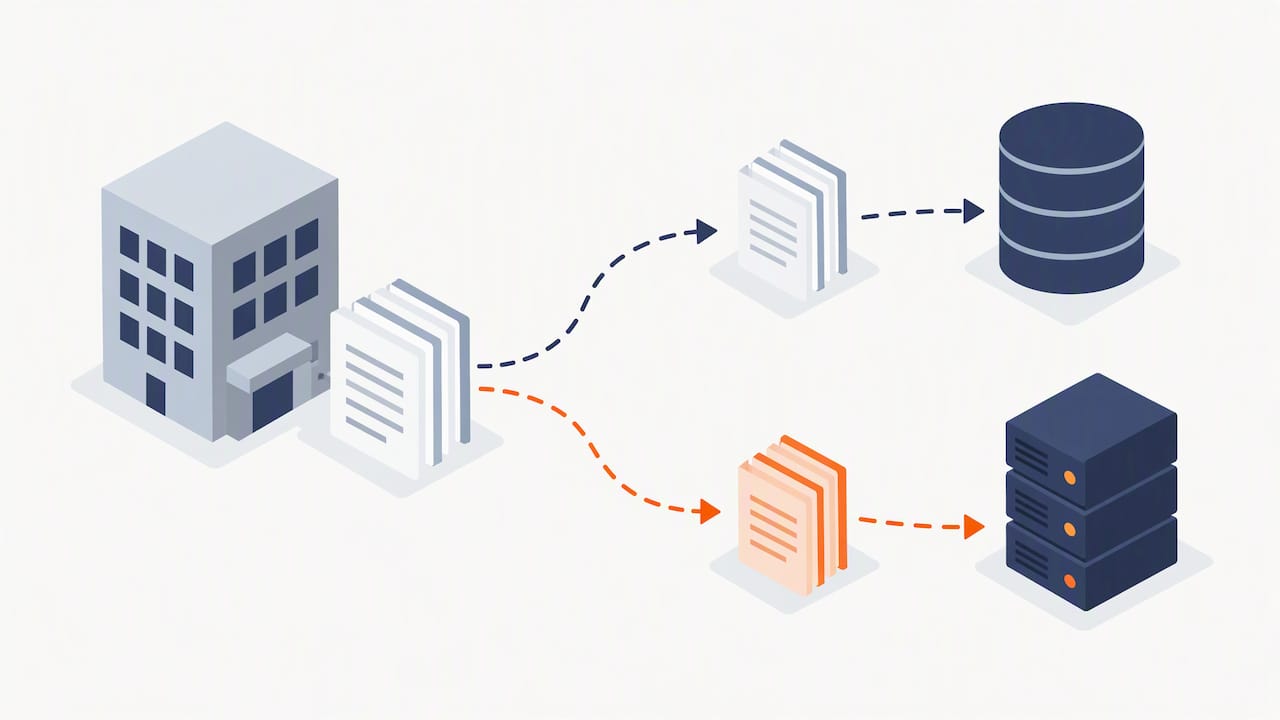
This is the nasty one. Attackers don’t only lock your files anymore. They copy your data first, then threaten to publish or sell it unless you pay. Restoring from backup fixes the outage but does nothing about the copy sitting on a criminal’s server. The OAIC reports that cyber incidents in the first half of 2025 affected just over 10,000 individuals on average. See our rundown of ransomware examples for SMBs for how this plays out.
Suppliers and developers
This one catches owners out. Your website developer, your software vendor or your offshore support team handles your data, and something goes wrong on their side. The OAIC has pointed to a case where a developer ran a script without permission and put private documents onto search engines. The agency believed its contract covered it. The damage was done anyway.
Honestly, a contract clause is the start, not the finish. Outsourcing the work doesn’t outsource your responsibility. Ask your suppliers what they actually do, and check.
What most businesses get wrong
After years of onboarding small businesses, the same mistakes keep turning up.
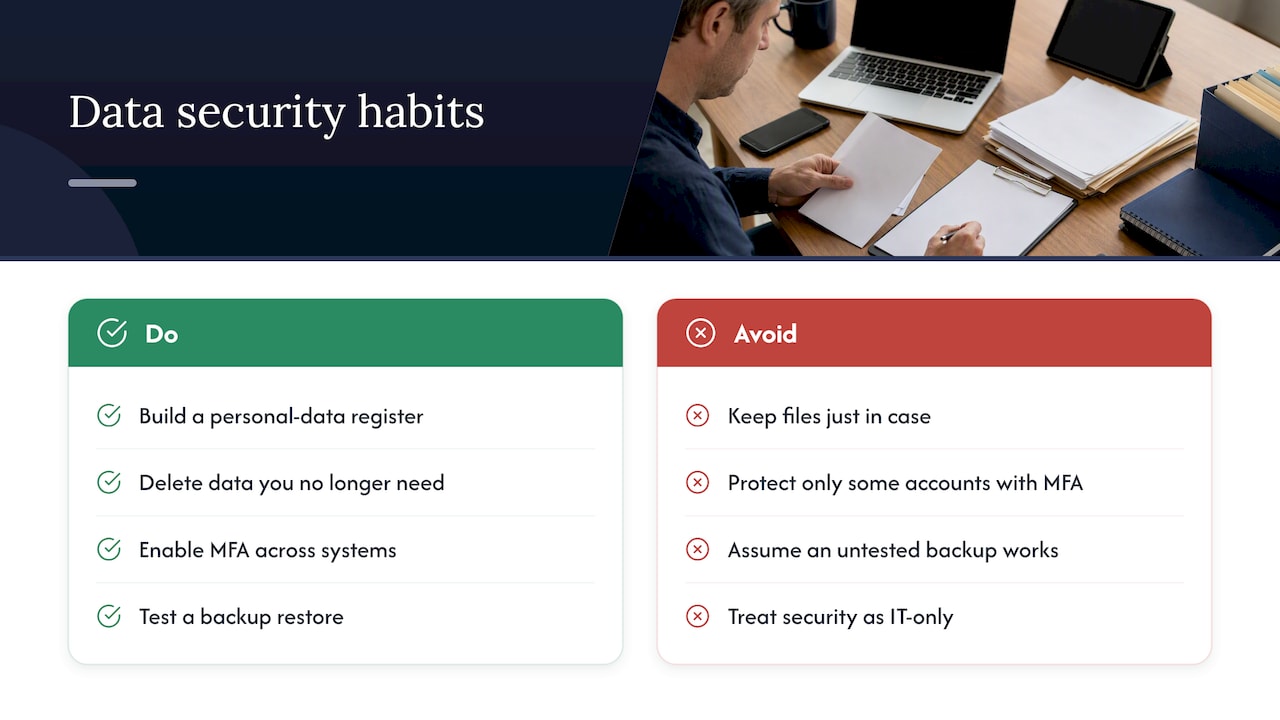
They don’t know where their data is. Ask an owner to list every place client information lives and you’ll get three answers. The real list has ten: the accounting package, shared drives, email archives, old laptops, a USB stick in the top drawer, the CRM, personal phones. The ACSC’s advice is simple: you can’t protect what you don’t know you have. Build a register of the personal data you hold, where it sits and who can reach it.
They keep everything “just in case”. Ten-year-old client files with licence scans and bank details are not an asset. They’re a liability waiting for a bad day. If you don’t need it for current operations or a legal retention requirement, delete it. Data you don’t hold can’t leak.
They think MFA is done because it’s switched on for some people. Partial MFA is the usual state we find. Owner has it, admin staff don’t. Email has it, the file portal doesn’t. Attackers go for the gap.
They think they’re backed up when they’re not. We see this constantly. The backup job has been failing for five months. Or it only covers the file server and not Microsoft 365 mail. Or the backup is reachable from the same network, so ransomware encrypts it too. Nobody has ever tried a restore. A backup you haven’t restored from is a hope, not a plan. The ACSC’s guidance on backing up files and devices is a decent checklist.
They treat it as an IT problem. The OAIC’s message is that protecting personal information is a core business responsibility, not just an IT task, and that you need a response plan before something happens. We agree, with feeling. Mid-incident is the worst time to invent a process.
Where the numbers and reality don’t line up
A few gaps we see between the reports and the real world:
- Reports undercount small leaks. The OAIC figures only include incidents that were assessed and notified. The wrong-recipient email nobody flagged, or the public link nobody noticed, never shows up. Real exposure is higher than any dashboard suggests.
- “Malicious” and “human error” overlap. A phishing click is human error that enables a criminal attack. Depending on how an incident gets classified, it lands in one bucket or the other. Don’t read the split as two separate problems. Often it’s one chain.
- Tools get the budget, habits get the results. Owners ask about expensive monitoring. The ASD’s guidance keeps coming back to MFA, strong passwords and proper access controls, which make it harder to get in and limit the damage when an account is compromised. Cheap and dull beats expensive and half-configured.
- SMS codes feel safe and aren’t great. They’re better than nothing. But if an attacker controls your phone number or email, the second factor is gone. For anyone holding sensitive data, authenticator apps with push approval or physical security keys are the target. Treat SMS as a stopgap.
How to reduce data leakage: a practical order of attack
Don’t try to do everything. In a 20-person business, this order gives the best return.
- Map your data. One page: what sensitive data you hold, where, and who has access. It takes an afternoon and exposes surprises every time.
- Turn on MFA for everyone, everywhere. Email, file storage, accounting, remote access, admin accounts. No exceptions for the boss.
- Tighten access. People get access to what their job needs, nothing more. This limits the blast radius when one account is compromised. If you run shared systems with different roles, the principle is the same in any industry; one example is how a studio platform lays out staff access levels for billing, check-in and other functions.
- Audit sharing links and external access. Review public links, guest users and third-party app permissions in Microsoft 365 at least quarterly.
- Fix the backups, then test them. Separate copy, isolated from your main network, with a restore test on the calendar.
- Clean up joiners and leavers. Disable accounts the day someone leaves. Collect devices. Review shared mailboxes.
- Write a one-page policy. Where client data may be stored, what can’t go into personal email or AI tools, and who to tell when something goes wrong.
- Check your suppliers. Ask what they hold, how it’s secured, and whether they’d tell you quickly if they had an incident.
- Have a response plan. Who decides, who calls the insurer, who notifies whom. Our data breach response guide for Brisbane businesses is a good starting point, and so is the ACSC’s page on how to report and recover from a data breach.
Our perspective
We’re opinionated about this because we clean up after it. Most of the leaks we deal with weren’t clever. They were avoidable, and the business had been told so at some point.
Here’s what we believe. First, MFA on everything is the cheapest insurance in the industry, and any business that hasn’t done it is choosing to be exposed. Second, backups are the most overconfident part of small business IT. “Yes, we’re backed up” is the most common false statement we hear in a first meeting. Third, data you don’t need is a risk you pay for every day. Delete it. Fourth, the best security spend for a 30-person firm is rarely a shiny product. It’s someone doing the dull checks on a schedule and telling you plainly what they found.
If you handle client files in a regulated field such as finance, health or legal, the stakes go up. Our pieces on protecting data for healthcare firms and sensitive data compliance in Brisbane go deeper. For a view of the privacy rules, see our data privacy tips for SMEs.
— Matt
How IT Start can help
If you read this list and thought “we’re not sure about half of that”, that’s a normal place to start. We run managed IT for small and medium businesses in Brisbane, including Microsoft 365 management, backups, and cyber security covering endpoint protection, firewall management and risk assessment and compliance. We can also review your wider setup under business IT support, and where your files sit in the cloud, we’ll look at that too. Start with a free assessment through our main site and we’ll show you what’s exposed before someone else finds it.
FAQ
What is meant by a data leak?
A data leak is sensitive information reaching people or places it shouldn’t, usually by accident or poor settings rather than a direct attack. Examples include a publicly shared folder, an email sent to the wrong person or a lost device with unencrypted files. It can still trigger legal obligations if personal information is involved and serious harm is likely.
Is a data leak the same as a data breach?
Not strictly, but they overlap heavily. A leak is typically unintended exposure, while a breach usually involves someone gaining unauthorised access. In Australia, the OAIC’s notifiable data breach scheme focuses on the unauthorised access or disclosure and the likely harm, so a leak can be reportable just like a breach.
Do small businesses in Australia have to report data leaks?
If your business is covered by the Privacy Act 1988 and an eligible data breach occurs, you must notify the OAIC and affected individuals. You also need to assess suspected breaches within 30 days. Not every small business is covered, so check your status with the OAIC or a privacy lawyer. Our guide to reporting a cyber incident explains the steps.
What’s the quickest way to reduce the risk of data leakage?
Turn on multi-factor authentication for every account, and limit access so each person only sees the data they need. Then review your public sharing links and delete data you no longer need. These three steps cost little and close the gaps we find most often.
Can a backup stop data leakage?
No. Backups help you recover lost or encrypted data, but they don’t undo exposure. In a data extortion attack, criminals copy your data before encrypting it, so restoring files doesn’t remove their copy. You need backups and access controls, and the backups should be isolated so attackers can’t alter them.
Sources
- OAIC: Latest notifiable data breach statistics, January to June 2025
- OAIC: Data breach notifications increase to all-time high in 2025
- OAIC: New dashboard for data breaches
- OAIC
- Cyber.gov.au: Report and recover from a data breach
- Cyber.gov.au: Common cyber threats to small businesses
- Cyber.gov.au: Securing customer personal data
- Cyber.gov.au: Securing accounts and identities