
Here is today’s tip: check that multi-factor authentication (MFA) is switched on for every Microsoft 365 account in your business, including the boring ones like the shared mailbox and the old admin login. If you only do one thing today, do that. The rest of this article gives you a tip for every day of the week, based on what we see when we walk into small businesses in Brisbane with 10 to 50 staff.
None of it needs a big budget. Most of it needs an hour and someone willing to own it.
TL;DR
- Turn on MFA everywhere, then move your owners and admins to phishing-resistant methods like security keys.
- Do not assume Microsoft 365 is backing you up. Test a restore before you need one.
- Patch quickly, retire hardware that can no longer be updated, and keep an asset list so you know what you own.
- Practise your incident plan once a year, because a plan nobody has tested is just a document.
- Start with the ASD’s Essential Eight at Maturity Level One. Do not try to do everything at once.
Table of Contents
- Why a daily tip beats an annual lecture
- A tip for every day of the week
- What most businesses get wrong
- Where the data and reality do not match
- Do not try to do everything at once
- Our perspective: boring and consistent wins
- When it is time to get help
- FAQ
- Sources
Why a daily tip beats an annual lecture
Honestly, most staff training fails because it happens once a year, in a meeting room, with a slide deck everyone has seen before. People forget it by lunchtime.
A small, specific habit repeated often sticks. That is why we like the tip-a-day format. It also suits owners who cannot spend a week on security. Ten minutes each morning adds up.
The stakes are real. The Australian Signals Directorate reports that the average self-reported cost of cybercrime for a small business rose to $56,600, up 14%, and for a medium business to $97,200, up 55%. The same report says the Australian Cyber Security Hotline took more than 42,500 calls in 2024-25, around 116 a day. That is not a niche problem.
A tip for every day of the week
Monday: switch on MFA, then check the exceptions
The ASD lists MFA, unique passwords, patching, phishing awareness and regular backups as the basics that prevent most incidents reported to it. MFA is first for a reason.
What we see in practice: the business says “yes, we have MFA”, and then we look at the sign-in logs. Three people were excluded “temporarily” two years ago. A shared mailbox has a password that never changes. The founder’s account, the one with the most access, is the one without MFA because it was annoying.
Today, open your Microsoft 365 admin centre and list every account without MFA. Fix each one or write down why it is exempt. If you can’t explain an exemption, remove it.
Tuesday: upgrade the type of MFA, not just the box
Ticking the MFA box is not the same as being protected. Text message codes and “approve this sign-in” push prompts are better than nothing, but attackers have learned to beat them. They spam approvals until someone taps yes just to make the phone stop.
For owners, finance staff and anyone with admin rights, move to an authenticator app with number matching, and better again, a hardware security key (FIDO2). The ASD’s Essential Eight maturity model changes are worth a read if you want to see where the bar is heading.
You don’t need keys for all 40 staff tomorrow. Start with the five people who could do the most damage if their account was taken over.
Wednesday: check your backups by restoring something
This is the one where data and reality are furthest apart. Many owners tell us they are backed up because they use Microsoft 365 or OneDrive. They are not, at least not in the way they think.
Microsoft keeps the platform running. That does not mean you can easily roll back a mailbox that was emptied by a compromised account, or a SharePoint library that ransomware encrypted and then synced to every laptop. You want a separate backup with its own copies that an attacker with your staff login cannot delete.
The ASD has a plain-English page on how to back up your files and devices. Read it, then do the part nobody does: pick a file from last month, restore it somewhere else, and time how long it takes. If you cannot do it, you do not have a backup, you have a hope.
Thursday: patch, and deal with the old hardware
Updates feel like background noise until one of them closes the hole an attacker is already using. The ASD now expects organisations to patch or otherwise mitigate critical vulnerabilities within 48 hours in the circumstances its guidance describes. That is tight for a business with no one watching.
The messy part we run into most is hardware. A five-year-old firewall that no longer gets firmware. A server in a cupboard running an operating system the vendor dropped. A laptop that can’t take the current Windows version. You can’t patch what the vendor has stopped fixing.
Today, write a simple list of every laptop, server, firewall and switch, with the purchase year and whether it still gets updates. The oldest, unsupported items go on next year’s budget, in writing.
Friday: slow down on the strange email
Friday afternoon is when people click. They are tired, they want to clear the inbox, and the invoice looks about right.
The pattern we see most is not the badly spelled scam. It is a real-looking Microsoft 365 sign-in page, or a supplier email from a mailbox that has genuinely been compromised, asking for a change of bank details. Before paying any invoice with new bank details, ring the supplier on a number you already had. Not the number in the email.
Give staff an easy way to report a suspicious message, and thank them when they do, even when it turns out to be fine. The person who reports ten harmless emails is the one who will report the dangerous one.
Saturday: look at what is exposed from the outside
This is a good tip for owners who check things on weekends. Look at who can log in to your business from the internet: remote desktop, VPN, the old file server with a port forwarded, the CCTV recorder, the website admin page.
If you run an online shop, the plugins and extensions bolted onto it are part of that exposure, and it is worth reading up on security plugins for an online store before you add another one. Fewer add-ons, kept up to date, beats a pile of half-maintained ones.
Anything you cannot explain should be switched off or put behind MFA.
Sunday: agree who to call before anything goes wrong
If ransomware hit at 7am Monday, who would your staff ring first? Who can pull a laptop off the network? Where is the backup, and who has the login?
The ASD advice is to have a plan, and we agree, but we would go further. Run it. Sit the team down for 45 minutes and walk through a pretend incident. We see this a lot: a nicely written incident response plan in a folder, a phone number that belongs to someone who left, and a backup login only the previous IT person knew.
Put the Australian Cyber Security Hotline, your IT provider, your insurer and your bank on one page, and stick it somewhere people can find it when their screen is locked.
What most businesses get wrong
After years of working with small businesses, the mistakes are boringly consistent.
- They buy a tool instead of fixing the basics. A new security product on top of accounts with no MFA is an expensive way to feel better.
- They treat security as an IT problem. Most of the decisions, such as who gets admin access, who approves payments and who is allowed to be an exception, are business decisions.
- They have no owner. If three people each assume another is watching the security alerts, nobody is.
- They confuse availability with backup. See Wednesday.
- They never offboard properly. Ex-staff accounts, old shared logins and ex-contractor access linger for years.
Where the data and reality do not match
The numbers in public reports are useful, but they sit a long way from how a 20-person business actually behaves.
The Office of the Australian Information Commissioner (OAIC) received 532 data breach notifications in January to June 2025, with 59% caused by malicious or criminal attacks. Reasonable-sounding, but those are only the breaches that were noticed, assessed as reportable and then reported. Plenty of small businesses never find out that a mailbox rule has been forwarding their invoices for six months.
The same OAIC release shows human error was behind 37% of breaches, up from 29% in the previous period. That fits what we see. The wrong attachment to the wrong person. A spreadsheet of client details shared with “anyone with the link”. It is rarely a genius hacker.
And then there is confidence. Ask an owner if they are backed up and they say yes. Ask when they last restored something and you get a long pause.
Do not try to do everything at once
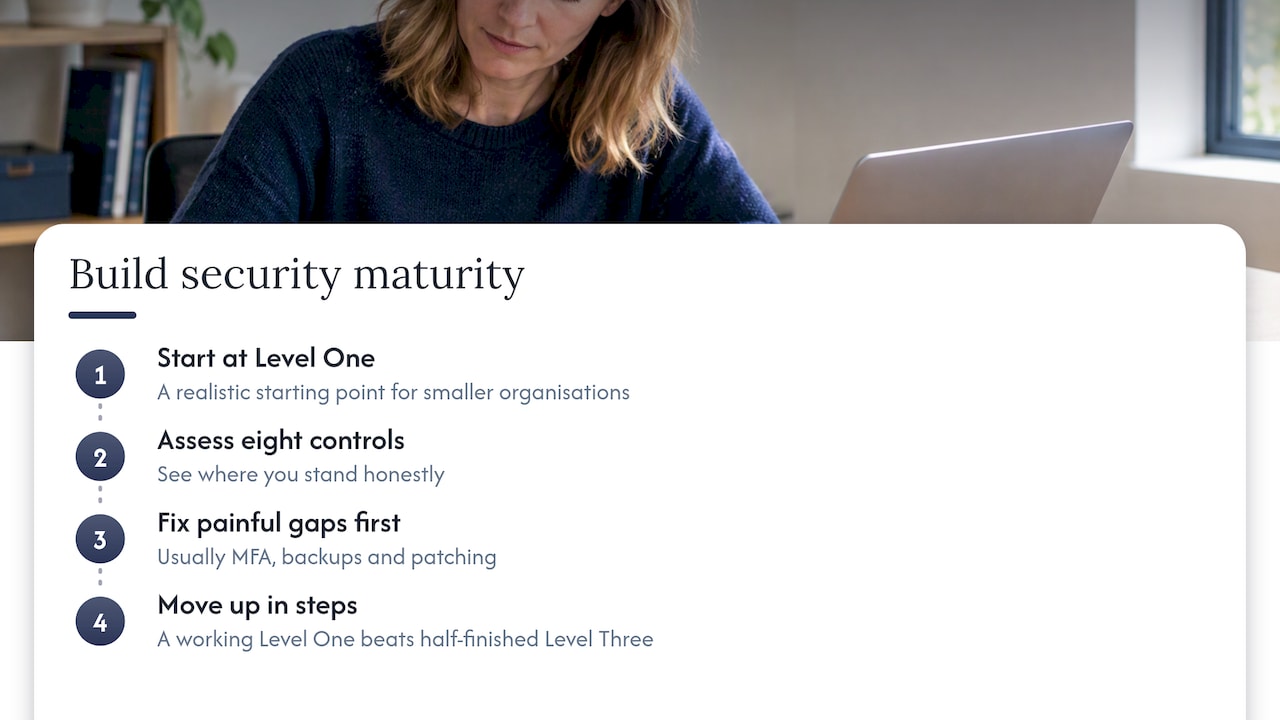
The Essential Eight is the ASD’s baseline set of eight mitigation strategies. It can feel like a wall of jargon. The ASD’s own maturity model FAQ says it is not one-size-fits-all, and for smaller organisations suggests Maturity Level One as a realistic starting point, then moving up in steps.
We agree, and we would add this: a half-finished Level Three plan is worth less than a fully working Level One. Pick the eight controls, see where you stand honestly, fix the cheapest and most painful gaps first. Usually that means MFA, backups and patching.
If you want a checklist to work from, the government’s cyber security checklist on business.gov.au is a sensible start, and the ASD’s small business cyber security guide covers the basics. A written policy helps too, and business.gov.au explains how to create a cyber security policy.
For very small teams, there is also the free Small Business Cyber Resilience Service, which offers tailored, person-to-person support.
Our perspective: boring and consistent wins
Here is where we land, and we know it is not the exciting answer.
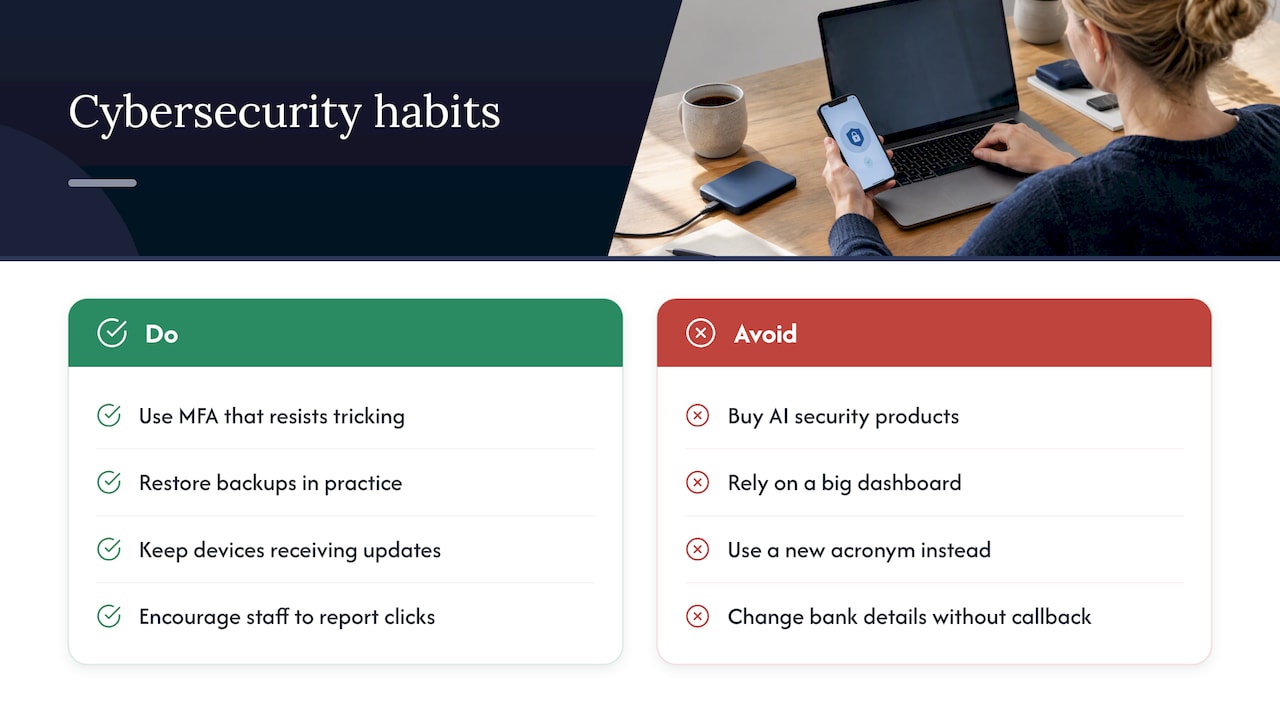
You do not need artificial intelligence security products, a big dashboard or a new acronym. You need MFA that cannot easily be tricked, a backup you have actually restored from, devices that still get updates, and staff who feel fine saying “I think I clicked something”. Most of the incidents we help clean up would have been stopped, or at least made much smaller, by those four things.
We also think a lot of the advice aimed at small business is too polite. If your finance person can be talked into changing bank details over email with no call-back, that is a hole as big as any unpatched server. Fix it this week.
And about ransomware: pay attention to the ASD’s guidance on protecting yourself from ransomware. What it comes down to is that recovery depends on having clean backups and a practised plan, long before the screen turns red.
If you take one habit from this article, make it the quarterly restore test. It is dull, takes an hour, and it is the thing that separates a bad week from a business-ending one.
— Matt
When it is time to get help
Plenty of this you can do yourself. But if you find yourself with no time to check sign-in logs, no one to own patching, or a pile of old hardware you can’t safely retire, that is the point where outside help pays for itself.
We look after Microsoft 365, security, backups and networks for Brisbane businesses. If you want a straight answer on where your gaps are, our cyber security services cover endpoint protection, firewall management, risk assessment and compliance, and proactive managed security. For the day-to-day side, see our business IT support and get in touch via the main site. Our blog also has a cyber hygiene checklist for SMEs and cyber hygiene tips for Brisbane SMBs if you want more to work through.
FAQ
What is a good cyber security tip for today?
Turn on MFA for every account that can reach your email, files or banking, and check for exceptions nobody remembers granting. It takes under an hour for a small team. It also blocks the most common route attackers use, which is a stolen password.
How many cyber attacks happen in Australia each day?
Nobody has one clean number, because many incidents are never noticed or reported. The ASD says its hotline handled over 42,500 calls in 2024-25, an average of 116 a day, according to its annual cyber threat report. Treat that as a floor, not a total.
What should staff learn first in security awareness training?
Start with spotting phishing and what to do when they have clicked, then safe handling of invoices and bank detail changes, then password and MFA habits. Keep sessions short and use examples from your own industry. Make it safe to report a mistake quickly.
Does Microsoft 365 back up my business data?
Not in the way most owners expect. Microsoft keeps the service available, but recovering deleted, overwritten or encrypted data over a longer period usually needs a separate backup. Test a restore to find out what you really have.
Where should a small business start with the Essential Eight?
Begin at Maturity Level One, as the ASD suggests for smaller organisations. Fix MFA, backups and patching first, then add the others in stages. A short, honest gap review beats an ambitious plan that never gets finished.
Sources
- Annual Cyber Threat Report 2024-2025, Cyber.gov.au
- Essential Eight maturity model changes, Cyber.gov.au
- Essential Eight maturity model FAQ, Cyber.gov.au
- Latest Notifiable Data Breach statistics for January to June 2025, OAIC
- Cyber security checklist, business.gov.au
- Create a cyber security policy, business.gov.au
- Cyber security and digital support services for small businesses, business.gov.au