
A cyber breach, also called a data breach or cybersecurity breach, is any unauthorised access, disclosure, or loss of sensitive or personal information, or unauthorised access to a system or network. It does not have to involve a hacker. An email sent to the wrong person, a stolen laptop, or a misconfigured cloud storage bucket all qualify. Under Australian law, the two bodies you need to know are the Office of the Australian Information Commissioner (OAIC) and the Australian Cyber Security Centre (ACSC), and both have specific reporting expectations that apply to your business.
Who does this affect?
- Individuals whose personal information is held by an organisation
- Small and medium businesses (SMBs) covered by the Privacy Act 1988, generally those with an annual turnover above $3 million, plus health service providers and some others regardless of size
- Larger organisations and government agencies with formal incident-response obligations
The ACSC’s guidance is clear: a breach may be accidental or the result of a deliberate security attack. Both carry the same notification obligations if personal information is involved and serious harm is likely.
Key takeaways
A cyber breach is any unauthorised access, disclosure, or loss of personal information, and Australian businesses covered by the Privacy Act must assess and potentially notify the OAIC within 30 days if serious harm is likely.
| Point | Details |
|---|---|
| Definition | A breach is unauthorised access, disclosure, or loss of personal or sensitive information, accidental or deliberate. |
| Top causes | Phishing, credential theft, ransomware, and misconfiguration caused the majority of Australian breaches in FY2023–24. |
| Immediate steps | Contain, preserve evidence, notify your IT provider and insurer within the first 24–72 hours. |
| Reporting obligations | OAIC NDB: assess within 30 days, notify if serious harm is likely. ACSC: report critical incidents within 12 hours. |
| IT Start | IT Start offers free security assessments for Brisbane SMBs covering MFA, backups, patching, and email security. |
Table of Contents
- What causes a cyber breach?
- How does a cyber breach actually unfold?
- How do you know if your business has been breached?
- What to do immediately when you suspect a breach
- What are your reporting obligations in Australia?
- How to reduce your breach risk: practical steps for SMBs
- What most small businesses get wrong (from an MSP’s view)
- Australian breach case studies: what went wrong and what to learn
- The fixes that matter most, from where we sit
- IT Start offers a free security assessment for Brisbane SMBs
- Sources
- FAQ
What causes a cyber breach?
Breaches come from two directions: deliberate attacks and human mistakes. Both are common. Both are preventable with the right controls in place.
Malicious causes
- Phishing is still the most common entry point. A staff member clicks a link, enters credentials, and an attacker has access within minutes.
- Ransomware encrypts files and demands payment; it often arrives via phishing or an unpatched vulnerability.
- Credential theft and account takeover happen when attackers use stolen username/password combinations across multiple services. According to the ACSC Annual Cyber Threat Report 2023–24, credential stuffing and account compromise were among the top cyber threats recently, and cyber security incidents caused a significant portion of OAIC notifications.
- Malware installed via malicious attachments or compromised websites gives attackers persistent access.
Non-malicious causes
- Sending an email to the wrong recipient
- Misconfigured cloud storage (a SharePoint folder set to “anyone with the link”)
- Lost or unencrypted USB drives or laptops
- Weak or reused passwords with no multi-factor authentication (MFA)
Third-party and supply chain risk is underestimated by most SMBs. Your supplier’s breach can become your breach if they hold your customer data or have access to your systems.
| Incident type | Relative frequency |
|---|---|
| Phishing / social engineering | Very high |
| Credential compromise / account takeover | Very high |
| Ransomware | High |
| Misconfiguration / accidental disclosure | Moderate |
| Insider error (wrong recipient, lost device) | Moderate |
| Supply chain / third-party compromise | Growing |
Source: ACSC Annual Cyber Threat Report 2023–24; OAIC NDB scheme statistics.
Pro Tip: Check your cybersecurity best practices against each of these categories. If you cannot confidently say you have a control for each row in that table, you have a gap.
How does a cyber breach actually unfold?
Most breaches do not happen in one dramatic moment. They follow a chain, and the good news is there are multiple points where you can stop them.
Here is a typical SMB attack sequence:
- Initial access. An attacker sends a phishing email to your accounts payable staff member. She clicks a link and enters her Microsoft 365 credentials on a fake login page.
- Persistence. The attacker logs in, adds their own MFA device to her account, and sets up an inbox rule to hide replies from the attacker’s email address.
- Reconnaissance. Over the next few days, the attacker reads emails, identifies your key suppliers, and learns your invoice approval process.
- Lateral movement. Using the same credentials (because your team reuses passwords), the attacker accesses your file server and cloud storage.
- Data access or exfiltration. Customer records, financial data, and contracts are copied out. Alternatively, ransomware is deployed and files are encrypted.
- Discovery. You notice something is wrong, usually because a supplier calls about a suspicious invoice, or files suddenly cannot be opened.
The average time between initial compromise and detection in a business email compromise (BEC) attack is measured in days to weeks, not hours. By the time you notice, the attacker has often already read months of email and mapped your entire supplier network.
The detection points where you can interrupt this chain are: MFA on all accounts (stops step 1 from succeeding), conditional access policies (flags unusual sign-in locations), audit log monitoring (catches the inbox rule at step 2), and endpoint detection tools (flags lateral movement at step 4).
Pro Tip: Enable Microsoft 365 audit logging before you need it. Logs are not retained indefinitely by default, and without them, forensic investigation after a breach is nearly impossible.
How do you know if your business has been breached?
Some breaches are obvious. Most are not. Here are the signs to watch for.
Operational signs
- Staff cannot log in to accounts, or passwords have changed without their knowledge
- A ransom note appears on screen or in a folder
- New admin accounts appear in your Microsoft 365 or server environment
- Customers or suppliers report receiving suspicious emails from your domain
- Unexpected invoices or payment requests arrive from “known” suppliers
Technical signs
- Unusual outbound network traffic, especially large data transfers at odd hours
- Unexplained file encryption or files renamed with strange extensions
- Spike in failed login attempts in your audit logs
- Security software disabled or uninstalled without a change request
Quick checks you can run now
- Visit Have I Been Pwned and enter your business email domains to see if credentials have appeared in known breach databases.
- Check your Microsoft 365 admin centre for unfamiliar MFA devices or sign-in locations.
- Review your audit logs for inbox rules created in the last 30 days.
- Confirm MFA is active on every admin account.
According to Cyber Wardens research, 70% of small businesses surveyed had received suspicious communications, yet only around half had MFA enabled on cloud drives and social media accounts. That gap is where most breaches start.
Pro Tip: Do not wait for a ransom note. Set up login alerts in Microsoft 365 so you get an email when a new device is added to an account or a sign-in occurs from an unusual location.
What to do immediately when you suspect a breach
Speed matters here. The first 24–72 hours determine how much damage is done and whether you can meet your legal reporting obligations.
- Contain first. Isolate the affected device or account. Disable the compromised user account in Microsoft 365 (do not just reset the password — revoke all active sessions too).
- Preserve evidence. Do not wipe or reimage the affected machine yet. Take screenshots, export logs, and document everything with timestamps. Your insurer and any forensic investigator will need this.
- Record a timeline. Note when the incident was first detected, what was observed, and every action taken. This is critical for OAIC notification and any insurance claim.
- Notify internally. Alert your IT team or managed service provider immediately. If you do not have one, contact a cyber incident responder.
- Contact your cyber insurer. Do this early. Many policies require prompt notification, and your insurer may have a 24/7 incident response hotline.
- Notify your bank if financial accounts or payment systems may be involved.
- Assess scope. Work with your IT team to determine what data was accessed, how many individuals are affected, and whether personal information is involved.
- Prepare for external reporting (see the next section).
If ransomware has deployed, do NOT pay the ransom before taking advice from a cyber incident responder or the ACSC. Payment does not guarantee data recovery and may create additional legal exposure.
Cyber incidents can be extremely costly for SMBs, with operational disruption often exceeding the direct cost of the breach itself. Engaging a specialist incident responder early, rather than attempting internal recovery, typically reduces total recovery time and cost significantly, as noted by Marsh Australia.
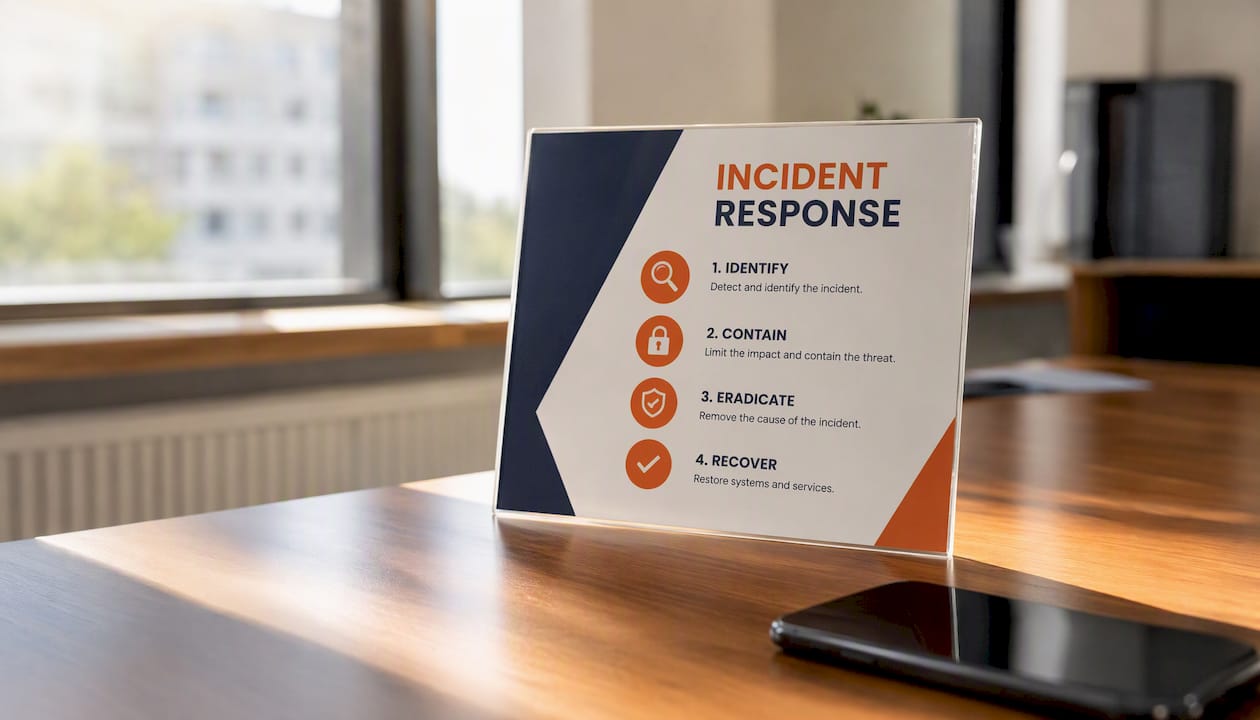
Pro Tip: Keep a printed one-page incident response card in your office with key contacts: your IT provider, cyber insurer, ACSC (1300 CYBER1), and OAIC. When systems are down, you cannot look these up online.
What are your reporting obligations in Australia?
Australia has two parallel reporting frameworks, and they are not the same thing.
OAIC Notifiable Data Breaches (NDB) scheme
Under the Privacy Act 1988, an eligible notifiable data breach is one where:
- There has been unauthorised access, disclosure, or loss of personal information
- The breach is likely to result in serious harm to one or more individuals
- The organisation has not been able to prevent the likely serious harm
Organisations generally have 30 days to assess whether a breach meets the notification threshold. If it does, you must notify both the OAIC and the affected individuals as soon as practicable.
ACSC incident reporting
The ACSC expects organisations to report critical cyber incidents promptly. For incidents that significantly impact the availability of critical systems, the expectation is contact within 12 hours of becoming aware. This is separate from your OAIC privacy obligation and applies even when no personal data is involved.
These two frameworks are complementary: OAIC covers privacy and serious-harm notifications, while ACSC covers operational cyber incidents and national threat intelligence.
| Contact | Purpose | Timeline |
|---|---|---|
| OAIC (oaic.gov.au) | Notifiable Data Breach notification | Assess within 30 days; notify ASAP if eligible |
| ACSC (cyber.gov.au / 1300 CYBER1) | Cyber incident reporting | Within 12 hours for critical availability impacts |
| Australian Federal Police (AFP) | Criminal cyber offences | As soon as practicable |
| ATO | If tax file numbers or financial data are involved | Promptly, per ATO guidance |
How to reduce your breach risk: practical steps for SMBs
Prevention is not about buying expensive tools. It is about fixing the basics that most SMBs have not done yet.
Technical controls (highest priority)
- Enable MFA on everything. Microsoft 365, email, accounting software, cloud storage. No exceptions for admin accounts.
- Patch operating systems and software within 30 days of a patch release, or sooner for critical vulnerabilities.
- Use endpoint protection with behavioural detection, not just signature-based antivirus.
- Implement email filtering to block phishing and malicious attachments before they reach staff.
- Maintain tested, off-site, immutable backups. “Immutable” means the backup cannot be deleted or encrypted by ransomware. Test restores quarterly.
People controls
- Run phishing simulation training at least twice a year. Staff who click simulated phishing links get immediate, targeted training.
- Implement a verbal payment verification process: any change to bank account details from a supplier must be confirmed by phone to a known number, not by email.
- Review supplier contracts to confirm they have minimum security standards and breach notification obligations.
Operational controls
- Enable and retain audit logs in Microsoft 365 for at least 90 days.
- Review admin account access quarterly and remove accounts that are no longer needed.
- Document a basic incident response playbook so staff know what to do before an incident happens.
The OAIC’s guidance for entities specifically recommends MFA, patching, audit logging, and contractual controls with service providers as core mitigation steps under the Privacy Act framework.
Pro Tip: If you can only do two things this week, enable MFA on all Microsoft 365 accounts and test whether your backups actually restore. Those two controls address the majority of breach scenarios we see in SMBs.
What most small businesses get wrong (from an MSP’s view)
Honestly, the gap between what businesses think they have and what they actually have is significant. We see it constantly.
The backup problem. Most clients tell us they are backed up. When we check, backups are either copying to a network share the ransomware can reach, stored on a local drive that is never tested, or the backup account has no MFA so an attacker can disable it before deploying ransomware. Cyber Wardens research confirms this is not an isolated problem among Australian SMBs.

Shared admin accounts. We regularly find businesses where three or four staff share a single admin account. When something goes wrong, there is no audit trail. You cannot tell who made a change or when.
MFA gaps. MFA is enabled on the main Microsoft 365 login but not on the admin portal, not on the backup software, and not on the accounting platform. Attackers find the gap.
Outdated hardware and software. A machine running Windows 10 past its support date, or an old firewall firmware that has not been updated in two years, is an open door.
We had a client who was hit by ransomware on a Friday afternoon. Their backups were running, but the backup account had no MFA. The attacker had been in the environment for 11 days, had already deleted the last 10 days of backups, and encrypted everything else. Recovery took three weeks and cost significantly more than a year of managed security would have.
Quick fixes we apply first:
- Enable MFA on all accounts, starting with admin and finance
- Move backups to an off-site, immutable destination with a separate MFA-protected account
- Remove shared admin accounts and create individual named accounts
- Run a patch audit and remediate anything more than 60 days old
A cybersecurity plan does not need to be complex to be effective. The basics, done consistently, stop the vast majority of attacks.
Pro Tip: Ask your IT provider to show you the last successful backup restore test, with a date and a screenshot. If they cannot, your backups are theoretical.
Australian breach case studies: what went wrong and what to learn
Medibank (2022)
Attackers accessed the personal and health information of approximately 9.7 million current and former customers. The initial access vector was stolen credentials. No MFA was in place on the VPN account used to gain entry. The lesson for SMBs: credential theft is not just a large-enterprise problem, and MFA on remote access is non-negotiable.
Optus (2022)
An exposed API with no authentication allowed an attacker to query and extract the personal information of approximately 9.8 million customers. The root cause was a misconfiguration, not a sophisticated attack. The lesson: misconfigured systems and APIs are a breach waiting to happen, and regular configuration audits matter.
Practical lessons for your business:
- Stolen credentials caused Medibank’s breach. MFA would have stopped it.
- Misconfiguration caused Optus’s breach. Regular security reviews catch these gaps.
- Both incidents triggered OAIC notifications and significant regulatory scrutiny.
- Both resulted in reputational damage that lasted well beyond the technical remediation.
- Audit your remote access points and confirm MFA is active on every one.
- Review who has access to your customer data and whether that access is still necessary.
- Check your cloud storage and API configurations for public or overly permissive access.
- Confirm your suppliers have their own breach notification obligations in their contracts.
The fixes that matter most, from where we sit
If you run a business with 10–50 staff and you are reading this after a scare, or just want to know where to start, here is the honest answer: MFA, backup testing, and resetting any credentials that may have been exposed are the three highest-impact actions you can take this week.
Most SMBs spend time worrying about sophisticated attacks when the actual risk is a staff member’s reused password or a backup that has never been tested. The investment required to fix those two things is small. The cost of not fixing them, as the case studies above show, is not.
Check your audit logs. Look for inbox rules you did not create. Run your email domain through Have I Been Pwned. These checks take 20 minutes and will tell you more about your actual exposure than any sales conversation.
IT Start offers a free security assessment for Brisbane SMBs
If you are not sure where your gaps are, IT Start can help. We offer a free security assessment for small and medium businesses in Brisbane that covers your MFA coverage, backup posture, patch status, and email security configuration. No jargon, no pressure. Just a clear picture of where you stand and what to fix first.
Our managed cyber security services include ongoing monitoring, incident response support, and the kind of hands-on fixes described in this article. If you have had a suspected incident and need triage support quickly, our team is available for short-engagement emergency help.
Book your free assessment or contact us to talk through your situation. We work with businesses across Brisbane and South East Queensland.
Sources
- When to report a data breach | OAIC
- Cyber
- Building a culture of cyber safety in Australian small businesses | Cyber Wardens
FAQ
What is a cybersecurity breach?
A cybersecurity breach is any unauthorised access, disclosure, or loss of sensitive or personal information, or unauthorised access to a computer system or network. It can be deliberate (hacking, ransomware) or accidental (wrong email recipient, lost device).
What is considered a data breach under Australian law?
Under the OAIC’s Notifiable Data Breaches scheme, an eligible data breach is unauthorised access, disclosure, or loss of personal information that is likely to result in serious harm to one or more individuals. Organisations covered by the Privacy Act 1988 must assess the breach within 30 days and notify the OAIC and affected individuals if the threshold is met.
How do I know if my data has been breached in Australia?
Visit Have I Been Pwned and enter your email address to check whether your credentials appear in known breach databases. You can also check your Microsoft 365 audit logs for unusual sign-in activity or unfamiliar MFA devices added to your account.
What is the most common cause of cyber security breaches?
Phishing and credential theft are consistently the leading causes. The ACSC Annual Cyber Threat Report 2023–24 identified credential stuffing and account compromise as top threats, and phishing remains the most common initial access method for attackers targeting Australian businesses.
Do small businesses have to report a data breach in Australia?
Yes, if they are covered by the Privacy Act 1988. This includes businesses with an annual turnover above $3 million, all health service providers, and certain other categories. If a breach meets the serious-harm threshold, notification to the OAIC and affected individuals is required. The ACSC also expects prompt reporting of significant cyber incidents regardless of whether personal data is involved.