
Three actions will cut most of your cyber risk right now. Turn on multi-factor authentication (MFA) for every account, verify your backups actually restore, and apply any outstanding patches to your operating system and internet-facing services. That is it. Everything else in this guide builds on those three things.
If you are not sure where to start, call the Australian Cyber Security Hotline on 1300 CYBER1 (1300 292 371), available 24 hours a day. You can also run the free Cyber Health Check on the ACSC website to get a tailored picture of where your business stands. If you have already had an incident, contact IDCARE’s Small Business Cyber Resilience Service for free one-on-one support.
Quick actions to delegate right now:
- Enable MFA on Microsoft 365, email, banking, and any cloud service your team uses. Phishing-resistant options like FIDO2 hardware keys or passkeys are best for admin accounts.
- Test a backup restore today. Not just “check the backup ran” — actually restore a file or folder and confirm it works.
- Apply outstanding patches to Windows, your router firmware, and any software exposed to the internet (your website CMS, remote access tools, VPN).
Key takeaways
The single most important thing an Australian small business can do right now is enable phishing-resistant MFA on all accounts, verify that backups restore successfully, and patch internet-facing services before anything else.
| Point | Details |
|---|---|
| MFA is non-negotiable | Enable MFA on every account, starting with admin and finance; use FIDO2 or passkeys for privileged roles. |
| Test your backups, do not just check they ran | Restore a file or folder monthly; a backup you have never tested cannot be trusted in a crisis. |
| Patch internet-facing services first | Apply critical patches within 48 hours; your website, VPN, and remote desktop tools are the highest-priority targets. |
| Know your reporting obligations | Under the Notifiable Data Breaches scheme, notify the OAIC and affected individuals if a breach is likely to cause serious harm. |
| IT Start for managed security in Brisbane | IT Start provides tested backups, MFA rollout, and monitored endpoint protection for SMBs of 10 to 50 staff. |
Table of Contents
- What should you do in the first 30 and 90 days?
- What cyber threats are actually hitting Australian small businesses?
- What technical controls do you actually need to implement?
- How do you harden your network, cloud services, and website?
- How do you turn your staff into a security asset rather than a liability?
- What do you do if you suspect a cyber incident?
- What does it actually cost and how long does it take?
- When should you hire an MSP and what should you ask them?
- An MSP’s straight view: what we actually see and quick wins that work
- How IT Start can help your business get secure
- Sources
- FAQ
What should you do in the first 30 and 90 days?
Getting security right is not a one-day project, but you can make meaningful progress quickly. Here is a realistic timeline based on what we actually do with new clients.
30-day priorities
- Enable MFA on all accounts. Start with admin and finance accounts. Roll out to all staff within two weeks. Use Microsoft Authenticator or a FIDO2 key for privileged roles.
- Patch urgently. Apply all critical and high-severity patches to Windows, your firewall, and any internet-facing services. Set Windows Update to automatic if it is not already.
- Verify your backups. Confirm backups are running, then restore a test file. Check that at least one copy is offline or in immutable cloud storage.
- Deploy a password manager. Bitwarden, 1Password, and Keeper all work well for small teams. Migrate shared credentials out of spreadsheets and sticky notes.
- Lock down admin accounts. Admin accounts should not be used for day-to-day email or browsing. Create separate standard accounts for daily work.
90-day priorities
- Audit every service exposed to the internet. Use Shodan or ask your MSP to run an external scan. Shut down anything you do not need.
- Segment your network. Put guest Wi-Fi, printers, and IoT devices on a separate VLAN from your main business systems.
- Deploy endpoint detection and response (EDR) software on all devices. Microsoft Defender for Business is affordable and covers most SMB needs.
- Run a phishing simulation. KnowBe4 and Proofpoint Security Awareness Training both offer SMB tiers. Measure click rates and repeat quarterly.
- Write a one-page incident response plan and print it. Store it somewhere that is accessible if your network goes down.
Contacts to keep handy:
- IT Start cyber services for managed security support in Brisbane
- ACSC Cyber Health Check for a free self-assessment
- Australian Cyber Security Hotline: 1300 CYBER1 (1300 292 371)
- IDCARE Small Business Cyber Resilience Service for free post-incident support (up to 19 employees)
What cyber threats are actually hitting Australian small businesses?
Small businesses are not too small to be targeted. Attackers often prefer them precisely because defences tend to be weaker. Here are the threats we see most often.
- Phishing and business email compromise (BEC). An attacker impersonates your supplier or CEO and redirects a payment. We have seen clients lose tens of thousands of dollars in a single transaction. BEC does not require any malware — just a convincing email and an employee who is busy.
- Ransomware. Attackers encrypt your files and demand payment to restore them. Entry points are usually unpatched software, weak remote desktop credentials, or a phishing email that installs a loader.
- Credential theft. Stolen usernames and passwords from data breaches are sold and reused. If your staff reuse passwords across personal and work accounts, attackers can get in without any hacking at all.
- Malware and infostealers. Software that silently harvests passwords, banking credentials, and session cookies. Often delivered via fake software downloads or malicious email attachments.
- Supply chain and third-party risk. Your accountant, IT vendor, or cloud provider may have weaker controls than you. Attackers compromise a trusted third party and use that access to reach you.
Phishing-resistant MFA, patching edge devices, and verifying backups actually restore are the three controls that close the most risk for Australian businesses. Essential Eight gaps most commonly seen in practice are patch cadence, privileged access management, user application hardening, and MFA completeness.
Source: CyberPulse, State of Cyber Security in Australia 2026
The pattern we see most often: an unpatched internet-facing service or a stolen credential is the entry point, and the damage is amplified because backups either do not exist or have never been tested.
What technical controls do you actually need to implement?
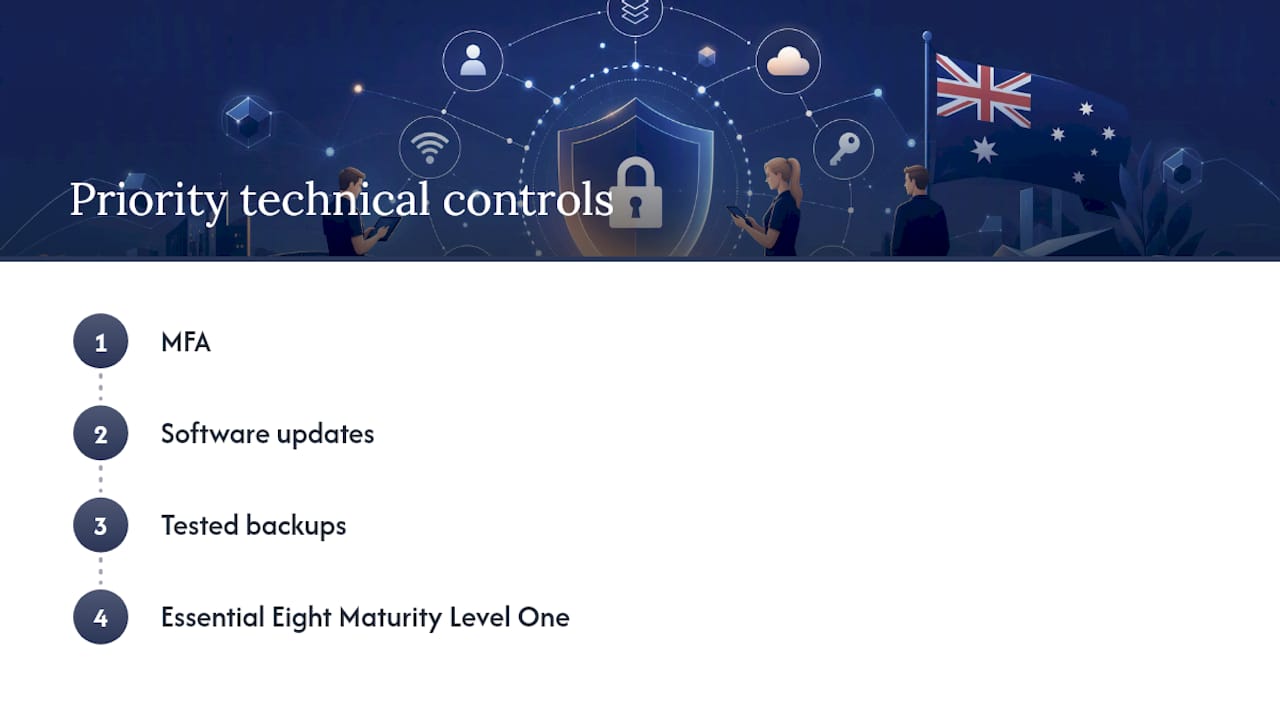
The ACSC recommends starting with MFA, software updates, and tested backups, then working toward Essential Eight Maturity Level One. That is solid advice. Here is what each control looks like in practice.
Multi-factor authentication
MFA is the single highest-return control you can implement. For admin and privileged accounts, use phishing-resistant options: FIDO2 hardware keys (like YubiKey) or passkeys. For standard staff accounts, Microsoft Authenticator or Google Authenticator are acceptable.
Roll it out in stages to avoid blocking staff. Start with IT and finance, then move to all staff over two weeks. Communicate the change in advance, run a short training session, and have your helpdesk ready for the first 48 hours.
What most businesses get wrong: they enable MFA for Microsoft 365 but leave their accounting software, banking portal, and domain registrar unprotected. Go through every service your business uses and enable MFA on all of them.
Passwords and passphrases
A password manager removes the need for staff to remember complex passwords. Bitwarden is free for individuals and low-cost for teams. 1Password and Keeper are strong paid options with admin controls.
Set a policy: all passwords must be unique, at least 16 characters, and stored in the password manager. Admin accounts should use passphrases of four or more random words. Shared credentials (social media, shared inboxes) must live in the password manager, not a spreadsheet.
Honestly, the most common thing we find when we onboard a new client is a shared Excel file with every password in plain text, sitting in a shared drive that half the company can access.
Patching and asset inventory
You cannot patch what you do not know you have. Start with a simple asset register: every device, every piece of software, every internet-facing service. A spreadsheet works fine at first.
Patch cadence for SMBs: critical patches within 48 hours of release, high-severity within two weeks, everything else within a month. Internet-facing services (your website, VPN, remote desktop gateway) get priority every time.
Backups and restore testing
The 3-2-1 rule: three copies of your data, on two different media types, with one copy offsite or offline. For most small businesses, this means local backup plus cloud backup with immutable storage enabled.
The part most businesses skip is restore testing. A backup you have never restored is not a backup. Schedule a monthly restore test for critical systems. Keep a written restore checklist so any staff member can follow it in a crisis.
A backup is only reliable when you regularly test restores. Many businesses believe they are backed up but find backups corrupted or incomplete when they need them most.
If you run an e-commerce store, backup plugins for your platform matter too. For Shopware stores, these backup plugin options give you a starting point for evaluating what fits your setup.
Endpoint protection
Basic antivirus catches known malware signatures. EDR (endpoint detection and response) watches for suspicious behaviour and can contain a threat before it spreads. For most SMBs, Microsoft Defender for Business sits at a price point that makes EDR accessible without a large security budget.

MDR (managed detection and response) adds a human team monitoring alerts around the clock. That is worth considering if you handle sensitive client data or financial transactions.
Pro Tip: Check your Microsoft 365 licence. Many small businesses are on Business Basic, which does not include Defender for Business or Intune. Upgrading to Business Premium unlocks both, and the security uplift is significant for a modest cost increase.
How do you harden your network, cloud services, and website?
Network and Wi-Fi
- Change default router admin credentials immediately. Use a strong, unique passphrase stored in your password manager.
- Enable WPA3 encryption on your Wi-Fi. If your router does not support it, that is a hardware upgrade worth prioritising.
- Create a separate guest network for visitors, personal devices, and any smart devices or printers. These should never be on the same network as your business systems.
- Disable remote management on your router unless you specifically need it.
- Review firewall rules annually. Remove any rules that were added for a temporary purpose and never cleaned up.
For more detailed guidance on network hardening for Brisbane businesses, the IT Start blog covers the specifics of segmentation and reducing your external footprint.
Cloud and Microsoft 365
ACSC cloud security guides note that many Microsoft 365 default settings are too permissive and that full protection often requires Business Premium or an equivalent licence. Most small businesses are not aware of this gap.
What to check and enable:
- Conditional Access policies: block logins from unexpected countries, require MFA for all external access, and flag sign-ins from unfamiliar devices.
- Microsoft Intune: enrol company devices so you can enforce encryption, remote wipe, and compliance policies.
- Audit logging: turn on unified audit logging in the Microsoft 365 Security and Compliance Centre. Without it, you have no visibility into what happened during an incident.
- External sharing settings: review what your SharePoint and OneDrive settings allow. Many tenants are set to allow sharing with anyone via a link, which is rarely appropriate.
Cloud storage is not the same as cloud security. Storing files in OneDrive does not protect you from a compromised account deleting or encrypting them.
Website hardening
- Keep your CMS (WordPress, Drupal, Joomla) and all plugins updated. Outdated plugins are one of the most common entry points for website compromises.
- Remove plugins you are not actively using. Every inactive plugin is a potential vulnerability.
- Restrict admin access to your CMS to specific IP addresses where possible.
- Enable a web application firewall (WAF). Cloudflare’s free tier covers most SMB needs.
- Back up your website separately from your hosting provider’s snapshots. For BigCommerce stores, security plugins can add an extra layer of protection at the platform level.
- Run an external scan of your domain periodically using tools like Qualys SSL Labs or SecurityHeaders.com to check for obvious misconfigurations.
How do you turn your staff into a security asset rather than a liability?
Access control: onboarding and offboarding
Least-privilege access means staff only get access to the systems and data they need for their specific role. Not everything. Not “just in case.”
Onboarding checklist:
- Create a standard account with role-appropriate permissions only.
- Enrol the device in Intune or your MDM solution.
- Add the user to the password manager and relevant shared vaults.
- Enable MFA before the account is active.
- Brief the new staff member on your acceptable use policy and incident reporting process.
Offboarding checklist:
- Disable the account immediately on the last day, before the person leaves the building.
- Revoke all active sessions in Microsoft 365 (use the “Sign out everywhere” option).
- Remove from all shared vaults in the password manager.
- Recover company devices and wipe them before reassigning.
- Transfer ownership of any files or email data the business needs to retain.
We see this a lot: a former employee’s account is still active three months after they left, and nobody noticed because the account was not being used. That is an open door.
Policies to put in writing
You do not need a 40-page policy document. Four short policies cover most of the risk:
- Acceptable use policy: what staff can and cannot do on company devices and networks.
- Remote access policy: approved tools (no personal VPNs, no TeamViewer unless IT-approved), requirements for home network security.
- Incident reporting policy: how staff report a suspected incident, who to call, and that there is no blame for reporting in good faith.
- BYOD policy: if personal devices access company data, what controls are required (MDM enrolment, PIN, encryption).
Phishing training and reporting culture
Run phishing simulations quarterly. KnowBe4 and Proofpoint both offer SMB-friendly pricing. Track click rates over time. A staff member who clicks a simulated phishing link gets immediate, non-punitive training rather than a reprimand.

The goal is a culture where staff feel safe reporting something suspicious. If people are afraid of getting in trouble, they will not report the real thing until it is too late. Print your one-page emergency contact list and pin it somewhere physical. If ransomware hits, your network is down and that list needs to be readable without a computer.
What do you do if you suspect a cyber incident?
Speed matters, but so does not making things worse. Here is the sequence we follow with clients.
Immediate steps
- Isolate the affected device. Unplug it from the network (ethernet cable out, Wi-Fi off). Do not turn it off unless instructed by your IT team. Powering down can destroy forensic evidence.
- Preserve logs. Do not clear browser history, email logs, or system event logs. Screenshot anything suspicious you can see on screen.
- Change credentials from a clean device. If you suspect an account is compromised, reset the password and revoke active sessions from a device that was not affected.
- Call your IT provider. If you do not have one, call the Australian Cyber Security Hotline on 1300 CYBER1 immediately.
- Do not pay a ransom without advice. Contact your insurer and your IT provider first.
Reporting obligations in Australia
Report incidents to the ACSC even if you are not sure it is serious. Early reporting helps the national threat picture and can result in practical assistance. Small businesses should not assume reporting is optional.
Source: ACSC incident response planning guidance
The ACSC recommends preserving technical artefacts such as logs, memory dumps, and network captures to assist with triage. Report via cyber.gov.au or call 1300 CYBER1.
Under the Notifiable Data Breaches scheme, if your business is covered by the Privacy Act and a breach is likely to result in serious harm to individuals, you must notify both the affected individuals and the Office of the Australian Information Commissioner (OAIC). The OAIC’s small business guidance explains which businesses are covered and what the notification process involves.
Since 30 May 2025, businesses with annual turnover of $3 million or more must also report ransomware and cyber extortion payments to the Australian Government within set timeframes under Part 3 of the Cyber Security Act 2024.
If you have up to 19 employees and need support after an incident, the IDCARE Small Business Cyber Resilience Service provides free, expert one-on-one assistance including tailored recovery plans.
What we do during an incident with clients: we isolate affected systems, preserve evidence, notify the ACSC, coordinate with the client’s cyber insurer, and manage communication with banks if financial fraud is involved. Having an MSP who has done this before makes a significant difference to how quickly you recover.
What does it actually cost and how long does it take?
Honestly, the cost question is the one owners ask most and the one that varies most. Here is a realistic picture based on what we see with SMBs of 10 to 50 staff.
Typical cost bands for a baseline security uplift:
- MFA rollout: mostly staff time and configuration. If you are on Microsoft 365, the tools are already there. Budget a few hours of IT time per 10 users.
- Password manager: Bitwarden Teams runs at a low per-user monthly cost. 1Password Business is slightly more. Neither is a significant budget item.
- Backup solution: a proper 3-2-1 setup with tested restores typically costs $50–$200 per month for cloud storage, depending on data volume. On-premises backup hardware is a one-off cost of $500–$2,000 for most small businesses.
- Endpoint protection (EDR): Microsoft Defender for Business is included in Microsoft 365 Business Premium. If you are not on that licence, standalone EDR tools start at around $5–$10 per device per month.
- Incident response plan: a basic plan can be written in-house using ACSC templates at no cost. A reviewed and tested plan from an MSP typically costs $500–$2,000 as a one-off engagement.
What slows projects down in practice: legacy hardware that cannot run current software, no asset inventory (so nobody knows what needs patching), missing vendor credentials for cloud services, and staff resistance to MFA. The last one is almost always solved by good communication, not by skipping MFA.
The three things most businesses get wrong:
- Assuming cloud storage equals security. It does not. A compromised Microsoft 365 account can delete or encrypt everything in OneDrive.
- Assuming backups are restorable. We have seen clients discover their backups were failing silently for months, only when they needed them after an incident.
- Delaying MFA because of perceived staff friction. The friction is real but small. The cost of a compromised account is not.
Cyber insurance uptake in Australia declined in recent years while exposure remained high. That gap means many small businesses are carrying risk they have not priced. Insurance is worth considering, but it does not replace basic controls. Most cyber insurers now require evidence of MFA and tested backups before they will pay a claim.
When should you hire an MSP and what should you ask them?
Some things you can do yourself. Others need a specialist. Here are the red flags that mean you should get help now:
- No MFA on admin or finance accounts.
- Backups that have never been restored and tested.
- Unknown services exposed to the internet (you are not sure what is accessible from outside your network).
- Staff have clicked phishing links more than once in the past year.
- You have had a security incident and do not know the full scope of what was accessed.
- Your IT is managed by a staff member whose primary job is not IT.
For SMBs considering managed IT services, the right MSP should be able to demonstrate competence before you sign anything.
Questions to ask an MSP before you engage
- Can you show me a backup restore demonstration for a client similar to us?
- What Microsoft 365 security features do you manage, and which licence do you recommend for our size?
- What is your response SLA for a suspected ransomware incident?
- Have you managed an incident response for an Australian small business? What did that involve?
- Are you familiar with the ACSC Essential Eight and the Notifiable Data Breaches scheme?
- Do you hold any Australian security certifications? (SMB 1001 is worth asking about specifically.)
What a sensible first 90-day engagement looks like
A good MSP will start with an asset inventory and gap assessment, then prioritise MFA rollout and backup verification in the first month. Weeks five through eight typically cover network segmentation, endpoint protection deployment, and policy documentation. The final month should include a phishing simulation, an incident response plan review, and a handover briefing so your team knows what to do if something happens outside business hours.
An MSP’s straight view: what we actually see and quick wins that work
Most of the businesses we onboard have the same problems. Microsoft 365 tenants with security defaults turned off, shared admin accounts with no MFA, and backups that are either not running or have never been tested. We are not saying this to alarm anyone. We are saying it because it is fixable, and the fixes are not complicated.
The quick wins we apply first, every time: force MFA for all admin roles before anything else, set a conditional access policy that blocks logins from outside Australia (or flags them for review), and run a backup restore test on the most critical system within the first week. Those three steps alone close a significant portion of the risk.
Cyber insurance is worth having, but we see clients treat it as a substitute for controls rather than a complement to them. Insurers are tightening their requirements. A policy that does not pay out because you had no MFA is not useful. Get the controls in place first, then get the insurance.
The other thing we see regularly: businesses that had an incident, recovered, and then went back to exactly the same setup that got them compromised. The incident response is only half the job. The other half is fixing the root cause so it does not happen again.
For professional services firms, the cybersecurity essentials for finance firms article covers sector-specific controls worth reviewing alongside this guide.
How IT Start can help your business get secure
IT Start works with Brisbane-based SMBs of 10 to 50 staff who need managed security without the complexity of building an in-house IT team. The concrete difference: you get tested backups, MFA rolled out across your Microsoft 365 tenancy, and a monitored endpoint protection setup, without a long-term lock-in or a vague “we’ll look into it” response when something goes wrong.
On a first call, ask us to walk you through a backup restore demonstration, show you our MFA rollout process, and explain our incident response SLAs. We hold SMB 1001 Gold certification, which means our security practices have been independently assessed against Australian standards.
If you are ready to find out where your business actually stands, the IT Start cyber security page covers what we manage and how we work. You can also review our cloud services for Microsoft 365 security posture improvements. Get in touch at Itstart to book a free assessment.
Sources
- Small business cyber security (ACSC)
- Privacy for organisations: Small business | OAIC
- Business
- Cyber insurance uptake falls as online risks remain widespread | Insurance Business
This article is general information, not a substitute for advice from a qualified lawyer. Consult a qualified legal professional about your own circumstances before acting on anything here.
FAQ
What are the most important cybersecurity steps for a small business?
Enable MFA on all accounts, verify your backups restore successfully, and patch internet-facing software. The ACSC recommends these three as your starting point before working toward Essential Eight Maturity Level One.
Does my small business have to report a data breach in Australia?
If your business is covered by the Privacy Act and a breach is likely to result in serious harm, yes. You must notify both the affected individuals and the OAIC under the Notifiable Data Breaches scheme. Businesses with annual turnover of $3 million or more also have ransomware payment reporting obligations under the Cyber Security Act 2024.
How much does basic cybersecurity cost for a small business?
Most of the highest-impact controls cost very little. MFA is free if you are already on Microsoft 365. A password manager for a small team runs at a low monthly per-user cost. A proper backup solution with tested restores typically costs $50–$200 per month depending on data volume.
What is the ACSC Cyber Health Check and should I use it?
The Cyber Health Check is a free, self-guided assessment tool on the ACSC website that gives your business a tailored security picture and practical recommendations. Yes, use it. It takes around 15 minutes and costs nothing.
When should a small business hire an MSP for cybersecurity?
Hire an MSP if you have no MFA on admin accounts, backups that have never been tested, or unknown services exposed to the internet. IT Start works with Brisbane SMBs of 10 to 50 staff and can assess your current setup and prioritise fixes in a structured 90-day engagement.