
This October, the three things to do right now for Cyber Security Awareness Month are: install your software updates, switch to unique strong passphrases, and turn on multi-factor authentication (MFA). The Australian Cyber Security Centre (ACSC) calls these the national priority actions for the month, and honestly, if your business does nothing else this October, these three will make a real difference.
Your 48-hour CAM checklist:
- Install updates now. Go to Settings and run every pending update on your devices and software. Unpatched systems are the most common entry point attackers use. Do not schedule it for later.
- Create a passphrase. Replace weak passwords with four or more random words, for example ocean lamp tiger cloud. Passphrases are longer, harder to crack, and easier to remember than a string of symbols.
- Turn on MFA. Enable multi-factor authentication on your email, Microsoft 365, banking, and any other account that supports it. Even if your password is stolen, MFA stops the attacker getting in.
Key takeaways
The three priority actions for Cyber Security Awareness Month in Australia are installing updates, switching to strong unique passphrases, and enabling MFA on every account that supports it.
| Point | Details |
|---|---|
| Three national priority actions | Install updates, use unique strong passphrases, and enable MFA — the ACSC’s core CAM recommendations for every Australian. |
| Four weekly CAM themes | Event logging, legacy technology, supply chain risk, and quantum readiness give you a week-by-week plan through October. |
| Free help for small businesses | Cyber Wardens training and the IDCARE Small Business Cyber Resilience Service are free and designed for SMBs who cannot afford commercial services. |
| Biggest SMB mistake | Assuming backups and MFA are working without verifying them. Test a restore and pull an MFA status report this week. |
| IT Start support | IT Start offers a free cyber health check for Brisbane SMBs covering Microsoft 365 security, backup verification, and MFA coverage. |
Table of Contents
- What does Cyber Security Awareness Month look like in Australia?
- Practical cybersecurity tips you can finish in 30–60 minutes
- What small businesses must do in October
- Low-cost awareness activities you can run at work this month
- What most small businesses get wrong, and the fixes we use
- IT Start’s free cyber health check this October
- Sources
- FAQ
What does Cyber Security Awareness Month look like in Australia?
Cyber Security Awareness Month runs every October. In Australia, the 2025 theme is ‘Building our cyber safe culture’, coordinated by the Department of Home Affairs through Actnowstaysecure and cyber.gov.au. The campaign gives organisations a week-by-week structure so you are not trying to do everything at once.
The four weekly themes give you a ready-made plan:
| Week | Theme | One action to take |
|---|---|---|
| Week 1 | Event logging | Turn on audit logging in Microsoft 365 or your firewall so you can see what is happening on your network. |
| Week 2 | Legacy technology | Identify any device or software no longer receiving security updates and plan its replacement or isolation. |
| Week 3 | Supply chain and third-party risk | Review which third-party apps have access to your Microsoft 365 tenant and remove any you no longer use. |
| Week 4 | Quantum readiness | Check whether your IT provider has a post-quantum cryptography (PQC) roadmap and ask about their 2030 planning. |
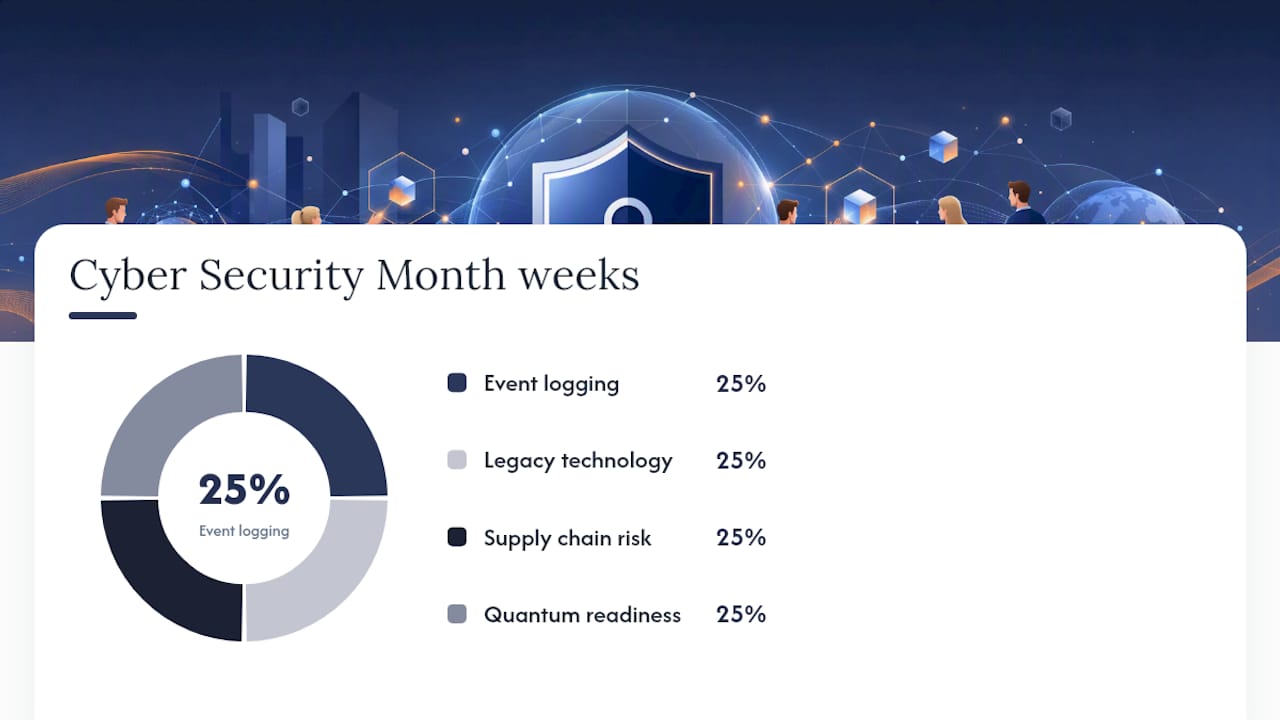
Download the free poster and social tile pack from the actnowstaysecure toolkit and put the weekly themes on your office noticeboard or intranet. It takes about ten minutes and gives staff a visual cue all month.
Practical cybersecurity tips you can finish in 30–60 minutes
These are not theoretical. Each task below takes a few minutes and gives you a measurable improvement. Work through the list in one sitting.
- Turn on MFA for your email. In Microsoft 365, go to the Microsoft 365 admin centre, select Users, then Active Users, and enable Multi-Factor Authentication. For personal Gmail, go to Security settings and switch on 2-Step Verification. This single step blocks the vast majority of account takeover attempts.
- Update every device. Windows: Start menu, Settings, Windows Update, Check for updates. Mac: Apple menu, System Settings, General, Software Update. Do the same for your phone. Do not skip the firmware update on your router.
- Replace weak passwords with passphrases. The ATO recommends four or more random words as a passphrase, for example ocean lamp tiger cloud. Start with your email and banking accounts. Set your ATO myID to the highest identity strength while you are there.
- Check your backups. Open your backup software and confirm the last successful backup completed. Then restore one small test file to confirm it actually works. Many people discover their backup has been silently failing for weeks only when they need it.
- Review your privacy settings. On your phone, go to Settings, Privacy, and check which apps have access to your location, microphone, and camera. Revoke anything that does not need it.
- Spot a scam. Learn the three signs: unexpected urgency, a request to click a link or pay immediately, and a sender address that does not match the organisation it claims to be from. See types of cyberattacks Queensland business owners face for plain-language examples.
- Secure your Wi-Fi. Log into your router admin panel and confirm WPA3 or WPA2 encryption is enabled. Change the default admin password if you have not already.
Pro Tip: A password manager like Bitwarden or 1Password stores unique passphrases for every account so you only need to remember one master passphrase. This is more practical than trying to memorise dozens of unique phrases, and it removes the temptation to reuse passwords.
Your 30–60 minute session checklist: MFA on email and Microsoft 365, run all device updates, set three new passphrases (email, banking, ATO myID), test one backup restore, review phone app permissions.
What small businesses must do in October
The ACSC’s small business guidance is clear: start with MFA, software updates, and backups, then work toward Maturity Level One of the Essential Eight. Business Queensland adds access controls, passphrases where MFA is not available, and staff training to that starter list.
Here is a practical October timeline for a business with 10 to 50 staff:
Week 1 (updates and logging): Your IT manager or MSP runs all pending updates across workstations, servers, and network devices. Enable audit logging in Microsoft 365 so you have a record of sign-ins and file access. This takes half a day with the right access.
Week 2 (legacy hardware audit): Walk the office and list every device that is more than five years old or running an unsupported operating system. Windows 10 reaches end of support in October 2025, so any machine still on it needs a plan. Isolate devices that cannot be updated from the rest of the network immediately.

Week 3 (MFA and access controls): Confirm every staff member has MFA enabled on their Microsoft 365 account. Check that former employees no longer have active accounts. Review which third-party apps are connected to your Microsoft 365 tenant and remove anything unused. The ACSC Essential Eight calls this restricting administrative privileges.
Week 4 (backups and staff training): Test a full backup restore, not just a single file. Run a short staff awareness session using the free CAM materials. Where MFA is not available on a system, the ATO recommends passphrases of four or more random words as the next best option.
Free help available right now:
- Cyber Wardens: A free online training programme for small business staff, run by the Council of Small Business Organisations Australia. Staff complete short modules and become your in-house cyber awareness advocates.
- IDCARE Small Business Cyber Resilience Service: Offers a free Cyber Health Check and one-on-one consultations with a cyber advisor. Covers scams, identity fraud, and fake invoicing.
- ATO myID guidance: Set myID to the highest identity strength and verify supplier bank details before changing any payment instructions. Invoice fraud spikes at tax time.
- ReportCyber: If your business experiences a cyber incident, report it at cyber.gov.au/report so the ACSC can track threats and provide support.
Low-cost awareness activities you can run at work this month
You do not need a budget or an external agency. The government has done most of the heavy lifting with free materials.
Simple activity formats:
- Weekly micro-challenge: Each Monday, send one task aligned to that week’s CAM theme. Week 1: “Turn on audit logging.” Week 2: “Find one legacy device.” Week 3: “Remove one unused app from Microsoft 365.” Week 4: “Ask your IT provider about post-quantum planning.” Keep it to one sentence and one action.
- One-minute quiz: Use Microsoft Forms or Google Forms to run a five-question phishing awareness quiz. Share results with the team. Friendly competition works.
- Poster drop: Print and display the CAM posters from the actnowstaysecure toolkit in the kitchen, near printers, and at reception. Takes ten minutes.
- Short micro-training session: A fifteen-minute session on spotting phishing emails, run by your IT manager or MSP, is more effective than a one-hour annual training most staff forget. The WA Government’s cyber awareness toolkit includes ready-made email templates and cheat sheets you can adapt.
- Social tiles: Share the official CAM social tiles on your business LinkedIn page. It signals to clients that you take security seriously.
Two quick email templates:
Week 1 email subject: “This week: turn on event logging — takes 5 minutes”
Body: “As part of Cyber Security Awareness Month, this week we are focusing on event logging. Please [action specific to role]. Questions? Contact [IT contact].”
Week 3 email subject: “Check which apps have access to your work account”
Body: “This week’s CAM focus is supply chain risk. Log into your Microsoft 365 account at myapps.microsoft.com and check which third-party apps are connected. Remove anything you do not recognise.”
Three ways to measure engagement:
- Track quiz completion rates in Microsoft Forms (aim for 80% of staff by end of month).
- Count how many staff confirm MFA is active on their accounts by Week 3.
- Log the number of phishing reports submitted through your internal reporting button or email alias.
A small IT or HR team can run this entire campaign in about two hours of preparation, using only free government materials and tools already in your Microsoft 365 subscription.
What most small businesses get wrong, and the fixes we use
Honestly, we see the same problems every October when we do CAM reviews for clients. Here is what actually goes wrong and what we do about it.
MFA is set up for some staff, not all. One person in accounts has no MFA because “it was too hard to set up on their phone.” That is the account that gets compromised. The fix: pull the MFA status report from the Microsoft 365 admin centre and chase down every gap before the end of Week 1.
Backups are assumed, not verified. We see this constantly. A client says “yes, we back up to OneDrive.” We check and find OneDrive sync has been paused for three months, or the backup software licence expired, or the backup is running but no one has ever tested a restore. The ACSC is direct about this: backing up is not enough if you cannot restore. Test it this month.
Third-party app permissions in Microsoft 365 are a mess. Over time, staff connect apps to Microsoft 365 and forget about them. Some of those apps have broad read/write access to email and files. Go to portal.azure.com, find Enterprise Applications, and review the list. Remove anything that is not actively used. We find at least two or three unnecessary integrations in almost every client tenant we audit.

Outdated hardware sitting on the network. An old Windows 10 laptop used occasionally by a casual staff member is still on your network and still a target. Either update it, replace it, or put it on a separate guest network with no access to business systems. See our cyber security risks guide for Brisbane businesses for more on how attackers use these entry points.
MSP October quick-action plan:
- Week 1: Pull MFA status report, chase gaps, enable audit logging.
- Week 2: Run Windows Update across all machines, identify end-of-life hardware.
- Week 3: Review Microsoft 365 app permissions, check admin account count.
- Week 4: Test backup restore, run fifteen-minute staff phishing awareness session.
Pro Tip: Schedule a recurring calendar reminder every quarter to re-run the MFA status report and test one backup restore. CAM is a great time to start, but these checks need to happen year-round, not just in October.
An honest note from IT Start
Every October we talk to Brisbane SMB owners who are surprised by what we find during a CAM review. Not because they are careless, but because this stuff drifts quietly. MFA gets enabled and then a new staff member joins without it. A backup runs but the restore has never been tested. A third-party app from two years ago still has full access to your email. These are not exotic problems. They are the everyday reality for businesses with 10 to 50 staff who are focused on running their business, not managing their IT.
IT Start holds SMB 1001 Gold certification, which means our security processes are independently verified against a recognised Australian standard. When we do a CAM review for a Brisbane client, we are not working from a generic checklist. We are looking at the specific gaps that actually cause incidents for businesses your size. The simple actions in this guide genuinely work. The hard part is making sure they are actually done, not just assumed.
IT Start’s free cyber health check this October
If you want a second set of eyes on your setup this Cyber Security Awareness Month, IT Start offers a free cyber health check for Brisbane SMBs. We review your Microsoft 365 security configuration, confirm your backups are actually working, check MFA coverage across your team, and flag any obvious gaps. No sales pitch, just a straight report on what we find.
We see it regularly: a business that believes it is backed up and protected, and then something goes wrong. A health check takes about an hour of your time and gives you a clear picture before an incident forces the issue.
Book your free assessment through our cyber security services page or reach out directly via our contact page. If you want to go deeper on cloud backup and monitoring, our cloud services cover managed backup verification and ongoing monitoring as part of a broader managed IT arrangement.
Sources
- Cyber
- Actnowstaysecure
- Cyber month 2025: building a cyber safe culture | Business Victoria
- Cyber security awareness toolkit | WA Government
- Make cyber security a daily habit this month | ATO
- Keeping your business cyber secure | Business Queensland
FAQ
What are the three priority actions for Cyber Security Awareness Month?
The ACSC recommends three actions for every Australian this October: install software updates, use unique strong passphrases, and enable multi-factor authentication on all accounts that support it.
When is Cyber Security Awareness Month in Australia?
Cyber Security Awareness Month runs throughout October each year. The 2025 Australian theme is ‘Building our cyber safe culture’, coordinated by the Department of Home Affairs.
What free cybersecurity help is available for small businesses in Australia?
The Cyber Wardens programme offers free online staff training, and the IDCARE Small Business Cyber Resilience Service provides a free Cyber Health Check and one-on-one cyber advisor consultations for eligible small businesses.
How do I report a cyber incident in Australia?
Report any cyber incident or cybercrime through ReportCyber at cyber.gov.au/report. The ACSC uses these reports to track threats and can provide guidance on next steps.
What is the Essential Eight and does my small business need it?
The Essential Eight is a set of baseline security controls developed by the ACSC. For small businesses, the ACSC recommends starting with Maturity Level One, which covers MFA, software updates, backups, and restricting administrative privileges.