
Managed services monitoring is the continuous, 24/7 surveillance of your IT environment by a specialist provider, watching for failures, security events, and performance issues before they turn into outages. It is not the same as having someone you can call when things break. The difference matters enormously for Australian small and medium businesses, where a single undetected ransomware event or failed backup can shut operations down for days.
True proactive IT monitoring covers far more than whether your server is online. It spans infrastructure health, cloud service performance, log management, security event detection, patch status, and backup validation. For Australian businesses, alignment with the ACSC Essential Eight maturity model is increasingly a baseline expectation, not an optional extra. Centralised log management and SIEM-based alerting are important components of Maturity Level 2 and above.
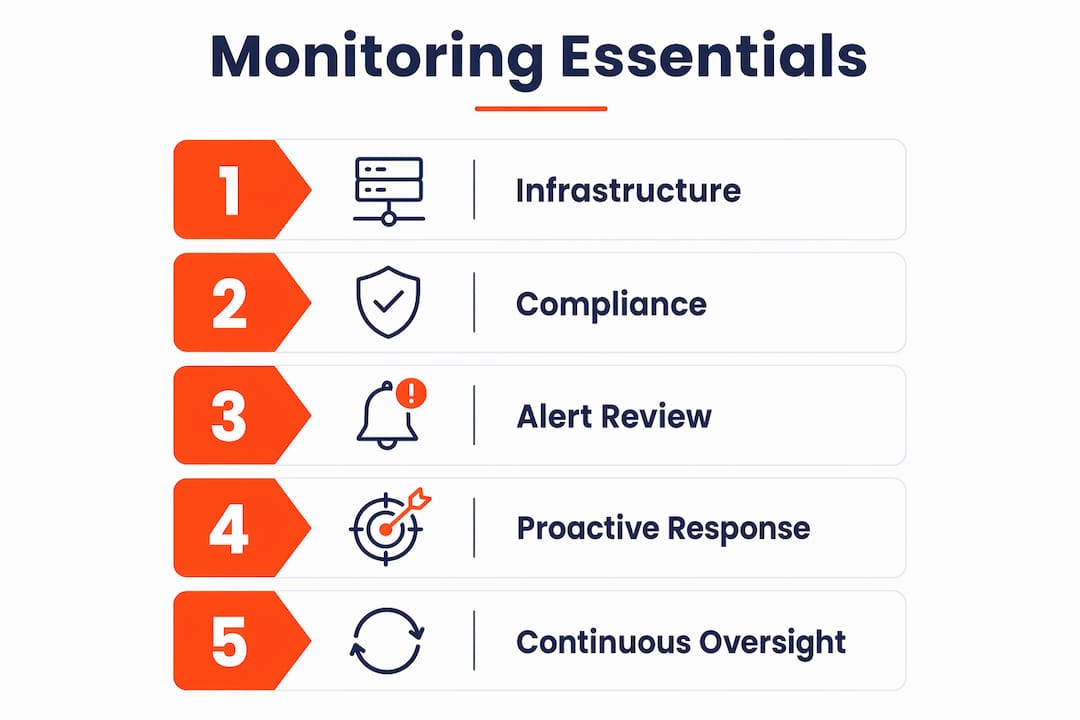
Here is what good managed services monitoring actually covers:
- Infrastructure health: servers, workstations, network devices, and storage, checked continuously
- Cloud environments: Microsoft 365, Azure, and other cloud services monitored for availability and configuration drift
- Log management: centralised collection and review of event logs for security and compliance
- Security event detection: real-time alerts on suspicious activity, failed logins, and policy violations
- Backup validation: confirming backups completed and testing that data can actually be restored
- Patch status: tracking which systems are current and which are exposed
- AI-driven analytics (AIOps): pattern recognition to surface anomalies that rule-based alerts miss
An MSP delivering genuine monitoring is not waiting for your call. They are watching your environment and acting before you know there is a problem.
What core features should a monitoring platform include?
The tools an MSP uses directly shape what they can see and how fast they can respond. A well-configured monitoring platform covers the following categories:
- Uptime and availability monitoring: continuous checks on servers, network devices, and internet connectivity
- Performance metrics: CPU, memory, disk usage, and response times tracked against defined thresholds
- Security event detection: integration with a SIEM (Security Information and Event Management) platform for centralised alerting
- Log management: automated collection, storage, and review of event logs from endpoints, firewalls, and cloud services
- Patch management: visibility into patch compliance across all managed devices
- Backup monitoring: automated verification of backup job completion, plus scheduled restore testing
- Cloud service monitoring: health and configuration checks for Microsoft 365, Azure, and other cloud platforms
- Automated alerting: threshold-based and anomaly-based alerts routed to the right technician
- AIOps: machine learning applied to alert streams to reduce noise and surface genuine issues faster
| Feature category | What it monitors |
|---|---|
| Infrastructure health | Servers, workstations, network devices, storage |
| Cloud services | Microsoft 365, Azure, SaaS platforms |
| Security events | Firewall logs, failed authentications, policy changes |
| Log management | Centralised event logs for compliance and forensics |
| Backup validation | Job completion status and restore test results |
| Patch compliance | OS and application patch currency across all devices |
| Performance metrics | CPU, memory, disk, and network throughput |
Tools like Microsoft Purview assist with compliance monitoring and configuration drift management for Essential Eight requirements. A good MSP integrates these into a single pane of glass rather than checking each system separately.
Pro Tip: Ask any prospective MSP to show you a sample monitoring dashboard. If they cannot pull one up quickly, or if it only shows uptime, that tells you something important about the depth of their monitoring.
Why proactive monitoring pays off for Australian businesses
The honest case for managed IT solutions is not about technology. It is about what happens when monitoring catches a problem at 2 AM versus when your staff discover it at 9 AM on a Monday.

Proactive monitoring that extends beyond uptime to cover security alerts, firewall health, backup validation, patch deployment, and unusual user activity prevents the kind of failures that cost businesses days of recovery time. We see this a lot: a client thinks their backups are running fine because the job shows “completed” in the logs. Nobody tested whether the data could actually be restored. Then a ransomware event hits, and the backup turns out to be corrupted or incomplete. A tested backup is not the same as a completed backup job, and that distinction only surfaces when someone is actively monitoring and testing.
The business benefits are concrete:
- Reduced downtime: issues caught early mean shorter resolution times and fewer full outages
- Lower recovery costs: preventing an incident is cheaper than recovering from one
- Security posture: continuous monitoring means threats are detected faster, limiting damage
- Compliance readiness: ongoing log collection and patch monitoring supports Essential Eight assessments
- Productivity: staff are not sitting idle waiting for IT problems to be resolved
- Expert coverage without in-house cost: you get specialist oversight without hiring a full-time IT team
For a Brisbane professional services firm with 20 staff, the practical outcome of switching from break-fix to proactive monitoring typically looks like this: fewer surprise outages, faster resolution when issues do occur, and a clear paper trail for compliance purposes. The security improvement alone tends to justify the cost.
How does managed services monitoring actually work day to day?
Monitoring is not a set-and-forget system. The technology generates alerts, but humans have to review, tune, and act on them. This is where a lot of MSPs fall short.
Alert fatigue is the primary operational challenge. Without human oversight, automated tools generate excessive alerts, and critical issues get buried in noise. A well-run MSP has documented processes for alert triage, threshold tuning, and regular reviews to keep the signal-to-noise ratio manageable. Without those processes, alert volumes grow to the point where technicians start ignoring alerts, which is exactly when a real failure or breach slips through.
Day-to-day monitoring operations typically involve:
- Alert triage: reviewing incoming alerts, categorising by severity, and assigning to the right technician
- Threshold tuning: adjusting alert thresholds regularly so alerts reflect genuine issues, not normal variation
- Backup testing: scheduled restore tests to confirm data is actually recoverable, not just that jobs completed
- Patch deployment: reviewing patch status and pushing updates on a defined schedule
- User activity monitoring: watching for unusual login patterns, access changes, or data movement
- Documentation maintenance: keeping asset records, configurations, and change logs current
Pro Tip: Ask your MSP to show you their alert review process. A good MSP can tell you how many alerts fired last month, how many were actioned, and what threshold changes they made. If they cannot answer those questions, their monitoring is likely running on defaults.
How do you choose the right MSP for monitoring in Australia?
Choosing an MSP is not just about price or the tools they use. It is about whether they actually understand your business and can demonstrate a real monitoring practice, not just a subscription to an RMM platform.

Silent MSPs are a genuine problem. A provider who never sends reports, never flags issues proactively, and only responds when you call is not delivering managed services monitoring. They are delivering reactive support with a monthly fee attached. True proactive providers share regular reports, explain what they found, and tell you what they changed.
Questions to ask before signing with any MSP:
- What does your monitoring cover? Can you show me a sample report?
- How do you handle alert fatigue? What is your threshold tuning process?
- How often do you test backups for actual restore, not just job completion?
- What is your patching schedule, and how do you handle exceptions?
- Are you aligned with the ACSC Essential Eight? At what maturity level?
- How do you communicate with us when something is wrong?
- Do you hold regular business reviews, or only respond to tickets?
An MSP with documented alert triage and quarterly review processes is operating at a different level from one running on default tool settings. The documentation question is a good filter. If they cannot show you their process, they probably do not have one.
Strategic alignment with your business goals matters too. A good MSP is not just watching your servers. They are thinking about where your business is going and whether your infrastructure can support it. Regular business reviews, not just quarterly check-ins on ticket counts, are a sign of a provider who treats monitoring as a partnership rather than a service contract.
For Australian SMBs, look for providers with SMB 1001 Gold certification or demonstrated ACSC Essential Eight alignment. These are not just marketing claims. They indicate the MSP has been assessed against real security standards relevant to the Australian market.
What monitoring solutions do Australian SMBs actually use?
Most MSPs in Australia build their monitoring capability around a core set of tools and platforms, customised to the client’s environment and compliance requirements.
Common solution types include:
- Remote Monitoring and Management (RMM) tools: the backbone of most MSP monitoring, providing agent-based visibility into endpoints, servers, and network devices
- SIEM platforms: centralised log collection and correlation for security event detection, required for Essential Eight Maturity Level 2
- Backup monitoring and verification tools: automated job monitoring plus scheduled restore testing
- Cloud-native monitoring: Microsoft 365 and Azure have built-in monitoring capabilities that MSPs integrate into their alerting workflows
- Security Operations Centre (SOC) integration: some MSPs connect their monitoring to a 24/7 SOC for after-hours threat response
- Endpoint Detection and Response (EDR): agent-based security monitoring on workstations and servers
Tool sprawl is a real problem in this space. When technicians are switching between five or six disconnected platforms to get a complete picture of a client’s environment, response times slow down and things get missed. The best MSPs consolidate their tooling so that monitoring data flows into a single platform, reducing context switching and improving response quality.
For Australian SMBs specifically, the right solution mix depends on your compliance obligations, cloud footprint, and risk profile. A 15-person accounting firm has different monitoring needs from a 40-person construction business, even if both are running Microsoft 365. Tailored monitoring profiles, rather than a one-size-fits-all RMM deployment, produce better outcomes. IT Start’s cloud services and cybersecurity offerings are built around this kind of tailored approach for Brisbane SMBs.
LogicMonitor is one example of an enterprise-grade monitoring platform used in larger MSP environments, offering infrastructure and cloud monitoring with AIOps capabilities. Lenovo’s device management ecosystem provides hardware-level monitoring integration for businesses running Lenovo infrastructure. For most Australian SMBs, however, the platform matters less than how well the MSP has configured and tuned it for your specific environment.
What is managed services monitoring, exactly?
Managed services monitoring is a subset of managed IT services where a provider takes ongoing responsibility for watching, alerting on, and responding to events across your IT environment. The term “managed services” itself refers to the outsourcing of IT management functions to a specialist provider on a subscription basis, rather than engaging them only when something breaks.
The monitoring component is what separates a genuine managed service from a glorified helpdesk. Without continuous monitoring, an MSP is reactive by definition. They only know about problems when you tell them. With monitoring in place, the MSP sees your environment in near real-time and can act on issues, often before you are aware of them.
For Australian SMBs, this typically means an MSP deploying agents on your servers and workstations, connecting your cloud services to their monitoring platform, and configuring alerts that match your environment and risk profile. The ACSC Essential Eight framework provides a practical benchmark for what good monitoring looks like from a security perspective, covering everything from patch management to centralised logging.
Honestly, the gap between what businesses think they have and what they actually have is wide. We regularly onboard clients who believe they have monitoring in place, only to find their previous provider was running a default RMM setup with no alert tuning, no backup testing, and no reporting. That is not monitoring. It is a tool that nobody is watching.
Key takeaways
Effective managed services monitoring requires continuous human oversight, not just automated tools, to catch real threats before they become outages.
| Point | Details |
|---|---|
| Monitoring goes beyond uptime | Good IT service monitoring covers security events, backup validation, patch status, logs, and cloud services. |
| Alert fatigue is the biggest risk | Without threshold tuning and regular reviews, automated alerts become noise and real issues get missed. |
| Backup testing is non-negotiable | A completed backup job is not the same as a recoverable backup; restore tests must be scheduled and documented. |
| ACSC Essential Eight sets the standard | Centralised log management and SIEM alerting are required at Maturity Level 2 for Australian organisations. |
| Silent MSPs are a red flag | If your provider never sends reports or flags issues proactively, they are reactive, not genuinely monitoring. |
FAQ
What is an example of a managed service?
A managed service is an IT function outsourced to a specialist provider on an ongoing basis, such as managed IT monitoring, Microsoft 365 administration, cybersecurity management, or cloud infrastructure oversight. The provider takes responsibility for the function rather than responding only when called.
How is an MSP different from break-fix IT support?
An MSP monitors your environment continuously and acts proactively, while break-fix support only responds after something has already failed. The cost and disruption of break-fix incidents typically far exceed the cost of ongoing managed services monitoring.
What is the difference between an MSP and SaaS?
An MSP delivers managed services through people, processes, and tools tailored to your environment. SaaS (Software as a Service) is a software delivery model where you access an application via the internet. An MSP may use SaaS tools as part of their monitoring platform, but the two are not the same thing.
What does good MSP monitoring actually look like in practice?
A good MSP provides regular reports showing alert volumes, issues found, actions taken, and patch status. They test backups for actual restore, tune alert thresholds regularly, and hold business reviews to discuss your IT environment, not just ticket counts.