
Six things matter more than everything else when you assess what to look for in cloud security: a clear shared responsibility split, strong identity controls including MFA and least privilege, encryption paired with independent tested backups, real logging and monitoring, solid workload and network protection, and an incident response plan that names who does what. Get those six right and you’ve covered the majority of what actually causes breaches. Miss any one of them and it’s usually the reason we get the panicked phone call.
Here’s what to do this week, not next quarter:
- Enforce MFA across every account, especially admins. No exceptions for “the one system that’s annoying to set up.”
- Run a real restore test on your backups. Not a check that a backup job ran. An actual restore.
- Pull a list of every admin account in Microsoft 365 and your cloud environment, and ask why each one needs that access.
Pro Tip: If you can’t name who owns backup restores and how long it takes, you don’t have a backup plan. You have a backup job that might work.
The ACSC’s small business guidance puts MFA, patching and backups at the top of the priority list for a reason. We see the same three gaps in almost every new client audit, regardless of industry.
Key Takeaways
Strong cloud security depends on verified shared responsibility, enforced MFA and least privilege, encrypted and independently tested backups, and a monitored, rehearsed incident response plan.
| Point | Details |
|---|---|
| Confirm shared responsibility in writing | Get your provider’s SRM documentation and ask directly who owns backup and restore responsibility. |
| Enforce MFA and least privilege | Require phishing-resistant MFA on admin accounts and remove standing access nobody can justify. |
| Test backups, don’t assume them | Run quarterly restore tests for critical systems and a full annual restore, documented step by step. |
| Demand logging and a named response plan | Require authentication, admin and data access logs, plus a documented RTO/RPO and who runs the restore. |
| Get a real assessment done | IT Start offers a practical cloud security and backup restore assessment for Brisbane SMBs, not just a checklist review. |
Table of Contents
- What does the shared responsibility model actually mean for you?
- Which security controls should every cloud setup have?
- How do you stop account compromise before it starts?
- What monitoring and incident response should you actually require?
- How do you map cloud controls to compliance requirements?
- What misconfigurations cause the most breaches?
- How often should you actually test your backups?
- What should you ask before signing with a provider?
- What we see in practice: field notes from SMB cloud audits
- Can automation actually replace manual security work?
- What is cloud security posture management and do you need it?
- How do you keep security in the development process itself?
- How do you manage risk from your cloud providers’ own vendors?
- Does strong cloud security actually cost more, and how much?
- Why we push clients toward basics before anything flashy
- Get your cloud security checked properly
- Sources
- FAQ
What does the shared responsibility model actually mean for you?
The cloud provider secures the infrastructure. You secure everything you put on it, including your data, your identities and any software you connect. That split doesn’t shift depending on what you’d prefer. It shifts depending on the service type.
With IaaS, you’re responsible for a lot: operating systems, network configuration, access control. With SaaS platforms like Microsoft 365, the provider handles more of the stack, but you still own identity, data classification and how staff access it. The ACSC’s shared responsibility guidance spells this out clearly, and it’s worth reading before you sign anything.
Here’s how to confirm where the line actually sits with your provider:
- Request their shared responsibility documentation in writing, not a verbal assurance from a sales rep.
- Ask whether they hold IRAP assessment or an equivalent independent security review.
- Get clarity on who owns backup responsibility. Many businesses assume the provider backs up their data. Most don’t, not in a way you can restore from.
Pro Tip: Ask your provider directly: “If I delete a mailbox by accident, can you restore it, and from how far back?” The answer tells you more about their real security posture than any brochure.
Honestly, we’ve had clients who thought Microsoft backed up their 365 data indefinitely. It doesn’t. Retention policies aren’t backups, and that gap catches people out constantly.
Which security controls should every cloud setup have?
This is where a lot of “cloud security” marketing turns into vague promises. Ask for evidence, not adjectives.
Network controls need to include private subnets for anything sensitive, proper firewall policies, a web application firewall if you’re running customer-facing apps, and egress filtering so data can’t quietly leave without you knowing. Segmentation matters too: if one system gets compromised, it shouldn’t give an attacker a clear run at everything else.
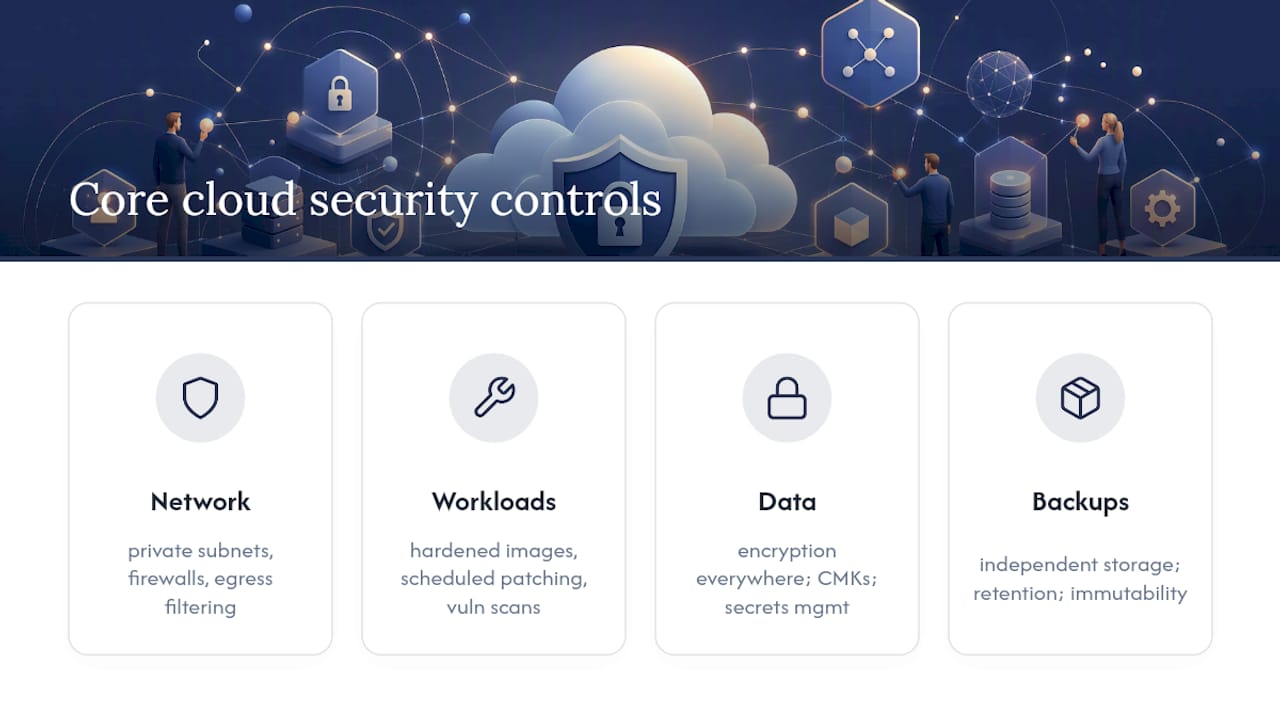
Workload protection covers the actual machines and containers doing the work. That means hardened base images (not defaults straight out of the box), a real patching cadence, and vulnerability scanning that runs on a schedule rather than “whenever someone remembers.”
Data protection is encryption at rest and in transit, full stop. But go one step further and ask whether you can use customer-managed keys (CMKs) or a managed key management service, rather than relying entirely on provider-default encryption. Secrets management matters here too. Passwords and API keys sitting in a spreadsheet or a config file is one of the most common things we find during an audit, and it’s an easy fix once someone actually looks.
Backups need to sit somewhere independent of your primary account, with retention settings that match your actual risk (not just “whatever the default was”), and immutability where possible so ransomware can’t touch the backup copies too. This is the piece most businesses skip, right up until they need it.
The ACSC’s small business cloud security guide maps these controls to the Essential Eight, giving you a practical baseline rather than an abstract framework. Businesses with 10 to 50 staff rarely need enterprise-grade everything. They need these fundamentals done properly, which is a much smaller and more achievable list than most vendors make it sound.
How do you stop account compromise before it starts?
Identity is where most breaches actually begin, not some sophisticated zero-day exploit. It’s a stolen password, a phished login, or an admin account nobody remembered to disable.
Start with phishing-resistant MFA on every admin and high-risk account. SMS-based MFA is better than nothing, but it’s not great. Authenticator apps or hardware keys are stronger. Layer conditional access on top where your platform supports it, so logins from unusual locations or devices get an extra check.
Design roles around least privilege. That sounds obvious written down, and yet:
- We regularly find five or six “Global Admin” accounts in a 15-person business, when one or two would cover it.
- Temporary elevation for admin tasks, logged and time-limited, beats permanent standing access every time.
- Service accounts often carry far more permission than the task actually needs, because it was easier to grant broad access once than scope it properly.
Microsoft’s own guidance on overprivileged permissions backs this up directly: least privilege and temporary elevation are core identity practices, not nice-to-haves.
Use managed identities and short-lived credentials wherever your platform allows it, and never let secrets sit in a code repository or a plain text config file. We see this constantly during migrations, someone hardcodes an API key “just for testing” and it’s still there eighteen months later.

Pro Tip: Set a recurring calendar reminder, quarterly, to pull a full list of active accounts and cross-check it against your current staff list. It takes fifteen minutes and it catches the ex-employee who still has access six months after leaving.
What monitoring and incident response should you actually require?
You can’t respond to an incident you can’t see. That’s the whole problem with a lot of “set and forget” cloud deployments.
At minimum, your logging needs to capture:
- Authentication events, including failed logins and unusual access patterns.
- Admin operations, so you know who changed what and when.
- Data access and modification, particularly for anything sensitive or regulated.
- API key use and service principal activity, which is where a lot of quiet, long-running compromises hide.
Detection is the next layer. Alerts need tuning against a real baseline, not generic thresholds that fire fifty times a day and get ignored. Whoever receives those alerts needs a clear escalation path and a realistic triage time, because an alert that sits in an inbox for three days isn’t detection, it’s a record for later.
For SMB budgets, a full SIEM build is often overkill. A managed detection service or provider-managed monitoring usually gets you 80% of the benefit for a fraction of the cost and staffing burden. What matters is that someone is actually watching, and that the response plan names real people and real timeframes: your RTO and RPO targets, and specifically who runs the restore if things go sideways at 2am on a Saturday.
Pro Tip: Ask your MSP or provider one blunt question: “If we get hit by ransomware tonight, who calls who, and in what order?” If nobody can answer that in under ten seconds, you don’t have an incident plan, you have a hope.
How do you map cloud controls to compliance requirements?
Compliance isn’t a separate project from security. It’s mostly the same work, documented properly.
Start by mapping what your provider actually delivers against the framework you need, whether that’s the Essential Eight, ISO 27001, or something industry-specific. The NIST control repository is a useful reference point for defining audit and logging standards if you’re building this mapping from scratch.
During procurement, ask for:
- Audit logs covering a meaningful retention period, not just the last thirty days.
- Configuration snapshots showing security settings at a point in time.
- SIEM reports or equivalent evidence, if the provider manages monitoring on your behalf.
Data residency is another one people skip past. Know exactly where your data physically sits, and understand the full subcontractor chain, because your provider’s provider matters too. Get contractual assurances in writing, not a verbal “yeah, it’s all fine.” Auditors don’t accept verbal assurances, and neither should you.
What misconfigurations cause the most breaches?
Honestly, it’s rarely a sophisticated attack. It’s usually something boring that got left unfixed for months.
- Publicly readable storage buckets or containers, often set that way during testing and never locked back down.
- Leftover admin accounts or service principals with broad privileges, from a project that finished a year ago.
- Backups that everyone assumes exist, but that are incomplete, untested, or sitting in the same account as the data they’re meant to protect.
- Third-party integrations nobody reviewed after the initial setup, plus API keys that were generated once and forgotten.
Pro Tip: Run a permissions audit every quarter, not annually. Staff turnover and project churn create stale access faster than most businesses realise.
Xero’s cloud security guidance puts it plainly: human error causes the vast majority of breaches, and MFA plus staff training on phishing remains one of the highest-impact, lowest-cost fixes available. We’d add one more line to that: nobody sets out to leave a bucket public. It just happens during a rushed deployment, and nobody circles back.
How often should you actually test your backups?
Cloud storage is not a backup. That distinction gets missed constantly, and it’s the single biggest gap we find during new client onboarding, where a business genuinely believes it’s protected and isn’t.
- Build your backup with account separation, using different credentials from your primary environment. If ransomware compromises your main account, it shouldn’t have a path to your backup copies.
- Schedule restore tests properly: quarterly for anything critical, and at minimum one full restore test annually across the whole environment. Document exactly what happened, including how long it took.
- Protect backup credentials separately, and write the recovery process down so it doesn’t rely on the one person who happens to remember how it works.
A properly designed backup uses separate credentials and gets tested end to end, with the process documented well enough that someone other than your usual IT person could run it under pressure. If your restore process lives only in one staff member’s head, you don’t have a plan. You have a single point of failure with a password on it. For a deeper look at structuring this properly, this backup protection guide covers testing cadence and independent storage design in more detail.
What should you ask before signing with a provider?
Procurement conversations tend to be full of vague reassurance. Cut through it with specific questions and demand evidence, not adjectives.
- Request shared responsibility documentation in writing, plus their MFA enforcement policy for admin accounts.
- Ask exactly what encryption key options exist, including whether customer-managed keys are supported.
- Get specifics on backup scope: what’s included, what’s excluded, and ask for proof of a successful restore, not just a description of the backup schedule.
- Confirm logging retention periods and what incident response SLA applies if something goes wrong.
- Get pricing for security features broken out separately, so you can see what you’re actually paying for.
For verification, don’t accept a slide deck. Ask for screenshots of actual configuration, a time-limited demo account you can poke around in, or documented evidence from a previous restore test. Low-cost, plug-and-play tools often skip advanced logging and audit features entirely, which feels fine until you need that evidence during an incident or a compliance review, and it simply isn’t there.
Weighing the extra cost of stronger security against your actual risk appetite is a business decision, not just a technical one. A five-person bookkeeping firm and a fifty-person allied health practice handling patient records have very different risk profiles, and their security spend should reflect that.
What we see in practice: field notes from SMB cloud audits
We triage the same three gaps constantly in businesses with 10 to 50 staff: no MFA, too many standing admin accounts, and backups everyone assumed were working. In that order, usually.
- Enable MFA org-wide first. It’s the fastest win and blocks the most common attack path.
- Roll out conditional access where the platform allows it, particularly for anyone logging in from outside the office.
- Separate backup accounts from production, then prove a restore actually works. Don’t take anyone’s word for it, including ours.
We had a client last year who was certain they were backed up. Three years of retention settings, all correct on paper. Nobody had ever tried restoring a single file. When we tested it, two of the three backup jobs hadn’t actually run in months. Nobody noticed because nobody checked.
IT Start holds SMB 1001 Gold certification, and our cloud security risk overview and data security guidance cover a lot of what we see repeated across Brisbane SMBs.
Can automation actually replace manual security work?
Not entirely, but it removes a lot of the human error that causes trouble in the first place. Automated patching, scheduled vulnerability scans and policy-as-code deployments mean fewer decisions get made manually, under pressure, at the wrong time.

Security orchestration ties detection and response together so an alert doesn’t just sit in an inbox waiting for someone to notice it on a Monday morning. A well-configured system can automatically isolate a compromised account, force a password reset, or disable a suspicious API key the moment certain conditions trigger, well before a human even opens their laptop.
For SMBs, full orchestration platforms are often overkill and expensive to run properly. What actually helps is targeted automation: auto-revoking access when someone leaves via your HR system, auto-patching non-critical systems on a schedule, and automated alerts that escalate if nobody acknowledges them within a set window. That last one matters more than people think. We’ve seen alert fatigue lead to genuine incidents sitting unread for days.
The trade-off is that automation needs proper configuration up front, or it creates false confidence. An automated backup job that silently fails and nobody notices is worse than no automation at all, because at least a manual process gets noticed when it’s skipped.
What is cloud security posture management and do you need it?
Cloud security posture management, usually shortened to CSPM, continuously scans your cloud environment against a defined baseline and flags drift: a storage bucket that became public, a security group that got opened wider than intended, an unencrypted volume that slipped through.
The value is speed. Manual configuration reviews happen quarterly if you’re disciplined and never if you’re not. A CSPM tool checks constantly and flags the moment something drifts from your baseline, which matters because most misconfigurations don’t happen on day one. They happen six months later, during a rushed change nobody documented properly.
For a business running a single cloud environment with a handful of services, a full CSPM platform can be more than you need, and the cost doesn’t always justify itself. For anyone running multiple cloud accounts, multiple environments, or anything touching regulated data, it earns its cost quickly. The alternative is discovering the drift when someone else finds it first, and that’s a considerably worse way to learn about it.
How do you keep security in the development process itself?
If your business builds or customises software, security can’t be a step that happens at the end, right before launch. That approach guarantees expensive rework and, worse, ships vulnerabilities that get found by attackers rather than by your own team.
A secure SDLC in the cloud means security checks run at every stage: code scanning during development, dependency checks for known vulnerabilities in the libraries you’re using, and configuration checks before anything goes to production. None of this needs to slow releases down significantly if it’s built into your existing pipeline rather than bolted on afterwards as a separate approval gate.
The practical version for an SMB-sized dev team: automated dependency scanning on every build, a mandatory code review before merge, and a staging environment that mirrors production security settings closely enough that testing there actually means something. Skipping that last part is common and it’s a mistake, because a staging environment with looser security than production tells you nothing useful about how the real thing will behave.
How do you manage risk from your cloud providers’ own vendors?
Your cloud provider almost certainly relies on other vendors: subcontractors, sub-processors, integration partners. That chain is part of your risk exposure whether you’ve thought about it or not, because a breach three layers down the supply chain still ends up as your problem.
Ask your primary provider directly which subcontractors touch your data and what security requirements those subcontractors must meet. Get this in writing, not as a verbal assurance during a sales call. Review third-party integrations connected to your systems on a schedule, not just when they’re first set up, because permissions creep and forgotten connections are exactly the kind of gap that sits quiet for months.
A practical rule: any integration or API connection that hasn’t been reviewed in six months should be reviewed now, or removed if nobody can explain why it’s still there.
Does strong cloud security actually cost more, and how much?
Yes, generally, though the increase is usually smaller than businesses expect once you account for what a serious incident actually costs to clean up. MFA is often free or included in your existing Microsoft 365 licence. Proper backup separation might mean a second storage provider or an upgraded plan. Managed monitoring carries an ongoing cost, but it’s typically a predictable monthly figure rather than an unpredictable emergency invoice.
The real cost conversation is a trade-off between predictable spend now and unpredictable spend later. A ransomware incident means recovery costs, downtime, and in some cases regulatory exposure depending on what data was involved. Weigh the incremental cost of the controls in this article against your actual risk profile, not against the lowest quote you can find. The cheapest cloud setup rarely stays cheap once something goes wrong.
Why we push clients toward basics before anything flashy
Most SMBs don’t need cutting-edge tooling. They need MFA enabled, admin accounts trimmed, and backups actually tested. Get those right and you’ve closed most of the real risk.
Author bio and case study details to be added by the editorial team.
— Matt
Get your cloud security checked properly
There are DIY checklists, generic audit tools, and plenty of advice online. Most of it stops short of proving anything, which is exactly where the gap sits between feeling secure and actually being secure. IT Start runs a practical assessment that goes further: we check your MFA coverage, review admin accounts, and actually test whether your backups restore, not just whether the job ran last night.
If you’ve read this far and you’re not confident your business would pass that test, that’s worth acting on. Our cyber security services cover monitoring, incident response and managed detection sized for a 10 to 50 person business, and our cloud services team can review your current setup against the checklist in this article. Book an initial assessment and we’ll tell you plainly what’s solid and what needs fixing, no sales fluff attached.
Sources
FAQ
What are the 5 C’s in cloud security?
There’s no single universally agreed “5 C’s” framework for cloud security, but the practical priorities align closely with what this article covers: control (identity and access), configuration (avoiding misconfigurations), compliance (mapping to frameworks), continuity (backups and restores), and containment (monitoring and incident response).
What are the top three cloud security risks?
Misconfigured storage and permissions, compromised identities from weak or missing MFA, and untested or incomplete backups consistently rank as the most common causes of real incidents in SMB environments.
What are the four areas of cloud security?
Identity and access management, data protection (encryption and backups), network and workload protection, and monitoring with incident response cover the four practical areas every business should verify with a provider.
What are the five basic security principles?
Least privilege, defence in depth, verified backups, continuous monitoring and a documented incident response plan form the core principles behind most cloud security frameworks, including the ACSC’s Essential Eight approach.
How do I know if my business’s cloud backups actually work?
Run an end-to-end restore test, not just a check that the backup job completed. If nobody has restored a file or system from your backups in the last year, treat that as an unverified assumption, not a fact.