
The policies worth writing first are acceptable use, access control with MFA, backup and recovery, and incident response. If you’re an SMB with 10 to 50 staff, get those four locked down before touching change management, remote work, or vendor security policies. Templates and copy-ready snippets for all eight are below, mapped to NIST CSF 2.0 and the ACSC Essential Eight, so you’re not just writing documents for the sake of it.
TL;DR:
- Implement multi-factor authentication on all critical accounts, including email and remote access, and perform regular restore tests for backups.
- Clearly define acceptable use, access control, and incident response policies, with roles, sign-off, and review schedules documented and enforced.
- Focus on the simplest policies first, especially around MFA, backups, and privileged account restrictions, before tackling change management or vendor assessments.
- Ensure policies include purpose, scope, roles, do and do-not statements, exception handling, monitoring, and version control to facilitate enforcement and compliance proof.
- Regularly test backup recovery and keep evidence logs for actual security posture, as many SMBs overstate their controls despite lacking proof of testing.
Table of Contents
- Common IT security policy examples every SMB needs
- What every policy needs to actually work
- Templates and snippets you can paste in today
- Mapping your policies to NIST CSF 2.0 and the Essential Eight
- Getting policies approved and actually followed
- What we see wrong most often at IT Start
- Why evidence beats a compliance tick box
- How IT Start helps you turn policy into practice
- Where to go for the official templates
- Sources
- FAQ
Common IT security policy examples every SMB needs
Honestly, most of the SMBs we onboard have zero written policy anywhere. Not one document. They’ve been running on “Dave knows how the backups work” for years, and Dave is one resignation letter away from taking the entire IT knowledge base with him. Here’s what a proper policy set looks like, and what actually needs to be in each one.
Acceptable use policy. This covers what staff can and can’t do on company devices and networks: personal email on work laptops, USB drives, installing random software, using ChatGPT with client data pasted into it. Scope it to all devices connecting to company systems, not just desktops in the office. Enforcement should be tied to your onboarding process, not a PDF nobody reads.
Access control and privileged accounts. Least privilege sounds like a buzzword until you’ve cleaned up a breach where a marketing coordinator had domain admin rights because “it was easier at the time.” Separate admin accounts from daily-use accounts. Nobody should be checking email from an account that can also wipe the server.
Password and MFA policy. Set out which systems require multi-factor authentication (should be all of them, but email and remote access are non-negotiable) and what the exception process looks like for legacy systems that can’t support it. NIST’s guidance on small business cybersecurity treats enabling MFA on critical accounts as one of the highest-return, lowest-cost moves available.
Remote work and BYOD. Define what “secure enough” looks like for a personal laptop accessing company files from a home network. Separate business data from personal data where you can, usually through a managed device profile or a locked-down virtual desktop.
Data classification and handling. Not every file needs the same protection. Client financial records, health data, and general marketing assets should carry different labels, storage rules, and retention periods. Most SMBs skip this entirely and just dump everything into one shared drive with the same permissions for everyone.
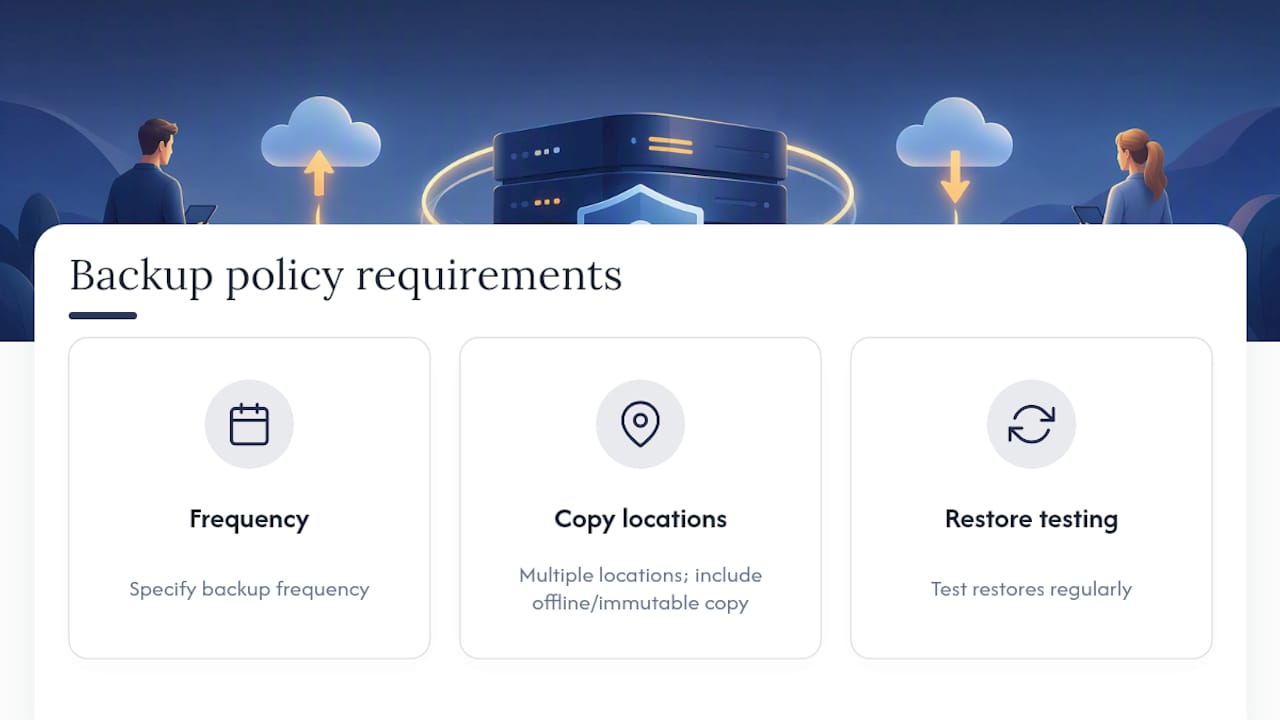
Backup and recovery. Specify backup frequency, where copies live (including at least one offline or immutable copy), and how often you actually test a restore. We’ll come back to this one hard later, because it’s the single biggest gap we find on new client audits.
Incident response. Set notification timelines (who gets called, in what order, within what timeframe), how evidence gets preserved, and who talks to customers or regulators. The Australian Cyber Security Centre’s documentation guidelines expect incident response plans to be a standalone, approved document, not a paragraph buried in an IT handbook.
Change and configuration management. Baseline configs for servers, firewalls, and key applications, plus an approval step before anything changes. This is the policy that stops “quick fix on a Friday afternoon” from becoming Monday’s outage.
Vendor and third-party security. Every supplier touching your data or network should go through some level of security assessment before you sign a contract, with clauses covering breach notification and data handling.
What every policy needs to actually work
A policy that nobody can enforce is worse than no policy, because it creates a false sense of coverage. We’ve seen businesses point to a security policy during an insurance claim, only to have the insurer ask for evidence the policy was ever followed. Every policy document needs these parts, no exceptions:
- Purpose and scope. One line: “This policy governs [X] for [who/what systems].” No preamble, no fluff.
- Roles and sign-off. Name an owner (usually IT manager or business owner), an approver (often the managing director), and a reviewer.
- Definitions. Spell out ambiguous terms. “Sensitive data” means nothing until you list what falls under it.
- Do and do-not statements. Write these so an auditor could check compliance by looking at a system, not by asking someone’s opinion.
- Exception handling. Someone always needs an exception. Document who approves it and how long it lasts.
- Monitoring and consequences. How is compliance checked, and what happens when someone breaches the policy.
- Version control and review cadence. Date every version. Set a review trigger, not just a calendar date.
Pro Tip: Write your “do not” statements as if you’re going to test them. “Do not use shared admin accounts” is testable. “Use appropriate security practices” is not, and it’s the kind of line that makes an assessor’s eyebrows go up.
Templates and snippets you can paste in today
You don’t need a 40-page document. A one-page policy that’s actually followed beats a comprehensive one sitting in a SharePoint folder nobody’s opened since 2023. Here’s a minimal skeleton, then some snippets to drop straight in.
Minimal template outline:
- Policy name and version number
- Purpose (one sentence)
- Scope (who and what it covers)
- Policy statements (the actual rules)
- Roles and responsibilities
- Enforcement and exceptions
- Review date and owner
Acceptable use opening line:
All employees, contractors, and third parties accessing [Company] systems must use company devices and accounts solely for authorised business purposes, and must not install unapproved software or store company data on personal devices without written approval.
MFA and password clause:
Multi-factor authentication is mandatory for all email, remote access, and administrative accounts. Passwords must be a minimum of 14 characters or use a passphrase, and must not be reused across systems. Exceptions require written sign-off from the IT manager and expire after 90 days.
Backup verification clause:
Backups are taken regularly and stored with at least one copy offline or immutable. Restore tests should be performed periodically, with results, dates, and any failures logged and retained for record-keeping.
Incident notification line:
Any suspected security incident must be reported to the IT manager as soon as possible after discovery. The incident response contact list should be kept up to date and reviewed regularly.
Drop the legal jargon when writing for line managers. If a policy needs a law degree to interpret, it won’t get followed. Business.gov.au’s step-based approach to drafting a cyber security policy is a decent plain-language starting point if you want a second reference alongside these snippets.
Mapping your policies to NIST CSF 2.0 and the Essential Eight
Frameworks feel abstract until you realise they’re just a checklist with better branding. CSF 2.0 organises everything into six Functions: Govern, Identify, Protect, Detect, Respond, and Recover, and it’s built specifically to help smaller organisations prioritise where to spend limited time and budget.
Here’s the quick mapping most SMBs need:
- Govern → your policy approval process, roles, and review cadence
- Identify → data classification and vendor/asset inventory policies
- Protect → access control, MFA, backup, and change management policies
- Detect → monitoring clauses inside your incident response policy
- Respond and Recover → your incident response and backup/recovery policies
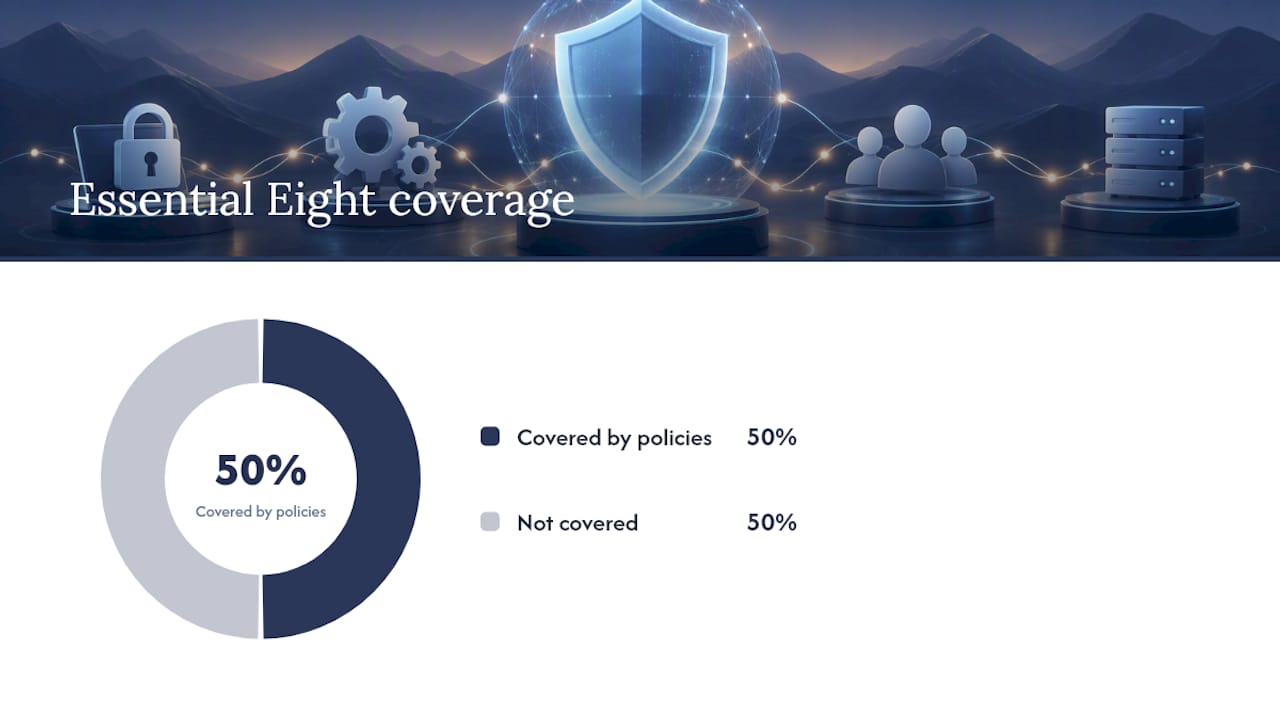
For the ACSC Essential Eight, don’t try to implement all eight strategies simultaneously. Map MFA to your access policy, patching to change management, backups to your recovery policy, and admin restriction to privileged account rules. That’s four of eight strategies covered by policies you’re already writing.
Getting policies approved and actually followed
Getting it signed off, distributed, and followed is where most businesses fall over, and having the right business insurance options can complement your continuity and incident response policy planning. Here’s the sequence that works in practice:
- Draft and approve. The business owner or an authorising officer signs off, not just IT. ACSC’s documentation guidelines expect system-specific plans to carry formal approval, and insurers increasingly ask for the same.
- Distribute with acknowledgement. Mandatory read-and-sign, tracked. Role-based briefings for anyone handling sensitive systems.
- Test it. Run a restore test, a phishing simulation, or an admin rights audit, and keep the results.
- Review on a schedule, plus triggers. Annual review minimum, with immediate review after any incident, new system, or major staff change.
Pro Tip: Set a calendar reminder for your restore test the same day you approve the backup policy. If you wait for “a quiet week” to test it, that week never comes.
What we see wrong most often at IT Start
We see this a lot: a client swears they’re backed up, we ask for the last successful restore test, and there isn’t one. Ever. Standing admin accounts and missing MFA on email are close behind as the most common gaps we find on new client audits. One client lost four extra days of downtime during a ransomware event purely because nobody had a written incident response plan, so the first two hours were spent arguing about who should be calling who. Our cyber security incident response guide and our breakdown of the Essential Eight for Brisbane SMEs cover the fixes in more depth.
Why evidence beats a compliance tick box
Most SMBs overstate their own maturity, not out of dishonesty, just optimism. A dated restore log matters more than a policy claiming “backed up daily.” Test one restore this month, write down the date and result, and you’ll know more about your real security posture than any policy document tells you.
— Matt
How IT Start helps you turn policy into practice
Writing the policy document is the part most businesses can do themselves with the templates above. Getting MFA rolled out across every account, backups actually restore-tested, and admin access locked down is where it usually stalls, because nobody has the spare hours. Risk assessments, policy drafting, MFA rollout, and backup implementation with restore testing built in are common gaps we see in Brisbane SMBs. If your current setup means “backed up” is a guess rather than a checked fact, that’s worth fixing before it becomes an incident report. Have a look at our cyber security services or get in touch through IT Start for a practical assessment of where your policies and your actual controls don’t match up yet.
Where to go for the official templates
Start with NIST’s Small Business Quick-Start Guide, the ACSC’s documentation guidelines, and Healthit for a structural starting point.
Sources
- Take a tour: NIST Cybersecurity Framework 2.0: Small Business Quick Start Guide
- Guidelines for cyber security documentation
FAQ
How do I create an IT security policy?
Start with your highest-risk gap, usually MFA or backups, and write a one-page policy using the purpose, scope, roles, and enforcement structure covered above. Get it approved by the business owner, distribute it with a mandatory acknowledgement, and set a review date before moving to the next policy.
What are the five key elements of a security policy?
Purpose and scope, defined roles and sign-off, clear do and do-not statements, an exception process, and a review cadence. Miss any one of these and the policy becomes hard to enforce or gets forgotten within a year.
What are the 5 C’s in security?
Definitions of the “5 C’s” vary by source and aren’t a standardised industry framework, so treat any version you find with some caution. Rather than chase that acronym, anchor your policies to a recognised model like NIST CSF 2.0’s six Functions instead.
What are the top IT security practices for a small business?
MFA on every critical account, restore-tested backups, and restricting standing admin access are the three that give the biggest reduction in risk for the least disruption. These three map directly to the ACSC Essential Eight’s highest-priority strategies for smaller organisations.
Does IT Start help with drafting and implementing security policies?
Yes. IT Start works with Brisbane SMBs on risk assessments, policy drafting, and implementing the controls policies actually require, including MFA rollout and backup restore testing. Current pricing for these services is available directly through IT Start.