TL;DR:
- Most small businesses underestimate how quickly cyber breaches can happen, often discovering issues weeks later. Implementing foundational measures like vulnerability assessments, multi-factor authentication, tested backups, and physical security can significantly reduce risks. Cultivating a security-aware culture and regular testing ensure effective protection against evolving threats.
Most small business owners don’t realise they’ve had a breach until weeks after it happened. A staff member clicks a link, credentials get harvested, and suddenly your client data is sitting on a forum in Eastern Europe. These aren’t theoretical scenarios. These are Tuesday mornings for managed service providers across Brisbane. The security steps you skip today become the incident report you’re writing next quarter. This guide walks through what actually needs to happen, in what order, and why the businesses that skip the preparation phase are the ones calling us in a panic.
Table of Contents
- Key takeaways
- The security steps foundation: what to do first
- Digital security measures: the practical steps
- Physical security steps that businesses overlook
- Monitoring, testing, and incident response
- Common mistakes and how to fix them
- My honest take on what actually works
- How IT Start can help secure your business
- FAQ
Key takeaways
| Point | Details |
|---|---|
| Start with a vulnerability assessment | Know what you have and where your gaps are before spending money on tools. |
| MFA is non-negotiable | Nearly half of all breaches involve stolen credentials, so multi-factor authentication must be active everywhere. |
| Physical and digital security work together | Tailgating and insider access are just as dangerous as a phishing email. |
| Backups are only useful if tested | Automated backups need to be verified regularly, not just scheduled and forgotten. |
| Security is a culture, not a checklist | Staff who understand the risks and feel safe reporting issues are your best protective layer. |
The security steps foundation: what to do first
Before you buy a single tool or roll out a policy, you need to know what you’re protecting. We call this a vulnerability assessment, and it’s the step most SMBs skip because they think they already know the answer. They don’t.
A proper baseline involves cataloguing every device on your network, every user account, every piece of software running on those machines, and every place your data actually lives. Not where you think it lives. Where it actually lives. Shared drives, personal email accounts used for work, cloud storage on personal subscriptions. That’s the messy reality we walk into with most new clients.
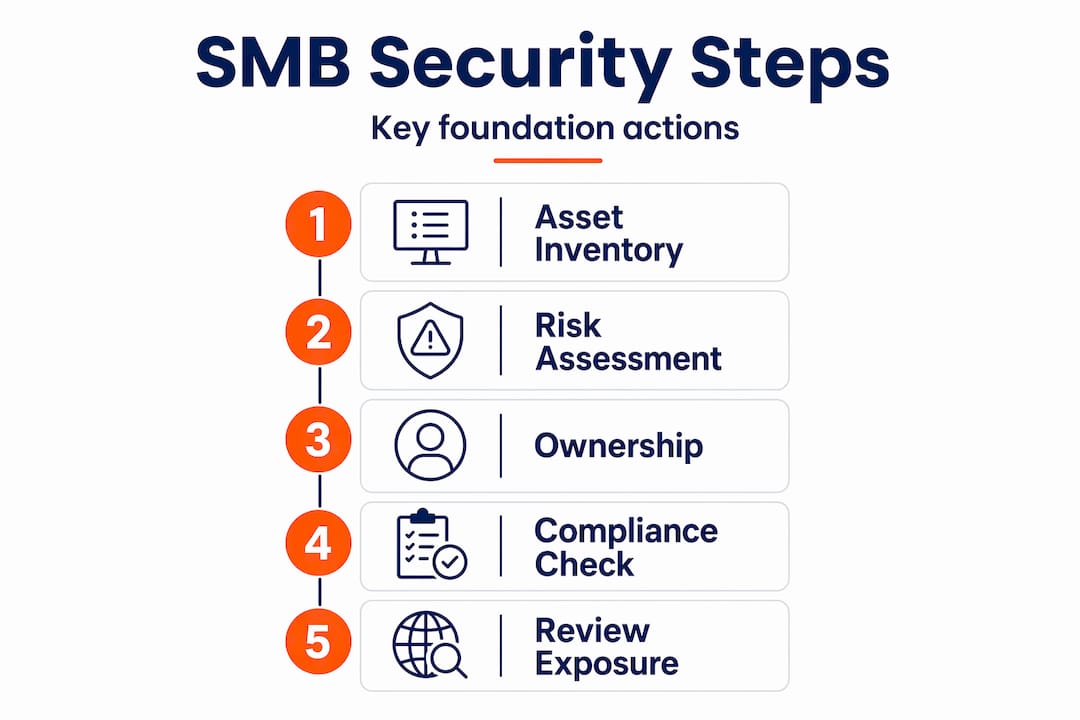
| Common prerequisite | What most SMBs actually have |
|---|---|
| Asset inventory | No documented list, or a list that’s 18 months out of date |
| Risk assessment | Never done, or done once and filed away |
| Compliance awareness | Vague understanding of obligations, nothing documented |
| Designated security responsibility | “That’s IT’s job” (often outsourced with no oversight) |
| Security-aware staff | One training done at onboarding, never revisited |
Once you have a clear picture of your assets and risks, appoint someone to own security. In a 15-person business, that might be your office manager with external MSP support. The role doesn’t need to be full-time. It needs to be real. Someone has to be responsible when things go wrong, or nothing ever gets fixed.
Pro Tip: When reviewing your assets, check for systems exposed directly to the internet. Regulated businesses are specifically advised to remediate internet-facing vulnerabilities as a priority. That includes remote desktop tools, old VPNs, and web-facing applications that haven’t been patched in months.
Understanding your compliance obligations also matters here. Healthcare, legal, and financial services businesses in Australia operate under specific frameworks. If you handle personal data, the Privacy Act applies. If you’re in financial services, APRA has views on your controls. Getting your security environment right from the start means understanding what you’re required to do, not just what feels sensible.
Digital security measures: the practical steps
This is where most guides stop at “use strong passwords” and move on. We’re going to go further, because the basics are only useful if they’re actually implemented across your whole environment.
-
Passwords and credential management. Every account should use a unique password of at least 16 characters. Shared passwords are a liability. A password manager like Bitwarden or 1Password makes this manageable for teams. Passwords of 16 characters or more, combined with regular rotation on privileged accounts, close a significant share of common attack vectors.
-
Multi-factor authentication everywhere. Nearly 49% of breaches involve stolen or compromised credentials. MFA doesn’t stop every attack, but it makes credential theft dramatically less useful to an attacker. Turn it on for Microsoft 365, your accounting software, your cloud storage, your remote access tools. All of it.
-
Patch management on a schedule. Software and firmware updates need to happen on a fixed cycle, not when someone gets around to it. We see this constantly. A client has a critical vulnerability sitting on a server for six months because nobody owns the patching process. Automate where you can and document the rest.
-
Endpoint protection beyond antivirus. Traditional antivirus isn’t enough. You need endpoint detection and response (EDR) tools that can identify unusual behaviour, not just known malware signatures. Combine this with a properly configured firewall and you’ve raised the floor considerably.
-
Automated, tested backups. Backups should run at least weekly and be stored securely offsite or in the cloud. The word “tested” is the one most businesses ignore. We’ve had clients discover their backup job had been silently failing for three months. Schedule monthly restoration tests and document them.
-
Network segmentation and access controls. Your guest Wi-Fi should never touch your internal systems. Staff who work in accounts shouldn’t have access to your development environment. Applying the principle of least privilege reduces the blast radius when something goes wrong.
Pro Tip: Review your cybersecurity layers annually against what you’ve deployed. Most SMBs have gaps they don’t know about until they map their controls against a framework.
Securing your endpoints properly also means paying attention to laptops and mobile devices. Devices that leave the office are often the weakest link. Full-disk encryption, remote wipe capability, and screen lock policies are non-negotiable for a mobile workforce. There’s a solid guide to securing business laptops that covers this in detail if you need a starting point.

Physical security steps that businesses overlook
Most cyber conversations focus entirely on digital threats, and physical security gets treated as someone else’s problem. The reality is that a person walking into your office and plugging a USB device into an unattended machine is a breach too. Physical and digital protections have to work together.
Access controls have moved well beyond a key and a swipe card. Modern systems use biometric authentication to verify identity without the problems of lost badges or shared PINs. Facial authentication is now privacy-compliant, frictionless, and in use across 68% of Fortune 500 companies. For an SMB, even a basic biometric entry system for your server room or data storage areas is a meaningful step up.
The physical threat most businesses underestimate is tailgating. Someone holds the door for a colleague without checking who’s behind them. 61% of organisations report tailgating as their most common physical access control problem. AI-powered detection systems now flag this in real time, but even without that technology, a policy and a culture of asking “do I know this person?” goes a long way.
| Physical security measure | Why it matters for SMBs |
|---|---|
| Biometric or MFA-based entry | Stops credential sharing and lost-badge risks |
| Anti-tailgating awareness | 61% of businesses cite this as their top physical access weakness |
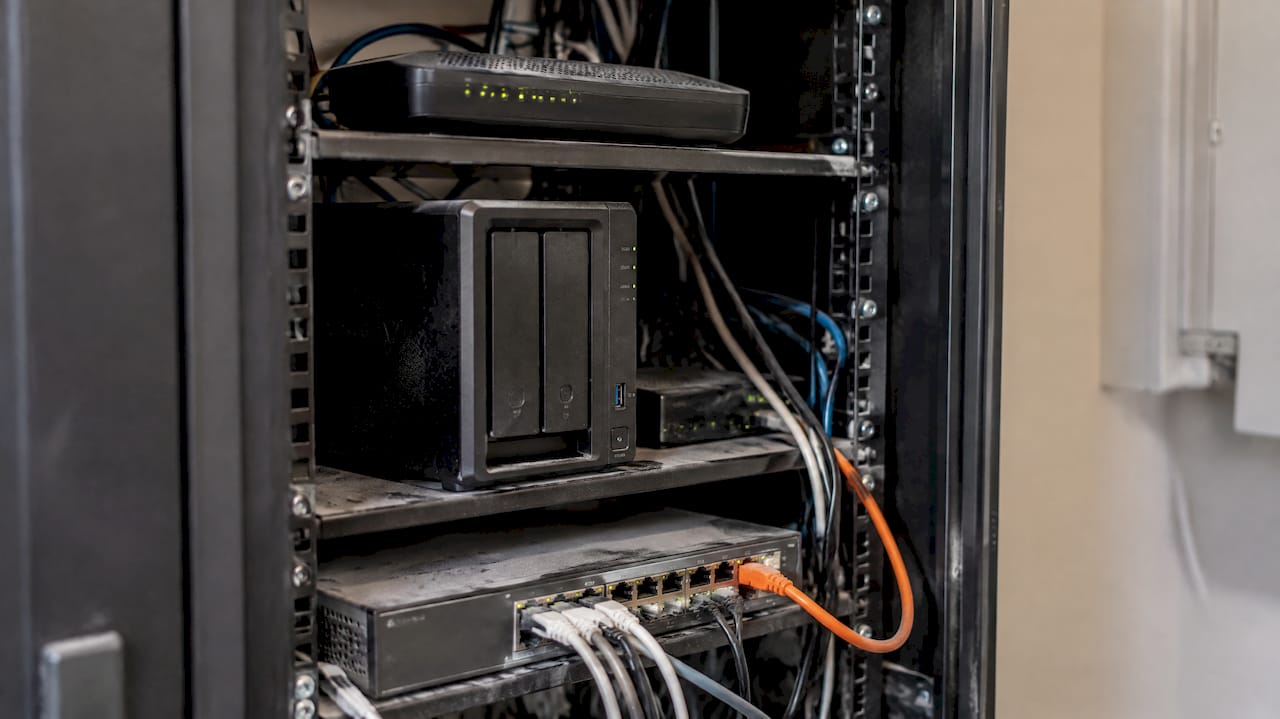
| Secured server room or network equipment | Prevents physical tampering with critical infrastructure |
| Camera coverage of entry and exit points | Deters and records access attempts |
| Visitor management process | Tracks who is on site and when |
Video surveillance integrated with access logs gives you a complete picture of physical movement. But the technology only works if your team understands why it matters. Scenario-based training that walks staff through realistic situations, like what to do if they see someone in a restricted area, is far more effective than a policy document nobody reads.
Pro Tip: Physical breaches often come from social engineering, not sophisticated attacks. Run a short five-minute scenario in your next team meeting: “Someone you don’t recognise is standing at reception looking confused. What do you do?” The answers will tell you a lot about where your culture stands.
Monitoring, testing, and incident response
Getting your security measures in place is the first half. Keeping them working is the part that actually determines your outcome when something goes wrong.
Regular security audits and vulnerability scans should happen at least quarterly. These don’t have to be expensive. Free tools like Microsoft Secure Score (if you’re on Microsoft 365) give you a real-time picture of your configuration against best practice. Paid vulnerability scanning tools go deeper and flag issues across your network and endpoints.
Log monitoring matters more than most SMBs realise. If you have no visibility into failed login attempts, unusual data transfers, or after-hours access, you won’t know something is wrong until it’s too late. At minimum, set up alerting for:
- Multiple failed login attempts on any account
- New admin account creation
- Large volumes of data being accessed or exported
- Login activity outside business hours or from unexpected locations
Testing your backups deserves its own entry on the calendar. Not a quarterly checkbox. A real test where you restore data from your backup to a clean machine and verify it works. We’ve seen businesses run ransomware recovery drills and discover their backups were incomplete or corrupted. That’s a much better time to find out than after an actual attack.
Your incident response protocol needs to exist before an incident happens. Who calls who? What gets shut down first? Who communicates to clients and how quickly? Write it down, make it accessible, and rehearse it. Effective security protocols are living documents that get updated as your business changes, not static checklists filed and forgotten after a compliance exercise.
Common mistakes and how to fix them
Honestly, most of what we see from SMBs isn’t sophisticated. The gaps are predictable, and that means they’re fixable.
- Weak or reused passwords. Still the most common issue. Fix: deploy a business password manager this week, not next month.
- No MFA on Microsoft 365. We find this constantly. It takes 20 minutes to turn on and stops a huge proportion of account takeover attempts.
- Backups that haven’t been tested. The backup job exists, but nobody knows if it works. Fix: restore a test file right now and see what happens.
- Physical access nobody thinks about. The server cabinet in the corner with the door propped open. The visitor who wandered past reception unchallenged. These are real entry points.
- Security treated as an IT-only concern. Security failures commonly stem from treating protocols as siloed IT concerns rather than a whole-of-business culture. Your receptionist is as much a part of your security posture as your firewall.
Pro Tip: When you find a gap, resist the urge to fix everything at once. Prioritise by impact. Getting MFA live on your email and cloud accounts in the next 48 hours is worth more than a perfectly written security policy that won’t be finished for a month.
My honest take on what actually works
I’ve been doing this long enough to say, without hesitation, that the businesses with the strongest security posture aren’t the ones with the most tools. They’re the ones where security is genuinely part of how the business operates.
What I see most often is this: a business invests in a firewall and antivirus, feels sorted, and then an accounts payable staff member hands over banking credentials after a convincing phone call. No tool catches that. What catches it is a culture where staff know what a suspicious request looks like, feel comfortable saying “I’ll call you back to verify,” and aren’t embarrassed to flag something to management.
The convenience versus security trade-off is real. People prop doors open because it’s faster. They reuse passwords because it’s easier. Modern biometric tools have genuinely shifted this equation, particularly for physical access. But for digital systems, the honest answer is that some friction is good friction. An MFA prompt is annoying for exactly four seconds and then irrelevant.
My advice on prioritisation: get your MFA live first. Then fix your backups and test them. Then look at your endpoint protection. The layered defence approach isn’t about spending more. It’s about stacking simple measures so that when one fails, the next one holds. That’s how small businesses build defences that actually work.
— Matt
How IT Start can help secure your business
If you’ve read through this and realised there are gaps you don’t know how to close, that’s exactly what IT Start does for Brisbane businesses every day. From running vulnerability assessments to deploying MFA, managing patching cycles, and setting up tested backup solutions, the team handles the technical side so you can focus on running your business. IT Start holds SMB 1001 Gold certification, which means the security standards applied to your environment have been independently verified.
For businesses needing dedicated support, IT Start’s cybersecurity services cover everything from threat detection to incident response planning. If offsite backup and business continuity are the gaps you need to close, the cloud services offering is built specifically for SMBs that need reliable, secure storage without managing it themselves. Get in touch to book a free assessment.
FAQ
What are the most important security steps for small businesses?
The highest-impact steps are enabling MFA on all accounts, using a password manager with unique credentials for every system, maintaining tested backups stored offsite or in the cloud, and applying the principle of least privilege to limit who can access what.
How often should a small business review its security measures?
Security audits and vulnerability scans should happen at least quarterly. Backup restoration tests should be monthly. Staff security awareness activities should be ongoing, with short, focused sessions rather than annual all-day training.
Why is physical security part of a cybersecurity plan?
Physical breaches can bypass every digital control you have. Tailgating is cited by 61% of organisations as their top access control problem, and a person with physical access to your server or an unattended workstation can cause significant damage without any technical skill.
What is the biggest mistake SMBs make with backups?
Setting up a backup job and never testing it. A backup that hasn’t been verified through a real restoration is just an assumption. Schedule a monthly test where you actually restore data to a separate machine and confirm it works.
How does MFA reduce the risk of a breach?
Nearly half of breaches involve stolen or compromised credentials. MFA means an attacker who obtains a password still cannot access the account without the second verification factor, significantly reducing the value of stolen credentials.