
TL;DR:
- Implementing the Australian Cyber Security Framework helps small and medium-sized businesses reduce breach risks and meet insurance demands. The process involves assessment, quick wins, and structural controls, with ongoing maintenance to sustain security. Avoid common mistakes by planning properly, training staff, testing backups, and documenting every step.
The Australian Cyber Security Framework is defined as the set of government-backed controls and standards, anchored by the Australian Signals Directorate’s Essential Eight, that organisations use to protect their systems, data, and people from cyber threats. For small to medium-sized businesses, implementing this framework is the most direct path to reducing breach risk, meeting insurance requirements, and satisfying client contracts that increasingly demand proof of security maturity. This guide walks you through the prerequisites, the phased implementation process, how to maintain compliance over time, and the mistakes that trip up most Australian SMBs before they get started.
What do you need before you implement the Australian Cyber Security Framework?
Preparation separates businesses that make real progress from those that tick boxes and stay exposed. Before you touch a single setting, you need a clear picture of where you stand.
The Australian Cyber Security Centre’s Cyber Health Check Tool is a free, anonymous self-assessment that gives you a prioritised action plan based on your answers. It asks straightforward questions about your current controls and maps the gaps to ASD recommendations. That output becomes your starting point, not a generic checklist someone downloaded from the internet.
You also need to identify who owns this project internally. For most SMBs with 10 to 50 staff, that is the business owner or operations manager, not a dedicated IT person. Assign clear responsibility before you start, or the project stalls after week two.
The preparation checklist looks like this:
- IT asset inventory: List every device, server, cloud account, and application your business uses. You cannot protect what you have not counted.
- Staff engagement: Brief your team on why this is happening. Resistance from staff is a common reason implementations fail.
- Current security gaps: Document what you already have, such as antivirus, MFA, and backup systems, and what is missing.
- Resource allocation: Decide whether you are handling this internally, with an MSP, or a combination of both.
- Cyber Wardens training: The Cyber Wardens programme helps employees spot and report scams, which remain the most common cyber threat for small businesses in Australia. Scam awareness is not optional; it is baseline hygiene.
Pro Tip: Run the ACSC Cyber Health Check Tool before your first planning meeting. Print the output and use it as the agenda. It saves hours of debate about where to start.
How do you implement the Essential Eight controls step by step?
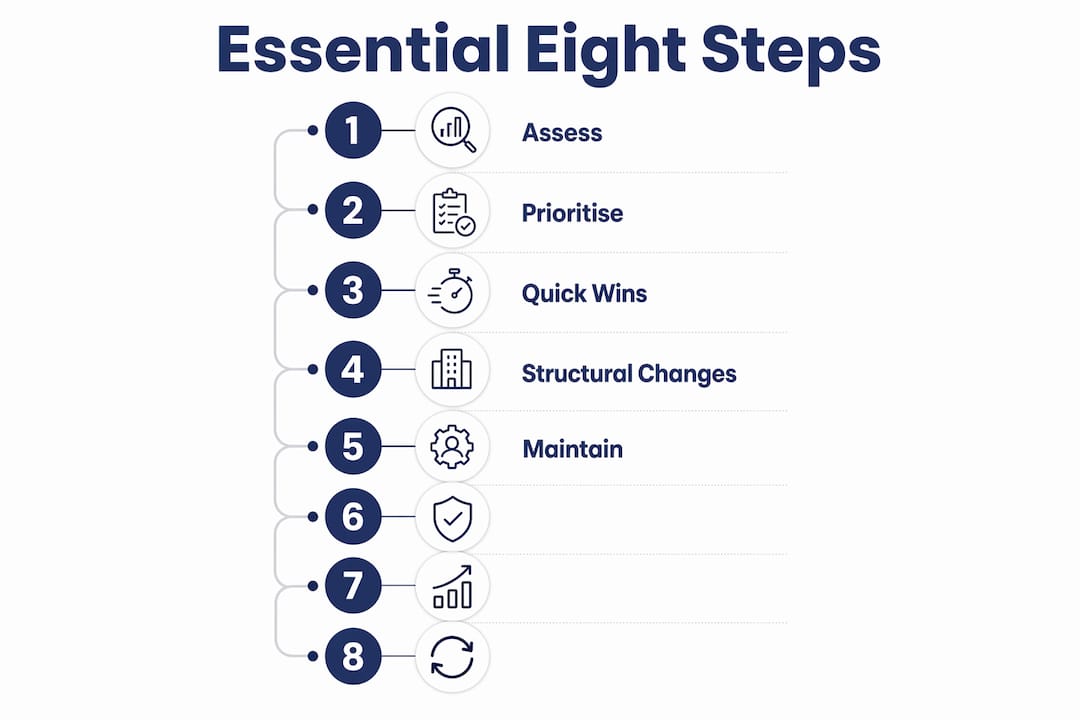
ASD’s Essential Eight is the baseline cybersecurity maturity standard for Australian organisations. It covers eight technical controls across three maturity levels, with Maturity Level 1 being the right target for most SMBs starting out. The controls include application control, patching applications and operating systems, multi-factor authentication, backups, restricting admin privileges, configuring Microsoft Office macro settings, user application hardening, and patching operating systems.

The implementation follows three phases.
Phase 1: Assess and prioritise (weeks 1 to 2)
Map your current state against each of the eight controls. Common gaps for SMBs include partial MFA coverage, inconsistent patching, and almost no application control. Admin privileges are frequently over-assigned, meaning staff who do not need admin access have it anyway. Document every gap with a severity rating. This gives you a defensible record and stops the project from becoming a vague “we should do something about security” conversation.
Phase 2: Quick wins (weeks 3 to 8)
These four controls deliver high value without requiring new tools or major workflow disruption:
- MFA rollout: Enable multi-factor authentication on every Microsoft 365, email, and cloud account. This is the single highest-impact control for stopping account takeovers.
- Patching cadence: Document and enforce a patching schedule. Critical patches should be applied within 48 hours of release. Everything else within two weeks.
- Macro settings: Disable Microsoft Office macros for users who do not need them. Configure macros to run only from trusted locations for those who do.
- Admin rights restriction: Remove local admin rights from standard user accounts. Most staff do not need them, and attackers exploit them constantly.
These quick wins bring you measurably closer to Maturity Level 1 without a major project budget.
Pro Tip: When restricting admin rights, expect pushback. Have a clear process for staff to request elevated access for specific tasks. This reduces friction and keeps the control intact.
Phase 3: Structural changes (weeks 9 to 24)
The more complex controls require careful planning and a staged rollout. Application control and backup upgrades typically take between 9 and 24 weeks to implement properly.
| Control | What it involves | Typical timeline |
|---|---|---|
| Application control | Whitelist approved applications; block everything else | 9–16 weeks |
| Backup architecture | Add immutable backup targets; test restores | 9–12 weeks |
| User application hardening | Lock down browsers and PDF readers | 4–8 weeks |
| OS patching compliance | Automate and verify patch status across all devices | Ongoing from week 3 |
Document every change as you make it. That documentation matters for insurance claims, client contracts, and your annual maturity reassessment. Skipping it is a mistake you will regret when an insurer asks for evidence.
How do you maintain cyber security compliance over time?
Cyber security framework implementation is not a one-off project. The Essential Eight requires continual maintenance to stay effective, and most SMBs fall behind within six months of their initial rollout.
The maintenance schedule that works in practice:
- Monthly: Review application control logs. Check for blocked applications that legitimate users need, and update the approved list accordingly.
- Quarterly: Audit patching compliance across all devices. Identify machines that missed patches and investigate why.
- Biannually: Test your backups by actually restoring data. Not checking that the backup ran. Restoring files to confirm the data is usable. We see this skipped constantly, and it is the reason businesses discover their backups were broken only after a ransomware attack.
- Annually: Conduct a full Essential Eight maturity reassessment. Compare your current state to where you were 12 months ago. Update your documentation.
Embed these reviews into your business calendar the same way you schedule BAS lodgements or annual leave. Cyber security maintenance that relies on someone remembering to do it does not happen. Tie the quarterly patching audit to your end-of-quarter routine and it becomes a habit.
Good documentation also supports your cyber risk management strategy when you need to demonstrate compliance to insurers or enterprise clients. Insurers increasingly ask for evidence of controls, not just declarations.
What mistakes do Australian SMBs make when implementing the framework?
Honestly, the same mistakes come up again and again. Knowing them in advance saves you significant time and money.
- Underestimating the time required: Most SMBs assume implementation takes a few weeks. The structural phase alone runs 9 to 24 weeks. Businesses that rush it end up with patchy controls that look complete on paper but fail under scrutiny.
- Skipping staff training: Technical controls alone do not stop phishing. Employees who cannot recognise a scam email will hand over credentials regardless of how well your MFA is configured. Cyber Wardens training addresses this directly.
- Not testing backups: This is the one that causes the most damage. A backup that has never been tested is not a backup. It is a false sense of security. We have seen businesses lose weeks of data because their backup job was running but the restore process was broken.
- Poor documentation: Gaps in documentation reduce your protection effectiveness and can hurt your access to cyber insurance and contractual compliance opportunities. If you cannot show an auditor what controls you have and when they were last reviewed, you have a problem.
- Trying to do everything at once: Businesses that attempt all eight controls simultaneously burn out their internal resources and end up finishing none of them properly. Phase the work.
“The biggest risk for an SMB is not that they ignore cyber security entirely. It is that they do just enough to feel covered, without doing enough to actually be covered. A half-implemented framework gives you false confidence and real exposure.”
For gaps you cannot fill internally, a trusted managed IT support provider with experience in the Essential Eight can handle the technical implementation while you focus on running your business.
Key takeaways
Implementing the Australian Cyber Security Framework requires a phased approach, starting with assessment, moving through quick wins, and completing structural controls, with ongoing maintenance built into your business calendar.
| Point | Details |
|---|---|
| Start with assessment | Use the ACSC Cyber Health Check Tool to identify your gaps before touching any settings. |
| Phase your implementation | Quick wins in weeks 3–8, structural changes in weeks 9–24; rushing causes incomplete controls. |
| Test your backups | Restore testing biannually is non-negotiable; an untested backup is not a reliable backup. |
| Document everything | Records of controls and reviews support insurance claims, audits, and client contracts. |
| Maintenance is ongoing | Monthly, quarterly, biannual, and annual reviews keep your maturity level from slipping. |
What I have learned from watching SMBs implement this
Honestly, the gap between what the official guidance says and what actually happens in a real SMB is significant. I have seen businesses spend months on a compliance checklist and still have no working backup restore process. The checklist said “backups configured.” The reality was a backup job that had been failing silently for three months.
The Essential Eight is a genuinely good framework. The problem is that most SMBs treat it as a project with an end date rather than a permanent change to how they operate. They get to Maturity Level 1, declare victory, and stop reviewing their controls. Twelve months later, patches are behind, admin rights have crept back, and the application control list has not been updated since the rollout.
The other thing I see constantly is the assumption that MFA alone is enough. MFA is critical, and it stops a huge proportion of account takeover attempts. But it does not protect you from a staff member clicking a malicious link on an unpatched browser. The controls work together. Implementing three of eight and ignoring the rest is not a security posture. It is a starting point.
For Brisbane SMBs specifically, the cyber security actions that matter most are the ones your team will actually maintain. A perfect implementation that falls apart in six months is worse than a simpler one that gets reviewed every quarter. Build for sustainability, not for the audit.
— Matt
How IT Start supports Australian SMBs with cyber security
IT Start works with Brisbane SMBs to implement and maintain the Essential Eight controls across Microsoft 365, backups, networking, and endpoint security. The team handles the technical work, from MFA rollout and patching schedules to application control and backup architecture, so business owners do not have to manage it themselves. IT Start holds SMB 1001 Gold certification, which reflects a genuine commitment to the security standards Australian businesses need. If you are ready to move from a gap assessment to a working security posture, the IT Start cyber security services page outlines how the team supports framework implementation from start to ongoing maintenance. For businesses also considering cloud infrastructure as part of their security uplift, IT Start’s cloud services complement the Essential Eight controls directly.
FAQ
What is the Australian Cyber Security Framework?
The Australian Cyber Security Framework refers to the government-backed standards and controls, primarily the ASD Essential Eight, that Australian organisations use to protect their systems and data from cyber threats.
What is Maturity Level 1 of the Essential Eight?
Maturity Level 1 is the baseline implementation target for most SMBs. It requires each of the eight controls to be partially implemented, addressing the most common and straightforward attack techniques.
How long does Essential Eight implementation take for an SMB?
Quick wins like MFA and patching can be completed in weeks 3–8. Structural changes like application control and backup upgrades typically take 9–24 weeks to implement properly.
Do I need an MSP to implement the Essential Eight?
Not necessarily, but most SMBs with fewer than 50 staff lack the internal expertise to handle application control and backup architecture without support. An experienced MSP reduces implementation time and avoids costly mistakes.
How does the Essential Eight help with cyber insurance?
Insurers increasingly require evidence of specific controls before issuing or renewing cyber policies. Documented Essential Eight implementation, including patching records and backup test results, gives insurers the evidence they need.