
TL;DR:
- IT helpdesks handle technical issues, incident management, access control, and cybersecurity responses.
- Efficient helpdesks improve productivity, reduce downtime, and enhance cybersecurity through structured practices.
- Many SMEs undervalue helpdesks, risking security breaches and operational disruptions by focusing only on reactive support.
Most Queensland business owners assume their IT helpdesk exists to fix broken computers and reset passwords. That picture is incomplete. Your helpdesk is the frontline centralised point of contact for handling user technical issues, incident management, service requests, and initial cybersecurity responses. When it works well, your team stays productive, your data stays protected, and your operations keep running. When it’s poorly managed, you face downtime, security breaches, and frustrated staff. This guide explains exactly what IT helpdesks do, how they drive efficiency, where they fit into cybersecurity, and what Queensland SMEs should look for when choosing or improving their support model.
Table of Contents
- What does an IT helpdesk actually do?
- How IT helpdesks boost efficiency and productivity
- The IT helpdesk’s vital role in cybersecurity
- Best practice frameworks for reliable IT helpdesk support
- A fresh perspective: what most Queensland SMEs miss about IT helpdesks
- How to get reliable IT helpdesk support for your Queensland business
- Frequently asked questions
Key Takeaways
| Point | Details |
|---|---|
| Frontline support | IT helpdesks are not just tech fixers—they ensure seamless operations and immediate incident response. |
| Boosting efficiency | Leveraging remote and AI-driven helpdesks can dramatically cut costs and improve productivity for Queensland SMEs. |
| Cybersecurity enablers | Helpdesks actively protect businesses by managing access, enforcing policies, and identifying threats. |
| Best practice matters | Adopting ITIL frameworks and a proactive approach maximises helpdesk reliability and reduces risk. |
What does an IT helpdesk actually do?
To understand their value, let’s first clarify what modern IT helpdesks actually do in a Queensland business context. There’s a persistent gap between what most owners think the helpdesk handles and what it actually manages every single day.
At its core, an IT helpdesk is responsible for:
- Receiving and triaging incoming requests from staff across all departments
- Troubleshooting hardware failures, software errors, and network connectivity problems
- Managing user access, including onboarding new staff and revoking access when people leave
- Acting as the first line of cybersecurity response when phishing emails or suspicious activity are reported
- Documenting incidents so patterns can be identified and recurring problems resolved permanently
The helpdesk acts as the central link between your staff and your company’s IT infrastructure. Without it, requests fall through the cracks and problems compound over time. IT helpdesks handle technical issues, incident management, and service requests, bridging end-users and IT infrastructure in ways that directly affect operational continuity.
“A well-run IT helpdesk is not just a cost centre. It is a business enabler that keeps every other part of your organisation functioning.”
The critical distinction for Queensland SMEs is the difference between reactive problem solving and strategic operational support. Reactive helpdesks wait for something to break. Strategic ones use ticketing data, trend analysis, and ITIL best practices to reduce the frequency and impact of incidents before they disrupt your workday. The helpdesk contributions to your business go far beyond answering calls. When managed correctly, this function minimises costly downtime and keeps your people focused on what they do best.
How IT helpdesks boost efficiency and productivity
Once you grasp the true scope of their work, it’s clear that an efficient helpdesk directly powers business productivity and cost savings. For Queensland SMEs operating with lean teams, every hour of downtime carries a real financial cost.
There are four key performance metrics worth tracking for any helpdesk:
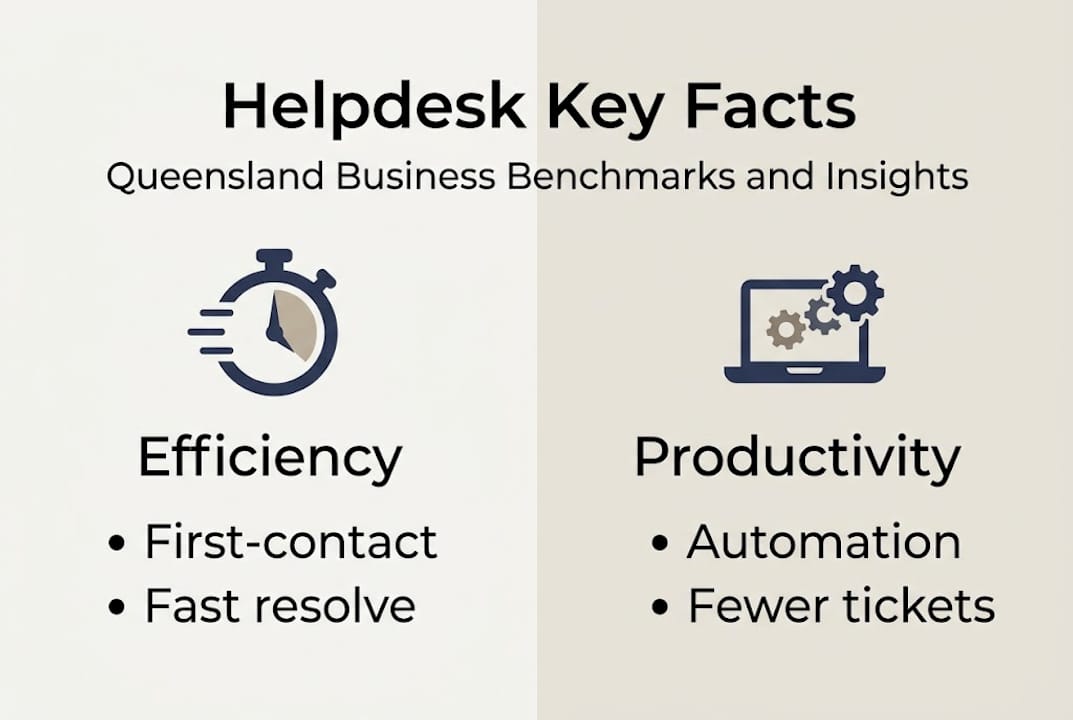
- First-contact resolution (FCR): The percentage of issues resolved on the first interaction
- Mean time to resolution (MTTR): How quickly tickets are fully resolved
- SLA compliance: Whether your provider is meeting agreed response and resolution timeframes
- Self-service deflection: How many requests are resolved without agent involvement, often through automation
| Metric | Industry benchmark | Why it matters |
|---|---|---|
| First-contact resolution | 70–80% | Fewer repeat contacts, less staff disruption |
| Mean time to resolution | Under 15–30 hours | Faster return to productive work |
| SLA compliance | Over 85% | Accountability and reliability |
| Self-service deflection | 20–30% | Lower costs and faster outcomes |
The numbers around AI and automation are striking. AI integration can reduce ticket handling costs by 40% and cut resolution times from 71 to 4.4 hours, according to the 2026 IT Help Desk Benchmark Report. That’s not a marginal improvement. It’s a fundamental shift in how quickly your staff get back to work.
Business helpdesks that are properly resourced maintain first-contact resolution rates of 70–80%, which means most issues are handled immediately without escalation. Remote and centralised support models are particularly well-suited to Queensland SMEs spread across locations, offering flexible, fast service without the cost of on-site staff at every site. These remote IT support arrangements have become standard for businesses that want reliable coverage without inflated overheads.
For a deeper look at the numbers behind helpdesk performance, helpdesk statistics from aggregated industry sources highlight just how much variation exists between well-run and poorly-run operations.
Pro Tip: Automate common repetitive requests like password resets, software installs, and access approvals. This frees your helpdesk agents to focus on complex issues that genuinely require human expertise.
The IT helpdesk’s vital role in cybersecurity
Efficiency is just one side. The other is that your IT helpdesk is central to both protecting and potentially exposing your business to cyber threats. This is the part many Queensland business owners underestimate most.
A well-configured helpdesk actively reduces your cybersecurity exposure through:
- User access management: Ensuring staff only have the permissions they need, and that access is removed promptly when someone leaves
- Incident response: Being the first point of contact when a staff member spots suspicious activity or receives a phishing email
- MFA enforcement: Making sure multi-factor authentication is applied consistently across all accounts
- Threat monitoring: Flagging unusual login patterns or repeated failed access attempts
The ITIL service desk framework specifically outlines privilege-tiered processes and robust logging as non-negotiable elements of secure helpdesk operations. Without these controls, your helpdesk becomes an attractive entry point for attackers rather than a protective barrier.
“The same access and trust that makes your helpdesk helpful to staff is what makes it attractive to cybercriminals.”
This is not theoretical. Helpdesks mitigate cyber risks but are themselves a common attack vector for social engineering. Vishing (voice phishing) and pretexting attacks specifically target helpdesk staff who are trained to be helpful and accommodating. High-profile breaches have exploited helpdesk password and MFA reset processes, where an attacker impersonates an employee to gain access. Your helpdesk team’s cybersecurity contributions depend on their training, not just their tools.
Reviewing security awareness tips for your IT team regularly is one of the highest-value investments a Queensland business can make.
Pro Tip: Regularly run simulated attack scenarios specifically targeting your helpdesk staff. Test whether they follow identity verification protocols before resetting credentials or granting access.
Best practice frameworks for reliable IT helpdesk support
Understanding these principles is vital. Here’s how Queensland businesses can apply global best practices to ensure reliability and resilience.
ITIL frameworks and tiered support structures are essential for scalable, secure, and efficient helpdesks. The tiered model breaks support into levels:
- Level 1 (L1): Front-line agents handling common, straightforward requests
- Level 2 (L2): Specialists who manage more technical or complex issues
- Level 3 (L3): Senior engineers or vendors who resolve deep infrastructure or application problems
| Reactive helpdesk | Proactive service desk |
|---|---|
| Waits for problems to occur | Monitors systems to prevent issues |
| Focused on ticket closure | Focused on root cause elimination |
| Measures speed of response | Measures reduction in incident frequency |
| Often underresourced | Integrates with business planning |
For service desk best practices to translate into results, Queensland SMEs should follow a structured approach:
- Define your SLAs clearly before engaging any provider, including response and resolution timeframes
- Implement a ticketing system so every request is logged, tracked, and measurable
- Establish tiered escalation paths so the right expertise is applied to the right problem
- Train helpdesk staff on identity verification and social engineering awareness
- Review performance data monthly to identify recurring issues and address root causes
- Balance automation with human judgement so AI handles volume while experts handle complexity
Understanding the difference between managed vs in-house IT is an important decision point for many Queensland businesses. Similarly, remote IT models can deliver enterprise-grade helpdesk coverage at a fraction of the cost of building an internal team.
A fresh perspective: what most Queensland SMEs miss about IT helpdesks
Even with all these frameworks and technologies available, most Queensland SMEs still make one persistent mistake. They treat the helpdesk as a cost to minimise rather than a function to invest in strategically.
The break-fix mindset is deeply embedded in many small businesses. Something breaks, someone calls for help, it gets fixed. But that model accumulates hidden costs: lost productivity, recurring issues that never get resolved at the root, and a helpdesk team too stretched to act on any emerging security threat.
The businesses that get the most value from their helpdesk are the ones that integrate it with broader business planning. They review ticket trends quarterly, use that data to justify infrastructure upgrades, and measure their provider against meaningful benchmarks. They treat the helpdesk as intelligence, not just a support queue.
Relying solely on reactive support also leaves your business exposed. A single social engineering attack on an undertrained helpdesk agent can undo months of cybersecurity investment. Professional IT support that is genuinely proactive and security-aware is a different product entirely compared to basic break-fix. The gap in outcomes is significant, and most Queensland businesses only discover this after a costly incident.
How to get reliable IT helpdesk support for your Queensland business
For business owners ready to strengthen their helpdesk and IT resilience, here’s how to get started. IT Start provides business IT support solutions built specifically for Queensland SMEs, with a focus on operational efficiency, security, and responsiveness. Whether you need a fully managed helpdesk, stronger cybersecurity services, or a review of your current IT setup, the team at IT Start is equipped to help. With SMB 1001 Gold certification and deep local expertise in Brisbane and across Queensland, IT Start delivers the kind of structured, proactive support that prevents problems before they disrupt your business. Reach out for a free consultation and see where your current setup stands.
Frequently asked questions
What is the main function of an IT helpdesk in a business?
An IT helpdesk manages technical issues, incident requests, and security, ensuring business continuity by bridging users and IT systems. It serves as the frontline centralised point of contact for all technical and security-related requests.
How do IT helpdesks reduce cybersecurity risks?
They enforce user access control, monitor for phishing, manage incident reporting, and ensure security protocols like MFA are followed consistently. Without these controls, your helpdesk can become an entry point rather than a barrier.
What are typical performance benchmarks for IT helpdesks?
Efficient IT helpdesks achieve 70–80% first-contact resolution, resolve tickets within 15–30 hours, and maintain SLA compliance above 85%. These benchmarks help you hold any provider accountable.
How do I choose the best IT helpdesk model for my Queensland business?
Look for remote or centralised support options, integration with your security protocols, adherence to ITIL service frameworks, and evidence of strong response times backed by real performance data.