TL;DR:
- Data loss prevention is a legal requirement and essential for business continuity for Australian SMEs.
- Implementing basic controls like data classification, access restriction, staff training, and regular backups significantly reduces risks.
- Ongoing testing, policy review, and recovery planning are crucial for maintaining effective data protection.
Imagine arriving at work to find your customer database wiped, your financial records encrypted, and a ransom note on your screen. For Brisbane small and medium-sized enterprises (SMEs), this is not a distant threat. 60% of Australian SMEs have experienced a cyber incident, and many never fully recover. Data loss prevention (DLP) is no longer optional. It is a legal requirement, a business continuity necessity, and a competitive differentiator. This guide walks you through every practical step to protect your organisation’s data, stay compliant with Australian law, and build resilience that actually holds up under pressure.
Table of Contents
- Understanding data loss risk for Brisbane SMEs
- Preparing your organisation for DLP
- Implementing the essential prevention steps
- Testing and refining your DLP strategy
- Our perspective on data loss prevention for Brisbane SMEs
- Get expert help with data loss prevention in Brisbane
- Frequently asked questions
Key Takeaways
| Point | Details |
|---|---|
| Know your obligations | Brisbane SMEs must comply with Privacy Act 1988 and protect sensitive data from loss or breach. |
| Prepare and plan | A strong DLP program starts with mapping data, assessing risks and involving your staff. |
| Follow proven steps | Implement ACSC Essential Eight controls and best-practice DLP steps to secure your data. |
| Review regularly | Consistent testing and improvement keep your DLP strategy effective and compliant. |
Understanding data loss risk for Brisbane SMEs
Before you can fix a problem, you need to understand its shape. Data loss for an SME does not always look like a Hollywood-style hack. Sometimes it is a staff member clicking a phishing link. Sometimes it is a laptop left in a taxi. Sometimes it is a former employee whose access was never revoked.
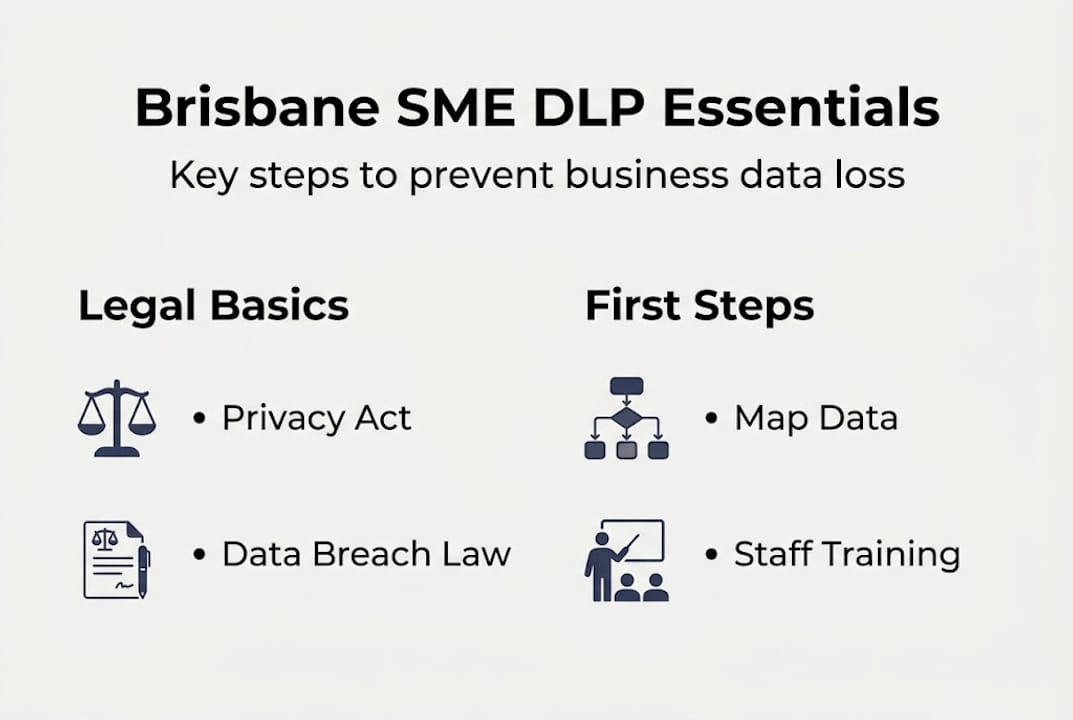
The Privacy Act and Notifiable Data Breaches scheme apply to most Australian businesses, including many SMEs. Under the Australian Privacy Principles (APP), specifically APP 11, your business must take reasonable steps to protect personal information from misuse, interference, loss, and unauthorised access. If a breach occurs and it is likely to cause serious harm, you must notify both affected individuals and the Office of the Australian Information Commissioner (OAIC). Penalties for non-compliance can reach into the millions.
The business impacts go well beyond fines. Consider what a breach actually costs:
| Impact type | Typical consequence for an SME |
|---|---|
| Financial | Regulatory fines, legal fees, ransom payments |
| Reputational | Lost clients, negative press, reduced trust |
| Operational | System downtime, lost productivity, data recovery costs |
| Legal | Litigation from affected customers or partners |
The most common causes of data loss in SMEs include:
- Phishing attacks targeting staff via email or SMS
- Weak or reused passwords across business systems
- Lost or stolen devices such as laptops and mobile phones
- Accidental deletion by employees without proper backup systems
- Unpatched software exploited by attackers
“A data breach does not just cost you money. It costs you the trust you spent years building with your clients.”
Understanding what is data loss prevention and why it matters is the essential first step before any technical controls are put in place.
Preparing your organisation for DLP
After understanding your risks, it is time to lay solid groundwork for DLP. Preparation is where most Brisbane SMEs either get it right or set themselves up for failure later.

Start with data mapping. You need to know exactly what information your business holds, where it lives, who can access it, and why you need it. This includes customer records, financial data, staff files, and intellectual property. Tools like Microsoft SharePoint and OneDrive make it easier to centralise and track where data sits, but you still need a human process to catalogue it properly.
Next, understand the types of DLP solutions available. Types of DLP include network, endpoint, cloud, and AI-driven solutions, each suited to different risk profiles:
| DLP type | What it protects | Best for |
|---|---|---|
| Network DLP | Data moving across your network | Businesses with on-premises infrastructure |
| Endpoint DLP | Data on devices like laptops and USBs | Remote or hybrid workforces |
| Cloud DLP | Data in cloud platforms like Microsoft 365 | SMEs using SaaS tools |
| AI-driven DLP | Detects unusual patterns using machine learning | Businesses with complex data environments |
For most Brisbane SMEs using platforms like Microsoft Teams, SharePoint, and OneDrive, cloud DLP is the most immediately relevant. These platforms have built-in sensitivity labels and data loss prevention policies that your IT provider can configure to flag or block risky actions automatically.
Getting your staff involved early is critical. Policies mean nothing if people do not follow them. Run a short awareness session explaining what counts as sensitive data, how to handle it, and what to do if something goes wrong. Use your data protection checklist to make sure nothing is missed.
Pro Tip: Run a data inventory workshop with key staff from each department. Ask them what data they create, where they store it, and who else has access. You will almost always uncover shadow IT or forgotten file shares that represent real risk.
Implementing the essential prevention steps
With your groundwork in place, you can now roll out the most effective DLP controls step by step. The ACSC Essential Eight framework gives Australian businesses a proven structure for reducing cyber risk, and it maps directly onto practical DLP actions.
Here are the core steps every Brisbane SME should implement:
- Classify your data. Label information by sensitivity: public, internal, confidential, and highly restricted. Use Microsoft 365 sensitivity labels if you are already in that ecosystem.
- Control access strictly. Apply the principle of least privilege. Staff should only access the data they need for their role. Review access rights every quarter.
- Enable multi-factor authentication (MFA). This single step blocks the vast majority of credential-based attacks. Enable it across all business systems, especially email and cloud storage.
- Patch software regularly. Unpatched systems are an open door. Automate updates wherever possible using tools built into Windows or your managed IT platform.
- Back up your data consistently. Use the 3-2-1 rule: three copies of data, on two different media, with one stored offsite or in the cloud. OneDrive and SharePoint versioning provide a strong baseline, but they are not a substitute for a dedicated backup solution.
- Train staff on phishing and social engineering. Run simulated phishing campaigns to measure and improve awareness over time.
- Restrict removable media. Block or monitor the use of USB drives and external storage devices through endpoint DLP policies.
- Implement application control. Only allow approved software to run on business devices, reducing the risk of malware installation.
For a detailed walkthrough of how to protect sensitive data in your specific context, and to see how these steps fit into a broader data protection workflow, it helps to work through each control with your IT team.
Pro Tip: Automate as much as possible. Automated backups, patch management, and DLP policy enforcement remove human error from the equation. If it relies on someone remembering to do it, it will eventually be forgotten.
The Brisbane Essential Eight guide breaks down each control in local context, which is especially useful if you are working toward a compliance milestone.
Testing and refining your DLP strategy
Once DLP is set up, ongoing testing and improvement ensure long-term effectiveness. Setting and forgetting is one of the most common and costly mistakes Brisbane SMEs make.
Regular testing ensures your DLP responds to changing threats and compliance requirements. Here is how to build a practical testing cycle:
Testing methods to use:
- Audits: Review your DLP policies, access logs, and backup records quarterly. Check that policies are still aligned with your current data environment.
- Tabletop exercises: Gather key staff and walk through a simulated breach scenario. Ask: what would we do if our email was compromised right now? Who calls whom?
- Simulated phishing attacks: Use tools like Microsoft Attack Simulator to send fake phishing emails to staff and measure click rates. Track improvement over time.
- Penetration testing: Engage a security professional annually to attempt to breach your systems and report on vulnerabilities.
| Metric to track | Why it matters | Target |
|---|---|---|
| Phishing click rate | Measures staff awareness | Below 5% |
| Backup restoration time | Ensures recovery is viable | Under 4 hours |
| DLP policy violation alerts | Identifies risky behaviour | Reviewed weekly |
| Access review completion | Confirms least privilege is maintained | 100% quarterly |
When gaps appear, and they will, treat them as learning opportunities rather than failures. Common issues include DLP policies that are too broad and block legitimate work, staff who find workarounds because controls are inconvenient, and backups that have never actually been tested for restoration.
“A DLP strategy that has never been tested is just a document. Real protection comes from knowing your controls work when it counts.”
Set a formal review cycle. Update your policies at least annually, and immediately after any major business change such as a new system, a merger, or a significant staff turnover event. To secure your data effectively, the review cycle is just as important as the initial setup.
Our perspective on data loss prevention for Brisbane SMEs
After years of helping Brisbane businesses implement DLP, we have seen one pattern repeat itself: organisations that invest in expensive, complex tools but neglect the basics consistently underperform compared to those that do simple things consistently well.
The uncomfortable truth is that most data loss incidents are preventable with fundamentals. Patching, access reviews, staff training, and reliable backups stop the overwhelming majority of incidents. Fancy AI-driven tools are useful at scale, but for an SME, they can create a false sense of security while the basics slip.
Another thing most guides will not tell you: focus on recovery speed, not just prevention. You will not block every threat. The businesses that survive breaches are the ones that can restore operations quickly, notify the right people promptly, and get back to serving clients. Build your recovery capability with the same seriousness as your prevention controls.
For sector-specific insight, our practical IT data guide for Brisbane financial firms shows how these principles apply in a high-compliance environment, and many of those lessons translate directly to other industries.
Get expert help with data loss prevention in Brisbane
If you want extra peace of mind or hands-on support, our team is here to help. At IT Start, we work with Brisbane SMEs every day to assess, implement, and manage DLP strategies that are practical, compliant, and built around how your business actually operates. We assist with cloud-based DLP through platforms like Microsoft 365, including OneDrive, SharePoint, and Teams, as well as endpoint protection, compliance frameworks, and staff training. Our cyber security solutions and cloud services are designed specifically for businesses like yours. Ready to take the next step? Speak with our experts for a tailored DLP assessment.
Frequently asked questions
What is the first step in preventing data loss for Brisbane SMEs?
Mapping and assessing your data is the foundational first step. You need to know what information you hold, where it is stored, and who can access it before you can protect it effectively.
Which Australian law covers data loss prevention for my business?
The Privacy Act covers businesses of most sizes and mandates protection of personal information under APP 11, with the Notifiable Data Breaches scheme requiring disclosure of serious incidents to affected individuals and the OAIC.
What if my business suffers a data breach?
Under the Notifiable Data Breaches scheme, you must notify affected individuals and the OAIC if the breach is likely to cause serious harm, then remediate the incident as quickly as possible to limit further damage.
How often should we test our data loss prevention strategy?
Regular testing is critical for effective DLP. Test your controls at least annually and immediately after any significant business change, such as adopting new software, restructuring your team, or moving to a new office.