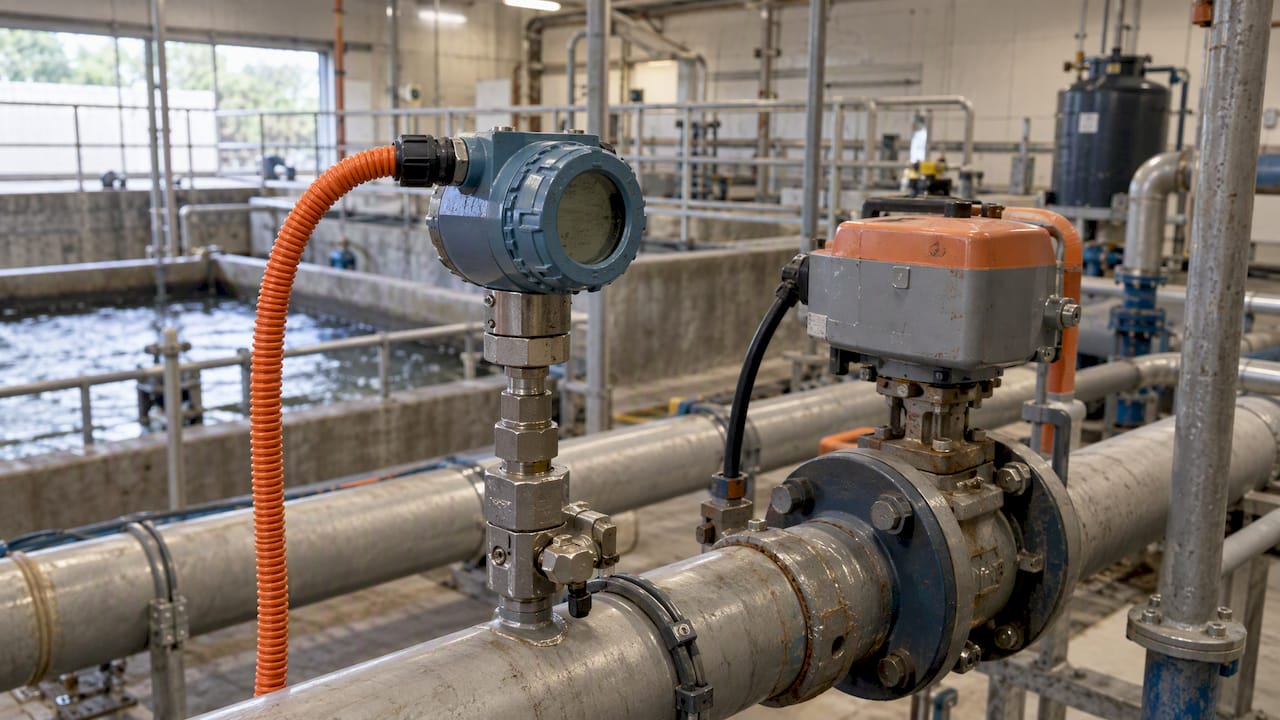
ICS stands for industrial control systems, and ICS security means protecting the computer systems that directly run physical processes such as power generation, water treatment and manufacturing lines. Here, safety and uptime matter more than data confidentiality, which flips the usual IT security priorities on their head. Core examples include SCADA and PLCs, and bodies like the Australian Signals Directorate and the ISA/IEC 62443 standard set the benchmark for doing it properly.
TL;DR:
- Start with a complete inventory of field devices, gateways, and remote access points; unknown legacy equipment can leave serious gaps in protection.
- Separate corporate IT from control networks, and share process data through a DMZ historian rather than letting IT systems query controllers directly.
- Use passive, OT specific monitoring; standard vulnerability scans can disrupt controllers, so test scanners on spare devices or in a vendor lab first.
- Replace shared remote access passwords with multifactor authentication and logged sessions, then test recovery plans by confirming physical processes return to safe operation.
Table of Contents
- What makes up an industrial control system
- How ICS actually works: loops, zones and protocols
- Why ICS security is a safety issue, not just an IT issue
- Common threats and attack patterns hitting ICS today
- Practical ICS security steps that won’t shut down your operation
- The standards worth building your approach around
- What SMBs get wrong, and what we see fixing it
- Our honest take: start small, start safe
- How we can help with ICS and OT security
- FAQ
- Sources
What makes up an industrial control system
An industrial control system is a broad term for the hardware and software that monitors and manages physical processes, rather than just data. ISA’s executive guide describes ICS as computer-based systems that interact directly with the physical world through devices that sense and act. SCADA systems typically manage geographically spread assets, like a water network across a region, while a DCS (distributed control system) tends to run a single, centralised facility such as a food processing plant.
The building blocks show up again and again across industries:
- PLCs (programmable logic controllers): small industrial computers that run the control logic on the factory floor.
- RTUs (remote terminal units): collect field data and send it back to a central system, often over long distances.
- HMIs (human-machine interfaces): the screens operators use to watch and adjust a process.
- Historians: databases that log process data over time for reporting and troubleshooting.
- Sensors and actuators: the physical bits that measure temperature, pressure or flow, and the bits that open valves or start motors.
You’ll find this gear running a brewery’s fermentation tanks, a hospital’s HVAC and medical gas systems, or a council’s water pumping stations.
How ICS actually works: loops, zones and protocols
At the heart of most ICS setups is a control loop: a sensor measures something, a PLC or RTU decides what to do, and an actuator makes it happen, continuously, often in fractions of a second. That loop has to keep running, which is why availability trumps confidentiality in this world.
Network architecture matters just as much as the devices. Well-designed OT networks separate traffic into zones, with clear demarcation points between the corporate IT network and the control network. Traffic moving up and down between levels (north-south) gets far more scrutiny than traffic between devices on the same level (east-west), where visibility is often weaker.
Common protocols here include:
- Modbus: simple and widely used, but with no built-in authentication.
- DNP3: common in utilities, with limited native security features.
- EtherNet/IP: popular in manufacturing, often deployed without segmentation.
Honestly, most of these protocols were designed decades ago for reliability, not security, which is exactly the gap attackers exploit.
Why ICS security is a safety issue, not just an IT issue
Compromise a laptop and you lose data. Compromise an ICS and you can lose physical safety, stop production lines or knock out services a whole community depends on. That’s the distinction business owners often miss until it’s spelled out this bluntly.
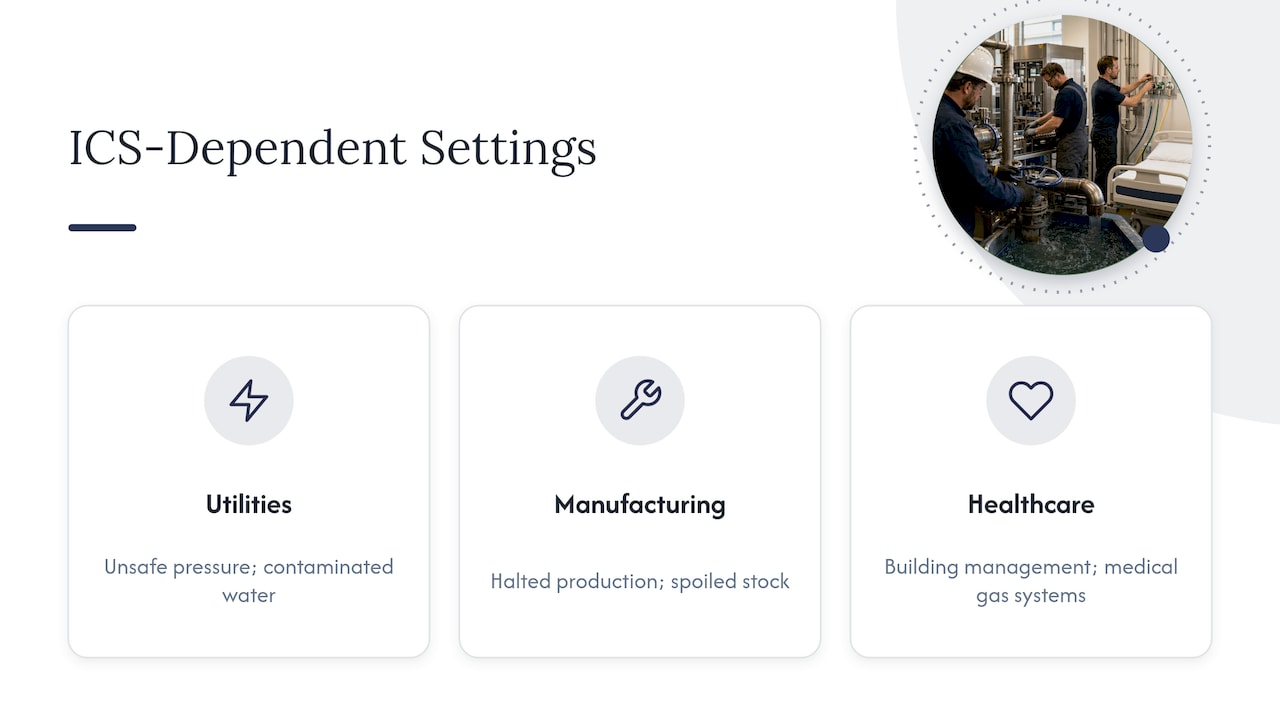
Energy and water utilities, manufacturing plants and even healthcare facilities running building management and medical gas systems all depend on ICS staying available and behaving predictably. A fault or an attack doesn’t just cause downtime, it can mean unsafe pressure levels, contaminated water or a halted production run with spoiled stock.
This is where IT-first thinking falls over. A firewall rule or antivirus policy built for office laptops wasn’t designed with a 15-year-old PLC in mind, and applying IT logic to OT environments misses the specific failure modes that actually hurt these systems.
Common threats and attack patterns hitting ICS today
We see this a lot: businesses assume ransomware is an office problem. It isn’t. Ransomware and nation-state actors pre-positioning themselves inside OT networks have both increased, and by the mid 2020s, threat activity against industrial operations was rising in Australia and New Zealand, including notable growth in ransomware and OT-targeted activity, according to the Dragos 2025 OT Cybersecurity Action Guide.
Threat activity against industrial operations has been increasing in Australia and New Zealand, which is exactly why OT-specific monitoring and incident response planning can’t wait.
Attackers don’t always need custom malware. A lot of ICS compromises involve:
- Living-off-the-land techniques that abuse native ICS commands already built into the system.
- Weak or shared credentials on remote access tools that were never meant to face the internet.
- Human error, like a contractor plugging in an infected laptop for “just a quick diagnostic”.
- Third-party and vendor access that nobody’s reviewed in years.
None of this requires a sophisticated attacker. Most of it requires a business that hasn’t looked closely at its own exposure.
Practical ICS security steps that won’t shut down your operation
The starting point is always the same, and it’s the one step most businesses skip: build a complete asset inventory. According to Cyber, asset inventory is the foundational step in ICS security because you can’t protect what you don’t know you have, and that inventory needs to cover field devices, gateways and every remote access point, not just the obvious servers.
From there, we generally recommend this order:
- Map every field device and gateway, including anything a vendor installed years ago and forgot about.
- Segment the network into zones, with a clear boundary between corporate IT and the control network.
- Use a DMZ historian for data sharing, so IT systems never query the control network directly. The ASD/ACSC’s secure connectivity guidance specifically recommends replicating data to a DMZ historian rather than allowing direct IT queries into the primary control network.
- Deploy passive, OT-native monitoring instead of active IT scanning tools, because active scanning and many standard remediation tools can knock over industrial controllers that were never built to handle that kind of traffic.
- Secure remote access properly, with multi-factor authentication and controlled, logged sessions rather than a shared VPN password everyone’s had since 2019.
- Test your incident response plan for recovery, not just containment. Stopping an attack is only half the job; you also need to verify the physical process and safety systems are actually back to normal before declaring it over.
Pro Tip: Never run a standard vulnerability scanner against a live control network. Test it on a spare device or a vendor’s lab environment first.
For a deeper walkthrough of segmentation and monitoring choices specific to Australian conditions, our OT security best practices guide goes further into the detail.
The standards worth building your approach around
You don’t need to reinvent ICS security from scratch. ISA/IEC 62443 gives you a practical structure for breaking a network into zones and conduits, which makes prioritisation and vulnerability management far more manageable than trying to protect everything at once.
Alongside that, government guidance adds real-world weight:
- ASD/ACSC’s principles for OT cyber security flag coordination gaps between IT and OT teams as a major failure point, training and process matter as much as technical controls.
- Standards like ISA/IEC 62443 and guidance from ASD/ACSC and CISA should sit behind every architecture and prioritisation decision you make, not just the technical ones.
Used together, these resources form a workable asset-priority roadmap rather than a compliance checkbox exercise.
What SMBs get wrong, and what we see fixing it
We see businesses assume that because IT has firewalls and antivirus sorted, OT is covered too. It isn’t, and that assumption is exactly how a 10-year-old PLC ends up sitting on the same flat network as the accounts laptop.
What actually works, without causing downtime:
- Map the assets first, including anything “temporary” that’s been running for five years.
- Segregate control networks from corporate IT, even with something as simple as a managed switch and VLANs.
- Roll out passive monitoring that watches traffic without touching the devices.
- Check backups actually restore, because a lot of operators believe they’re covered and have never tested a recovery.
Pro Tip: Ask any provider proposing OT changes how they test on live equipment. If the answer is “we just run our usual scan,” that’s a problem.
Our honest take: start small, start safe
Prioritise visibility and basic segmentation before anything flashy. Don’t run intrusive scans until you understand how sensitive the device actually is. Whoever you work with, OT experience and non-intrusive monitoring aren’t optional extras, they’re the baseline.
— Matt
How we can help with ICS and OT security
We assess ICS and OT exposure without disrupting the processes that keep businesses running. That means starting with asset visibility and non-intrusive monitoring, not a generic IT scan pointed at equipment it was never designed for.
Our cyber security services cover risk assessment and compliance, advanced endpoint protection and proactive managed security, alongside broader managed IT support for networks, continuity and help desk needs. We build our approach around recognised guidance such as ASD/ACSC principles and ISA/IEC 62443, applied to your actual environment rather than a generic template.
If you’re not sure where your ICS exposure sits, get in touch through our contact page for a conversation about a free assessment.
FAQ
What’s the difference between ICS and SCADA?
ICS is the broad category covering all industrial control technology, while SCADA is one type of ICS used to monitor and control geographically dispersed assets, such as a regional water network. A DCS, by contrast, usually manages a single centralised facility.
What does ICS stand for?
ICS stands for industrial control systems, the computer-based systems that monitor and manage physical processes like manufacturing, power and water treatment. The focus in ICS security is safety and continuous operation rather than data confidentiality alone.
What is ICS in software?
In a software context, ICS refers to the programs and platforms, such as SCADA software or HMI interfaces, that operators use to monitor and control industrial equipment. These systems translate physical sensor data into readable screens and turn operator commands into physical actions through PLCs and RTUs.
What are some examples of ICS?
Common examples include SCADA systems managing water or electricity distribution, PLCs controlling manufacturing lines, and building management systems running hospital HVAC and medical gas supply. Each relies on sensors and actuators interacting directly with physical equipment, as described in ISA’s executive guide to ICS cybersecurity.
Sources
- ISA white paper: Executives’ guide to industrial control systems cybersecurity
- Dragos 2025 OT Cybersecurity Action Guide (ANZ)
- Cyber