
The best security awareness programmes skip the once-a-year compliance video and run on continuous microlearning, regular phishing simulations, mandatory multi-factor authentication, role-based training for admins, and incident exercises like Exercise in a Box. We anchor all of this to the ACSC Essential Eight and to OAIC notifiable data breach guidance, and we measure it, not just run it.
TL;DR:
- Include induction, monthly five to ten minute lessons, quarterly phishing tests, and tabletop exercises; give administrators and finance staff deeper scenarios tailored to their roles.
- Enable MFA on external facing and administrator accounts within 30 days, launch phishing tests by day 60, and run a tabletop exercise by day 90.
- Track completion, phishing click rates, reporting time, MFA adoption, and annual exercise count; stalled administrator adoption signals a technical gap, not a training problem.
- Test backups through actual restores, use password managers instead of shared spreadsheets, and make incident reporting easy; reward staff who flag suspicious messages.
Table of Contents
- 1. Build training that never stops and never feels generic
- 2. Build or overhaul a security awareness programme step by step
- 3. Measure what matters and adjust the programme
- 4. What our MSP work shows: real SMB failures and quick fixes
- What leaders should fund first
- How IT Start can help with security awareness
- FAQ
- Sources
- Authoritative resources and tools to read next
1. Build training that never stops and never feels generic
Honestly, the single biggest mistake we see in SMBs with 10 to 50 staff is treating security awareness as a once-a-year tick-box exercise. Someone watches a 20-minute video in January, forgets it by March, and nothing changes. The ACSC small business cyber security guide points to three starting measures that matter more than any slideshow: turn on multi-factor authentication, keep software updated, and back up your data properly. That is the baseline, not the finish line.
Here is what we actually recommend, in order:
- Replace annual training with short monthly microlearning modules, five to ten minutes, built around real scenarios your staff will face.
- Run phishing simulations every quarter and use the results to target coaching, not to publicly shame whoever clicked.
- Switch on MFA everywhere it is available, starting with email, remote access and anything exposed to the internet.
- Give admins and finance staff separate, deeper training because they are the accounts attackers actually want.
- Make incident reporting painless. If someone has to find a form buried in SharePoint, they will not bother.
- Layer in technical controls like anti-spoofing (DMARC, SPF) and email filtering so behaviour training is not carrying the whole load.
- Test your backups, not just schedule them, and talk about recovery openly in training sessions.
New starters should get security basics folded into onboarding, not bolted on weeks later once bad habits have already formed. The OAIC NDB scheme insights report found that human factors sit behind most reported breaches, and its practical advice is training staff to spot phishing, enforcing MFA, and deploying anti-spoofing controls. That lines up exactly with what we see when we walk into a new client site: the technical fixes are usually quick, but the habits take months.
Password managers deserve a specific mention. We still find shared spreadsheets of passwords sitting on a server share in businesses that otherwise think they are doing fine. OAIC guidance on preventing data breaches lists MFA, password managers, restricted access and monitoring of unusual logins as core controls, and none of those are expensive or complicated to roll out.
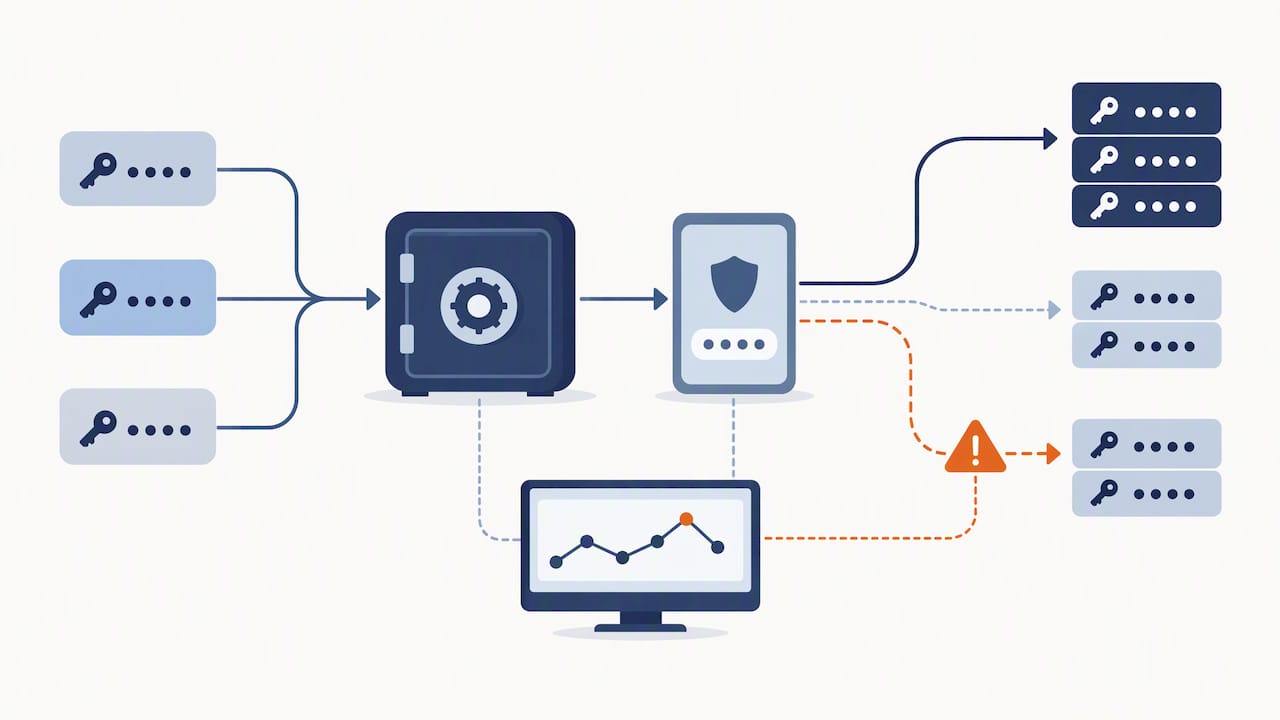
Privileged users need their own track. Admin accounts, finance approvers, anyone with access to client data: give them more frequent, more specific scenarios, because a single compromised admin credential does more damage than a hundred phished staff accounts combined.
Pro Tip: Reward staff who report a suspicious email, even a false alarm. Punishing near-misses just teaches people to stay quiet about the real ones.
Business continuity should sit inside your awareness messaging too, not off in a separate IT policy nobody reads. If your team understands what happens during an outage, from secure fallback communications, they panic less and follow procedure better.
2. Build or overhaul a security awareness programme step by step
We see a lot of SMBs try to buy a training platform and call it done. That is backwards. Start with ownership and scope before you buy anything.
- Appoint one internal owner for the programme, even if it is a part-time role, and keep a training register that tracks who has completed what and when.
- Identify your privileged and high-risk users first (admins, finance, anyone handling client data) and list them separately for tailored content.
- Set a cadence: induction training for new starters, monthly microlearning for everyone, quarterly phishing simulations, and an annual deeper session or tabletop exercise.
- Mix delivery formats. Short e-learning covers the basics, but a face-to-face session or a tabletop run through Exercise in a Box builds the muscle memory that video content never will.
- Decide what you can run internally versus what needs outside help. A 15-person business rarely has a spare staff member who can build phishing campaigns and interpret the results properly.
For the first 90 days, keep it simple. In the first 30 days, turn on MFA for every external-facing and admin account, and set up your training register. By day 60, run your first phishing simulation and start monthly microlearning. By day 90, run a tabletop exercise and report your first set of metrics to leadership. That sequence gets you real risk reduction fast, instead of waiting for a perfect programme that never launches.
3. Measure what matters and adjust the programme
Metrics are where most programmes fall apart, mainly because nobody picks numbers that actually drive a decision. We keep it to five: training completion rate, phishing simulation click rate and its trend over time, average time to report a suspected incident, MFA coverage percentage, and the number of tabletop exercises run per year.
| Metric | What it tells you |
|---|---|
| Training completion rate | Whether the programme is reaching everyone, not just the willing few |
| Phishing click rate trend | Whether coaching is changing behaviour over successive simulations |
| Time to report an incident | Whether staff feel safe flagging something fast |
| MFA coverage percentage | How exposed your external-facing accounts still are |
| Tabletop exercises run | Whether the team has practised an actual response, not just read about one |
A falling click rate with a rising report time tells you the problem has shifted from awareness to process, which usually means a policy or technical fix, not more training. When MFA coverage stalls below full coverage on admin accounts, that is a technical gap, and it is the moment to bring in outside help rather than running another slide deck.
4. What our MSP work shows: real SMB failures and quick fixes
We walk into new SMB clients and the pattern repeats: no MFA on email, backups that have never actually been tested, one person who knows how the whole network holds together, and training that happened once, years ago.
- One client assumed their backups were running fine. We tested a restore and found three weeks of gaps. That fix alone would have saved them after a ransomware hit.
- Another had zero MFA on a finance inbox. We turned it on in an afternoon and ran targeted phishing coaching for that team the same week.
- A single IT contact held every password and config detail in their head. When they left, the business was stuck. A proper handover document and register fixed that fast.
Pro Tip: Ask your current IT provider for your MFA coverage percentage and backup test date this week. If they cannot answer either on the spot, that is your answer.
What leaders should fund first
If you only fund one thing this year, fund ongoing practice, not annual compliance. A yearly module ticks a box and changes nothing; monthly microlearning paired with phishing simulations actually shifts behaviour, because it mirrors what staff face day to day. With a small budget, MFA and tested backups buy you the fastest risk reduction, full stop. If you do nothing else this month, turn on MFA for every admin and external-facing account.
— Matt
How IT Start can help with security awareness
We run managed security, user awareness training, phishing simulations, incident exercises and backup management for Brisbane businesses who want this handled properly rather than bolted together.
- A free assessment provides an overview of MFA coverage, backup test status and training gaps to help you understand your current security posture.
- We create a tailored rollout plan covering onboarding, privileged users and simulation cadence.
- Our cyber security services cover endpoint protection, firewall management and compliance support alongside the training programme.
Get in touch through our contact page to book a free assessment and see exactly where your business stands.
FAQ
What are the 5 C’s in security?
Definitions vary across industries and there is no single agreed standard for “the 5 C’s” in cybersecurity. Rather than force your programme into an unverified acronym, focus on practices with clear backing: MFA, phishing simulations, role-based training, incident reporting and measurement.
What are the 5 P’s of security?
As with the 5 C’s, there is no universally recognised “5 P’s” framework in cybersecurity guidance from bodies like the ACSC or OAIC. We recommend building your programme around documented priorities instead: multi-factor authentication, patching, people training, phishing testing and proper backups.
What are the 5 basic security principles?
The ACSC small business cyber security guide points to turning on MFA, keeping software updated and backing up data as the starting measures, with Essential Eight Maturity Level One as the next step. Add ongoing staff training and incident reporting and you cover the practical basics most SMEs need.
What are some security best practices?
Continuous microlearning, quarterly phishing simulations, mandatory MFA, tailored training for privileged users and regular incident exercises form the core of an effective programme. The OAIC NDB insights report also recommends anti-spoofing controls like DMARC and SPF alongside staff training, since human factors sit behind most reported breaches.
Sources
Authoritative resources and tools to read next
For direct guidance, start with the ACSC small business cyber security guide and the Essential Eight framework, then run a session through Exercise in a Box to test your team under realistic conditions. The OAIC NDB insights report is worth reading in full if you handle client data. For practical collaboration security tips that pair well with awareness training, see this guide on video conferencing security controls.