

Proactive IT maintenance means someone looks after your systems on a schedule, before anything breaks: patches applied, backups restored as a test, accounts reviewed, ageing devices replaced on a plan. For a business of 5 to 100 people, the cheapest way to get it is a Managed IT agreement, where a local team does the routine work for a set monthly fee per user. We are a Brisbane Managed IT team and we look after Microsoft 365, security, backups and networks for businesses from the Sunshine Coast to the Gold Coast. This guide covers what the routine looks like, where most businesses go wrong and what to measure.
Key Takeaways
- Proactive maintenance is a short, repeating list of jobs: patching, backup restore tests, account reviews, device replacement and monitoring. It is not a one-off project.
- The Australian Cyber Security Centre (ACSC) puts multi-factor authentication, strong unique passwords and prompt patching at the base of small business security.
- Most failures we see come from jobs that were assumed to be done: a backup that was never restored, a laptop that stopped getting updates years ago.
- Cost depends mainly on user count, device age and how much Microsoft 365 and cloud you run. Fixed monthly care is easier to budget than hourly fixes.
- Start by writing down what you have. You cannot maintain a system you cannot list.
Table of Contents
- What proactive maintenance actually is
- What most businesses get wrong
- Where the data and reality do not match
- The monthly, quarterly and yearly routine
- Security jobs that belong in the routine
- Common IT maintenance problems and how routine care catches them
- When proactive maintenance is not worth paying for
- What affects the cost
- How to build a plan and what to measure
- Our view
- How we can help
- FAQ
- Sources
What proactive maintenance actually is
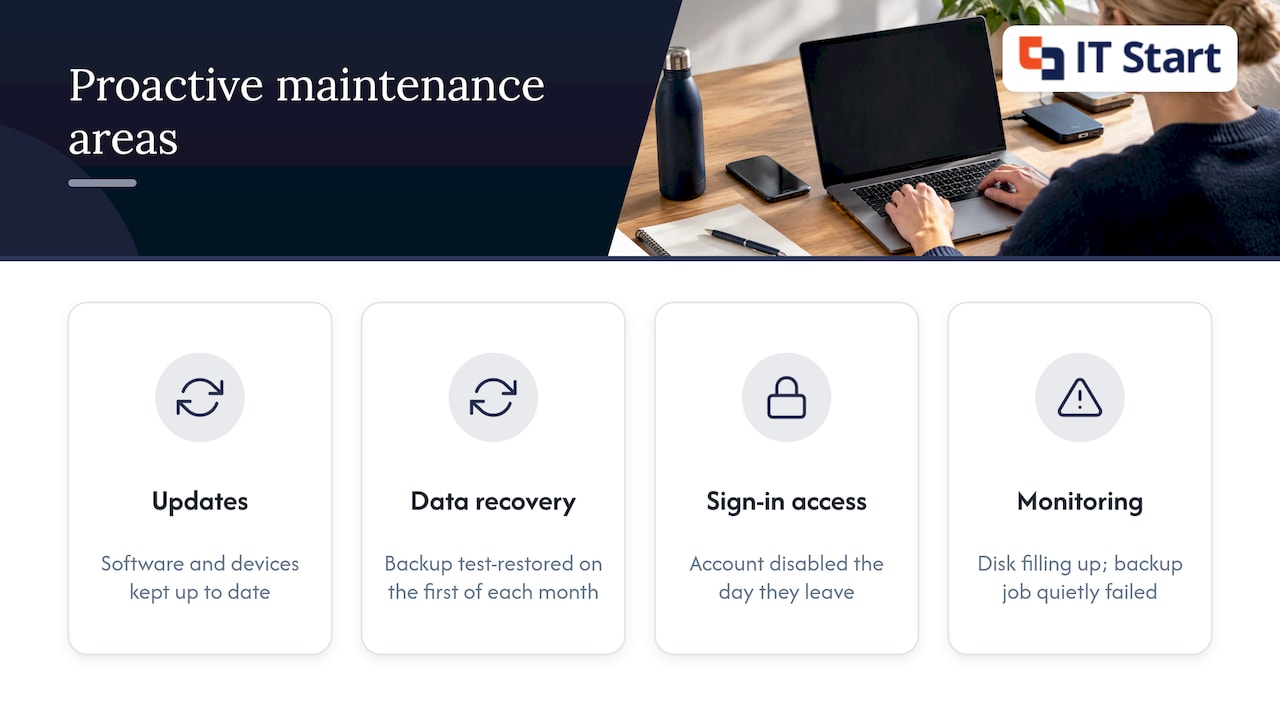
Reactive support starts when someone says “it’s broken”. Proactive maintenance starts earlier, with a calendar and a checklist. The work is dull on purpose. A patch goes on a Tuesday evening, a backup is test-restored on the first of the month, a former employee’s account is disabled the day they leave.
The tasks fall into a few groups: keeping software and devices up to date, making sure you can recover your data, controlling who can sign in to what, and watching for early warning signs such as a disk filling up or a backup job that has quietly failed.
Reactive support still has a place. A power surge can kill a switch, and an internet provider can have an outage that no maintenance plan prevents. Proactive care shrinks the pile of avoidable problems so that the unavoidable ones get your support team’s full attention.
What most businesses get wrong
We see this a lot: the business believes the work is being done because it was set up once. Three patterns come up again and again.
Backups that nobody has restored. A green tick in the backup console says the job ran. It does not say you can open the files. CPA Australia’s cyber security checklist tells businesses to keep at least one offline copy in a separate location and to test that backups can be restored. Most small businesses we meet do the first part and skip the second.
Updates left to “whenever”. Staff click “remind me tomorrow” for weeks. The ACSC’s Small business cyber security handbook says to apply security patches as soon as possible and to turn on automatic updates wherever you can, because updates fix weaknesses that attackers can exploit.
The forgotten edge of the network. Printers, routers and old wireless access points sit outside everyone’s mental list. The same CPA checklist names printers and routers explicitly as hardware that needs to stay up to date, and says to replace equipment that has reached end of support.
Where the data and reality do not match
Guidance reads as if every business has a full-time person running the checklist. In reality, the job usually belongs to whoever is “good with computers”: an office manager, a bookkeeper, a director’s nephew. They do it between other tasks, so it slips when the month gets busy.
The other mismatch is scale. The Australian Government’s Information Security Manual, written for government systems, asks for a continuous monitoring plan with vulnerability scans at least monthly and an assessment or penetration test at least annually. A 15-person accounting firm does not need a government-grade programme. It does benefit from the rhythm: something is checked every month, something deeper every year, and someone owns both.
One more gap: vendor blogs say proactive support is always cheaper. Often it is, but only if the routine is really carried out. Paying for a monitoring tool that nobody reads gives you alerts and no prevention.
The monthly, quarterly and yearly routine
This is the rhythm we recommend for a business of 5 to 100 people. Adjust it to your size, but keep every item on a calendar with a named owner.
Every month
- Check that operating system and Microsoft 365 app updates have installed on every laptop and desktop, and chase the ones that have not.
- Review backup reports, then restore one real file and one real mailbox item to prove it works.
- Look at disk space on servers and shared drives. A full disk is one of the most avoidable outages there is.
- Remove accounts for anyone who has left and check that new starters have only the access their role needs.
Every quarter
- Review who has admin rights in Microsoft 365. In most tenants we look at, there are more global admins than anyone expected.
- Check firmware on the firewall, router and switches, and on the printers.
- Confirm that multi-factor sign-in is switched on for every account, including shared mailboxes’ owners and the accounts of part-time staff.
- Walk through a laptop replacement list: which devices are approaching four years old or have stopped receiving updates.
Every year
- Test a full recovery of a key system, not just single files. Time how long it takes and write the answer down.
- Review your written IT documentation: who to call, where licences are held, how a new starter is set up. The ISM asks for documentation to be reviewed at least annually, and the habit is just as useful for a small office.
- Run a vulnerability scan or a network security audit, and fix what it finds in priority order.
- Look at your Microsoft 365 licences and cancel the ones nobody uses.
Security jobs that belong in the routine
The ACSC handbook lists the basics for small business: multi-factor authentication (MFA, a second proof of identity when signing in), passkeys, strong unique passwords and prompt patching. We agree with that order. If you can only do one thing this month, turn on MFA for every account in Microsoft 365, then use a Conditional Access policy (a rule that decides who can sign in, from where and on what device) to require it.
Not all MFA is equal. Codes sent by SMS are better than nothing, but an app prompt or a hardware key is stronger. If you want to see why the industry is moving to hardware-backed sign-in, this explainer on FIDO2 and phishing-resistant MFA is a good start. For most Brisbane offices, the Microsoft Authenticator app with number matching is a sensible step up from texts.
Our own cyber hygiene checklist goes into the full set of security habits, and our network security checklist covers the firewall and Wi-Fi side.
Common IT maintenance problems and how routine care catches them
| Problem we see | What it looks like | The routine job that catches it |
|---|---|---|
| Failed backup | Job shows “completed with warnings” for weeks | Monthly restore test and review of the backup report |
| Full disk on a file server | Files will not save, line-of-business software freezes | Disk space check with an alert before it fills |
| Unsupported laptops | Updates stop, new software will not install | Device age list and a planned replacement cycle |
| Old accounts still active | Ex-staff can still open mail or shared drives | Leaver checklist done on the last day |
| Out-of-date router or firewall | Slow Wi-Fi, dropped VPN connections | Quarterly firmware review |
| Licence sprawl | Paying for Microsoft 365 licences nobody uses | Annual licence review |
Here is a hypothetical example, to show how it plays out. A 20-person professional services office has a file server that gets a little fuller each week. Nobody looks. One Monday morning the server stops saving files, and staff lose most of the morning while someone finds what to delete. With a disk alert set at a sensible threshold and a monthly check, the same office would have seen it weeks earlier and added storage on a quiet afternoon.
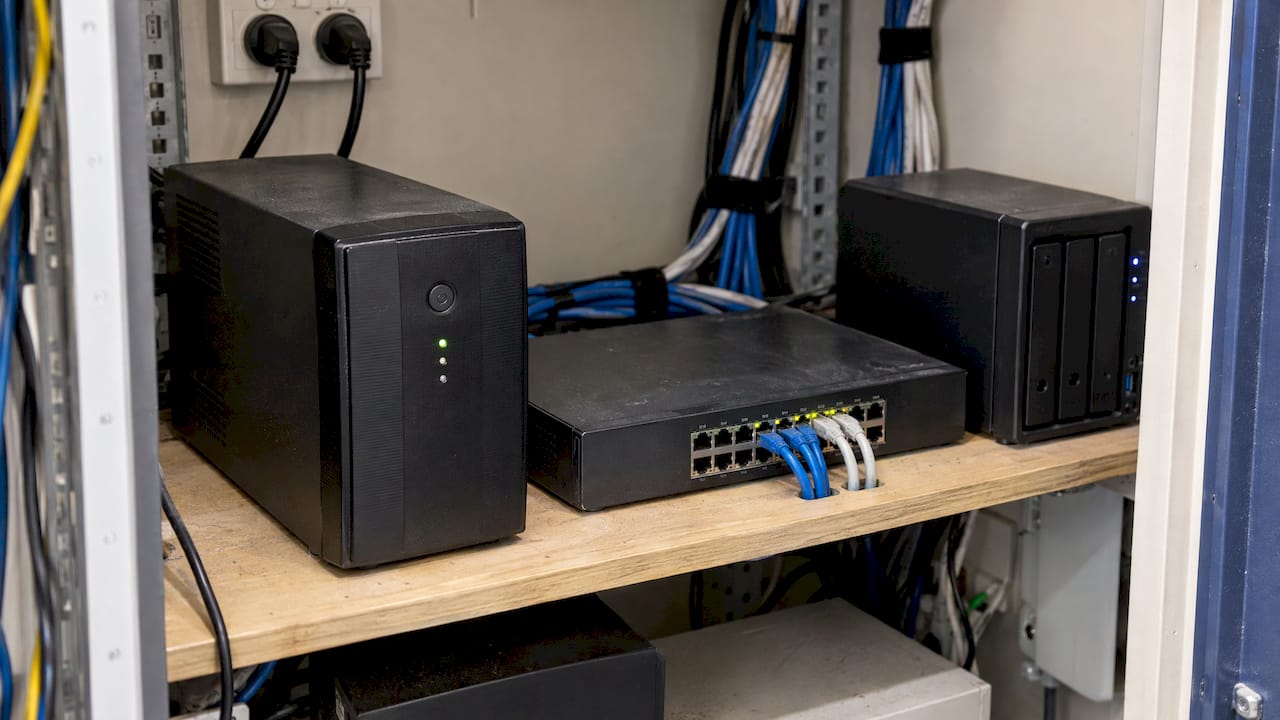
Another pattern is local. Brisbane’s summer storms bring power dips and surges, and a switch or a NAS (a small network storage box) with no surge protection or a worn-out battery backup is a common casualty. Checking the uninterruptible power supply (UPS) battery each year is cheap and often forgotten.
When proactive maintenance is not worth paying for
We would rather say this plainly. If you are a sole trader with one laptop and everything in Microsoft 365, you do not need a monitored service. Turn on automatic updates, MFA and OneDrive backup, and call someone when something breaks. This guide is also not for a business with an in-house IT team that already runs this routine well.
It is also not worth paying for monitoring alone. A tool that sends alerts to a mailbox nobody reads is a cost with no benefit. If you are shopping around, ask who actually acts on an alert and what they do next.
What affects the cost
There is no single price for preventive IT maintenance. These are the factors that move it:
- Number of users. Most Managed IT plans are priced per user per month, so the headcount is the biggest driver.
- Device mix and age. Newer, standard devices are quicker to look after than a mix of old machines.
- Microsoft 365 and cloud use. More tenants, shared mailboxes and Azure services mean more to patch, review and secure.
- On-site equipment. Servers, a firewall and several sites add routine work.
- Security and compliance needs. Industries such as financial services, healthcare and legal have more to document and review.
For comparison, one-off fixes are billed by the hour. Our Business IT Support is $145 an hour ex GST, which suits a single project or a problem that needs fixing now. A Managed IT agreement covers the routine for a fixed fee per user per month, so you are not weighing up whether a small job is worth a call. Our proactive support piece for Brisbane SMBs goes further into how that compares.
How to build a plan and what to measure
- List what you have. Every device, user, licence, server, router, printer and cloud service, with who owns each one. A spreadsheet is enough.
- Mark what is out of support. Windows versions, firmware and hardware past their vendor’s support date go on a replacement list with a budget.
- Set the calendar. Put the monthly, quarterly and yearly jobs above into shared calendars with a named person.
- Fix the basics first. MFA everywhere, automatic updates on, and a backup with at least one copy kept separately. Our backup and disaster recovery service is built around that last piece.
- Review monthly. Fifteen minutes on a short list of numbers.
The numbers worth tracking are few:
- Percentage of devices fully patched
- Percentage of accounts with MFA switched on (the target is every account)
- Date of the last successful restore test
- Number of devices past their replacement age
- Repeat issues: the same fault logged more than once in a quarter
The last one is the most telling. A repeat fault means the cause has not been fixed, and that is where proactive work pays back.
Our view
We have taken over IT from a lot of businesses of 5 to 100 people, and the story is rarely a dramatic failure. It is a pile of small jobs nobody owned.
Our recommendation is simple. Put the routine in the hands of a team that does it for a living, and have them report in plain language on what was done. Our Managed IT plans are designed around that: support, devices, Microsoft 365, backup and security under one agreement, with a local team that knows your business.
We also tell people to start small. You do not need a big programme in month one. You need a device list, MFA on every account and a restore test. Everything else builds on those.
IT Start
How we can help
If you want the routine handled for you, our Managed IT plans cover support, devices, Microsoft 365, backup and security for Brisbane, Gold Coast and Sunshine Coast businesses of 5 to 100 people. If you have a specific project, such as a cloud move or a security review, our Business IT Support is $145 an hour ex GST. We are happy to run a free consultation or project assessment to look at what you have and what needs doing first. See how we handle Microsoft 365 support and management or our cyber security services.
FAQ
What is the difference between proactive and reactive IT support?
Reactive support starts after something breaks and a user reports it. Proactive support works on a schedule, with patching, backup tests and monitoring, so many faults are fixed before staff notice. You will still need reactive help for surprises such as hardware failure.
What does proactive IT maintenance cost?
It depends on user numbers, device age and how much Microsoft 365 and cloud you use. Managed IT is usually a fixed monthly fee per user, while one-off help is billed hourly. Our Business IT Support is $145 an hour ex GST.
How often should business IT be checked?
Check updates, backup reports and leaver accounts monthly. Review admin rights, firmware and device age each quarter. Test a full recovery and review your documentation at least once a year.
Can a small office do this itself?
A very small office with simple needs can, if someone owns the calendar. Once you have several staff, shared data and Microsoft 365 to manage, the jobs tend to slip and a Managed IT team is the safer choice.
Sources
- ACSC Small business cyber security handbook
- CPA Australia cyber security checklist
- Australian Government Information Security Manual
- FIDO2 and phishing-resistant MFA