

If you run an accounting firm with 5 to 100 staff, your cybersecurity comes down to a short list of settings and habits: multi-factor sign-in on every account, tight control over who can access client files, tested backups, a payment-change check that doesn’t rely on email, and a written plan for the day something goes wrong. Most firms we talk to already own the tools. They just haven’t switched them on or checked them in a while.
This guide covers what we see in Brisbane practices, where the advice you read online doesn’t match reality, what the Tax Practitioners Board (TPB) expects, and when a penetration test is worth paying for (and when it isn’t).
Key Takeaways
- Accountants hold tax file numbers, bank details and identity documents in one place, so your firm is worth the effort to a criminal even if you are small.
- Start with the basics from the Australian Government: multi-factor authentication (MFA), strong unique passwords or passkeys, and regular backups.
- The TPB can treat weak IT controls as a possible breach of the Code of Professional Conduct, so write down what you do and keep it current.
- A penetration test is useful once the basics are in place. Before that, you are paying someone to find what you already know.
- Run a fake payment-change request through your team once a year. It tells you more than another training slide deck.
Table of Contents
- Why criminals target accounting firms
- What most firms get wrong
- Where the data and reality don’t match
- Controls worth putting in place
- Applying the Essential Eight to your firm
- A payment-change check that works
- What the TPB expects
- Perspective: why we push accounting firms to fix the basics first
- Penetration testing: when it’s worth it
- Writing your incident response plan
- How we help Brisbane accounting firms
- FAQ
- Sources
Why criminals target accounting firms
Accountants sit between the client and the Australian Taxation Office (ATO). A CPA Australia expert has described accountants as gatekeepers to the ATO, which makes tax records attractive for anyone after identity or financial data. A CyberCX specialist, quoted in Public Accountant magazine, says firms are lucrative targets because they combine high-value data with limited security resources.
The same article names two threats that matter most for firms like yours. The first is business email compromise (BEC), where a criminal takes over or imitates an email account to redirect a payment. The second is theft of sensitive data for ransomware or extortion.
We see this a lot: a firm worries about ransomware, spends money on a firewall, and leaves the mailbox itself with a single password. The mailbox is where the money moves.
What most firms get wrong
Three mistakes come up repeatedly. They are all fixable in an afternoon or two.
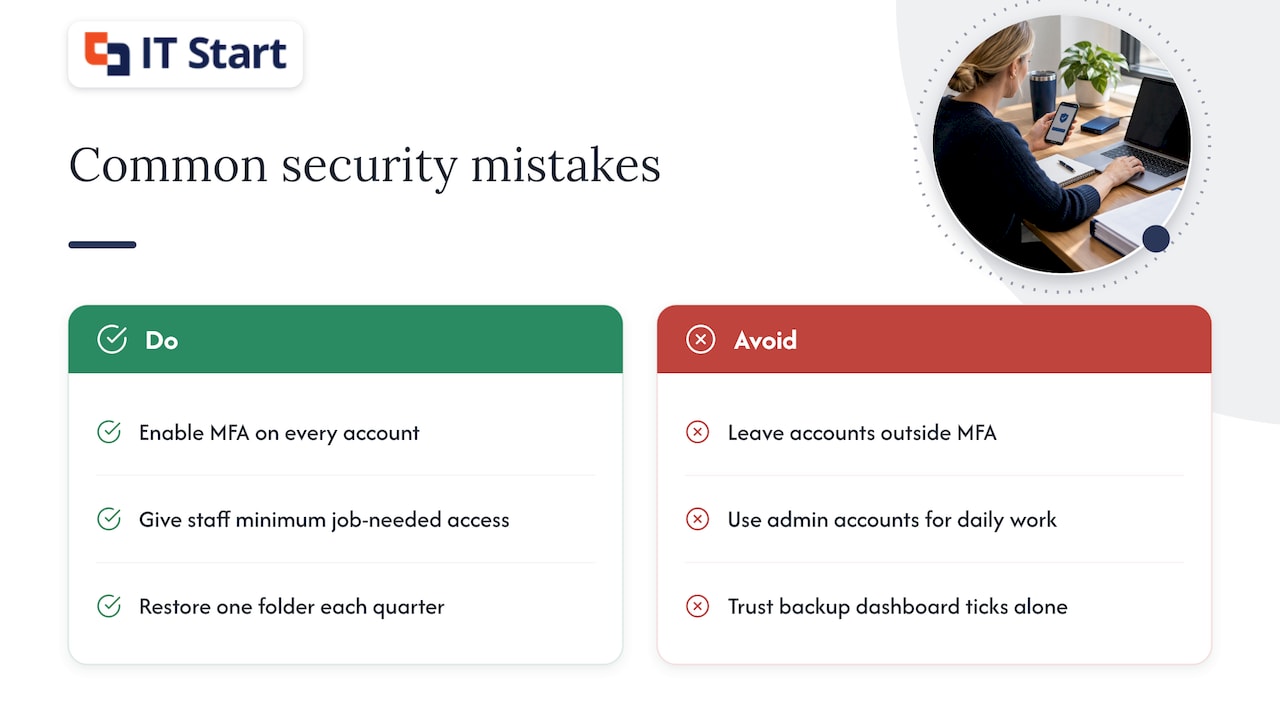
MFA on some accounts, not all. The partners are covered. The part-time bookkeeper, the shared scanner mailbox and the old service account are not. Criminals only need one.
Everyone can open everything. In a typical file share we review, junior staff can open the partners’ folders and every client’s tax returns. The Australian Government’s small business cyber security handbook recommends least privilege: people get the minimum access their job needs, and administrator access is tightly restricted. In practice that means no one does their daily work from an admin account, including the person who looks after IT.
Backups that nobody has restored. A green tick on the backup dashboard tells you the job ran. It doesn’t tell you that a single client folder can be brought back at 4pm on a deadline day. Pick one folder each quarter and restore it to a test location.
Where the data and reality don’t match
Most guidance says to train your staff, and it’s right. The handbook also says to train staff to spot scams and phishing. But here is what we see in practice: a firm runs one training session in January, everyone nods, and by tax time the team is under pressure and clicking fast.
The gap is timing. Accounting work is lumpy. The financial year ends on 30 June, tax season runs for months afterwards, and BAS and lodgement deadlines pile up. Staff are busiest exactly when a convincing request for a payment change or a document “from the client” is most likely to get through.
Our view: short, repeated prompts beat one long session. A five-minute reminder in the team meeting before 30 June, using a real example of a fake request, works better than an annual course. And build the check into the process so it doesn’t depend on someone feeling suspicious.
Controls worth putting in place
The TPB’s guidance for practices lists antivirus, firewalls, current patches, encryption where possible and a second authentication factor. Here is how that looks in a Microsoft 365 firm, which is most of the firms we look after.
Email and sign-in
- Turn on multi-factor sign-in for every account, with no exceptions for shared or part-time users.
- Use a Conditional Access policy (a rule in Microsoft Entra that decides who can sign in, from where and on what device) to block legacy sign-in methods that skip MFA.
- Check mailbox rules. After a BEC attack, criminals often leave a hidden forwarding rule behind. Review automatic forwarding to external addresses and turn it off unless there’s a documented reason.
- Move staff to passkeys or a password manager so they stop reusing passwords. The Australian Government handbook points to passkeys or strong, unique passwords.
If you want this set up properly, our Microsoft 365 support and management work covers these settings and keeps them checked.
Devices and patching
Every laptop should have disk encryption on, automatic updates running and a screen lock. Personal phones that read client email should be enrolled in a basic management policy so you can wipe the work data if one is lost. Honestly, this is the step firms skip most, because it feels intrusive. Keep the policy to work data only and tell staff exactly that.
Client files and the cloud
Store client files in one place with permissions set by team, not by individual. When someone leaves, remove their access on the same day and review shared links to client folders. If your files sit in SharePoint, OneDrive or Azure, our posts on cloud data security for Brisbane financial firms and cloud computing security risks go into more detail.
Backups
Keep at least one copy that your normal user accounts can’t delete or change. Ransomware attacks go after reachable backups first. Then do the quarterly test restore described above.
Applying the Essential Eight to your firm
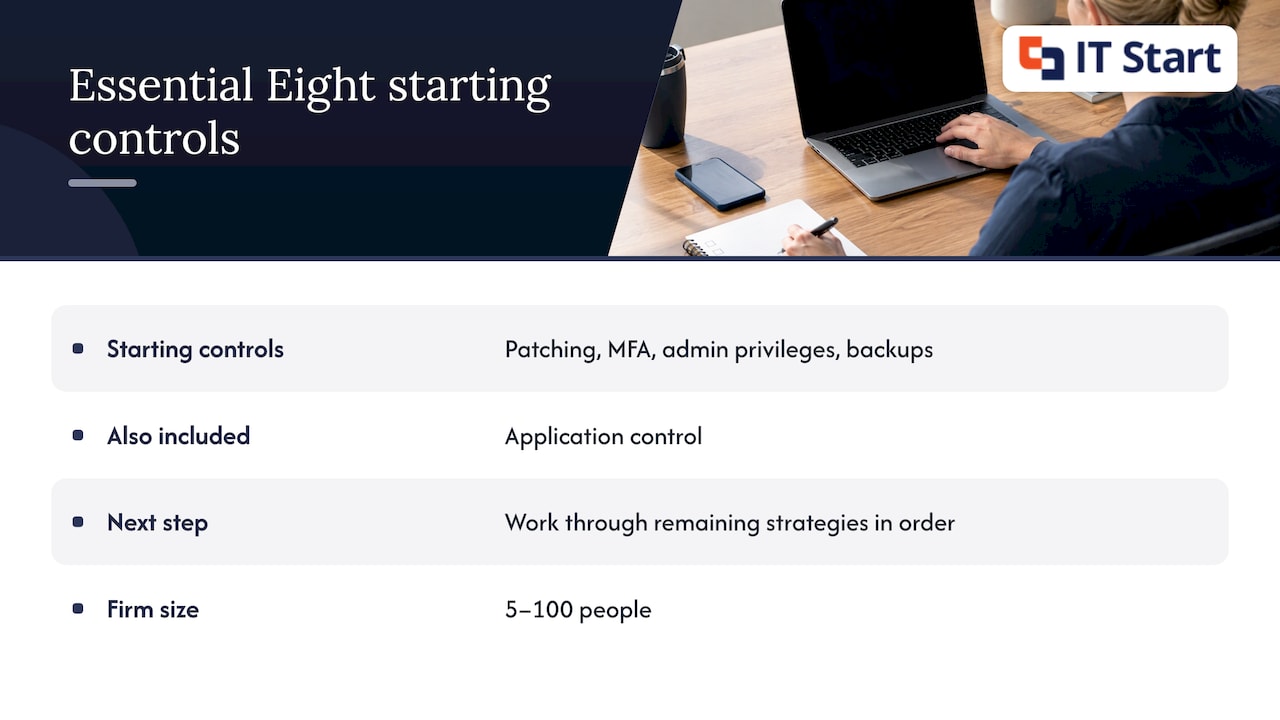
The Australian Signals Directorate’s Essential Eight is a set of eight mitigation strategies that includes application control, patching applications and operating systems, and restricting administrative privileges. It was written with government in mind, but small firms use it as a checklist, and clients and insurers increasingly ask about it.
Our recommendation: don’t try to reach a high maturity level across all eight at once. For a firm of 5 to 100 people, start with patching, MFA, administrative privileges and backups, because they cost the least and close the most doors. Then work through the rest in order. Our complete guide to the Essential Eight for Brisbane SMEs explains each strategy in plain language.
One caution about voice. Fake payment requests used to come by email only. Now a phone call can come with a copied voice, and AI voice cloning for Australian businesses is a reason to stop treating a familiar voice as proof of identity. Your call-back rule should use a number you already hold on file, never one given in the request.
A payment-change check that works
Here is a hypothetical example, written to show the process rather than describe a real client.
A bookkeeper at a 20-person firm receives an email that looks like it’s from a long-standing client. It says their bank account has changed and asks for the next trust-account payment to go to new details. The email address is one letter off.
A firm with a good process does this:
- Nobody changes bank details from an email request. Ever.
- The bookkeeper phones the client on the number already held in the client file.
- A second person approves the change in the practice system and records who approved it.
- The email is forwarded to IT so the sender domain can be blocked.
The process costs nothing. It takes a few minutes. Make it a written one-page procedure and practise it once a year with a fake request, so the team knows nobody will be in trouble for slowing a payment down.
What the TPB expects
If you’re a registered tax practitioner, your IT controls are part of your professional obligations. The TPB says that failing to put sufficient IT controls in place may lead it to decide a practitioner has breached the Code of Professional Conduct, particularly the Code item on confidentiality.
The TPB has also published draft guidance on breach reporting. It proposes that practitioners report significant Code breaches within 30 days of first having, or ought to have, reasonable grounds to believe the breach is significant. Because that guidance was a draft when we last read it, check the TPB’s site for the final position and talk to your professional body or a lawyer about your own situation.
What this means for IT: keep a simple record of the controls you have, when you last reviewed them and who is responsible. If something does happen, you can show that you took reasonable steps.
Perspective: why we push accounting firms to fix the basics first
We look after Microsoft 365, security, backups and networking for businesses of 5 to 100 people, and accounting practices are some of the most rewarding to work with. They are organised, they care about confidentiality, and they respond well to a clear checklist.
Our recommendation is plain. Before you buy any new security product, check that MFA is on for every account, that nobody does daily work with admin rights, that your backups restore and that your payment-change process doesn’t depend on email. Those four checks catch most of what we find.
We also think firms get better results when IT is looked after on a steady schedule, not fixed after an incident. A Managed IT arrangement means patches, backups and account reviews happen every month, so the firm isn’t scrambling in the weeks before 30 June. It also means we know your systems, your software and your people, which makes everything else faster and calmer.
We’re based in Brisbane and work with firms from the Sunshine Coast to the Gold Coast, so we can sit down with your partners in person when that helps.
IT Start
Penetration testing: when it’s worth it
A penetration test (often called a pen test) is when a paid security professional, with management and legal approval, tries to break into your systems to find weaknesses. CPA Australia’s cyber security checklist describes it this way. A vulnerability scan is different: it’s automated software that checks for known weaknesses and produces a list. A scan is a quick health check. A pen test is a person actively trying to get in and showing how far they can go.
Worth it for
- Firms that hold a lot of client data, have already done the basics and want independent proof for clients, insurers or their own peace of mind.
- Firms that have changed something significant, such as moving to Azure, opening a client portal or merging with another practice.
Not worth it for
- Firms where MFA isn’t on everywhere, patching is behind or nobody has restored a backup. A tester will find these things in the first hour, and you’ll pay a tester’s rate to be told what a checklist would have told you. Fix the basics first.
- Firms looking for a one-off tick for compliance. A report that sits in a drawer helps nobody.
How to prepare and what to do next
CPA Australia suggests engaging a reputable cybersecurity firm, agreeing the goals and clearly detailing the engagement. In practice that means a written scope: which systems are in, which are out, the testing window and who to call if something breaks. Tell your cloud and software providers if their systems are in scope.
When the report arrives, CPA Australia says to fix weaknesses as a matter of urgency. Sort the findings by how easy they are to exploit and how much client data they expose, assign each to a named person and set a date. Then ask for a retest of the serious ones.
If a full test is more than you need right now, a security audit of your Microsoft 365 setup, devices and backups is a sensible middle step. See our post on cyber security audits for Brisbane financial firms.
Writing your incident response plan
The handbook says to develop a documented incident response plan covering how to detect, contain and report a breach, and to test it regularly. Keep yours to two pages. Include:
- who makes decisions on the day
- who to call for IT help and for your insurer
- how to isolate a device (unplug the network cable or turn off Wi-Fi, don’t power it off)
- how you’ll contact clients if email is down
- who handles regulator and client notifications
Print it. If your email and files are the problem, a plan stored in your email and files won’t help. Then run a 30-minute walk-through at a team meeting, using a made-up scenario such as a partner’s mailbox sending strange messages.
How we help Brisbane accounting firms
We’re a Brisbane Managed IT team for businesses of 5 to 100 people. Our Managed IT plans cover support, devices, Microsoft 365, backup and security, and our Business IT Support is for one-off problems and projects from $145 an hour ex GST. We also do cyber security work such as account reviews, backup checks and security audits.
If you’d like a second pair of eyes on your setup, we offer a free consultation or project assessment. We’ll go through the checks in this article with you and give you a plain list of what to fix first. No hard sell.
For more on the wider picture, our posts on cyber risk mitigation for Australian SMBs and the cyber hygiene checklist are good follow-ups.
FAQ
Are small accounting firms really targeted?
Yes. Criminals care about what you hold, not how many staff you have. Tax records, bank details and identity documents are valuable, and smaller firms often have fewer security resources, which is the point CyberCX makes in Public Accountant.
What is the first thing we should do?
Turn on multi-factor sign-in for every account, including shared and part-time users. Then check for hidden mailbox forwarding rules. Both take a short time and cover the most common route into a firm’s email.
Do we need a penetration test?
Not until the basics are in place. If MFA, patching, access control and backups are sorted and you hold a lot of client data or have made big system changes, a test is a good next step. Scope it in writing and fix the findings quickly.
Does the TPB care about our IT setup?
It can. The TPB says insufficient IT controls may lead to a finding that a practitioner has breached the Code of Professional Conduct. Keep a record of your controls and reviews, and check the TPB’s website for current breach reporting guidance.
Sources
- 12 cybersecurity basics that accounting firm managers need to know, Public Accountant
- Cyber security tips for your practice, CPA Australia
- Small business cyber security handbook, Australian Government
- Protect your practice from cyber-attacks, Tax Practitioners Board
- Essential Eight maturity model and ISM mapping, Australian Signals Directorate
- Notifiable Data Breaches scheme, Tax Practitioners Board
- TPB(I) D53/2024 Breach reporting under the Tax Agent Services Act 2009
- Cyber security checklist, CPA Australia (September 2024)
- AI voice cloning for Australian SMEs