
TL;DR:
- IT support in SMEs involves managing daily hardware, software, and user account issues to ensure system uptime and security. Clear role separation, documented procedures, and cybersecurity education are essential to prevent operational failures and recurring problems. Proper management of device onboarding, offboarding, and knowledge bases enhances security, efficiency, and compliance.
IT support duties are the defined set of technical tasks that keep business systems running, users productive, and data secure across an organisation. In a small to medium-sized enterprise, these responsibilities typically fall to one or two people managing everything from Microsoft 365 accounts and Active Directory to hardware faults and password resets. Technicians handle 5–15+ tickets per day across hardware, software, and user identity issues. That volume adds up fast, and without clear role definitions, things fall through the cracks.
What are the core daily IT support duties?
The daily work of an IT support specialist covers more ground than most business owners realise. Core IT support responsibilities include multi-channel technical assistance, hardware and software deployment, user identity management, and system monitoring to maintain uptime. These are not occasional tasks. They happen every single day.
Here is what a typical day looks like for IT support staff in an SME:
- Ticket management: Responding to support requests via phone, email, or a helpdesk platform like Freshdesk or Jira Service Management. Prioritising by urgency and tracking resolution times.
- Device setup and patching: Imaging workstations, configuring laptops, and pushing software updates using MDM tools like Microsoft Intune or Jamf. This keeps devices compliant and reduces vulnerability exposure.
- User identity management: Creating and disabling accounts in Active Directory or Azure AD, resetting passwords, and enrolling users in multi-factor authentication (MFA).
- Remote support: Connecting to user machines via tools like TeamViewer or ConnectWise to resolve issues without travelling to site.
- Knowledge base maintenance: Writing up solutions to recurring problems so the same issue does not consume an hour of time twice.
That last point matters more than most people give it credit for. High-performing IT support staff act as documentation engines, creating knowledge base articles that reduce recurring issues and save real business time. We see this constantly with new clients. Their previous IT person fixed the same printer issue every month for two years and never wrote it down once.
Pro Tip: Every time a ticket is resolved, the technician should spend two minutes writing a brief solution note. Over six months, that library becomes a genuine asset that cuts resolution times and reduces repeat calls.

How does IT support differ from systems administration?
This distinction trips up a lot of SME owners, and the confusion causes real operational problems. IT support focuses on user-facing troubleshooting and ticket resolution, while systems administration covers backend infrastructure like servers, backups, patch cycles, and network configuration. They are different jobs, even when one person does both.
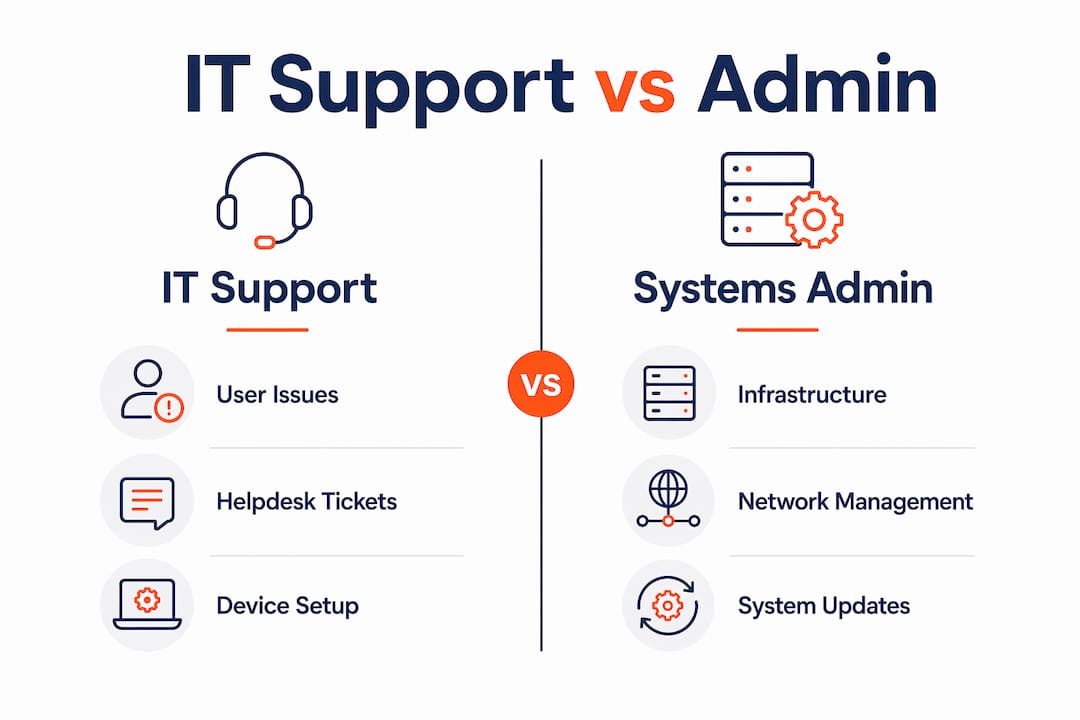
The risk of blending these roles without structure is significant. Role blending leads to urgent support tasks sidelining critical infrastructure maintenance. A server backup job fails silently for three weeks while the IT person is flat out resetting passwords and fixing Outlook. Nobody notices until there is a data loss event.
Here is a direct comparison of the two roles:
| Area | IT Support | Systems Administrator |
|---|---|---|
| Primary focus | User-facing issue resolution | Backend infrastructure management |
| Daily tasks | Tickets, device setup, account management | Server maintenance, backups, patch management |
| Tools used | TeamViewer, Intune, helpdesk platforms | VMware, Veeam, Active Directory, firewalls |
| Response mode | Reactive to user requests | Proactive scheduled maintenance |
| Risk if neglected | User downtime, frustration | Data loss, security breaches, outages |
Even if one person covers both roles in your business, they need dedicated time blocks for each. Scheduling separate time for admin tasks is the recommended approach to stop support firefighting from eating infrastructure work alive.
Pro Tip: If your IT person handles both support and admin, block out two to three hours each week specifically for infrastructure tasks. Treat it like a meeting that cannot be cancelled.
What happens during device onboarding and offboarding?
Device lifecycle management is one of the most underestimated parts of the IT support specialist job description. Done well, it protects your business. Done poorly, it creates security gaps that are expensive to close.
IT support handles device lifecycles from procurement and secure imaging through to account deprovisioning and data wiping. The standard expectation is that offboarding tasks, including account disabling and device wiping, happen within 24 hours of an employee leaving. We regularly audit new clients and find former staff accounts still active weeks after someone resigned. That is a serious access control failure.
A proper onboarding and offboarding process covers:
- Hardware procurement and imaging: Sourcing the right device, applying a standard configuration image, and installing required software before the employee’s first day.
- Account provisioning: Setting up Microsoft 365, Active Directory, email, and any line-of-business applications with the correct permissions from day one.
- MFA enrolment: Registering the new user’s device and phone for multi-factor authentication before they access company data.
- Offboarding deprovisioning: Disabling accounts, revoking access tokens, backing up mailbox data, and wiping or re-imaging the returned device.
- SOP documentation: Recording every step in a written standard operating procedure so the process is consistent regardless of who performs it.
Consistency here is not just about efficiency. It is about compliance. Industries like financial services, legal, and healthcare in Queensland face regulatory requirements around data access and retention. A documented, repeatable process is your evidence that you are meeting those obligations.
What role does IT support play in cybersecurity?
Honestly, this is where the role of IT support has changed the most over the past five years. IT support staff are now the frontline of cybersecurity in most SMEs, whether they signed up for that or not.
IT support now includes teaching employees secure computing habits to prevent phishing and malware incidents. That means more than just installing antivirus. It means explaining to the accounts team why they should not click that invoice email, and doing it in plain language that actually sticks.
The practical cybersecurity tasks that fall under IT support responsibilities include:
- Enrolling users in MFA and explaining why it matters
- Pushing software and operating system updates on schedule
- Responding to security alerts from endpoint detection tools
- Flagging suspicious emails and walking users through what to look for
- Supporting cyber security awareness training programmes
The reality in most SMEs is that the IT support person is the only one paying attention to security. There is no dedicated security team. So if they are not actively educating users during support interactions, nobody is.
Pro Tip: Every support interaction is a teaching opportunity. When you fix a phishing-related issue, spend 60 seconds showing the user what the red flags looked like. That one conversation is worth more than a generic security email they will never read.
How do remote support and knowledge management improve outcomes?
Remote support tools resolve over 80% of issues without requiring an office visit. For SMEs with staff working from home or across multiple sites, this is not a nice-to-have. It is the only practical way to deliver consistent support without blowing out travel time and costs.
Tools like TeamViewer, ConnectWise Control, and Microsoft Quick Assist let technicians connect to a user’s machine in under two minutes. The user stays productive. The technician resolves the issue and moves to the next ticket. Understanding how remote IT support works helps business owners set realistic expectations around response times and coverage.
Knowledge management sits alongside remote support as a force multiplier. Trend analysis identifying root causes of recurring tickets reduces repeat workload by 20–30%. That is a significant saving in a small team where every hour counts.
Here is how effective knowledge management works in practice:
| Practice | What It Involves | Business Benefit |
|---|---|---|
| Knowledge base articles | Written solutions for common issues | Faster resolution, less repeat work |
| Ticket trend analysis | Reviewing patterns in support requests | Identifies root causes for permanent fixes |
| Tier 1 self-service | Users resolve simple issues via guides | Reduces ticket volume for IT staff |
| Root cause documentation | Recording why issues occurred | Prevents recurrence, supports audits |
The gap we see most often in SMEs is that nobody owns the knowledge base. Tickets get resolved, nothing gets written down, and the same problems cycle through indefinitely. Assigning one person to own and maintain documentation changes that quickly.
Key takeaways
Effective IT support in an SME requires clear role separation, consistent processes, and documentation that prevents the same problems from recurring endlessly.
| Point | Details |
|---|---|
| Daily duties are high volume | IT support staff manage 5–15+ tickets daily across hardware, software, and user accounts. |
| Role separation prevents failures | Blending IT support and systems admin without structure leads to infrastructure being neglected. |
| Onboarding and offboarding need SOPs | Documented processes for device and account management protect security and compliance. |
| Cybersecurity is now a core duty | IT support staff are the frontline for user security education and MFA enforcement in most SMEs. |
| Documentation cuts repeat work | A maintained knowledge base reduces recurring ticket volume and saves measurable time. |
The part most SME owners get wrong about IT support
I have worked with a lot of SMEs across Brisbane and Queensland, and the single most common mistake I see is treating IT support as a catch-all role with no boundaries. The business owner hires one person, calls them “IT,” and expects them to handle the helpdesk, manage the servers, run the backups, train the staff on security, and somehow keep everything running without any structure.
That person burns out or starts cutting corners, usually on the infrastructure side because the support tickets are louder and more immediate. The backups stop being checked. The patch cycle slips. Nobody notices until something breaks badly.
The other thing I see constantly is the assumption that because someone is technically capable, they will naturally document everything and communicate well. Effective IT support specialists translate technical issues into plain language to improve user understanding and reduce repeat queries. That is a specific skill, and not every technically strong person has it. When your IT support person explains a fix in a way the user actually understands, that user is less likely to create the same problem again.
My honest advice to business owners is this: define the role clearly before you hire or engage IT support. Separate the support duties from the admin duties, even if one person covers both. Build in time for documentation. And do not judge your IT support person solely on how fast they close tickets. Judge them on whether the same problems keep coming back.
— Matt
Get proper IT support for your brisbane business
If reading through these responsibilities has made you realise your current IT setup is missing structure, you are not alone. Most SMEs we work with at IT Start come to us after years of reactive, undocumented IT support that has left them with security gaps, inconsistent processes, and no visibility over their own systems. Our business IT support service covers the full scope of IT support duties and responsibilities, from daily helpdesk and device management through to cybersecurity and compliance. We also offer dedicated cybersecurity services for businesses that need more than basic protection. If you want to understand exactly what your IT environment looks like right now, get in touch for a free assessment.
FAQ
What are the main IT support duties in a small business?
IT support duties in a small business include resolving hardware and software issues, managing user accounts in platforms like Microsoft 365 and Active Directory, setting up and patching devices, and supporting cybersecurity measures like MFA. Technicians typically handle 5–15+ tickets per day across these areas.
What is the difference between IT support and systems administration?
IT support focuses on user-facing issue resolution such as helpdesk tickets and device setup, while systems administration covers backend infrastructure including servers, backups, and network management. Blending these roles without dedicated scheduling often leads to infrastructure tasks being neglected.
How does IT support contribute to cybersecurity in an SME?
IT support staff act as the frontline of cybersecurity by enrolling users in MFA, pushing security updates, responding to alerts, and educating employees on phishing and secure computing habits. In most SMEs, the IT support person is the only one actively managing these risks day to day.
Why is documentation important for IT support staff?
Documentation prevents the same issues from being resolved repeatedly from scratch, saving significant time and reducing costs. A maintained knowledge base allows faster resolution, supports new staff onboarding, and provides evidence of consistent processes for compliance purposes.
What tools do IT support specialists typically use?
IT support specialists commonly use remote access tools like TeamViewer and ConnectWise, MDM platforms like Microsoft Intune and Jamf, helpdesk systems like Freshdesk or Jira Service Management, and identity management tools within Microsoft 365 and Active Directory.