
TL;DR:
- Many SMBs mistakenly believe that signing up for a few cloud applications fully solves their remote work challenges.
- Effective cloud use requires strategic integration, security, and operational alignment to enhance productivity and safeguard data.
Most SMBs assume that signing up for a few cloud apps solves their remote work problems. It does not. The role of cloud in remote work is far more nuanced than picking Microsoft 365 and calling it done. What we actually see with small and medium businesses is a messy mix of overlapping tools, staff who do not know how to use them properly, and security gaps that would make your hair stand on end. This article cuts through the noise and explains what cloud technology genuinely does for remote teams, where things go wrong, and what a practical approach actually looks like.
Table of Contents
- Key takeaways
- The role of cloud in remote work, explained properly
- Common cloud adoption mistakes we see with SMBs
- How cloud improves remote collaboration and productivity
- Fragmented tools vs consolidated platforms
- Practical steps to get cloud right for remote work
- What I have actually learned working with SMBs on cloud
- How IT Start helps SMBs get cloud right
- FAQ
Key takeaways
| Point | Details |
|---|---|
| Cloud is not a plug-and-play fix | Adopting cloud tools without a strategy leads to fragmented workflows and new security risks. |
| SaaS sprawl is a real cost | Using too many disconnected cloud apps creates data silos, admin overhead, and vulnerabilities. |
| Security must come first | MFA, identity management, and access controls are non-negotiable for any remote cloud setup. |
| Consolidation beats accumulation | Integrated platforms outperform collections of standalone tools for remote team productivity. |
| Operational alignment drives ROI | Cloud value comes from aligning tools with how your team actually works, not from features alone. |
The role of cloud in remote work, explained properly
Before getting into what goes wrong, it helps to understand what cloud technology actually is in the context of running a small or medium business with remote staff.
At its most basic, the cloud means your software, data, and computing resources live on servers managed by someone else and accessed over the internet. For remote teams, this matters enormously because it removes the dependency on being physically present at an office to access systems. The range of cloud services relevant to SMBs spans collaboration tools, cloud storage, virtual desktops, and business analytics, with options across public, private, and hybrid deployment models.
Most SMBs sit in the public cloud category. They use Software as a Service (SaaS) products like Microsoft 365, Google Workspace, or accounting platforms accessed through a browser. That is the right starting point. The mistake is thinking that stopping there is enough.
Here is what cloud technology for remote teams actually enables when set up properly:
- Anytime, anywhere access to files, applications, and communication tools without needing a VPN or office connection
- Real-time collaboration on documents, spreadsheets, and presentations without emailing attachments back and forth
- Centralised identity and access management so you control who sees what, even across multiple devices and locations
- Automatic software updates managed at the platform level, reducing the burden on individual machines
- Scalable storage and compute that grows with your team without buying new servers
The global cloud office services market is projected to hit $186.72 billion by 2030, growing at 13.3% per year. That growth is being driven by exactly this demand for secure, flexible remote productivity tools.
Pro Tip: If your team is still relying on a shared drive in the office or emailing documents around, you are not using cloud for remote work. You are using a legacy setup with a cloud label on it.
Common cloud adoption mistakes we see with SMBs
Honestly, the problems we encounter most often are not caused by bad technology. They are caused by poor decisions made before the technology was even switched on.
Here are the most common failures, in order of how often we see them:
-
SaaS sprawl. Businesses subscribe to tool after tool, solving individual problems without thinking about the whole picture. Enterprises average 371 cloud apps but only actively use about 54% of them. SMBs do the same thing at a smaller scale. The result is fragmented data, multiple invoices, and a security surface that keeps growing.
-
Skipping MFA. We see this constantly. A business moves to Microsoft 365 and does not turn on multi-factor authentication. That means every account is one phished password away from a breach. Multi-factor authentication is not optional in 2026. It is the baseline.
-
Overreliance on VPNs. Many managers treat corporate VPNs as the secure path to remote work. Traditional VPNs cause performance bottlenecks for remote workers and create a single point of failure. Modern cloud remote access that uses intelligent, peer-to-peer brokering performs significantly better and is more appropriate for distributed teams.
-
Ignoring training and workflow redesign. Cloud adoption costs go well beyond the subscription fee. When staff do not know how to use a tool properly, they revert to old habits. Files get saved locally, communication fragments across personal apps, and the whole investment underperforms.
-
Using too many disconnected tools. SMBs using five or more unrelated cloud tools face data silos, inconsistent security policies, and staff who are genuinely confused about which app to use for what purpose.
Pro Tip: Run a quick audit of every cloud subscription your business pays for. If you cannot name who uses it and why, cancel it. The savings will surprise you.
How cloud improves remote collaboration and productivity
When cloud technology for remote teams is set up thoughtfully, the impact on day-to-day work is real and measurable.

Real-time document collaboration is probably the most immediately obvious benefit. Instead of emailing a Word document around and trying to reconcile three different versions on a Friday afternoon, your team works in the same file simultaneously. Comments, edits, and approvals happen in context, not in a separate email thread.
Integrated communication tools are the second major shift. Platforms that consolidate chat, voice, and video into a single environment reduce the cognitive load on staff. They stop switching between five different apps to have a conversation and start actually getting work done.
“Dropbox’s structured approach to remote work emphasises ‘core collaboration hours’ rather than expecting staff to be perpetually available. This discipline around structured remote work prevents burnout and makes asynchronous work sustainable across time zones.”
Cloud-based access control also deserves more attention than it gets from SMBs. Centralising identity management means you can onboard a new staff member in minutes, revoke access instantly when someone leaves, and enforce consistent security policies across every device and location. That is not just a security benefit. It is an operational one.
The benefits of cloud in remote work compound when these capabilities are combined:
- Co-editing and version control reduce rework and miscommunication
- Integrated tools mean fewer context switches and less time lost to app-hopping
- Access controls remove the friction of “I cannot get into the system from home”
- AI-powered workflow tools are beginning to automate repetitive tasks within cloud workspaces, freeing time for higher-value work
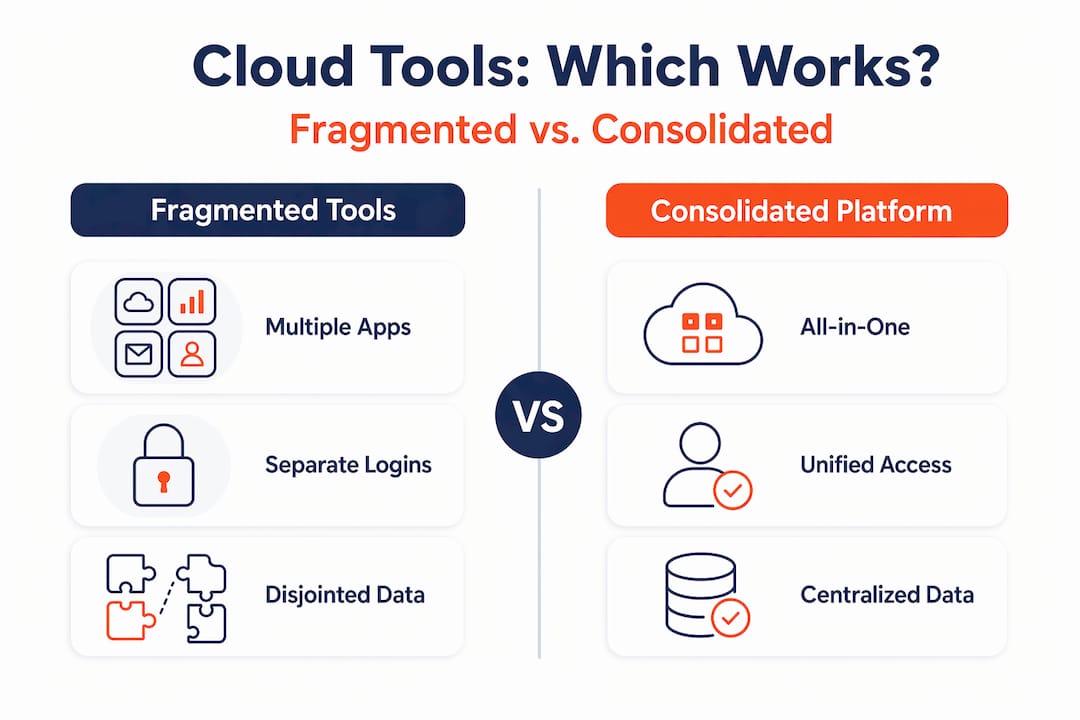
Fragmented tools vs consolidated platforms
One of the most consequential decisions an SMB makes about cloud is whether to build a collection of individual apps or commit to an integrated platform. Both approaches have trade-offs.
| Approach | Pros | Cons |
|---|---|---|
| Fragmented tools (multiple standalone apps) | Best-of-breed features for each task; easy to trial individual tools | Data silos; inconsistent security; high admin overhead; staff confusion |
| Consolidated platform (e.g. Microsoft 365) | Unified security policies; single admin console; better data visibility | Some features less specialised; may require staff retraining |
| Hybrid (platform plus selective add-ons) | Balances depth with integration; manageable if governed well | Requires clear policy on approved tools; sprawl risk if poorly managed |
The practical reality we observe with clients is that consolidating cloud tools into fewer, better-integrated platforms reduces support burden, improves data visibility, and strengthens security posture. The hybrid approach works when there is a disciplined policy about what gets added and why.
What does not work is the accidental approach, where different staff members sign up for different tools and nobody has a full picture of what the business is running. That is where the security benefits of cloud computing get eroded fastest.
SMB cloud strategies in 2026 are shifting away from chasing features and toward operational alignment, with integrated communication and security frameworks forming the backbone of effective remote setups. That is the right direction.
Practical steps to get cloud right for remote work
Getting cloud solutions for remote work to actually deliver comes down to a short list of things done well, rather than a long list of things done halfway.
-
Audit your current tools. List every cloud subscription, who uses it, and what it does. Cut anything that overlaps or goes unused. Redirect that budget toward consolidating onto fewer, better platforms.
-
Turn on MFA everywhere, today. No exceptions. If a cloud platform your business uses does not support MFA, that is a serious red flag. Consider securing your cloud data with identity-first principles across every application.
-
Set clear collaboration policies. Decide which tool is used for which purpose and document it. Which platform is for internal chat? Where do final documents live? How are decisions recorded? Without this, staff default to whatever is easiest in the moment, which is usually their personal email.
-
Invest in proper onboarding and training. A platform only works if people use it correctly. Budget time for this. A two-hour session explaining how Microsoft Teams channels work will save you weeks of confused emails over twelve months.
-
Measure what matters. Track adoption rates, support ticket frequency related to remote access issues, and any security incidents. Cloud ROI is visible only if you are measuring the right things.
Pro Tip: Before committing to a new cloud platform, run a three-person pilot for two weeks. Real usage data from your own team is worth more than any vendor demo.
What I have actually learned working with SMBs on cloud
I have helped dozens of small and medium businesses set up cloud environments for remote teams, and the pattern is almost always the same. The business buys the tools, switches them on, and wonders why nothing feels different six months later.
The uncomfortable truth is that cloud technology does not fix a disorganised business. It amplifies what is already there. If your team has unclear communication habits, cloud tools will give them more ways to miscommunicate. If your IT setup has no security discipline, cloud tools will expose that to a wider attack surface.
What actually works is starting with the operational question, not the tech question. What does your team need to do? Who needs access to what? Where are the biggest friction points in how people work remotely? Answer those first, then find the cloud tools that address them.
I am also blunt with clients about managed cloud for SMBs: the complexity of getting cloud right exceeds what most business owners have time to manage alone. That is not a criticism. It is just reality. Between security patching, access management, SaaS auditing, and staff training, it becomes a part-time job on its own. An experienced MSP cuts that learning curve significantly and prevents the expensive mistakes I see businesses make when they go it alone.
Cloud maturity is incremental. The businesses that get the most value out of it are not the ones who did the biggest migration. They are the ones who made steady, deliberate improvements over time and stayed disciplined about security and operational alignment throughout.
— Matt
How IT Start helps SMBs get cloud right
IT Start works with small and medium businesses across Brisbane and Queensland to cut through the confusion around cloud and remote work. We audit your existing tools, identify gaps, and help you build a consolidated, secure setup that actually matches how your team works. Our managed cloud services are designed specifically for SMBs, which means no oversized enterprise contracts and no cookie-cutter solutions. We also back every cloud setup with proactive cyber security protection so your remote staff and data stay protected. If you want a straight-talking assessment of where your cloud setup stands, reach out to IT Start for a no-obligation conversation.
FAQ
Is cloud technology essential for remote work?
For any SMB with staff working outside a single office, cloud technology is effectively non-negotiable. It provides the anytime access, collaboration tools, and security controls that remote work requires.
What are the biggest challenges of cloud in remote environments?
The most common challenges are SaaS sprawl, weak authentication practices, and failing to align tools with how staff actually work. These issues reduce productivity and increase security risk.
How does cloud support remote collaboration?
Cloud platforms allow real-time document co-editing, integrated communication across chat, voice, and video, and centralised access control so all team members can work from any location securely.
How many cloud tools should an SMB use?
Fewer is almost always better. Research shows enterprises use hundreds of apps but only actively use about half of them. SMBs benefit from consolidating onto one or two integrated platforms rather than collecting standalone tools.
What is the first step to improving cloud use for remote work?
Start with an audit of every cloud subscription your business pays for. Identify what is actually used, cut what is not, and consolidate the rest onto fewer platforms with consistent security policies applied across all of them.