
Queensland SMEs face a harsh reality: cyber attacks cost Australian small businesses an average of $122,000, while downtime can drain $1,000 to $5,000 per hour from your bottom line. Yet many business owners still see IT support as an expense rather than a strategic investment. This guide cuts through the confusion to reveal how professional IT support protects your operations, ensures compliance with Australian regulations, and delivers measurable returns through reduced downtime and enhanced security.
Table of Contents
- What IT Support Means For Queensland SMEs
- How Managed IT Support Improves Business Performance And Security
- Navigating Queensland-Specific IT Challenges And Compliance Requirements
- Choosing The Right IT Support To Maximise Value And Compliance
- Explore Expert IT Support And Cybersecurity Solutions With IT Start
Key takeaways
| Point | Details |
|---|---|
| Proactive IT reduces costs | Managed services cut downtime by up to 40% and security breaches by 30%, delivering ROI within 3 to 6 months. |
| ACSC Essential Eight is mandatory | This framework provides the baseline cybersecurity maturity levels required for Queensland SME compliance. |
| Queensland faces unique challenges | NBN instability, storm damage, and humidity require specialised IT infrastructure protection and monitoring. |
| Predictable budgeting | Managed IT costs 3 to 7% of revenue or $90 to $200 per user monthly, replacing unpredictable break-fix expenses. |
| Compliance is non-negotiable | Privacy Act requirements and industry-specific regulations demand robust IT frameworks and documentation. |
What IT support means for Queensland SMEs
IT support for Queensland SMEs extends far beyond fixing computers when they break. Professional managed services include proactive monitoring, helpdesk support, cybersecurity implementation, patch management, backups, and compliance frameworks aligned with ACSC Essential Eight. These services ensure your technology infrastructure supports business goals rather than hindering them.
Managed IT providers use remote monitoring and management (RMM) tools to track your network health, server performance, and security status continuously. This proactive approach identifies potential failures before they disrupt operations. Your IT partner applies critical security patches, manages user access controls, and maintains daily backups to protect against data loss and ransomware attacks.
The ACSC Essential Eight framework establishes the baseline security posture for Australian businesses. This government-endorsed standard covers application whitelisting, patching applications and operating systems, restricting administrative privileges, multi-factor authentication, and daily backups. Queensland SMEs must implement these controls to meet regulatory requirements and protect against evolving cyber threats.
Core IT support services tailored to Queensland’s SME environment include:
- 24/7 network and infrastructure monitoring via RMM platforms
- Helpdesk support with tiered service level agreements for rapid response
- Onsite technical support for hardware issues and infrastructure projects
- Security patch deployment within 48 hours of release
- Automated daily backups with tested recovery procedures
- Multi-factor authentication enforcement across all business systems
- Compliance documentation and audit support for regulatory requirements
Pro Tip: Request monthly IT health reports from your provider showing patch compliance rates, backup success rates, and security incident logs to verify proactive management.
How managed IT support improves business performance and security
Managed IT support transforms technology from a cost centre into a competitive advantage through measurable improvements in uptime, security, and operational efficiency. Businesses using managed services experience up to 40% reduction in downtime and 30% fewer security breaches, translating directly to protected revenue and reduced incident costs.
Proactive maintenance through RMM tools monitors critical metrics like disk space, CPU utilisation, memory usage, and network bandwidth. When thresholds are exceeded, automated alerts trigger immediate investigation before users notice performance degradation. This prevents the cascading failures that turn minor issues into business-stopping outages.
Critical security patches receive priority deployment within 48 hours of vendor release. This rapid response window closes vulnerabilities before attackers can exploit them. Your IT provider tests patches in controlled environments first, ensuring compatibility with your business applications before production deployment.
Multi-factor authentication enforcement adds a crucial security layer beyond passwords. Even if credentials are compromised through phishing or data breaches, unauthorised access remains blocked without the second authentication factor. This single control prevents the majority of account takeover attempts.
Daily backup procedures protect against ransomware, hardware failures, and human error. Managed IT providers verify backup completion, test restoration procedures quarterly, and maintain both onsite and offsite copies. When disaster strikes, you recover operations within hours rather than days or weeks.
Tiered service level agreements guarantee response times matched to issue severity:
| Priority Level | Response Time | Resolution Target | Example Issues |
|---|---|---|---|
| Critical | 15 minutes | 4 hours | Complete network outage, ransomware attack, server failure |
| High | 1 hour | 8 hours | Email system down, database connectivity issues |
| Medium | 4 hours | 24 hours | Individual workstation problems, printer malfunctions |
| Low | 8 hours | 48 hours | Software installation requests, minor configuration changes |
The financial impact of professional IT support becomes clear when comparing costs. Cyber attacks average $122,000 in direct and indirect costs for Australian SMBs. Downtime costs range from $1,000 to $5,000 per hour depending on business size and industry. A single prevented incident pays for months of managed services.
Pro Tip: Calculate your hourly downtime cost by dividing annual revenue by 2,000 working hours, then multiply by your team size to understand the true value of uptime guarantees.
Navigating Queensland-specific IT challenges and compliance requirements
Queensland SMEs face distinct IT challenges shaped by infrastructure limitations, environmental factors, and regulatory requirements that demand localised expertise. NBN FTTN and HFC connections suffer from instability issues, storm-related power surges damage equipment, and humidity accelerates hardware degradation. Professional IT support addresses these regional vulnerabilities through targeted infrastructure protection.
NBN fibre-to-the-node (FTTN) and hybrid fibre-coaxial (HFC) networks common in Brisbane and regional Queensland deliver inconsistent performance during peak usage periods. Your IT provider implements connection monitoring, automatic failover to 4G/5G backup links, and quality of service configurations to maintain business connectivity during NBN degradation.
Queensland’s severe weather patterns pose serious risks to IT infrastructure. Summer storms bring lightning strikes, power surges, and outages that corrupt data and destroy hardware. Professional IT support includes uninterruptible power supply (UPS) installation, surge protection for network equipment, and environmental monitoring sensors that alert to temperature and humidity changes before equipment fails.

Older commercial buildings in Brisbane’s CBD and suburban business districts risk water ingress during heavy rainfall. Server rooms and network closets require proper ventilation, dehumidification, and leak detection systems. Your IT partner assesses physical infrastructure risks and implements protective measures appropriate to your facility.
The ACSC Essential Eight framework provides maturity levels from 0 to 3, with different targets for various business sectors:
- Financial services and legal firms typically require Maturity Level 2 or 3
- Healthcare providers must meet Privacy Act requirements plus health sector guidelines
- Professional services generally target Maturity Level 1 as baseline protection
- Retail and hospitality businesses need PCI DSS compliance for payment processing
The Privacy Act 2026 mandates specific data handling, storage, and breach notification requirements for all Australian businesses holding personal information. Your IT support provider implements encryption, access controls, audit logging, and incident response procedures to demonstrate compliance during regulatory reviews.
Hybrid work arrangements amplify security risks as employees access business systems from home networks and public WiFi. Secure remote access controls including VPN connections, endpoint detection and response software, and mobile device management become essential components of your IT security framework.
Pro Tip: Schedule annual IT infrastructure audits before Brisbane’s storm season to identify and remediate environmental vulnerabilities in server rooms and network equipment locations.
Choosing the right IT support to maximise value and compliance
Selecting between reactive break-fix support and proactive managed services fundamentally determines your IT costs, security posture, and operational resilience. The choice directly impacts your bottom line and compliance capabilities.
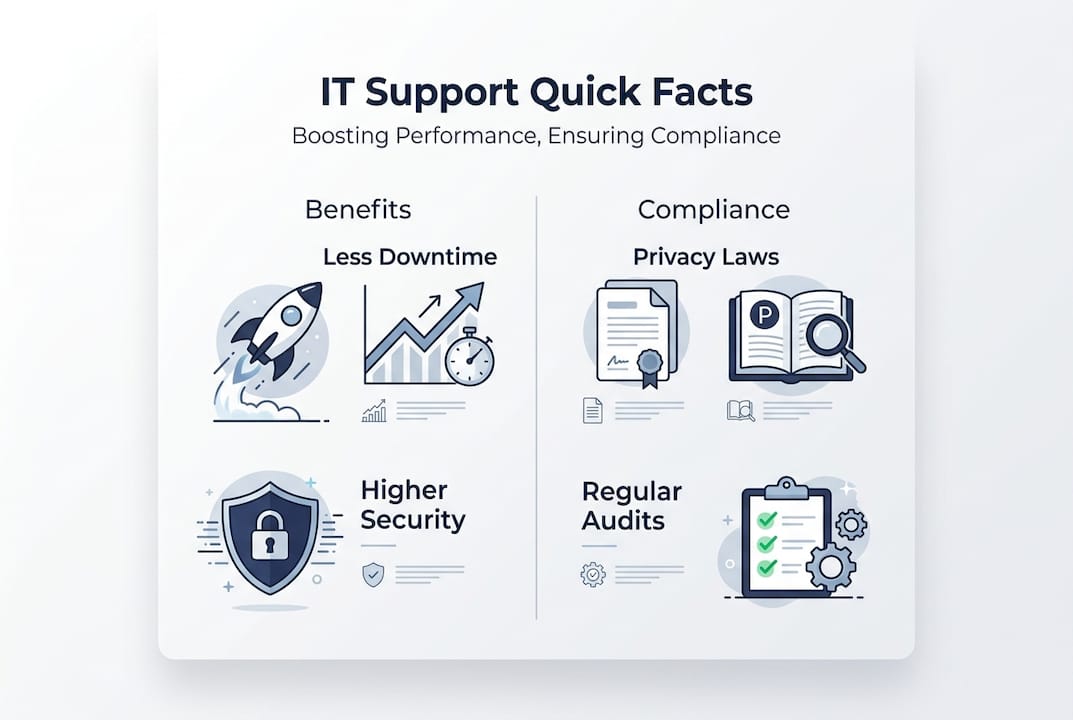
Reactive break-fix IT support operates on a time-and-materials basis, charging hourly rates when problems occur. This model creates perverse incentives where providers profit from your IT failures rather than preventing them. You face unpredictable monthly costs, extended downtime during incident response, and higher exposure to cyber attacks due to delayed patching and monitoring gaps.
Proactive managed IT support delivers predictable monthly costs, continuous monitoring, and preventive maintenance that stops problems before they impact operations. Businesses typically achieve ROI within 3 to 6 months through reduced downtime, prevented security breaches, and eliminated emergency callout fees.
Managed IT pricing typically ranges from 3 to 7% of annual revenue or $90 to $200 per user per month, depending on service scope and business complexity. This predictable expense aids budgeting and financial planning while delivering comprehensive coverage including monitoring, helpdesk, security, backups, and compliance support.
| Support Model | Monthly Cost | Response Time | Preventive Care | Security Monitoring | Compliance Support |
|---|---|---|---|---|---|
| Break-Fix | Unpredictable | Hours to days | None | None | None |
| Managed Services | $90-$200/user | 15 min to 4 hours | Continuous | 24/7 monitoring | Included |
When evaluating IT support providers, prioritise these selection criteria:
- Verify tiered SLA guarantees with specific response and resolution timeframes for each priority level
- Confirm ACSC Essential Eight implementation experience and compliance documentation capabilities
- Assess local Brisbane and Queensland knowledge regarding NBN issues, environmental factors, and regional challenges
- Review security certifications, insurance coverage, and incident response procedures
- Request client references from similar-sized businesses in your industry sector
- Evaluate communication practices, reporting transparency, and strategic planning support
Providers with deep Queensland market knowledge understand the specific challenges facing Brisbane SMEs. They anticipate NBN performance issues, plan for storm season vulnerabilities, and navigate local compliance requirements efficiently. This regional expertise accelerates problem resolution and reduces your risk exposure.
Partnering with expert IT providers ensures your technology infrastructure remains current with evolving security threats, regulatory changes, and business growth requirements. Your provider becomes a strategic advisor guiding technology investments that support business objectives rather than simply maintaining existing systems.
Pro Tip: Test potential IT providers by requesting a comprehensive network assessment and security audit before signing contracts to evaluate their technical depth and communication clarity.
Explore expert IT support and cybersecurity solutions with IT Start
IT Start delivers comprehensive business IT support designed specifically for Queensland SMEs facing the challenges outlined throughout this guide. Our proactive managed services include 24/7 monitoring, rapid response helpdesk, onsite technical support, and strategic IT planning aligned with your business goals.
Our cyber security services implement ACSC Essential Eight frameworks tailored to your industry requirements, ensuring compliance with Privacy Act obligations and sector-specific regulations. We protect your business through multi-layered defences including advanced threat detection, security awareness training, and incident response planning.
IT Start’s cloud services provide scalable, secure infrastructure that grows with your business while reducing capital expenditure on hardware. Our Brisbane-based team understands local IT challenges and delivers solutions backed by SMB 1001 Gold certification and transparent service level agreements. Contact us today for a complimentary IT assessment.
FAQ
What is the role of IT support in small and medium-sized businesses?
IT support maintains and protects technology systems that enable business operations, ensuring continuous availability and security. Professional IT services range from reactive break-fix repairs to comprehensive managed services including monitoring, cybersecurity, compliance, and strategic planning. Effective IT support prevents costly downtime, protects against cyber threats, and ensures regulatory compliance with frameworks like ACSC Essential Eight.
How does IT support help with cybersecurity compliance?
IT support providers implement security frameworks like ACSC Essential Eight that establish baseline protection through application control, patch management, multi-factor authentication, and daily backups. They manage ongoing compliance requirements including access controls, security monitoring, incident documentation, and audit preparation. Professional IT support ensures adherence to Privacy Act obligations and industry-specific regulations through documented policies, technical controls, and regular security assessments.
What are the benefits of proactive IT support over reactive support?
Proactive managed IT support prevents problems before they disrupt operations through continuous monitoring, automated maintenance, and rapid patch deployment. This approach delivers predictable monthly costs, faster response times, and significantly reduced downtime compared to reactive break-fix models. Businesses using proactive support experience up to 40% less downtime and 30% fewer security breaches, typically achieving return on investment within 3 to 6 months.
How much should Queensland SMEs budget for IT support?
Queensland SMEs typically allocate 3 to 7% of annual revenue for comprehensive IT support, translating to approximately $90 to $200 per user per month for managed services. This investment covers monitoring, helpdesk, security, backups, compliance support, and strategic planning. Actual costs vary based on business size, industry requirements, existing infrastructure condition, and desired service levels. Proactive managed services provide predictable expenses that aid financial planning while delivering superior protection compared to unpredictable break-fix costs.
What should I look for when choosing an IT support provider in Brisbane?
Prioritise providers offering tiered service level agreements with guaranteed response times, demonstrated ACSC Essential Eight implementation experience, and local Queensland market knowledge. Verify security certifications, professional indemnity insurance, and documented incident response procedures. Request client references from similar businesses in your industry and evaluate their communication practices, reporting transparency, and strategic advisory capabilities. Brisbane-based providers with regional expertise better understand NBN challenges, environmental risks, and local compliance requirements affecting Queensland SMEs.