
Incident response is the organised process an organisation follows to detect, contain and recover from cyber security incidents while learning to prevent repeats. Most people know it by the acronym IR, and the process usually runs through stages like preparation, identification, containment, eradication, recovery, and lessons learned. The goal isn’t to stop every attack. It’s to limit the damage when one gets through and get your business running again fast.
TL;DR:
- Having a tested incident response plan reduces downtime by ensuring staff know who to call and what steps to take during an attack.
- Regularly testing backups and confirming MFA on critical accounts are among the most effective steps to prevent and respond to ransomware or credential compromise.
- Tiered response roles, such as incident lead and technical responder, should be assigned in advance to avoid panic and confusion during an incident.
- Small businesses often fail to rehearse their response plan, making the first hour of an incident the most critical for containment and damage control.
- Reporting obligations include notifying the Australian Signals Directorate for significant incidents and assessing the involvement of personal data to avoid regulatory penalties.
Table of Contents
- Why incident response matters more than most SMBs think
- Common types of security incidents and how they show up in SMBs
- The incident response lifecycle: what to actually do at each stage
- Who does what during an incident, and how small teams handle it
- Building an incident response plan that SMBs will actually use
- What Australian businesses need to know about reporting obligations
- What we see going wrong, and what to fix first
- The gap between what businesses think and what actually happens
- How IT Start helps Brisbane businesses prepare and respond
- Sources
- FAQ
Why incident response matters more than most SMBs think
Incident response sits underneath the three things security is actually trying to protect: confidentiality, integrity and availability, often shortened to CIA. Confidentiality means your data stays private. Integrity means it stays accurate and untampered. Availability means your systems keep working when you need them. A ransomware attack, for example, hits availability hard and often integrity too, since files get encrypted or corrupted. Without a plan for responding, businesses tend to freeze at exactly the wrong moment.
Honestly, we see this a lot. A business owner discovers something is wrong at 7am on a Monday, and nobody knows who to call, what to shut down, or whether they’re even allowed to pay a ransom. That confusion costs more than the attack itself.
The practitioner guidance from the Australian Cyber Security Centre is blunt about this: managing the response to a cyber security incident is the organisation’s own responsibility, and every organisation should have a cyber security incident response plan that’s tested regularly and lines up with business continuity arrangements. Not a nice-to-have. An expectation.
Without a plan, the consequences stack up fast:
- Extended downtime while staff figure out what happened and what to do about it.
- Data loss when backups either don’t exist or haven’t been tested and fail when you need them.
- Loss of customer trust once word gets out that the incident wasn’t handled well.
- Regulatory exposure, including possible notification obligations and fines depending on what data was involved.
None of this is theoretical. It’s the pattern we see across client engagements, over and over.
Common types of security incidents and how they show up in SMBs
Not every weird email or failed login is an incident. Security teams usually separate an event, something that gets logged and might mean nothing, from an incident, something that actually threatens the confidentiality, integrity or availability of a system. A phishing email that gets deleted is an event. A phishing email that gets clicked and leads to a compromised account is an incident.
Here’s what we actually see land on our desk:
- Ransomware: files get encrypted across a shared drive overnight, and staff arrive to find everything locked with a ransom note.
- Phishing: an employee clicks a link in a fake invoice email and enters their Microsoft 365 credentials on a fake login page.
- Business email compromise (BEC): an attacker gets into a mailbox and quietly redirects an invoice payment to their own bank account.
- DDoS attacks: a website or customer portal gets flooded with traffic and goes offline for hours.
- Insider incidents: a departing employee copies client files to a personal drive before their last day.
- Supply chain incidents: a vendor or software provider gets breached, and that breach flows through to your systems via a shared connection or update.
The government’s own definition describes a cyber security incident as an unwanted or unexpected event with a significant probability of compromising business operations, listing denial-of-service, unauthorised access, data compromise and ransomware as examples. That’s a useful line to keep in mind when deciding whether something needs escalating.
The incident response lifecycle: what to actually do at each stage
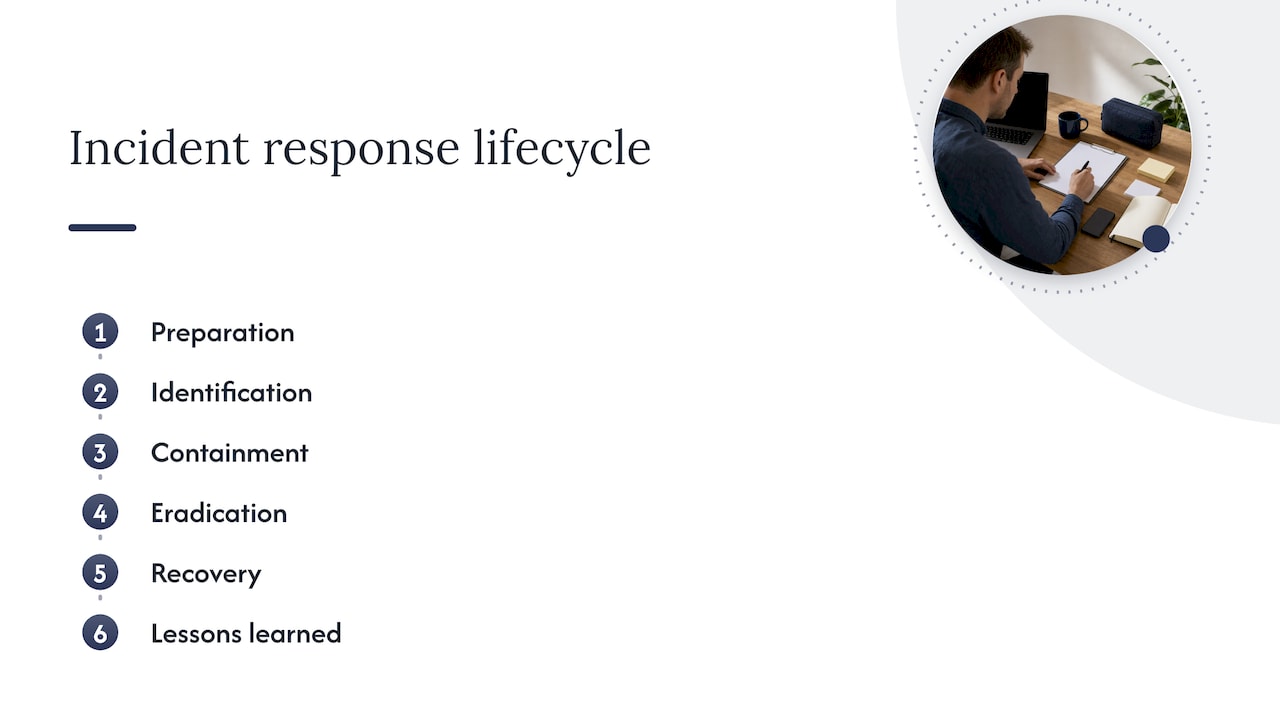
The lifecycle gets talked about a lot in security circles, often referencing the phases popularised by NIST: preparation, identification, containment, eradication, recovery and lessons learned. Knowing the names is one thing. Knowing what to do in each phase is what actually matters.
Preparation
This is the phase most SMBs skip, and it’s the one that decides how bad an incident actually gets. Preparation includes:
- Multi-factor authentication (MFA) enabled on every account that touches email, finance or remote access.
- Backups that are tested regularly, not just scheduled and forgotten.
- Centralised logging so you can actually see what happened when something goes wrong.
- A written incident response plan with named contacts, not just a folder nobody’s opened in two years.
- Playbooks for the incidents you’re most likely to face: ransomware, BEC, and a lost or stolen device.
Identification
This is where you work out whether something is actually an incident. Steps include continuous monitoring of logs and alerts, triaging what’s come in against known indicators, and capturing evidence early, screenshots, log exports, timestamps, before anything gets changed or deleted. Speed matters here. The longer an attacker sits undetected, the more damage accumulates.
Containment
Containment is about stopping the bleeding without destroying evidence or making things worse. Sometimes that means isolating a device from the network. Sometimes it means disabling a compromised account rather than deleting it, so you can still review what it accessed. There’s a trade-off between acting fast and acting carefully, and getting that balance wrong is a common mistake. Pulling a server offline too aggressively can wipe volatile evidence you’ll need later.
Eradication
Once contained, you need to remove the actual cause, not just the symptom. That might mean removing malware, closing a vulnerable port, resetting every credential the attacker touched, or patching the flaw that let them in. Eradication done badly, patch one thing and miss the backdoor, is how businesses get hit twice by the same attacker within weeks.
Recovery
Recovery means restoring systems from clean backups, validating that everything works as expected, and watching closely for signs the threat hasn’t actually gone. This is also where tested backups earn their keep. A backup that’s never been restored isn’t a backup, it’s a guess.
Lessons learned
After the dust settles, sit down and go through what worked, what didn’t, and what needs to change in the plan. This step gets skipped more than any other because everyone just wants to move on. Skipping it means you fix nothing and repeat the same mistakes next time.
Pro Tip: Run a short after-action review within a week of any incident, while details are still fresh, and update your playbook the same day.
Who does what during an incident, and how small teams handle it
Bigger organisations have a Computer Security Incident Response Team, or CSIRT, with dedicated roles. SMBs rarely have the headcount for that, but the responsibilities still need to sit somewhere.
- Incident lead: owns the decisions, coordinates the response, and is the single point of contact during the event.
- Technical responder: investigates, contains and remediates, often your IT manager or an outsourced provider.
- Communications lead: handles internal updates, customer messaging and any regulatory notifications.
- Legal or compliance contact: advises on notification obligations and liability, particularly for incidents involving personal data.
- Executive sponsor: makes the call on business-level decisions, like whether to pay a ransom or shut down a system for a day.
For a business with 10 to 50 staff, these roles usually get shared across two or three people, plus an outsourced provider covering the technical response. What matters isn’t the org chart, it’s that everyone knows who owns which decision before an incident happens. Waiting to work that out mid-crisis is how good decisions turn into panicked ones.
Building an incident response plan that SMBs will actually use
A plan that sits in a drawer is worse than useless, because it creates false confidence. A workable plan needs a handful of components; see this checklist organisation entreprise guide for TPE/PME for operational readiness and playbook checklists.
- Scope: which systems, data and business units the plan covers.
- Critical assets: a short list of what absolutely must stay running or protected.
- Playbooks: step-by-step responses for your most likely incidents.
- Contacts: internal escalation paths, your IT provider, legal counsel, and relevant authorities.
- Evidence handling: how to preserve logs and system states without destroying them.
- Communication templates: pre-drafted messages for staff, customers and regulators, so you’re not writing them under pressure.
Government practitioner guidance and templates exist as a starting point, but they’re explicit that every organisation needs to tailor them to its own environment rather than adopt them as is. Our example plan for SMBs walks through what that tailoring looks like in practice.
Here’s a readiness checklist worth running this month:
| Action | Why it matters | Frequency |
|---|---|---|
| Confirm MFA on all email, finance and remote access accounts | Closes the most common entry point for account compromise | Reviewed monthly |
| Test backup restoration on a sample of critical files | Confirms recovery actually works before you need it | Quarterly |
| Run a tabletop exercise on one likely scenario | Finds gaps in the plan without a real incident | Every six months |
| Review and update contact lists and escalation paths | Keeps the plan usable when staff or providers change | Every six months |
Testing matters as much as writing the plan down. A tabletop exercise, where the team talks through a scenario without touching live systems, or a full recovery drill, is genuinely the most effective way to find the gaps that paperwork never shows you. For more on aligning this with day-to-day continuity planning, our Queensland-focused breakdown covers how the two fit together.
What Australian businesses need to know about reporting obligations
If an incident affects national or economic interests, or you need specialist help working out what happened, report it to the Australian Signals Directorate. The ASD’s own guidance explains that reporting triggers triage and, where needed, specialist investigation or remediation advice.
Separately, if the incident involves personal information, you may have obligations under the Notifiable Data Breaches scheme. The OAIC’s guidance sets out a contain, assess, notify, review approach, and notification is required when an eligible data breach is likely to result in serious harm. Assessment should generally be completed promptly and within a reasonable timeframe.
Practical steps that matter here:
- Preserve evidence before you fix anything: logs, timestamps, screenshots.
- Get legal advice early if personal data might be involved, not after you’ve already notified anyone.
- Document every action taken and every decision made, with timestamps.
- Remedial action that removes the likelihood of serious harm can actually remove the notification obligation, so acting fast has a real legal benefit, not just an operational one.
Our step-by-step reporting guide covers exactly who to contact and in what order.
What we see going wrong, and what to fix first
Honestly, the same three things come up on almost every incident call we get. No MFA on a compromised account. Backups that were “definitely running” but had failed silently for weeks. Logging that’s either switched off or nobody’s watching it.
What a decent MSP does first isn’t complicated: isolate the affected system, check what backups actually exist and whether they’re clean, and lock down credentials across the board, not just the one account that got hit. Most businesses assume they’re covered because a backup job shows green. It doesn’t mean the restore works.
Three things to do this week: turn on MFA everywhere you haven’t, restore a random backup file to confirm it actually works, and write down who you’d call at 2am if something went wrong. That last one sounds basic. Almost nobody has it written down.
Pro Tip: If you can’t name your incident lead off the top of your head, you don’t have a plan, you have a document.
The gap between what businesses think and what actually happens
Most incident response advice reads like a checklist exercise, tick the boxes, buy the tool, write the document. That’s not where the real risk sits. The businesses that get hurt badly aren’t the ones without a plan on paper, they’re the ones who’ve never tested it.
A plan nobody has rehearsed fails in the same predictable ways every time: nobody knows who’s in charge, backups turn out to be broken, and the first hour gets lost to confusion instead of action. That first hour is usually the one that decides how bad the incident becomes.
If there’s one thing worth prioritising over everything else in this article, it’s testing. Not writing a longer plan, not buying another tool, just running one tabletop exercise this year with the actual people who’d be in the room during a real incident. It costs an afternoon and it exposes every weak point a document never will.
— Matt
How IT Start helps Brisbane businesses prepare and respond
Preparing for an incident shouldn’t mean hiring a full security team you don’t need. IT Start works with Brisbane businesses on exactly this gap, building practical response capability without the overhead of running it all in house.
Our Cyber Security services cover common areas SMBs may overlook, including endpoint protection, network security and firewall management, and risk assessment and compliance work designed to support an incident response plan. Alongside that, our managed IT support includes business continuity planning and vendor management to help align your incident response plan with daily system operations.
If you engage us for a readiness assessment, expect a straightforward review: what’s actually protected, what backups genuinely restore, and where your current plan (if you have one) falls short. From there:
- We help build or tighten your incident response plan and playbooks.
- We test backups and MFA coverage across your environment.
- We map out who does what during an incident, including our own team’s role.
Head to IT Start to book a free assessment and find out where your business actually stands.
Sources
FAQ
What is IR in cybersecurity?
IR stands for incident response, the organised process a business follows to detect, contain, recover from and learn from cyber security incidents. It typically runs through phases such as preparation, identification, containment, eradication, recovery and lessons learned, based on concepts referenced by NIST-aligned guidance.
Can you make $500,000 a year in cyber security?
This depends entirely on the role, location, experience level and employer, and no figure like that is supported by the sources referenced in this article. Salaries in cyber security vary widely across regions and specialisations, so it is best checked against current, region-specific salary data rather than a single figure.
What are the 5 steps of incident response?
Definitions vary slightly by framework, but a common version includes preparation, identification, containment, eradication and recovery, sometimes followed by a sixth step, lessons learned. This structure is referenced in guidance from the Australian Cyber Security Centre.
What is the IR process?
The IR process is the sequence a business follows once a cyber security incident is suspected or confirmed: detect it, contain it, remove the cause, recover systems, then review what happened. Government guidance stresses that this process should be documented in a tested plan that lines up with your business continuity arrangements, rather than improvised during the event itself.