
Many Brisbane SMEs struggle with outdated IT systems that slow daily operations, expose security gaps, and fail to meet compliance requirements. Upgrading your business IT infrastructure isn’t just about purchasing new hardware; it’s a strategic process that aligns technology with your operational goals to deliver measurable efficiency gains, stronger security, and regulatory compliance. This guide walks you through a practical, phased approach to upgrading your IT systems, from assessing current assets and establishing cybersecurity baselines to choosing the right management model and executing core system improvements that deliver real cost savings.
Table of Contents
- Key takeaways
- Assessing your current business IT and setting goals
- Establishing a cybersecurity baseline with a 90-day roadmap
- Choosing the right IT management approach for your business
- Executing core system upgrades for operational efficiency
- Improve business IT with expert support from IT Start
- Frequently asked questions
Key Takeaways
| Point | Details |
|---|---|
| Phased IT roadmap | Develop a phased IT upgrade plan spanning six to twenty four months that aligns with business goals and includes quarterly reviews. |
| 90 day cyber baseline | Establish a 90 day cybersecurity baseline by prioritising MFA, patching, backups, endpoint protection and incident response across maturity levels. |
| Managed IT services | Using managed IT services provides predictable costs and access to specialised expertise. |
| Core upgrades savings | Strategically upgrading core systems delivers meaningful operating cost savings and improved efficiency. |
Assessing your current business IT and setting goals
Before investing in any upgrades, you need a clear picture of what you currently have and where it’s falling short. Start by creating a comprehensive inventory of your hardware, software, and network infrastructure. Document every server, workstation, mobile device, software licence, and network component. This inventory becomes your baseline for measuring progress and identifying gaps.
Next, identify the pain points disrupting your operations or putting you at compliance risk. Are employees waiting for systems to load? Do you experience frequent downtime? Are customer-facing applications slow or unreliable? These operational friction points often signal where IT upgrades will deliver the fastest returns. Speak with department heads and front-line staff to understand where technology is helping or hindering their work.
Define clear business goals your IT upgrades should support. Perhaps you’re planning to expand into new markets, need to meet stricter data protection requirements, or want to enable remote work capabilities. Your IT roadmap must directly support these objectives rather than pursuing technology for its own sake. Develop an IT roadmap by assessing current assets, aligning with business goals, and phasing upgrades over 6-24 months with quarterly reviews.
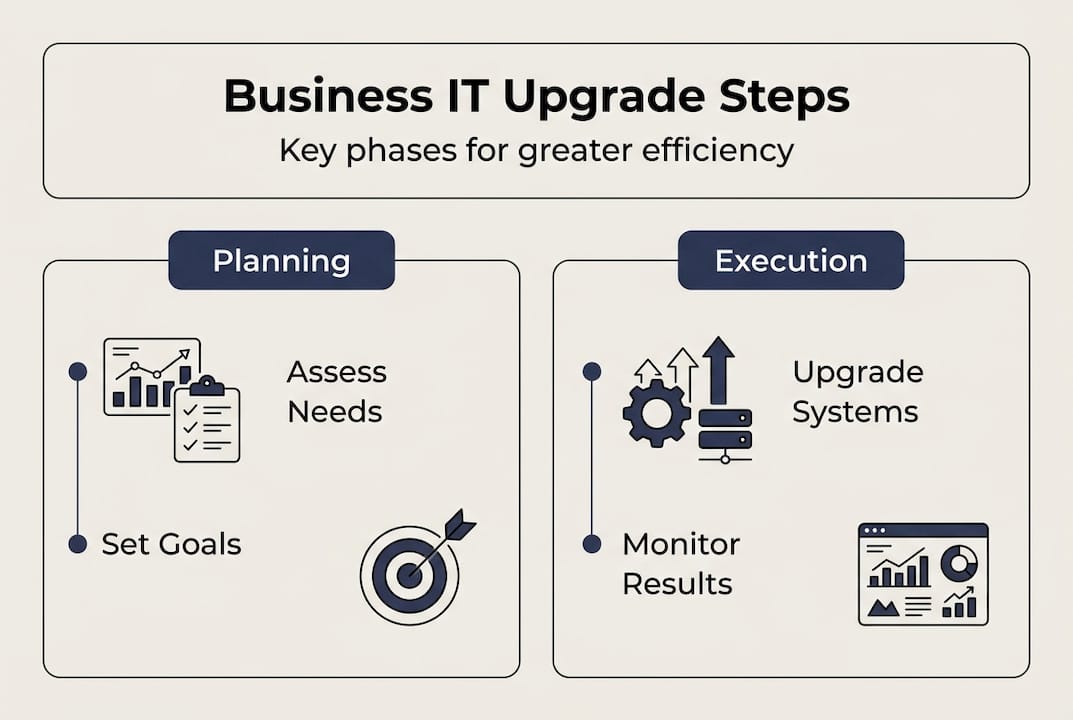
Create a phased upgrade plan spanning 6 to 24 months depending on your scope and budget. Break large projects into manageable phases with clear deliverables and success metrics. This approach reduces risk, spreads costs, and lets you adjust based on early results. Consider these phases:
- Immediate priorities addressing security vulnerabilities and compliance gaps
- Quick wins improving daily operations with minimal disruption
- Strategic investments supporting growth and competitive advantage
- Long-term initiatives building future capabilities
Set quarterly review milestones to track progress against your plan. These checkpoints let you measure actual benefits, adjust priorities based on changing business needs, and maintain momentum. Document what’s working and what isn’t so you can refine your approach continuously.
Pro Tip: Engage key stakeholders from different departments early in your planning process. Their input ensures your IT roadmap addresses real business needs rather than just technical specifications, and their buy-in smooths implementation later.
For comprehensive guidance on building IT capabilities that support business growth, explore core IT management services Brisbane approaches tailored for SMEs.
Establishing a cybersecurity baseline with a 90-day roadmap
Cybersecurity can’t wait for your full IT upgrade to complete. Establishing a solid security baseline protects your business immediately while you work on broader infrastructure improvements. Implement cybersecurity baseline using 90-day roadmap: prioritise MFA, patching, backups, endpoint protection, and incident response with maturity levels.
Start with multi-factor authentication across all critical systems and accounts. MFA adds a second verification step beyond passwords, blocking most unauthorised access attempts even if credentials are compromised. Prioritise MFA for email, financial systems, cloud services, and administrative accounts first, then expand to all user accounts. Modern MFA solutions using authenticator apps or hardware tokens are user-friendly and dramatically improve security.
Regular patching of operating systems and software fixes known vulnerabilities before attackers can exploit them. Create a patch management schedule that applies critical security updates within 72 hours of release and routine updates monthly. Test patches in a small environment first if possible, but don’t let perfect testing delay essential security updates. Unpatched systems remain the primary entry point for most cyberattacks.
Reliable backups protect against ransomware, hardware failure, and human error. Implement the 3-2-1 backup rule: three copies of your data, on two different media types, with one copy stored offsite or in the cloud. Test your restore procedures quarterly to verify backups actually work when you need them. Many businesses discover backup failures only during a crisis.
Deploy endpoint protection on every device accessing business data, including laptops, desktops, tablets, and smartphones. Modern endpoint protection goes beyond traditional antivirus to detect suspicious behaviour, isolate infected devices, and prevent malware spread across your network. Centralised management lets you monitor all endpoints from a single dashboard and enforce security policies consistently.
Develop an incident response plan outlining exactly what to do when a security breach occurs. Document who to contact, how to contain the incident, communication protocols, and recovery steps. Run tabletop exercises where your team walks through breach scenarios to identify gaps in your plan. Quick, coordinated response minimises damage and recovery time.
“The businesses that recover fastest from security incidents are those with tested response plans and regular backup verification. Don’t wait for a crisis to discover your procedures don’t work.”
Conduct a skills maturity assessment to guide ongoing security improvements. Evaluate your team’s capabilities across key security domains and identify training needs. This assessment helps you prioritise where to build internal expertise versus engage external specialists.
Pro Tip: Schedule your 90-day cybersecurity sprint as the first phase of your broader IT upgrade. This foundation protects your business immediately and makes subsequent upgrades safer by reducing the attack surface during transitions.
For deeper insights into protecting Brisbane businesses, review comprehensive cyber security strategies designed for SME environments.
Choosing the right IT management approach for your business
How you manage IT operations significantly impacts upgrade success, ongoing costs, and your ability to adapt to changing needs. Brisbane SMEs typically choose between managed IT services, in-house teams, or hybrid models. Each approach offers distinct advantages depending on your business size, budget, compliance requirements, and growth plans.
Choose managed IT services over in-house for Brisbane SMEs: predictable costs, 24/7 monitoring, expertise in compliance. Managed service providers deliver enterprise-grade capabilities at SME-friendly prices through economies of scale. You gain access to a full team of specialists across security, networking, cloud, and compliance rather than relying on one or two generalists. This depth of expertise accelerates problem resolution and keeps your systems current with evolving best practices.
Cost predictability represents a major managed IT advantage. Fixed monthly fees cover monitoring, maintenance, support, and often hardware refresh cycles. This predictable budgeting eliminates surprise repair bills and makes IT costs a manageable operational expense rather than unpredictable capital expenditure. You can forecast IT spending accurately and allocate resources to other business priorities.
Proactive monitoring and maintenance prevent problems before they disrupt operations. Managed service providers continuously monitor your systems, applying patches, optimising performance, and addressing issues during off-hours. This proactive approach reduces downtime and keeps your team productive rather than waiting for systems to fail before reacting.
Compliance expertise matters increasingly as regulations tighten around data protection and privacy. Quality managed service providers understand Australian regulatory requirements and implement controls meeting these standards. They document your compliance posture, conduct regular audits, and adjust security measures as regulations evolve.
In-house IT teams offer more direct control and immediate availability for proprietary systems or unique business processes. If your operations depend on highly specialised or custom-built systems, in-house expertise may prove essential. However, building and retaining a skilled in-house team costs significantly more than managed services, and coverage gaps emerge during leave or turnover.
Hybrid models combine managed services for core infrastructure with in-house specialists for business-critical or proprietary systems. This approach suits SMEs with specific technical requirements while maintaining cost efficiency for standard IT functions. You retain strategic control over key systems while leveraging external expertise for security, networking, and routine support.
| Approach | Best for | Key advantage | Consideration |
|---|---|---|---|
| Managed IT | Most Brisbane SMEs | Predictable costs, 24/7 expertise | Less direct control |
| In-house | Highly specialised needs | Immediate availability, deep context | Higher costs, coverage gaps |
| Hybrid | Mixed requirements | Balance control and efficiency | Coordination complexity |
Pro Tip: Start with managed services for your core infrastructure and security, then evaluate whether specific business needs justify adding in-house specialists. This progression minimises risk and cost while you learn what capabilities matter most for your operations.
Explore detailed comparisons in our managed IT vs in-house guide and discover how managed IT and support services adapt to Brisbane business needs.
Executing core system upgrades for operational efficiency
With your roadmap defined, security baseline established, and management approach chosen, you’re ready to execute core system upgrades that deliver measurable operational improvements. Core system upgrades yield ROI via reduced operational costs: 30-75% savings in some cases, faster with internal teams plus niche consultants.

Identify which core systems deliver the highest operational impact when upgraded. Enterprise resource planning systems, customer relationship management platforms, and network infrastructure typically offer the strongest returns. Prioritise systems where current limitations directly constrain business growth, cause frequent support issues, or require excessive manual workarounds. These pain points signal where upgrades will deliver immediate, visible benefits.
Plan upgrades to minimise downtime and operational disruptions. Schedule major changes during low-activity periods and communicate timelines clearly to all affected staff. Create rollback plans for every significant change so you can quickly restore service if problems emerge. Pilot new systems with a small user group before full deployment to identify issues in a controlled environment.
Engage the right mix of internal expertise and external specialists for optimal results. Your internal team understands your business context and can guide requirements, while niche consultants bring deep technical expertise for specific platforms or technologies. This combination delivers faster, more cost-effective implementations than relying solely on large consulting firms.
Avoid tier-one consultants for standard system upgrades. Large consulting firms often bring unnecessary complexity, higher costs, and slower delivery timelines. Their processes suit enterprise-scale transformations but create overhead that outweighs benefits for SME projects. Niche specialists with relevant platform expertise typically deliver better outcomes at lower cost for focused upgrade projects.
Track operational savings and efficiency improvements post-upgrade to validate your investment. Measure metrics like:
- System uptime and availability improvements
- Reduction in support tickets and IT incidents
- Time saved on routine tasks through automation
- Faster processing of customer transactions or requests
- Decreased manual workarounds and data entry
Document these improvements quarterly and share results with stakeholders. Demonstrating tangible benefits builds support for ongoing IT investment and helps prioritise future upgrades. Real operational data proves IT value far more effectively than technical specifications.
| System type | Typical upgrade benefit | Implementation timeframe |
|---|---|---|
| ERP/business management | 40-60% reduction in manual processes | 3-6 months |
| Network infrastructure | 50-70% improvement in application performance | 1-3 months |
| CRM platform | 30-45% increase in customer response speed | 2-4 months |
| Cloud migration | 25-50% reduction in infrastructure costs | 2-6 months |
Pro Tip: Celebrate early wins publicly within your organisation. When staff see tangible improvements from IT upgrades, they become advocates for change rather than resisters, smoothing adoption of subsequent improvements.
For practical implementation support, explore core IT management services Brisbane approaches that accelerate upgrade delivery.
Improve business IT with expert support from IT Start
Upgrading your business IT infrastructure requires expertise, planning, and ongoing support to deliver lasting operational benefits. IT Start specialises in helping Brisbane SMEs navigate complex IT upgrades with tailored solutions that match your business goals, budget, and compliance requirements. Our team brings deep experience across managed IT services, cloud solutions, and cybersecurity, ensuring your upgrades deliver measurable efficiency gains while protecting your operations.
We understand Brisbane businesses face unique challenges balancing growth ambitions with resource constraints. Our business IT support services provide predictable, proactive management that keeps your systems running smoothly while you focus on core business activities. From initial assessment through implementation and ongoing optimisation, we partner with you to build IT capabilities that support your success.
Explore our cloud services to modernise infrastructure with scalable, cost-effective solutions, and strengthen your security posture with comprehensive cyber security services designed for SME environments.
Frequently asked questions
How long does it typically take to upgrade business IT?
Typical IT upgrade timeframes range from 6 to 24 months depending on scope, budget, and complexity. A phased approach with quarterly reviews provides better control and allows you to adjust priorities based on early results. Smaller focused projects like establishing a cybersecurity baseline can achieve meaningful results within 90 days, while comprehensive infrastructure modernisation requires longer timelines.
Should we choose managed IT services or build an in-house team?
Managed IT services offer cost predictability, 24/7 expertise, and compliance support that most Brisbane SMEs find more practical than building in-house teams. In-house teams provide direct control but typically cost significantly more and face coverage gaps during leave or turnover. Hybrid models suit businesses with specialised needs or proprietary systems, combining managed services for core infrastructure with in-house specialists for unique requirements.
What are the key cybersecurity steps to prioritise in an IT upgrade?
Prioritise implementing multi-factor authentication across all critical systems first, as it blocks most unauthorised access attempts. Ensure regular patching of software and operating systems to fix known vulnerabilities before attackers exploit them. Set up reliable data backups following the 3-2-1 rule and test restore procedures quarterly. Deploy endpoint protection on all devices accessing business data and develop a tested incident response plan so your team knows exactly what to do when security incidents occur.
What operational cost savings can we expect from core system upgrades?
Core system upgrades typically deliver 30-75% reductions in operational costs when executed well, according to Australian IT research. Specific savings vary by system type and current state, but common benefits include reduced manual processing time, fewer support incidents, improved system uptime, and decreased infrastructure costs through cloud migration. Track metrics before and after upgrades to quantify your specific returns and justify ongoing IT investment.
How do we maintain business operations during major IT upgrades?
Maintain operations by scheduling major changes during low-activity periods and communicating timelines clearly to all affected staff. Create detailed rollback plans for every significant change so you can quickly restore service if problems emerge. Pilot new systems with a small user group before full deployment to identify and resolve issues in a controlled environment. Engage experienced implementation partners who understand how to minimise disruption while delivering upgrade benefits.