
Cyber attacks cost Australian businesses more than $33 billion each year, making WiFi security a serious concern for companies of all sizes. Small oversights can leave networks exposed and put valuable data and reputation at risk. Understanding how to assess vulnerabilities and implement strong security measures helps every Australian organisation build a safer wireless environment that keeps information and daily operations protected.
Table of Contents
- Stage 1: Assess Current WiFi Security And Identify Vulnerabilities
- Stage 2: Configure Strong WiFi Encryption And Authentication Settings
- Stage 3: Implement Network Segmentation For Guest And Business Access
- Stage 4: Set Device Policies And Monitor Ongoing WiFi Activity
- Stage 5: Verify Security Measures And Schedule Regular Reviews
Step-by-Step Guide: Business WiFi Security for Brisbane SMEs
| Key Takeaway | Explanation |
|---|---|
| 1. Perform a comprehensive security assessment | Assess your WiFi setup using professional tools to identify vulnerabilities and potential weaknesses in your network. |
| 2. Upgrade to WPA3 and complex passwords | Implement WPA3 encryption and use long, complex passwords to enhance the security of your wireless network. |
| 3. Isolate guest and business networks | Create separate VLANs for guests to protect sensitive business data and limit access to internal resources. |
| 4. Regularly monitor network activity | Use advanced monitoring tools to track devices and detect suspicious activities, ensuring timely responses to threats. |
| 5. Conduct quarterly security audits | Schedule thorough audits every three months to evaluate security measures and address any newly discovered vulnerabilities. |
Stage 1: Assess current WiFi security and identify vulnerabilities
Securing your business WiFi starts with understanding exactly what vulnerabilities exist in your current network. Conducting a thorough security assessment allows you to pinpoint potential weaknesses before cybercriminals can exploit them.
Begin by performing a comprehensive network scan using professional vulnerability assessment tools. Professional IT services like the Office of Digital Government vulnerability assessment service recommend running automated network scanning software that can detect open ports, misconfigured network settings, and potential entry points for cyber attackers. Focus on examining router configurations, checking firmware versions, reviewing wireless encryption protocols, and identifying any outdated or unpatched network equipment.
Map out all connected devices including smartphones, laptops, tablets, and IoT devices. Each device represents a potential security risk if not properly secured. Document their current access levels, authentication methods, and potential security gaps. Pay special attention to devices with default passwords or those running older operating systems that might have known security vulnerabilities.
Practical Insight: Run multiple scanning tools and cross reference their results to ensure you capture every potential network weakness comprehensively.
Here’s a quick summary of common WiFi vulnerabilities and their business risks:
| Vulnerability Type | Example Scenario | Business Impact |
|---|---|---|
| Outdated firmware | Router running old software | Increased risk of exploitation |
| Weak encryption | Using WEP or WPA instead of WPA3 | Sensitive data is easily stolen |
| Default admin credentials | Router not reconfigured | Unauthorised access to network |
| Unpatched devices | IoT device with old OS | Creates a gateway for attackers |
| Poorly segmented networks | Guest and business users share WiFi | Internal systems exposed |
Stage 2: Configure strong WiFi encryption and authentication settings
Taking control of your business WiFi security means implementing robust encryption and authentication protocols that protect your network from potential intrusions. This stage is about creating multiple layers of defence that make it incredibly challenging for unauthorised users to access your sensitive business data.
Start by upgrading your WiFi router to use WPA3 encryption standard which provides the strongest available wireless security. Configure your network to use complex passwords that combine uppercase and lowercase letters, numbers, and special characters. Aim for passwords that are at least 14 characters long and avoid using any personally identifiable information. Implement two factor authentication wherever possible to add an extra verification layer beyond simple password protection.

Segment your network by creating separate WiFi networks for different purposes. Set up a guest network that is completely isolated from your primary business network to prevent potential security breaches. Regularly update router firmware and disable remote administration features that could potentially expose your network to external threats.
Practical Insight: Change your default router administrator password immediately and disable WPS functionality which can create unexpected security vulnerabilities.
This table compares key WiFi authentication and encryption options for Australian businesses:
| WiFi Security Protocol | Strength | Ease of Setup | Recommended For |
|---|---|---|---|
| WEP | Very low | Easy (obsolete) | Not recommended |
| WPA2 | Moderate | Moderate | Home & legacy business |
| WPA3 | Highest | Moderate to high | All modern organisations |
| 802.1X (Enterprise) | Very high | Requires IT setup | Larger businesses, SMEs |
Stage 3: Implement network segmentation for guest and business access
Network segmentation is your strategic defence mechanism for protecting sensitive business data while still maintaining flexible network access. By creating distinct network zones, you can control and minimise potential security risks across different user groups and device types.

Begin by configuring separate virtual local area networks (VLANs) that completely isolate your critical business network from guest or visitor networks. As outlined in the South Eastern Sydney Local Health District’s Network Security Policy, it is crucial to implement strict controls that prevent unauthorized wireless communications between network segments. Your primary business VLAN should have the most stringent security settings with limited access points and robust authentication requirements.
Create a completely isolated guest network with restricted bandwidth and zero access to internal business resources. Configure this network to automatically expire guest credentials after a set time period and implement strict firewall rules that prevent any potential cross network contamination. Use MAC address filtering to register and track approved devices on your business network, ensuring that only authorized hardware can connect to sensitive systems.
Practical Insight: Regularly audit your network segmentation configuration and conduct penetration testing to verify that your network boundaries remain secure and impenetrable.
Stage 4: Set device policies and monitor ongoing WiFi activity
Establishing comprehensive device policies and maintaining vigilant network monitoring are critical steps in protecting your business WiFi infrastructure. These strategies help you proactively identify and neutralise potential security threats before they can cause significant damage.
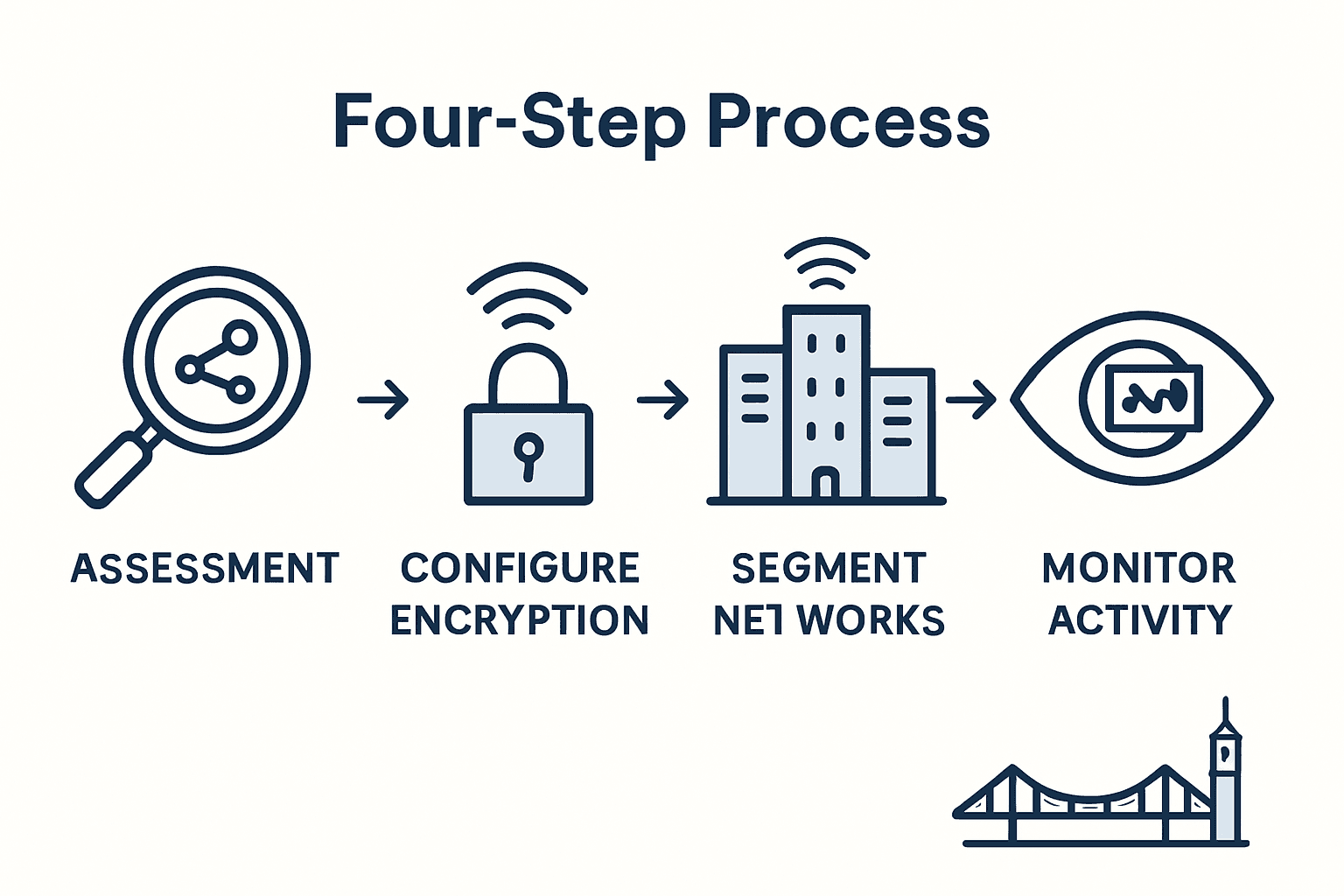
Implement strict device management protocols that require all connected devices to meet specific security standards. According to the WA Cyber Security Unit’s Essential Eight Assessment guidelines, conduct vulnerability scans daily to identify missing patches or system updates. Develop a standardised configuration checklist that mandates minimum security requirements for all devices accessing your business network such as updated operating systems, current antivirus software, and mandatory encryption settings.
Utilise advanced network monitoring tools that provide real time insights into network traffic, user activity, and potential security anomalies. Configure automated alerts for suspicious activities like unauthorized login attempts, unusual data transfer volumes, or connections from unknown devices. Establish clear protocols for immediate investigation and response to any detected security incidents, ensuring your team can swiftly isolate and address potential breaches.
Practical Insight: Create a comprehensive device registration process that requires employees to formally document and obtain approval for any new device before connecting to the business network.
Stage 5: Verify security measures and schedule regular reviews
Maintaining robust WiFi security is an ongoing process that requires consistent evaluation and proactive management. Your goal is to create a dynamic security strategy that adapts to emerging threats and technological changes while protecting your business network.
Conduct comprehensive security audits at least quarterly using professional vulnerability assessment techniques. As recommended by the Office of Digital Government vulnerability assessment service, your review should include running sophisticated scanner applications, thoroughly examining network configurations, and identifying potential entry points for cyber threats. These assessments help you systematically document and address any security gaps before they can be exploited. Implement comprehensive IT security assessment protocols that cover network infrastructure, device policies, user access controls, and potential vulnerabilities.
Establish a standardised review process that includes detailed reporting, tracking of security improvements, and continuous employee training. Create a security calendar that mandates regular penetration testing, software updates, and compliance checks. Assign specific team members responsible for monitoring network activity and conducting periodic security evaluations to ensure accountability and consistency.
Practical Insight: Develop a comprehensive incident response plan that outlines specific steps for addressing potential security breaches, ensuring your team can react quickly and effectively to any emerging threats.
Protect Your Business WiFi with Expert IT Support from IT Start
Securing your business WiFi network is essential to prevent unauthorised access and protect sensitive data from cyber threats. If you recognise the risks of outdated firmware, weak encryption, and poor network segmentation detailed in the article, you are not alone. Many Brisbane SMEs face the challenge of keeping pace with evolving cyber security demands while maintaining seamless business operations. With IT Start’s proactive managed IT support and cybersecurity services, you can confidently address these vulnerabilities using industry best practices such as WPA3 encryption, network segmentation, and continuous monitoring.
Don’t let WiFi security gaps compromise your business integrity or customer trust. Take control today by partnering with local Brisbane experts who understand your unique needs and compliance requirements. Discover how IT Start helps businesses improve network resilience and operational efficiency by providing tailored cloud solutions and comprehensive IT management.
Ready to strengthen your WiFi security and reduce cyber risk now? Reach out for a free consultation and customised security assessment at Contact IT Start. Let our certified team guide you through every step to a safer, more reliable business network.
Frequently Asked Questions
How can I assess the current security of my business WiFi?
To assess your business WiFi security, perform a thorough security assessment using vulnerability scanning tools. Start by examining router configurations, checking for outdated firmware, and documenting all connected devices within 30 days.
What encryption standard should I use to secure my business WiFi?
You should upgrade your WiFi to use WPA3 encryption, which provides the highest level of security. Ensure you configure a complex password that is at least 14 characters long to enhance protection against unauthorised access.
How can I segment my network to improve WiFi security?
To improve WiFi security, create separate virtual local area networks (VLANs) that isolate your critical business network from guest networks. Implement strict access controls to maintain security, and conduct this set-up within 14 days to minimise risks.
What device management policies should I implement for my business?
You should establish strict device management protocols that require all devices connecting to your network to meet specific security standards. Regularly conduct vulnerability scans to enforce compliance, preferably on a daily basis.
How often should I review and update my WiFi security measures?
You should conduct comprehensive security audits at least every quarter to ensure your WiFi remains secure. Schedule detailed reviews using professional scanning tools, and document any improvements or gaps within 30 days following the audit.
What steps should I take if I detect a security breach in my WiFi network?
If you detect a security breach, immediately initiate your incident response plan to isolate affected systems and stop further unauthorised access. Follow the established protocols to investigate the breach and rectify any vulnerabilities within 24 hours.