TL;DR:
- Enabling MFA, verifying backups, and automating patching are essential steps for Brisbane SMB cybersecurity.
- Most businesses lack consistent daily habits for these controls, risking their resilience and data security.
Enable MFA, verify your backups actually restore, and turn on automated patching across Microsoft 365 and your critical systems. Those three actions, mapped to the ACSC Essential Eight, are where every Brisbane SMB should start. The Essential Eight uses a maturity model from Level 0 to Level 3. For most businesses with a moderate number of staff, reaching Maturity Level 1 is the practical goal. IT Start works through this with clients every week, and the pattern is always the same: awareness is there, but the daily habits are not. Australian small businesses know the risk is real, yet patching, MFA and tested backups remain inconsistent across the board.
Quick wins you can start this week:
- Enable MFA on all Microsoft 365 accounts and admin portals (Essential Eight: MFA control)
- Confirm your backup is actually running and test a file restore today (Essential Eight: regular backups)
- Turn on automatic updates for Windows and Microsoft 365 apps (Essential Eight: patch OS and applications)
- Remove local admin rights from standard user accounts (Essential Eight: restrict admin privileges)
- Audit which internet-facing services are exposed, especially Remote Desktop Protocol
Pro Tip: A backup that has never been restored is effectively worthless. Run a full restore drill now, document how long it takes, and set a calendar reminder to repeat it quarterly.
The biggest mistake we see: businesses assume one product fixes everything. It does not. Resilience comes from repeatable processes, not a single tool purchase.
Table of Contents
- Are your backups actually working?
- How often should you patch and refresh hardware?
- How do you choose the right Brisbane MSP?
- Does data sovereignty matter for your Brisbane business?
- Your 30/90/180 day roadmap
- How do cloud and on-premises systems work together for Brisbane SMBs?
- IT Start helps Brisbane businesses run resilient IT
- Key takeaways
- FAQ
Are your backups actually working?
We ask every new client this question. The honest answer is usually “I think so.” That is not good enough.
Follow the 3-2-1 rule: three copies of your data, on two different media types, with one copy offsite or in the cloud. Cloud backups count toward that offsite copy, but only if restores are tested. Schedule a full restore drill at least quarterly and document your Recovery Time Objective (RTO) and Recovery Point Objective (RPO) for each critical system. If you do not know how long recovery takes, you cannot plan around it. Pair this with secure data practices to cover the full picture.
How often should you patch and refresh hardware?
Patch operating systems and applications within two weeks of a critical release. That is the Essential Eight Maturity Level 1 standard. For internet-facing services, aim for 48 hours.

Hardware refresh matters too. A machine running an unsupported OS or sitting past its five-year mark is a liability, not an asset. We regularly find Brisbane offices running Windows 10 on hardware that cannot upgrade, which creates a patching dead end. Build a simple IT vulnerability register and review it every six months.
How do you choose the right Brisbane MSP?
Ask these questions before you sign anything:
- What is your guaranteed response time for a critical outage?
- Do you have engineers who can come onsite in Brisbane?
- How do you map your services to the ACSC Essential Eight?
- Can you show me a backup restore test from a current client?
- What certifications do you hold? (Look for SMB 1001 Gold as a baseline)
Red flags: vague SLAs, no local presence, no mention of the Essential Eight, and pricing that seems too low to include monitoring. A managed service that does not include 24/7 alerting is not really managed.
Does data sovereignty matter for your Brisbane business?
For financial services, healthcare and legal firms, yes, it matters significantly. Storing data in Australian data centres keeps you inside the Privacy Act 1988 framework and reduces cross-border data transfer risk. Some cloud platforms default to overseas regions unless you explicitly configure otherwise. Local Brisbane data centre hosting gives regulated businesses a clear, auditable answer when clients or regulators ask where their data lives.
Your 30/90/180 day roadmap
| Phase | Duration | Key actions |
|---|---|---|
| Quick wins | Days 1–30 | MFA on all accounts, backup verification and first restore test, automatic patching enabled, admin rights reviewed |
| Core hygiene | Days 30–90 | Full asset inventory, patch management process formalised, endpoint monitoring deployed, Microsoft 365 security baseline applied |
| Hardening | Days 90–180 | Network segmentation, secure remote access (VPN or zero-trust gateway), disaster recovery plan documented and tested, annual DR drill scheduled |
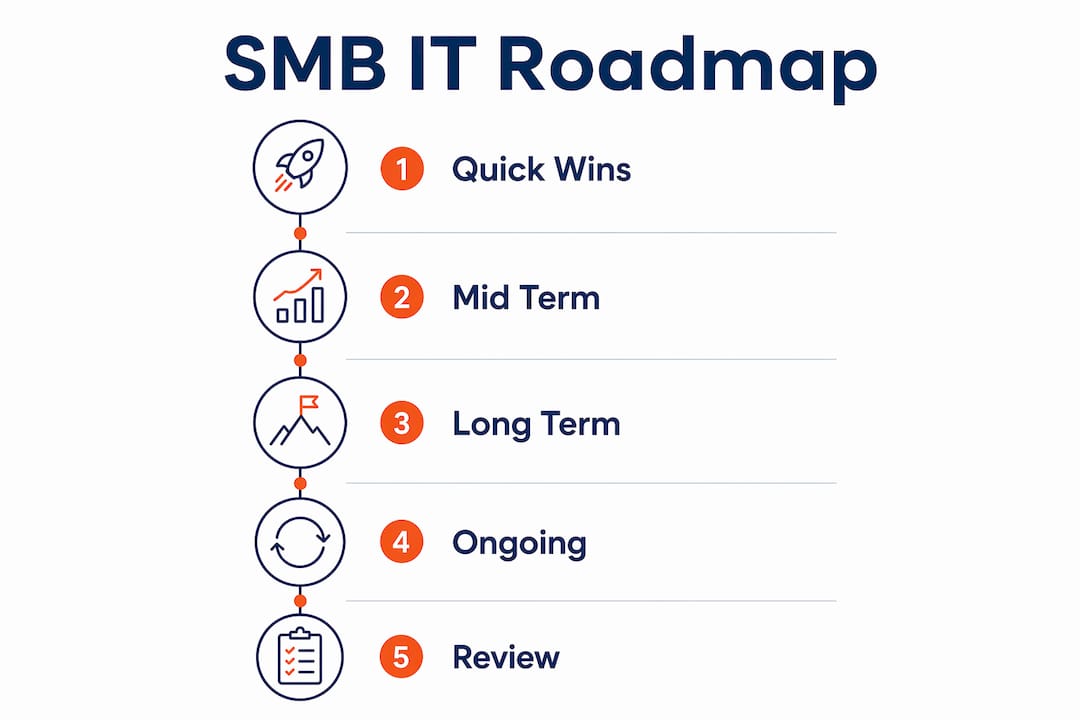
This SMB roadmap structure aligns directly with Essential Eight prioritisation and gives you measurable checkpoints at each stage.
How do cloud and on-premises systems work together for Brisbane SMBs?
Most Brisbane SMBs run a hybrid setup: Microsoft 365 in the cloud, a local server or NAS for files, and maybe a line-of-business application that cannot move to the cloud yet. The risk is that each layer has different backup and patching requirements, and gaps appear at the joins.
Cloud services like Microsoft 365 are not automatically backed up by Microsoft. You need a third-party backup tool covering Exchange, SharePoint and Teams. On-premises servers need their own backup schedule, separate from the cloud copy. Cloud services that include local Brisbane hosting can reduce latency for applications that need it, while keeping your data onshore for compliance.
IT Start helps Brisbane businesses run resilient IT
IT Start holds SMB 1001 Gold certification and works exclusively with Brisbane SMBs across professional services, healthcare and legal. The engagement covers MFA rollout, patch and asset hygiene, daily monitoring, backup design with tested recovery, and network segmentation. All of it maps directly to the Essential Eight.
A typical engagement starts with a free assessment, then moves through the 30/90/180 roadmap with clear checkpoints. Response SLAs for critical issues are defined before work begins, not after. For businesses in regulated sectors, IT Start offers a local Brisbane data centre hosting option so data sovereignty is never a question.
If your business has no tested backup, no MFA, and no patching process, that is exactly where to start. Get a free IT assessment or explore IT Start’s cyber security services to see what a structured engagement looks like.
Key takeaways
Building resilient IT infrastructure in Brisbane starts with three controls: MFA, tested backups, and automated patching, all mapped to the ACSC Essential Eight at Maturity Level 1.
| Point | Details |
|---|---|
| Start with three controls | Enable MFA, verify backups restore, and automate patching before anything else. |
| Test restores, not just backups | A backup that has never been restored gives you false confidence; drill quarterly. |
| Follow the 30/90/180 roadmap | Quick wins in 30 days, core hygiene by 90, network hardening and DR testing by 180. |
| Data sovereignty matters locally | Brisbane-hosted data keeps regulated businesses inside the Privacy Act 1988 framework. |
| IT Start | Holds SMB 1001 Gold certification and delivers the full Essential Eight roadmap for Brisbane SMBs. |
FAQ
What is the ACSC Essential Eight?
The Essential Eight is a set of eight baseline cyber security controls recommended by the Australian Cyber Security Centre. Small businesses should aim for Maturity Level 1 as a practical starting point.
How long does it take to build resilient IT systems?
Quick wins like MFA and backup verification take days; a full 30/90/180 roadmap covering patching, monitoring, and disaster recovery testing typically takes six months.
What certifications should a Brisbane MSP hold?
SMB 1001 Gold is a strong baseline indicator. Ask any provider to show how their services map to the ACSC Essential Eight before you commit.
Does Microsoft 365 back up my data automatically?
No. Microsoft 365 does not include a full backup by default. You need a third-party backup solution covering Exchange, SharePoint, and Teams data separately.
How much does managed IT support cost for a Brisbane SMB?
Pricing varies by scope and team size; a general guide for a 10–30 person business is a monthly managed services fee covering monitoring, patching, helpdesk, and backup management. IT Start provides scoped estimates after a free assessment.