
User-based access control (UBAC) assigns permissions directly to individual user identities rather than to roles or attribute rules. If your organisation has a small team with many bespoke access exceptions, or you need a clear per-user audit trail, UBAC is worth serious consideration. If you need to govern access for 200 staff with consistent role structures, start with role-based access control (RBAC) instead.
Quick signals to help you decide:
- UBAC fits when you have contractors, part-time staff, or client-specific data separation needs where no clean role mapping exists.
- UBAC fits when auditability matters more than administrative convenience, such as in legal, finance, or healthcare environments.
- Avoid UBAC as your primary model when you need organisation-wide governance at scale. Managing a moderate number of individual entitlement sets is feasible; managing a very large number is not.
- First step: run a quick inventory of your users and count how many access exceptions you currently maintain. If exceptions outnumber standard role assignments, you likely already have an informal UBAC pattern, and formalising it will reduce risk.
Table of Contents
- What is user-based access control and how does it work?
- How does UBAC compare to RBAC and ABAC?
- Where does UBAC actually fit? Real use cases for Australian SMBs
- How to implement user-based access control for your SMB
- What most businesses get wrong with access control
- Australian compliance and governance considerations for UBAC
- What to look for in tooling and when to bring in a managed service
- Key takeaways
- The case for pragmatic hybrid access control
- How IT Start helps Queensland SMBs get access control right
- Useful sources and further reading
- FAQ
What is user-based access control and how does it work?
UBAC binds permissions to a specific user identity, not to a group or role that the user happens to occupy. Each user has their own entitlement record: which resources they can access, what actions they can perform, and under what conditions. That binding is direct and explicit.
The core vocabulary you need:
- Subject / principal: the authenticated identity making an access request, typically a user account in Azure Active Directory or on-premises Active Directory.
- Resource: the object being protected, such as a file share, database, mailbox, or application.
- Permission: the specific action allowed on a resource (read, write, delete, execute).
- Entitlement: the full set of permissions granted to a principal across all resources.
- Principle of least privilege: grant only the minimum permissions needed for the task, nothing more.
- Audit trail: a timestamped log of who accessed what, when, and from where.
Visually, the relationship is simple: user identity maps to individual entitlements, which gate access to resources. There is no intermediary role object sitting between the user and the permission.
UBAC sits inside your broader identity and access management (IAM) architecture. In practice, the identity source is usually Microsoft Azure AD or an on-premises Active Directory, and provisioning happens through tools like Microsoft Entra ID (formerly Azure AD), Okta, or a managed service provider’s provisioning workflow. The ACSC small business cyber security guide recommends identifying each user and reviewing their permissions for files, databases, mailboxes, and applications as a baseline step, which is essentially a UBAC discovery exercise whether you call it that or not.
How does UBAC compare to RBAC and ABAC?
The three dominant access control models each solve a different problem. Understanding the architectural difference is what lets you pick the right one, or the right combination.

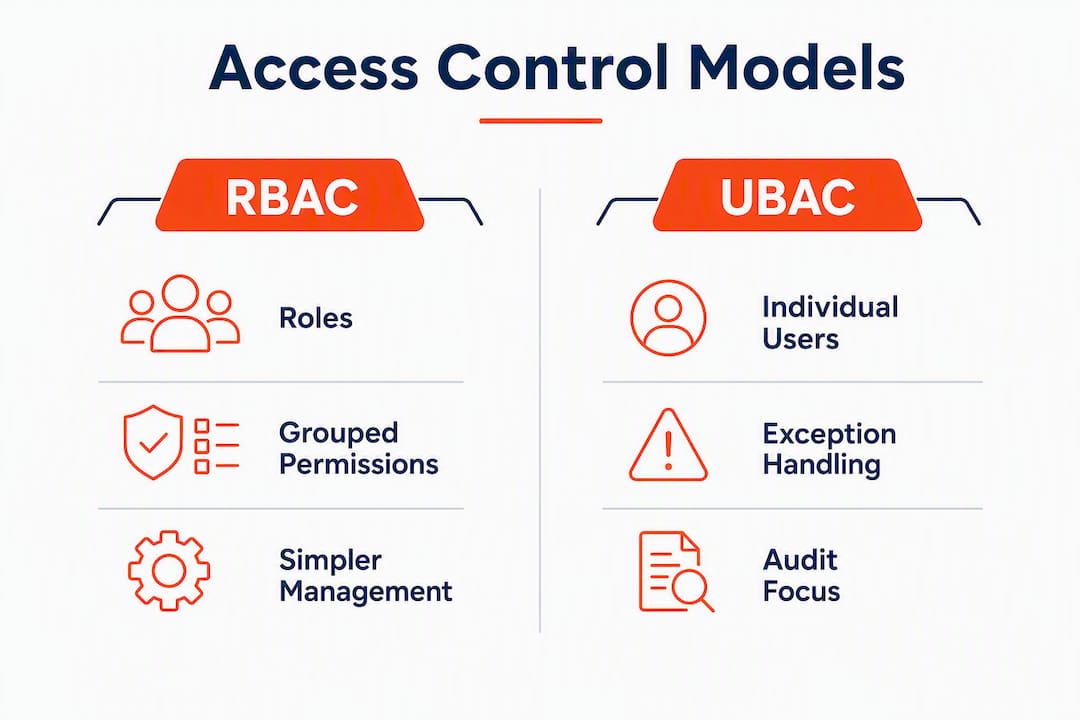
RBAC (role-based access control) assigns permissions to roles, and users inherit permissions by being assigned to a role. A “Finance Officer” role carries read access to the accounts payable folder; every user in that role gets that access automatically. RBAC suits stable role structures and is simpler to implement, but it becomes rigid as organisations grow and exceptions accumulate.
ABAC (attribute-based access control) evaluates attributes about the user, the resource, the action, and the environment at runtime. A policy might say: “allow access if the user’s department is Finance AND the data sensitivity is Low AND the device is compliant AND the time is between 8 AM and 6 PM.” ABAC suits regulated industries requiring fine-grained, context-aware policies and is central to Zero Trust architectures.
UBAC sits between them. It does not require a role abstraction layer, and it does not require attribute policy expressions. It is direct and auditable, but it scales poorly.
| Dimension | UBAC | RBAC | ABAC |
|---|---|---|---|
| Governance overhead | High (per-user management) | Low to medium | High (policy design) |
| Scalability | Low | High | Medium to high |
| Auditability | Excellent (direct identity binding) | Good (via role membership) | Complex (policy evaluation logs) |
| Context sensitivity | Low | Low | High |
| Best fit | Small teams, exceptions, audit-heavy | Stable role structures, scale | Dynamic context, Zero Trust |
Decision checklist:
- Start with RBAC when your team has clear, stable job functions and most users fit neatly into a handful of roles.
- Consider UBAC when you have contractors, break-glass accounts, or client-specific data that does not map to any existing role.
- Add ABAC when compliance or Zero Trust requirements demand context-aware decisions (device posture, location, time of day).
- Most mature environments combine all three: RBAC for broad organisational gates, ABAC for dynamic context, and per-user entitlements for exceptions and high-auditability scenarios.
Honestly, the “which model is better” debate misses the point. The right answer for most Australian SMBs is a pragmatic hybrid, not a pure implementation of any single model.
Where does UBAC actually fit? Real use cases for Australian SMBs
UBAC is not the right default model, but there are specific situations where it is clearly the best tool.
Practical use cases where per-user entitlements make sense:
- Contractor and temporary staff access: a contractor needs access to one specific project folder and one application for six weeks. Creating a role for that is overkill. A direct entitlement with an expiry date is cleaner.
- Audit-sensitive roles: a compliance officer or external auditor needs read access to specific financial records. Assigning them to a broad “Finance” role would over-provision. A scoped per-user entitlement is more defensible.
- Legacy systems without group mapping: older line-of-business applications often cannot consume group memberships from Active Directory. Per-user access is the only option until the system is replaced or wrapped.
- Emergency break-glass accounts: a privileged account used only in emergencies should be a named individual entitlement, not a shared role, so every use is logged against a specific identity.
- Client-specific data separation: professional services firms handling multiple clients often need to prevent staff from accessing other clients’ data. Per-user entitlements tied to client engagement records are more precise than role-based separation.
Anonymised SMB example: a Brisbane-based accounting firm with 18 staff had a single “Staff” security group in Microsoft 365 that gave everyone access to all client folders. After an internal audit flagged the risk, IT Start ran an entitlement review. Each staff member received individual SharePoint permissions scoped to their active client engagements. The result was a clean audit trail showing exactly who accessed which client folder, and the firm passed its next compliance review without remediation items.
Pro Tip: Watch for permission sprawl. Every time you add a per-user exception without a review date, you are adding future maintenance debt. Build an expiry date and an approving manager into every entitlement record from day one.
How to implement user-based access control for your SMB
The core approach: audit what you have, design the entitlement model, enforce it in your identity platform, then monitor and review on a schedule. Here is how that breaks down in practice.

Implementation checklist
1. Discovery
- List every user account in your directory, including service accounts and shared accounts.
- Map each account to the resources it currently accesses (file shares, applications, mailboxes, databases).
- Identify shared accounts and flag them for elimination or vaulting.
- Count access exceptions versus standard role assignments.
2. Design
- Define which access patterns belong in RBAC roles and which are genuine per-user exceptions.
- For each per-user entitlement, document: the user, the resource, the permission level, the business justification, the approving manager, and the review date.
- Apply the principle of least privilege: start with no access and add only what is justified.
3. Enforcement
- Implement entitlements in your identity platform (Microsoft Entra ID, on-premises AD, or your line-of-business application’s own access control).
- For Microsoft 365 environments, use SharePoint site permissions, Exchange mailbox delegation, and Azure AD group assignments with documented owners.
- Enable multi-factor authentication (MFA) for all accounts before enforcing new entitlements. Permissions mean nothing if the account can be compromised with a stolen password.
4. Monitoring
- Enable unified audit logging in Microsoft 365 and Azure AD sign-in logs.
- Set alerts for privilege escalation, bulk file access, and access outside business hours.
- Route logs to a SIEM or managed logging service.
5. Review
- Schedule quarterly entitlement reviews. Every entitlement should have an owner who confirms it is still needed.
- Revoke access immediately on staff departure. Do not wait for the next review cycle.
Sample policy snippet
| Field | Entry |
|---|---|
| User (principal) | Jane Smith (jane.smith@company.com.au) |
| Resource | Client Folder: Acme Pty Ltd (SharePoint) |
| Permission level | Read / Write |
| Business justification | Engagement manager for Acme Pty Ltd |
| Approving manager | John Brown, Director |
| Granted date | 1 March |
| Review / expiry date | 30 June |
| Revocation confirmed | Pending |
Timeline and cost considerations
For a 10 to 50 staff business, a structured implementation typically moves through discovery, entitlement rationalisation, policy enforcement, and a monitoring and adjustment window. The exact duration depends on the complexity of your existing setup, how many legacy systems are involved, and whether you have internal IT staff to drive it. Engaging a managed service provider compresses the timeline significantly because the discovery tooling and policy templates already exist.
Internal staff cost is mostly time: someone needs to own the entitlement records and run the quarterly reviews. If that person does not exist, the model degrades quickly. That is the honest trade-off.
Pro Tip: In Microsoft 365, use Azure AD Privileged Identity Management (PIM) for just-in-time privileged access. It lets you grant elevated permissions for a defined window rather than permanently, which is a clean UBAC pattern for admin tasks.
What most businesses get wrong with access control
The single biggest mistake we see is poor identity hygiene: shared accounts, admin accounts used for daily work, and no MFA. Everything else is secondary.
We see this constantly with new clients. Someone set up a shared “admin@company.com.au” account years ago, gave it global admin rights in Microsoft 365, and now three people use it for day-to-day email and file access. There is no audit trail, no individual accountability, and if that account is compromised, the attacker has the keys to everything.
The ACSC guidance on secure administration is clear: do not use default administrator groups for daily work. Issue separate standard user accounts for everyday tasks and keep privileged accounts vaulted for administration only. This is not complicated, but most SMBs have never done it.
Common failures we fix:
- Shared accounts: multiple staff sharing one login. No auditability, no accountability. Replace with individual accounts immediately.
- Admin accounts used for email and browsing: if an admin account is compromised via a phishing email, the attacker gets admin rights. Use a separate, unprivileged account for daily work.
- No MFA: permissions management is pointless without MFA. A stolen password bypasses every access control model you have built.
- Stale accounts: ex-staff accounts left active for months. We regularly find accounts for people who left a year ago still sitting in Active Directory with full access.
- No entitlement reviews: permissions granted on day one and never revisited. Staff change roles, take on new responsibilities, and accumulate access they no longer need.
Before/after actions that reduce risk quickly:
- Audit all accounts and disable any that have not logged in for 30 days.
- Move all admin tasks to dedicated privileged accounts; standard accounts for everything else.
- Enable MFA across all Microsoft 365 accounts before touching entitlement design.
- Set a calendar reminder for a quarterly access review. That alone catches most stale entitlements.
The ACSC small business guide puts it plainly: restricting access to files, folders, databases, and mailboxes prevents a single compromised account from affecting the entire business. That is the whole argument for least privilege in one sentence.
Australian compliance and governance considerations for UBAC
UBAC can significantly improve your audit trail, but only if you implement it with proper logging and verified identity sources. Without those two things, you have individual entitlements but no evidence of who actually did what.
The ACSC’s Information Security Manual (ISM) includes PROTECT-12, which requires that identity and access management be used to control access to systems, applications, and data. The ISM’s cyber security principles include PRO-13, covering identity, credential, and access management, and GOV-12, which requires that only personnel whose suitability has been established are granted access. UBAC directly supports both principles when implemented with individual, named accounts.
For Australian SMBs, the Privacy Act 1988 and the Australian Privacy Principles (APPs) require that personal information is protected from misuse and unauthorised access. A per-user entitlement model with audit logging gives you the evidence you need if a data breach investigation asks who accessed a specific record.
Audit logging checklist
- Who: log the authenticated user identity (not a shared account) for every access event.
- What: log the resource accessed (file, record, application, mailbox).
- When: timestamp every event with UTC time.
- Where: log the source IP address and device identifier.
- Outcome: log whether access was granted or denied.
- Retention: retain access logs for at least 12 months. Some regulated industries (financial services, healthcare) require longer retention periods.
- Integration: route logs to a SIEM or managed logging service so they are tamper-resistant and searchable.
For Queensland SMBs with compliance obligations, aligning your logging practices with ACSC guidance also positions you well for frameworks like the Essential Eight, which includes restricting administrative privileges as a mitigation strategy.
Pro Tip: When a data breach occurs, the first question investigators ask is “who had access and when?” If your logs are incomplete or stored only on the compromised system, you cannot answer that question. Store logs off-system from day one.
What to look for in tooling and when to bring in a managed service
The right tooling depends on your identity source, your compliance requirements, and how much internal capacity you have to manage entitlements ongoing.
Buying checklist for IAM and entitlement management tools:
- Identity source compatibility: does the tool integrate with your existing directory (Azure AD, on-premises AD, Google Workspace)?
- Audit trail quality: does it log every access event with user, resource, action, and timestamp? Can you export logs to a SIEM?
- Delegation and workflow: can managers approve and revoke entitlements without IT involvement for routine requests?
- Entitlement lifecycle management: does it support expiry dates, review reminders, and automated revocation?
- Reporting: can you generate an entitlement report for a specific user or resource on demand?
- Conditional access support: does it integrate with Azure AD Conditional Access or equivalent for context-aware enforcement?
- Support and local presence: for Australian businesses, consider whether the vendor has local support and whether data residency requirements affect your choice.
Signs you need a managed service rather than a DIY approach:
- You have no internal staff member who owns identity and access management.
- You have frequent access exceptions with no documented approval process.
- Your last entitlement review was more than 12 months ago, or has never happened.
- You are in a regulated industry (financial services, healthcare, legal) and cannot demonstrate access controls to an auditor.
- You are running Microsoft 365 but have never configured Azure AD Conditional Access or Privileged Identity Management.
IT Start works with Brisbane and Queensland SMBs on exactly these problems. An initial cyber security assessment covers your current identity posture, flags the highest-risk gaps, and gives you a prioritised remediation plan. For businesses already on Microsoft 365, the cloud services engagement includes Azure AD configuration, Conditional Access policies, and entitlement documentation as standard.
Key takeaways
User-based access control works best as part of a hybrid model: RBAC for standard roles, UBAC for exceptions and audit-sensitive accounts, and ABAC when context-aware policies are required.
| Point | Details |
|---|---|
| UBAC is for exceptions and auditability | Use per-user entitlements for contractors, break-glass accounts, and client-specific data, not as your primary governance model. |
| Identity hygiene comes first | Fix shared accounts and enable MFA before designing any entitlement model, or the model is meaningless. |
| Logging is non-negotiable | Capture who, what, when, and where for every access event, and store logs off-system for at least 12 months. |
| Quarterly reviews prevent sprawl | Every entitlement needs an owner, a business justification, and a review date, or permissions accumulate unchecked. |
| IT Start can run the assessment | IT Start’s cyber security and cloud services engagements cover identity posture, Azure AD configuration, and entitlement documentation for Queensland SMBs. |
The case for pragmatic hybrid access control
Most articles on access control present UBAC, RBAC, and ABAC as competing choices. In practice, that framing leads SMBs to pick one model and apply it everywhere, which is almost always the wrong call.
What we do first with any new client is run a quick identity audit. Not a formal project, just a look at what accounts exist, who is using them, and what they can access. Nine times out of ten, we find a mix of role-like group memberships, individual exceptions that were never documented, and at least one shared admin account that nobody wants to touch because “things might break.” That is the real starting point, not a clean whiteboard.
Clients often resist the entitlement review step because it feels like extra work. What they are really resisting is accountability. Once every entitlement has a named owner and a review date, someone has to say yes or no when the review comes around. That is uncomfortable. It is also exactly the point.
We measure success simply: can you tell an auditor, in under five minutes, who has access to a specific resource and why? If so, your model is working. If not, it does not matter which framework you chose.
How IT Start helps Queensland SMBs get access control right
Getting identity and access management right is not a one-time project. It requires ongoing entitlement reviews, policy updates as staff change, and someone who knows what they are looking at when the logs flag something unusual.
IT Start runs entitlement reviews, implements IAM and privileged access management (PAM) patterns, and supports Azure AD and Microsoft 365 environments for Queensland SMBs. Here is what an engagement typically covers:
- A current-state identity audit covering all user accounts, shared accounts, and privileged accounts.
- Identification of over-provisioned accounts and stale access.
- Azure AD Conditional Access configuration and MFA enforcement.
- Entitlement documentation with owner, justification, and review date fields.
- Ongoing monitoring and quarterly review support.
If your business is in financial services, legal, or healthcare, IT Start also maps your access controls to relevant compliance obligations, including ACSC guidance and the Australian Privacy Principles. Get in touch with the team at IT Start’s business IT support page to book an initial assessment.
Useful sources and further reading
- ACSC small business cyber security guide: the ACSC’s practical guide for SMBs covering access restriction, MFA, and identity hygiene. Start here if you are new to the topic.
- ACSC secure administration guidance: specific guidance on privileged account management, separate admin accounts, and vaulting. Directly relevant to UBAC implementation.
- ACSC cyber security principles (ISM): the ISM’s GOV-12 and PRO-13 principles covering identity, credential, and access management for Australian organisations.
- ACSC guidelines for personnel security: covers documenting access requirements for different user types including contractors and privileged users.
- Okta: RBAC vs ABAC: a clear vendor-neutral comparison of the two models with guidance on when each fits.
- ORY blog: RBAC vs ABAC: explains hybrid model architectures and when to combine RBAC, ABAC, and per-user rules.
- IT Start: access control methods for Queensland SMBs: practical examples and recommendations for choosing access control models in SMB environments.
- IT Start: cyber security frameworks for Australian businesses: explains how frameworks map to technical controls including identity governance.
FAQ
What is user-based access control?
User-based access control (UBAC) assigns permissions directly to individual user identities rather than to roles or attribute rules. Each user has their own entitlement record specifying which resources they can access and what actions they can perform.
Which is better, RBAC or ABAC?
Neither is universally better. RBAC suits stable role structures and is simpler to manage; ABAC offers finer-grained, context-aware control but requires more design and operational overhead. Most mature environments combine both.
What are the four types of access control?
The four commonly referenced models are discretionary access control (DAC), mandatory access control (MAC), role-based access control (RBAC), and attribute-based access control (ABAC). User-based access control is sometimes treated as a variant of DAC, where the resource owner or administrator assigns permissions directly to named users.
What is an example of RBAC in practice?
A software engineer is assigned to a “Developer” role in Azure AD, which grants access to GitHub repositories and Google Cloud Platform project resources. A manager assigned to a “Team Lead” role inherits the Developer permissions plus access to direct-report performance records. No individual permission assignments are needed because the role carries them.
When should an Australian SMB use UBAC over RBAC?
Use per-user entitlements when you have contractors, client-specific data separation needs, or audit-sensitive roles that do not map cleanly to a standard role. For most SMBs, UBAC works best alongside RBAC rather than replacing it, with the ACSC recommending that each user’s access be reviewed to confirm it matches what they actually need.