
TL;DR:
- Implementing MFA and using dedicated company-managed devices significantly enhances remote work security by preventing most cyberattacks and reducing personal device risks.
- While VPNs encrypt traffic on untrusted networks, adopting Zero Trust Network Access provides more precise application-level security for distributed teams.
- Consistent device updates, enterprise-grade EDR software, robust home network configurations, staff training, and least privilege principles are critical to safeguarding SMB remote work environments effectively.
Multi-factor authentication (MFA) combined with dedicated, company-managed devices is the single most effective foundation for remote work security. 61% of SMBs experienced cyberattacks in 2025, and remote workers are a primary entry point. The industry term for this discipline is endpoint and identity security, and it covers everything from VPN configuration to screen lock policies. This guide covers the top remote work security tips that actually work in practice, based on what we see managing IT for Brisbane businesses every day.
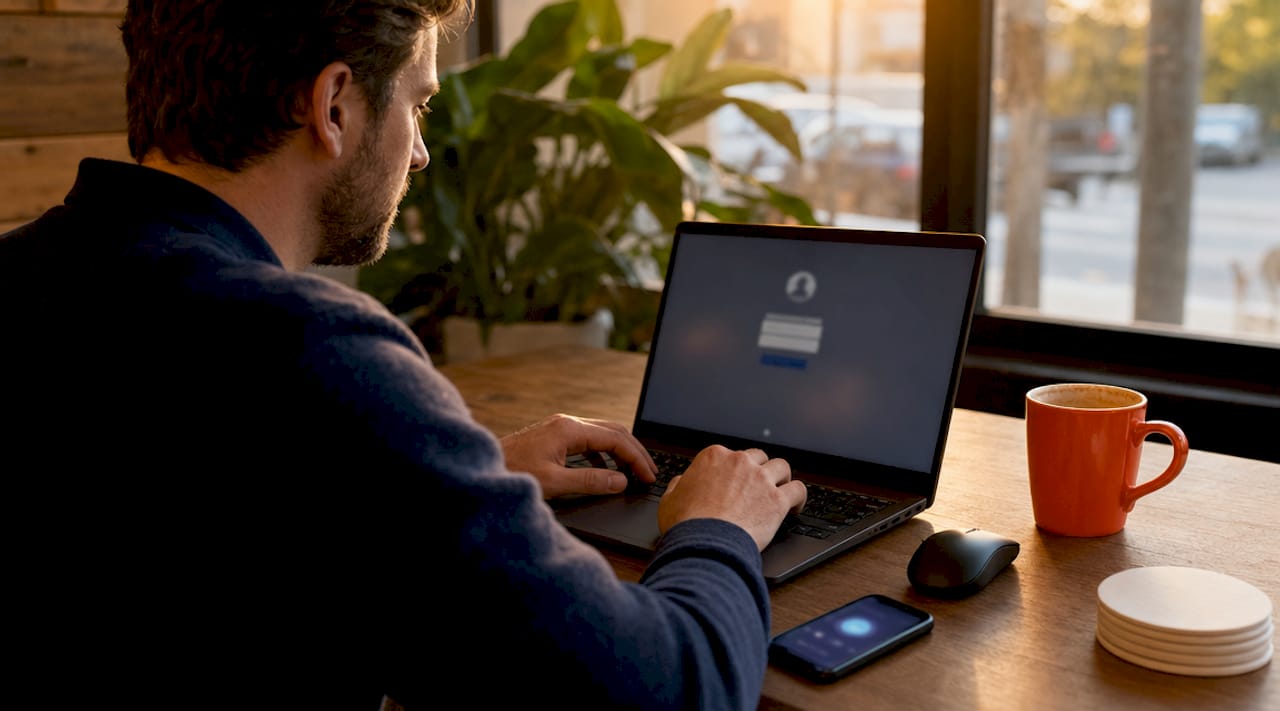
1. Enforce MFA and use dedicated work devices
MFA blocks approximately 99.9% of automated cyberattacks, making it the single highest-return security control available. That figure comes from Microsoft’s own telemetry across millions of accounts. If your staff are accessing Microsoft 365, your VPN, or any cloud app without MFA, you are leaving the front door open regardless of every other control you have in place.
Dedicated, company-managed devices prevent the risks that come with personal laptops: unmanaged browser extensions, pirated software, household malware, and kids downloading games. We see this constantly. A staff member uses their personal MacBook for work because it is faster, and six months later there is a credential-stealing extension sitting in Chrome that nobody noticed.
- Enable MFA on every account: Microsoft 365, email, VPN, and any cloud application
- Use Microsoft Authenticator or a hardware key like a YubiKey rather than SMS codes
- Issue company-owned devices with baseline configurations applied before the employee starts
- Enable full disk encryption (BitLocker on Windows, FileVault on macOS) on all work devices
Pro Tip: If you cannot issue dedicated devices immediately, use Microsoft Intune’s conditional access policies to block personal devices from accessing corporate data until they meet minimum compliance requirements.
2. Use a VPN, but understand its limits
VPNs encrypt traffic between remote devices and your business network, which matters most when staff are working from cafés, airports, or hotel Wi-Fi. On untrusted networks, unencrypted traffic can be intercepted. A VPN closes that gap.
The problem is that legacy VPN-only setups are increasingly inadequate. Users skip the VPN because it slows things down. Once connected, a compromised device has access to the entire network rather than just the specific app it needs. Zero Trust Network Access (ZTNA) addresses this by granting access only to authorised applications, not the full network. It is gaining traction fast among MSPs managing distributed teams.
- Require VPN use on any non-home network as a written policy
- Evaluate ZTNA solutions like Microsoft Entra Private Access or Cloudflare Access for app-specific access control
- Agent-based Secure Web Gateways enforce consistent URL filtering and SSL inspection regardless of which network the device is on, outperforming cloud-proxy architectures for remote workers
The honest reality is that most SMBs we work with are still running a basic VPN with no split tunnelling and no monitoring. That is better than nothing, but it is not a 2026-ready setup.
3. Keep devices updated and deploy EDR
Automatic OS and software updates are not optional. Unpatched vulnerabilities are the most common technical entry point for attackers, and most patches are available within days of a vulnerability being disclosed. The gap between patch release and exploitation is shrinking every year.
Cloud-managed Endpoint Detection and Response (EDR) software like Microsoft Defender for Endpoint provides real-time threat detection on remote devices without requiring any on-premises infrastructure. It monitors for suspicious process behaviour, lateral movement, and known malware signatures. For an SMB with 15 to 40 staff, it is the most practical way to get enterprise-grade endpoint visibility.
Pro Tip: Microsoft Defender for Business is included in Microsoft 365 Business Premium. If your business already pays for that licence and has not activated Defender, you are leaving a major security control unused.
- Enable automatic updates for Windows, macOS, and all third-party applications
- Deploy EDR across every work device, including those used by remote staff
- Screen locks must activate within 5 minutes of inactivity. This is a compliance standard, not a suggestion
- Use Microsoft Intune or another Mobile Device Management (MDM) platform to enforce these settings centrally and enable remote wipe if a device is lost or stolen
4. Lock down your home network
The home router is the weakest link in most remote work setups. Default admin passwords, outdated firmware, and no network segmentation are standard. Strong home Wi-Fi security requires changing default passwords, enabling WPA3 or WPA2 AES encryption, creating separate SSIDs for work devices, and keeping firmware updated.
Creating a separate SSID for work devices isolates your work laptop from the smart TV, the kids’ tablets, and the IoT thermostat. If one of those devices is compromised, it cannot reach your work machine on a separate network segment. This takes about ten minutes to set up on most modern routers and costs nothing.
| Home network action | Why it matters |
|---|---|
| Change default router admin password | Default credentials are publicly listed and exploited automatically |
| Enable WPA3 or WPA2 AES | Older WEP and TKIP encryption can be cracked in minutes |
| Create a separate SSID for work devices | Isolates work traffic from personal and IoT devices |
| Update router firmware regularly | Patches known vulnerabilities in the router itself |
| Disable remote management | Prevents external access to your router’s admin panel |
We tell every client the same thing: your home network is now part of your business network. Treat it accordingly.
5. Secure your collaboration tools
Microsoft Teams, Zoom, and Google Meet have become the primary communication channels for remote teams, and they are also a target. Attackers use meeting link hijacking, credential phishing through fake meeting invites, and social engineering via chat to compromise accounts.
- Enable waiting rooms and require meeting passwords for any external-facing calls
- Never share meeting links publicly on social media or open forums
- Do not share credentials, passwords, or sensitive data via chat. Use a password manager like 1Password or Bitwarden with secure sharing features instead
- Require participant authentication for internal meetings so only verified accounts can join
Training staff on these habits takes one hour. Recovering from a business email compromise because someone shared a password in Teams takes weeks and costs far more.
6. Train staff to spot phishing, especially ClickFix
ClickFix phishing attacks surged by 100% in early 2026, tricking users into pasting malicious PowerShell commands into their own machines by disguising them as CAPTCHA or browser fix prompts. This is a significant shift from traditional email phishing because it bypasses most email filters entirely. The attack relies on the user doing the work for the attacker.
Remote workers are more exposed to phishing than office-based staff because they lack the informal “did you get this weird email?” conversation that happens in person. Phishing awareness training through platforms like KnowBe4 or Proofpoint Security Awareness Training should be run at least quarterly, with simulated phishing tests to measure real behaviour rather than just completion rates.
The types of cyberattacks targeting Queensland businesses have evolved significantly. Staff need to know what ClickFix looks like, not just the classic “Nigerian prince” email.
7. Apply least privilege and monitor for anomalies
Behavioural analytics and contextual intelligence detect compromised remote sessions that static controls miss entirely. If a staff member’s account logs in from Brisbane at 9am and then from Eastern Europe at 10am, that is a flag. If someone who normally accesses three SharePoint folders suddenly starts downloading everything in sight, that is a flag. These patterns are invisible without monitoring.
Role-based access control and least privilege mean staff only have access to the data and systems they need for their specific job. This limits the blast radius of any compromise. A compromised account with access to everything is a catastrophe. A compromised account with access to three folders is a contained incident.
Microsoft Entra ID (formerly Azure AD) conditional access policies and Microsoft Intune together give you the tools to enforce this without building a custom security stack. For most SMBs, that combination covers the majority of identity and device risk.
Key takeaways
Securing remote work requires MFA, dedicated devices, and consistent policy enforcement across every endpoint and identity, regardless of location.
| Point | Details |
|---|---|
| MFA is non-negotiable | MFA blocks 99.9% of automated attacks and must cover every cloud app and VPN. |
| Dedicated devices reduce risk | Company-managed devices prevent unmanaged software and malware from personal use. |
| ZTNA beats legacy VPN | Zero Trust grants app-specific access, limiting damage from compromised accounts. |
| Home networks need hardening | Separate SSIDs, WPA3 encryption, and updated firmware protect work traffic at home. |
| Training closes the human gap | Quarterly phishing simulations and ClickFix awareness reduce the most common attack vector. |
What most SMBs get wrong about remote security
Honestly, the gap between what businesses think they have and what they actually have is enormous. We audit new clients regularly and find the same things: MFA turned off because “it was annoying,” staff using personal laptops because the company ones were slow, and a VPN that nobody uses because it breaks Spotify.
The legacy perimeter approach is dead. Treating the office network as safe and everything else as dangerous made sense in 2010. It does not make sense when your staff are in four different suburbs and your data lives in Microsoft 365. The perimeter is now every device, every identity, and every connection.
What I have found actually works for SMBs is simplicity and consistency over complexity. One MDM platform. One EDR tool. MFA on everything. A written policy that staff have actually read. You do not need a 40-page security framework. You need five things done properly and enforced consistently. The businesses that get breached are not usually missing some exotic security tool. They are missing the basics.
The other thing I will say plainly: training is the most underfunded control in almost every SMB we work with. A $30 per user per year phishing simulation programme will do more for your security posture than a $5,000 firewall upgrade if your staff are clicking on fake invoices every month.
— Matt
How IT Start helps Brisbane businesses secure remote teams
IT Start works with Brisbane SMBs to build and manage the security controls described in this guide, from MFA rollout and Microsoft Intune deployment to EDR configuration and phishing awareness training. If your team is working remotely and you are not confident your current setup covers the basics, a security assessment is the right starting point. Our cyber security services are built specifically for businesses with 10 to 50 staff who need enterprise-grade protection without enterprise-grade complexity. We also offer cloud services that integrate directly with your security setup, giving you unified management across identity, devices, and data. Get in touch for a no-obligation conversation about where your gaps are.
FAQ
What is the single most important remote work security tip?
Enabling MFA across all accounts is the highest-priority control. MFA blocks approximately 99.9% of automated attacks and requires no additional hardware beyond a smartphone.
Do remote workers need a VPN if they use Microsoft 365?
Yes, particularly on public or untrusted Wi-Fi networks. A VPN encrypts traffic in transit. For more control, Zero Trust Network Access solutions like Microsoft Entra Private Access provide app-specific access without exposing the full network.
How often should remote workers receive security training?
Quarterly is the minimum. Simulated phishing tests should accompany training to measure real behaviour. ClickFix attacks surged 100% in early 2026, so training content needs to reflect current attack methods, not just traditional email phishing.
What is the difference between EDR and standard antivirus?
Standard antivirus detects known malware signatures. EDR tools like Microsoft Defender for Endpoint monitor device behaviour in real time, detecting threats that have no known signature, including fileless attacks and lateral movement.
How can managers enforce security policies for home-based staff?
Microsoft Intune allows managers to enforce screen lock timers, encryption, update policies, and conditional access rules on all enrolled devices, including those used from home. Non-compliant devices can be blocked from accessing corporate data automatically.