
Most Brisbane business owners assume IT support means calling someone when things break. That reactive mindset costs the average SME between $8,000 and $20,000 per hour in downtime, yet many remain unaware that proactive IT support reduces annual downtime from 40 to 80 hours down to just 5 to 15 hours. Cybersecurity breaches compound these losses, with 71% of attacks targeting small to medium businesses. This article reveals how proactive IT support delivers measurable advantages in reducing downtime, preventing system failures, strengthening cybersecurity, and controlling costs for Brisbane SMBs.
Table of Contents
- Key takeaways
- How proactive IT support reduces downtime and speeds up issue resolution
- Significant reduction in critical system failures and cybersecurity risks
- Cost efficiency and predictable budgeting with proactive IT management
- Choosing proactive IT support: local Brisbane MSP benefits and practical implementation tips
- Proactive IT support solutions tailored for Brisbane small businesses
- Frequently asked questions
Key Takeaways
| Point | Details |
|---|---|
| Downtime reduction | Proactive IT support lowers annual downtime from 40 to 80 hours to around 5 to 15 hours through continuous monitoring and predictive maintenance. |
| Faster issue resolution | Resolution times improve by up to 40 percent as technicians access detailed logs and performance histories, reducing diagnosis time in unfamiliar environments. |
| Fewer critical failures | Organisations using proactive monitoring report an 83 percent reduction in critical failures that disrupt core systems. |
| Cybersecurity alignment | This approach aligns with ACSC Essential Eight controls and SOC monitoring to detect and respond to breaches faster. |
| Predictable IT costs | By reducing unplanned spending through proactive maintenance and patch management, IT costs become more predictable. |
How proactive IT support reduces downtime and speeds up issue resolution
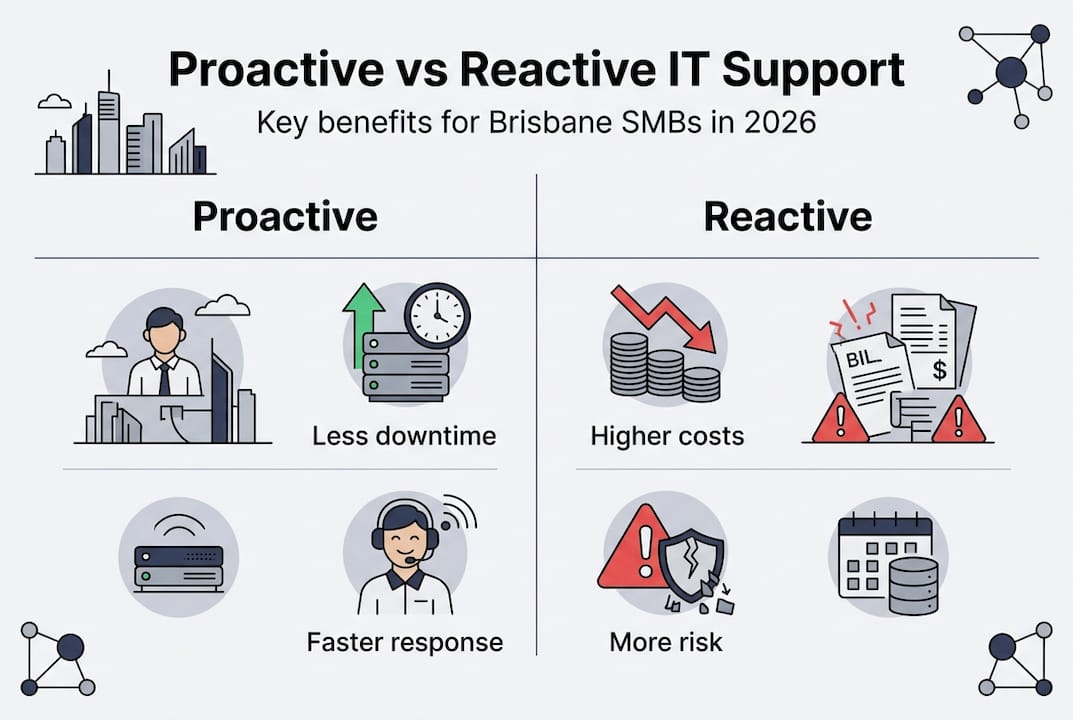
Reactive IT support waits for problems to surface before taking action. Proactive IT support anticipates issues before they disrupt operations. The difference shows up clearly in downtime statistics for Brisbane SMBs.
| Support model | Annual downtime hours | Average resolution time |
|---|---|---|
| Reactive IT support | 40 to 80 hours | 4 to 8 hours per incident |
| Proactive IT support | 5 to 15 hours | 2 to 4 hours per incident |
Proactive IT support achieves these results through 24/7 AI-assisted monitoring systems that track server health, network performance, and application behaviour in real time. When monitoring tools detect anomalies like unusual CPU spikes or memory leaks, they trigger automated alerts before users notice any slowdown. Predictive maintenance analyses historical patterns to identify components likely to fail, allowing technicians to replace hardware during planned maintenance windows rather than during crisis moments.
Core proactive methodologies that reduce downtime include:
- Automated patch management that deploys security updates and bug fixes during off-peak hours
- Root cause analysis that fixes underlying problems instead of treating symptoms repeatedly
- Virtual CIO consulting that aligns IT infrastructure with business growth plans
- Regular system audits that identify vulnerabilities before they cause outages
- Backup verification testing to ensure recovery systems actually work when needed
Faster resolution times stem from technicians already knowing your systems intimately. When an issue does occur, they access detailed logs and performance histories immediately rather than spending hours diagnosing unfamiliar environments. Proactive approaches deliver up to 40% quicker resolution compared to reactive support models.
Business continuity improves dramatically when IT systems stay operational. A legal firm processing time-sensitive contracts cannot afford half-day outages. An accounting practice approaching tax deadlines needs guaranteed uptime. Proactive support transforms IT from a liability into a competitive advantage by ensuring systems remain available when clients need them most.
Pro Tip: Early detection prevents costly cascading failures. A failing hard drive caught during routine monitoring costs $200 to replace. The same drive failing catastrophically during business hours costs thousands in emergency response fees, lost productivity, and potential data recovery charges.
Significant reduction in critical system failures and cybersecurity risks
Critical system failures create immediate business disruption. Email servers crash during client communications. Database corruption halts order processing. Network outages prevent staff from accessing cloud applications. Organisations using proactive monitoring experience an 83% reduction in these critical failures.
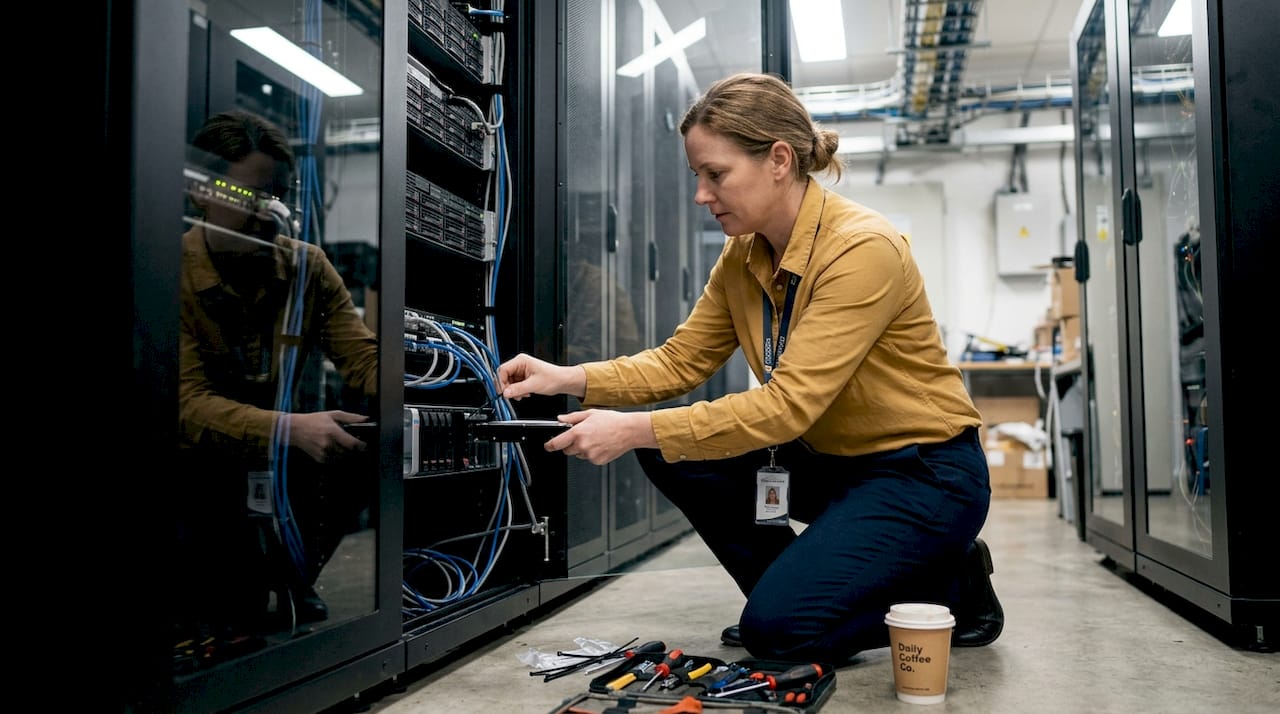
Security Operations Centres play a vital role in this prevention. SOCs monitor network traffic 24/7, analysing patterns to detect unusual behaviour that signals potential breaches. When an employee account suddenly accesses sensitive files at 3am from an unfamiliar location, SOC analysts investigate immediately rather than discovering the breach weeks later through forensic analysis.
The Australian Cyber Security Centre publishes Essential Eight cybersecurity controls specifically designed for organisations like Brisbane SMBs. These controls provide a framework for proactive defence:
- Application control prevents unauthorised software from executing on business systems
- Patch applications and operating systems within 48 hours of release for critical updates
- Configure Microsoft Office macro settings to block macros from the internet
- User application hardening removes unnecessary features that create attack surfaces
- Restrict administrative privileges to only those staff requiring elevated access
- Patch operating systems within 48 hours for critical vulnerabilities
- Multi-factor authentication adds verification beyond passwords alone
- Regular backups stored offline protect against ransomware encryption attacks
Proactive IT support implements these controls systematically rather than reactively after incidents occur. Core cybersecurity activities enabled by proactive support include:
- Continuous vulnerability scanning that identifies security gaps before attackers exploit them
- Automated security patch deployment that closes known vulnerabilities promptly
- Employee security awareness training that reduces phishing success rates
- Incident response planning that prepares teams for breach scenarios
- Compliance monitoring ensuring adherence to industry regulations and ACSC guidelines
71% of cyberattacks target SMBs, with 60% failing within six months of a successful breach due to financial and reputational damage.
Brisbane SMBs face particular risks from ransomware attacks that encrypt business data and demand payment for decryption keys. Healthcare practices lose patient records. Professional services firms cannot access client files. Manufacturing operations halt when production systems lock. Proactive defence through SOC monitoring, regular backup verification, and rapid patch deployment significantly reduces these breach risks. When prevention fails, having tested disaster recovery procedures means businesses restore operations in hours rather than days or weeks.
The financial implications extend beyond immediate ransom demands. Breach notification requirements, forensic investigation costs, legal fees, regulatory fines, and client compensation claims compound rapidly. Proactive cybersecurity best practices cost far less than breach remediation.
Cost efficiency and predictable budgeting with proactive IT management
Reactive IT support appears cheaper on paper until you calculate total costs. Emergency callouts, productivity losses, and breach remediation expenses accumulate quickly. Proactive IT support delivers predictable monthly costs and eliminates surprise expenses.
| Cost category | Reactive IT support | Proactive IT support |
|---|---|---|
| Monthly base fee | $800 to $1,200 | $1,500 to $2,500 |
| Emergency callouts | $300 to $600 per incident | Included in base fee |
| Annual unplanned spending | $8,000 to $15,000 | $2,000 to $4,000 |
| Downtime productivity loss | $40,000 to $80,000 | $5,000 to $15,000 |
| Total annual IT cost | $57,600 to $111,200 | $22,000 to $38,000 |
Reactive IT generates hidden costs that devastate SMB budgets:
- Emergency service premiums charge 2 to 3 times normal rates for urgent after-hours support
- Lost productivity from staff unable to work during outages multiplies across entire teams
- Data breach costs including forensic investigation, legal fees, regulatory fines, and client notification
- Reputation damage that drives customers to competitors offering more reliable service
- Compliance violations from failing to meet industry security standards or data protection requirements
- Opportunity costs from missed sales, delayed projects, and cancelled contracts due to IT failures
Downtime costs vary by business size and industry. SMBs experience losses ranging from $5,600 per minute to $8,000 to $20,000 per hour when critical systems fail. A four-hour outage during peak business periods costs between $32,000 and $80,000 in lost revenue and productivity. These figures make proactive support’s return on investment immediately evident.
Pro Tip: Predictable monthly IT costs enable accurate budgeting and strategic planning. Finance teams can forecast technology expenses confidently, allocate resources to growth initiatives rather than emergency repairs, and demonstrate IT value through measurable uptime and security metrics.
ROI timelines for proactive IT support typically span 6 to 12 months. Initial implementation costs cover system audits, monitoring tool deployment, and process documentation. Savings accumulate through reduced downtime, eliminated emergency fees, and prevented security breaches. A Brisbane accounting firm switching from reactive to proactive IT support reported 78% fewer support tickets, 92% reduction in critical incidents, and $47,000 annual savings within the first year.
Productivity gains extend beyond avoiding downtime. Employees spend less time troubleshooting IT issues independently, submit fewer help desk tickets, and maintain focus on revenue-generating activities. Automated processes handle routine maintenance tasks that previously consumed staff time. Strategic IT planning aligns technology investments with business objectives rather than reactive purchases during crises.
Choosing proactive IT support: local Brisbane MSP benefits and practical implementation tips
Local Brisbane managed service providers offer distinct advantages for SMBs implementing proactive IT support. Geographic proximity enables rapid onsite response when remote troubleshooting proves insufficient. Understanding Queensland’s specific compliance requirements, weather-related risks like storm season impacts, and local business ecosystems helps MSPs deliver contextually relevant support.
Benefits of partnering with local Brisbane MSPs include:
- Same-day onsite support for hardware failures requiring physical intervention
- Familiarity with ACSC Essential Eight implementation specific to Australian regulatory environment
- Local data centre options ensuring information sovereignty and compliance with Australian privacy laws
- Network of trusted local vendors for hardware procurement and specialised services
- Understanding of Brisbane infrastructure challenges including NBN connectivity variations across suburbs
- Business hours aligned with Queensland time zones for real-time communication
Implementing proactive IT support requires systematic planning. Begin with comprehensive infrastructure audits documenting all hardware, software, network configurations, and security controls. Establish baseline performance metrics measuring current uptime, response times, and incident frequencies. Deploy continuous monitoring tools tracking servers, workstations, network devices, and cloud applications. Schedule regular security audits quarterly to identify emerging vulnerabilities.
Virtual CIO consulting provides strategic IT planning for SMBs lacking internal technology leadership. vCIOs assess business objectives, recommend technology investments supporting growth plans, develop disaster recovery strategies, and ensure IT budgets align with organisational priorities. This strategic layer transforms IT from cost centre to business enabler.
Pro Tip: Evaluate potential MSPs based on guaranteed response times, local Brisbane presence for onsite support, demonstrated knowledge of ACSC compliance requirements, and client references from similar industries. Request detailed service level agreements specifying uptime guarantees, resolution timeframes, and escalation procedures before committing.
Scaling from reactive to proactive models works best through phased implementation. Start with critical systems requiring highest availability, implement monitoring and automated patching, then expand coverage to secondary systems. For Brisbane SMEs without internal IT teams, proactive support via local MSPs provides enterprise-grade monitoring and rapid onsite response, crucial during storms or for ACSC compliance.
Growing SMBs benefit particularly from proactive support that scales with business expansion. Adding new staff, opening additional locations, or launching cloud-based services all create IT complexity. Proactive monitoring accommodates growth seamlessly through automated provisioning, capacity planning, and performance optimisation. Reactive support struggles to keep pace, leading to growing pains that disrupt operations.
Transitioning existing IT environments requires documentation of current configurations, identification of technical debt accumulated through reactive management, and remediation of security gaps before implementing proactive monitoring. This foundation ensures monitoring tools have clean baselines for detecting anomalies. MSPs typically complete transitions within 30 to 60 days depending on infrastructure complexity.
Proactive IT support solutions tailored for Brisbane small businesses
Brisbane SMBs deserve IT support that prevents problems rather than merely reacting to crises. The advantages outlined throughout this article demonstrate how proactive approaches reduce downtime by 70 to 80%, cut system failures by 83%, and deliver 25 to 35% cost savings compared to reactive models. IT Start specialises in proactive IT support and cybersecurity solutions designed specifically for Queensland small to medium enterprises. Our local Brisbane team combines 24/7 monitoring, ACSC-aligned security controls, and strategic virtual CIO consulting to keep your systems running reliably. Explore our cloud services and cyber security services or contact IT Start for a personalised IT assessment.
Frequently asked questions
What is proactive IT support and how does it differ from reactive support?
Proactive IT support monitors systems continuously to detect and resolve issues before they cause downtime or security breaches. Reactive support waits for problems to occur, then responds to fix them after business disruption already happened. Proactive models use automated monitoring, predictive maintenance, and regular audits to prevent incidents rather than simply repairing damage.
How does proactive IT support improve cybersecurity for Brisbane SMBs?
Proactive IT support implements continuous threat monitoring through Security Operations Centres, deploys security patches within 48 hours of release, enforces ACSC Essential Eight controls, and conducts regular vulnerability assessments. These measures detect attacks early, close security gaps before exploitation, and maintain compliance with Australian cybersecurity standards. Brisbane SMBs gain cybersecurity best practices protection without needing internal security teams.
What are the typical cost savings of switching to proactive IT support?
Brisbane SMBs typically save 25 to 35% on total IT costs by eliminating emergency callout fees, reducing downtime productivity losses, and preventing costly security breaches. While monthly base fees increase compared to reactive support, total annual costs decrease significantly through predictable budgeting and avoided crises. Most organisations achieve positive ROI within 6 to 12 months through reduced incidents and improved productivity. Review proactive IT support financial benefits for detailed cost comparisons.
How can small Brisbane businesses start adopting proactive IT support?
Begin with a comprehensive IT infrastructure audit documenting current systems, security controls, and performance baselines. Partner with a local Brisbane MSP offering proactive monitoring, automated patch management, and virtual CIO consulting aligned with your business objectives. Implement monitoring tools on critical systems first, then expand coverage systematically. Strong local MSP relationships ensure rapid onsite response and contextual understanding of Brisbane business needs. Explore IT monitoring implementation guidance for detailed steps.