
TL;DR:
- Many SMB owners believe their networks are secure because no problems are visible, but assessments reveal hidden vulnerabilities others overlook. Regular, structured network assessments uncover misconfigurations, outdated hardware, shadow IT, and compliance gaps, enabling proactive risk management. Incorporating assessments into routine IT strategy enhances security, operational efficiency, and future compliance readiness.
Most small business owners assume their network is fine. They’ve got antivirus running, maybe a firewall, and nothing has gone wrong lately. That’s the dangerous part. The absence of obvious problems is not the same as network health, and this misunderstanding is exactly why network assessment gets skipped until something breaks. Understanding why network assessment should be part of your regular IT strategy, not just a one-off after an incident, is what separates businesses that manage risk from those that stumble into it.
Table of Contents
- Key takeaways
- Why network assessment is not optional for SMBs
- What assessments commonly find in SMB networks
- How assessments reduce risk and lift operational efficiency
- What to expect from a practical network assessment
- Assessments versus routine IT maintenance
- My honest take on network assessments
- How IT Start can help with your network assessment
- FAQ
Key takeaways
| Point | Details |
|---|---|
| Assessments reveal hidden risks | Network assessments uncover misconfigured hardware, missing MFA, and failed backups that daily monitoring misses. |
| Routine maintenance is not enough | Regular IT support fixes problems after they appear; assessments find vulnerabilities before attackers do. |
| Prioritised remediation saves resources | Assessments rank issues by real-world exploitability so SMBs fix the right things first. |
| Baseline tracking catches drift | A documented assessment baseline lets you detect configuration changes and regressions over time. |
| Compliance readiness improves | Formal assessment artefacts support audit preparation and align your network with security frameworks. |
Why network assessment is not optional for SMBs
A network assessment is a thorough audit of your IT infrastructure. It covers network architecture, device configurations, security controls, user access, and performance. It is not a quick scan of open ports. Done properly, it maps your assets including shadow IT, verifies configurations against known security standards, and identifies gaps that leave you exposed.
The importance of network assessment for an SMB comes down to visibility. Most business owners have no clear picture of what devices are on their network, which accounts have excessive permissions, or whether their backups actually restore. We see this all the time at IT Start. A client thinks they’re covered because they have a managed switch and Microsoft 365. Then we run an assessment and find shared admin accounts, no MFA on critical systems, and a backup job that has been silently failing for four months.
Here is what a proper network assessment looks at:
- Network topology and asset inventory: Every device, whether known or unknown, that connects to your network
- Security controls verification: Whether firewalls, endpoint protection, and access policies are actually configured correctly, not just switched on
- User access and privilege review: Who has admin rights and whether those rights are justified
- Backup and recovery validation: Whether your backup data is recoverable, not just whether the backup software is running
- Vulnerability scan results: Open ports, outdated firmware, and unpatched software that attackers can exploit
- Performance baseline: Latency, packet loss, and throughput metrics to establish what normal looks like
The difference between a general health check and a security-focused assessment is evidence. A health check tells you things look okay. An assessment tells you what is actually configured, what is not, and how that compares to a known secure state.
What assessments commonly find in SMB networks
Honestly, the findings from most first-time SMB assessments are not subtle. The gap between perceived and actual security is usually significant, and business owners are often genuinely surprised.
Here are the most common issues we uncover:
- Backups that do not restore. Clients believe they are backed up because a backup application is installed. We test restores and find corrupted archives, incomplete jobs, or offsite copies that were never configured. This is the single most dangerous false sense of security we encounter.
- No MFA on critical accounts. Microsoft 365 admin accounts, accounting software, and remote access tools sitting with only a password. One phished credential away from a serious incident.
- Open or unused network ports. Services that were turned on for a specific project years ago and never turned off. Each one is a potential entry point.
- Outdated hardware running end-of-life firmware. Routers and switches that stopped receiving security patches. These configuration gaps go undetected in routine maintenance because nobody is specifically checking firmware versions against current patch releases.
- Shadow IT. Personal devices, cloud accounts, and file-sharing services that employees have connected to business data without IT knowledge. These rarely appear in asset registers.
- Compliance misalignment. SMBs in healthcare, legal, or financial services often believe they meet their obligations but have never verified their configurations against the relevant framework requirements.
Pro Tip: Before your next assessment, ask your IT provider or internal person to show you a successful test restore from your backup system. Not a screenshot of the backup job, but an actual file recovered from backup. If that cannot be demonstrated quickly, you have already identified a priority issue.
How assessments reduce risk and lift operational efficiency
The benefits of network analysis go well beyond security. There is a real operational upside that SMBs consistently underestimate.

From a security standpoint, attack simulation during assessments helps you prioritise vulnerabilities by exploitability and business impact rather than volume of scan findings. This matters because a raw vulnerability scan might return 300 findings. Most SMBs cannot fix 300 things. An assessment with attack simulation tells you which five of those 300 would most likely be exploited and what the business consequence would be. That is where your limited budget should go.
Here is how the outcomes compare across key areas:
| Area | Without assessment | With assessment |
|---|---|---|
| Security risk | Unknown vulnerabilities actively present | Known gaps, prioritised remediation plan |
| Backup confidence | Assumed working, rarely tested | Verified recovery capability with test results |
| Compliance readiness | Self-reported and unverified | Documented evidence aligned to framework |
| Performance problems | Reactive, diagnosed after impact | Detected early via baseline deviation |
| Hardware lifecycle | Forgotten until failure | Tracked against firmware and support status |
On the performance side, tools like the Microsoft Teams Network Assessment Tool measure packet loss, jitter, and round-trip time specifically for business-critical applications. If your team has been complaining about dropped calls or lag in Teams meetings, a generic speed test will not diagnose that. An application-specific assessment will tell you exactly whether your network meets the requirements for that app and where the bottleneck sits.
Assessments also support compliance. NIST configuration checklists produce formal evidence of your security posture, which feeds directly into audit preparation. For any Brisbane SMB in a regulated industry, that is not a nice-to-have. It is a requirement.
What to expect from a practical network assessment
Knowing the reasons for network evaluation is one thing. Knowing what actually happens during one is another. Here is what the process typically looks like for an SMB:
- Vulnerability scanning: Automated tools identify open ports, unpatched services, and known CVEs across your network. This takes hours, not days, and is non-disruptive.
- Configuration review: Manual verification of firewall rules, admin account settings, MFA status, and backup configurations. Tools automate some of this but human review is what catches the subtle problems.
- Performance testing: Baseline measurements for bandwidth, latency, and packet loss. Application-specific tests for critical tools like Microsoft 365 or your line-of-business software.
- Security control mapping: Checking your current controls against a framework like the NIST security checklist or the Australian Cyber Security Centre’s Essential Eight to identify gaps.
- Asset discovery: Full mapping of devices, accounts, and services connected to your environment, including those not in your official register.
- Report and remediation plan: A written report that explains findings in plain language, not just technical output, with a prioritised list of what to fix first and why.
Frequency matters too. A single assessment is useful. Regular assessments are what build security maturity. Event-driven assessments, meaning after an office move, a staff change, or switching IT providers, are particularly important because changes introduce configuration drift that only an intentional review will catch.
Pro Tip: Ask any IT provider quoting you an assessment whether their report includes a remediation priority ranking. If they deliver a list of 200 findings with no indication of severity or business impact, it is not a useful document for an SMB owner. You need decisions, not data dumps.
For Brisbane SMBs wanting a starting point, this network security checklist covers seven key areas that align with what good assessments verify.
Assessments versus routine IT maintenance
There is a meaningful difference between regular IT support and a formal network assessment, and confusing the two is a common and costly mistake.
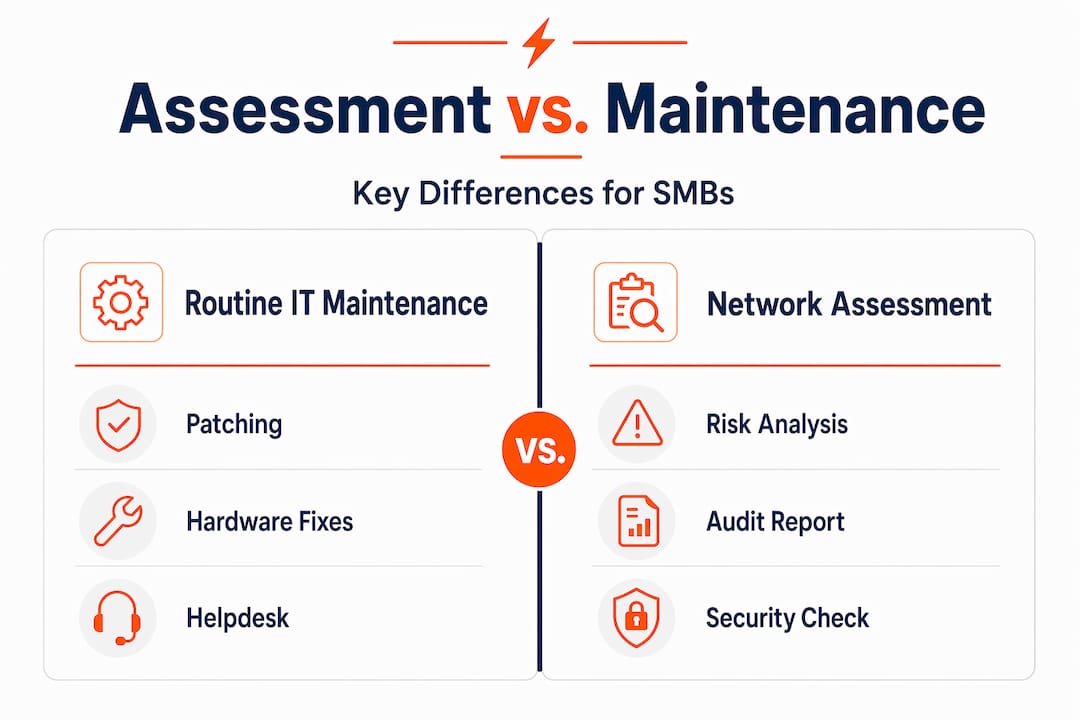
Routine IT maintenance covers the day-to-day: patching software, responding to helpdesk tickets, replacing hardware that fails, and keeping systems running. It is reactive by design. Something breaks, someone fixes it. That model works for keeping the lights on.
Network analytics and assessments go further by detecting anomalies and performance issues that manual day-to-day review cannot surface. Assessments are proactive and evidence-based. They do not wait for something to fail. They systematically verify your environment against a known secure state and produce formal documentation of what they find.
| Activity | Routine IT maintenance | Network assessment |
|---|---|---|
| Trigger | Incident or request | Scheduled or event-driven |
| Output | Fix applied | Formal report with evidence |
| Security insight | Incidental | Deliberate and structured |
| Baseline tracking | Rarely | Always |
| Compliance evidence | Not produced | Produced as standard |
Relying solely on break-fix support means your security posture is only as good as the problems you happen to notice. Most attacks do not announce themselves. They exploit misconfigurations that were sitting there quietly for months. Security checklists used in assessments detect exactly those unauthorised or unnoticed changes. That is something routine support simply does not do.
My honest take on network assessments
I have been involved in network assessments for SMBs across a range of industries, and the pattern is almost always the same. The business owner was confident going in and visibly uncomfortable by the end of the first findings review. Not because they did something wrong, but because nobody had ever shown them what was actually happening on their network.
What I have found is that the value of an assessment is not just in what it fixes. It is in what it changes about how a business owner thinks about their IT. When you see documented evidence that your backup was not actually protecting anything, or that a shared admin account had been active for two years after an employee left, that changes your relationship with IT spending. It stops being an annoying overhead and starts being something you take seriously.
The gap between perceived and actual network security for Brisbane SMEs is wider than most owners expect. I have also seen the other problem: businesses that did a single assessment, fixed the urgent items, and then did not assess again for three years. Configuration drift set in after a Microsoft 365 migration and nobody noticed new conditional access policies were not applying correctly.
My view is simple. Assessments belong in your regular IT calendar. Not just when something goes wrong or when you are onboarding a new IT provider. They are how you maintain visibility, accountability, and a defensible security posture over time.
— Matt
How IT Start can help with your network assessment
IT Start works with Brisbane SMBs to conduct thorough network assessments that go beyond generic scans. Our process covers security configuration, backup validation, access control review, and performance baseline testing, with a clear remediation report you can actually act on. If your business handles sensitive data or operates in a regulated industry, our cyber security services can support both the assessment and the remediation work that follows. We also offer cloud services for SMBs looking to modernise infrastructure once assessment findings are addressed. Contact IT Start to arrange a conversation about your network health.
FAQ
What is a network assessment?
A network assessment is a structured audit of your IT infrastructure that reviews security configurations, identifies vulnerabilities, validates backups, and establishes a performance baseline. It produces formal documentation of your current security posture and a prioritised remediation plan.
How often should an SMB conduct a network assessment?
Most SMBs benefit from an annual assessment at minimum, with additional assessments triggered by significant events like office moves, staff changes, or switching IT providers. Changes to your environment introduce configuration drift that only a deliberate review will catch.
What is the difference between a vulnerability scan and a network assessment?
A vulnerability scan is one component of a network assessment. A full assessment also includes configuration verification, user access review, backup testing, performance analysis, and a formal report with prioritised remediation, not just a list of scan findings.
Why does my SMB need a network assessment if nothing has gone wrong?
Most network compromises exploit misconfigurations that were present for months before any visible incident. Assessments reveal security gaps that daily monitoring and routine support typically miss, meaning the absence of visible problems does not confirm your network is secure.
How long does a network assessment take for a small business?
For a typical SMB with 10 to 50 staff, an assessment generally takes one to two days for data collection, with the formal report delivered within a week. The process is non-disruptive and does not require downtime.