
Many Queensland business owners assume Microsoft 365’s default security settings provide robust protection against modern cyber threats. Recent government audits reveal this assumption is dangerously false, with serious security gaps leading to data breaches and financial theft. This guide delivers practical, compliance-focused hardening steps your SMB can implement in 2026 to close these gaps, strengthen your security posture, and protect your business from sophisticated attacks.
Table of Contents
- Why Default Microsoft 365 Settings Aren’t Enough
- Core Hardening Controls: Multi-Factor Authentication And Conditional Access
- Using The CIS Microsoft 365 Foundations Benchmark For Comprehensive Security
- Applying Microsoft 365 Hardening In Your Queensland Business
- Enhance Your Microsoft 365 Security With Expert Support
- Microsoft 365 Hardening Guide 2026 FAQ
Key takeaways
| Point | Details |
|---|---|
| Default settings leave critical gaps | Microsoft 365 default configurations don’t defend against sophisticated attacks, exposing Queensland SMBs to preventable breaches. |
| Multi-factor authentication prevents most compromises | Weak or missing MFA causes most account breaches, making it the top priority for hardening. |
| Conditional Access adds critical protection layers | Conditional Access Policies enforce location restrictions, device compliance, and risk-based controls beyond basic MFA. |
| CIS Benchmark provides actionable guidance | Structured settings frameworks help SMBs systematically close security gaps and meet compliance obligations. |
Why default Microsoft 365 settings aren’t enough
Microsoft 365 ships with baseline security settings designed for broad compatibility, not maximum protection. A default Microsoft 365 configuration may not be sufficient to ward off sophisticated attacks targeting Queensland businesses today. These presets prioritise ease of deployment over rigorous security controls, leaving significant gaps attackers actively exploit.
The real-world consequences are severe. The WA Office of the Auditor General found many security shortcomings in managing Microsoft 365 environments leading to serious breaches, including $71,000 in theft and children’s data exposed. These weren’t sophisticated nation-state attacks but preventable failures in basic configuration management. Queensland SMBs face identical risks when running on default settings.
Hardening closes these dangerous gaps using proven frameworks and controls. The process systematically strengthens authentication, enforces access policies, implements data protection, and monitors for threats. Rather than hoping default settings suffice, hardening applies industry benchmarks specifically designed to counter modern attack patterns.
“Default configurations optimise for convenience, not security. Hardening shifts that balance to protect your business data and maintain compliance.”
Key vulnerabilities in default configurations include:
- Insufficient access controls allowing unrestricted sign-ins from any location or device
- Missing data loss prevention policies that fail to protect sensitive information
- Weak password policies and no enforcement of phishing-resistant authentication
- Inadequate monitoring and alerting for suspicious activities
- Overly permissive sharing settings in SharePoint and OneDrive
Understanding your current Microsoft 365 security posture is the essential first step before implementing hardening controls.
Core hardening controls: multi-factor authentication and conditional access
Multi-factor authentication stands as your most critical security control. Weak or missing MFA is the number one cause of account compromise, yet many Queensland SMBs still operate without comprehensive MFA deployment. This single control prevents the vast majority of credential-based attacks targeting your business.

Implementing MFA requires strategic planning, not just flipping a switch. You must consider user experience, device compatibility, authentication methods, and staged rollout to avoid disrupting operations. Impact analysis capability critically helps MSP deployments preview effects before change to reduce disruptions, enabling you to test policies before enforcing them organisation-wide.
Conditional Access Policies (CAP) provide the critical security layer beyond basic MFA. While MFA verifies identity, Conditional Access enforces context-based rules that determine when and how users access your resources. This distinction matters enormously for Queensland businesses managing remote workers, contractors, and mobile devices.
Key Conditional Access capabilities for SMBs:
- Location-based restrictions: Lock access to Australian IP ranges or specific countries, blocking sign-ins from high-risk regions where your business never operates.
- Device compliance requirements: Allow access only from Intune-managed devices meeting your security baselines, preventing unmanaged personal devices from accessing sensitive data.
- Risk-based policies: Automatically block or challenge sign-ins flagged as risky based on Microsoft’s threat intelligence.
- Application-specific controls: Apply different security requirements for sensitive applications versus low-risk resources.
Pro Tip: Start your Conditional Access journey by implementing country restrictions first. Blocking sign-ins from regions where your business has no legitimate presence immediately reduces your attack surface with minimal user impact.
Intune device management complements Conditional Access by ensuring only compliant, properly configured devices access your Microsoft 365 environment. This combination creates defence in depth, where multiple security layers work together to protect your data even if one control fails.
Following comprehensive Microsoft 365 hardening practices ensures these controls work together effectively.
Using the CIS Microsoft 365 foundations benchmark for comprehensive security
The CIS Microsoft 365 Foundations Benchmark provides a structured set of real settings, not vague advice, giving Queensland SMBs a clear roadmap for systematic hardening. This framework translates security principles into specific configurations you can implement and audit, removing guesswork from the hardening process.
The benchmark covers critical configuration areas:
- Identity and access management: MFA enforcement, password policies, privileged access controls, and authentication protocols.
- Data protection: Data Loss Prevention (DLP) policies, encryption settings, sharing controls, and information classification.
- Application security: Safe attachment policies, external sharing restrictions, and third-party app permissions.
- Device management: Compliance policies, configuration profiles, and conditional access rules for Intune-managed devices.
- Auditing and monitoring: Security alerts, activity logging, and compliance reporting.
| Configuration Area | Example Benchmark Control | Business Impact |
|---|---|---|
| Authentication | Require MFA for all users | Prevents 99% of credential attacks |
| Conditional Access | Block legacy authentication | Stops outdated protocol exploits |
| Data Loss Prevention | Scan SharePoint/OneDrive for sensitive data | Protects client and financial information |
| Email Security | Enable Safe Attachments | Blocks malware before delivery |
| Device Management | Require device encryption | Protects data on lost/stolen devices |
Pro Tip: Don’t attempt to implement all benchmark controls simultaneously. Prioritise based on your specific risk profile and compliance requirements, starting with authentication and access controls that deliver immediate security benefits.
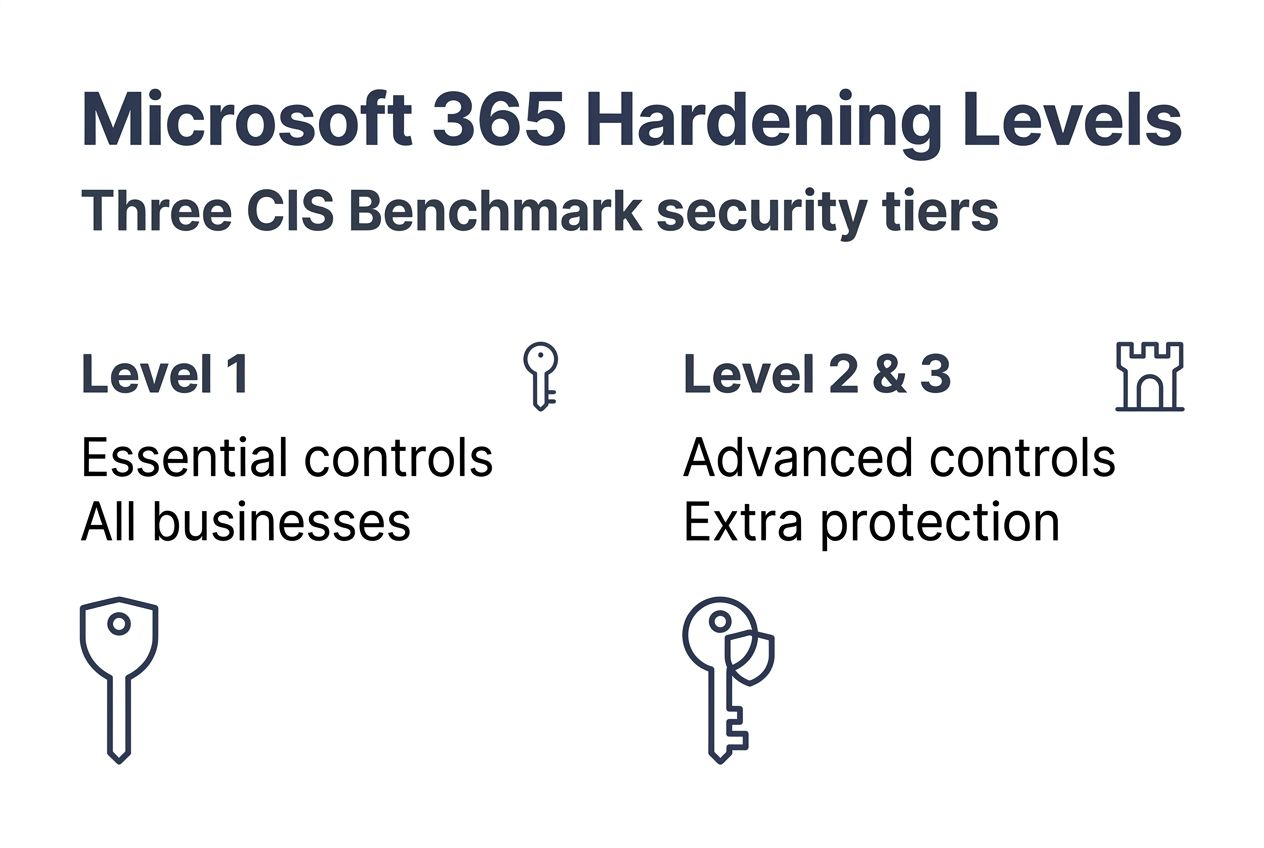
The CIS Benchmark provides three implementation tiers. Level 1 includes essential security controls suitable for all organisations with minimal operational impact. Level 2 adds controls for environments requiring stronger security, potentially affecting some user workflows. Most Queensland SMBs should target Level 1 compliance initially, then selectively implement Level 2 controls for sensitive data and privileged users.
Regularly reviewing and updating your configurations maintains effectiveness as threats evolve and Microsoft releases new capabilities. Quarterly reviews align with most compliance frameworks and catch configuration drift before it creates vulnerabilities.
Exploring security best practices for Brisbane SMBs provides additional context for benchmark implementation.
Applying Microsoft 365 hardening in your Queensland business
Organisations should assess client version capabilities to ensure desired features are available before implementing advanced security controls. This assessment prevents deployment failures where users’ outdated applications can’t support your new policies.
Follow this practical implementation approach:
-
Conduct a comprehensive security assessment
- Document current Microsoft 365 settings across all services
- Identify gaps against CIS Benchmark Level 1 controls
- Review user authentication methods and device inventory
- Analyse sharing permissions and data classification status
-
Prepare your environment
- Update Microsoft 365 applications to current versions
- Enrol devices in Intune for management and compliance
- Create test groups for piloting policies before broad deployment
- Document current user workflows that policies might affect
-
Implement authentication hardening
- Enable MFA organisation-wide using phishing-resistant methods where possible
- Block legacy authentication protocols that bypass MFA
- Implement Conditional Access policies starting with country restrictions
- Require Intune device compliance for accessing corporate resources
-
Deploy data protection controls
- Configure Data Loss Prevention policies for OneDrive, SharePoint, Teams, and Exchange
- Restrict external sharing based on data sensitivity classifications
- Enable encryption for sensitive data repositories
- Implement retention policies aligned with regulatory requirements
-
Establish monitoring and response
- Configure security alerts for suspicious activities and policy violations
- Review sign-in logs regularly for anomalies and blocked attempts
- Establish incident response procedures for security events
- Schedule quarterly configuration reviews and benchmark compliance checks
Key considerations for Queensland SMBs:
- Start with high-impact, low-disruption controls like MFA and country-based Conditional Access
- Use pilot groups to test policies before organisation-wide enforcement
- Communicate changes clearly to users, explaining security benefits and any workflow impacts
- Document all configuration changes and maintain an audit trail for compliance
- Plan for ongoing management, not just one-time implementation
Third-party tools can enhance native Microsoft 365 capabilities. Solutions for security information and event management (SIEM), advanced threat protection, and configuration management provide additional visibility and control. However, master native controls first before adding complexity.
Conditional Access deserves special attention as your most flexible security control. Beyond basic location and device rules, you can implement:
- Application-specific policies requiring stronger authentication for sensitive apps
- Session controls limiting actions users can perform from unmanaged devices
- Risk-based adaptive policies that respond to Microsoft’s real-time threat intelligence
- Terms of use enforcement ensuring users acknowledge security policies
Structured IT security assessment processes help Brisbane businesses systematically identify and address vulnerabilities.
Enhance your Microsoft 365 security with expert support
Implementing comprehensive Microsoft 365 hardening requires specialised expertise in security frameworks, compliance requirements, and Microsoft technologies. Professional IT and cyber security services help Queensland SMBs apply controls effectively whilst maintaining productivity and meeting regulatory obligations. Rather than struggling with complex configurations alone, partnering with experts accelerates your security improvements and reduces implementation risks.
IT Start delivers dedicated business IT support services tailored for Brisbane SMBs, combining proactive monitoring with strategic security guidance. Our cloud services team specialises in Microsoft 365 optimisation, ensuring your environment balances security with operational efficiency. Comprehensive cyber security services protect your business through managed detection, incident response, and ongoing compliance support. We understand Queensland businesses’ unique challenges and deliver practical solutions that strengthen your security posture without overwhelming your team.
Microsoft 365 hardening guide 2026 faq
What is the single most important step to harden Microsoft 365?
Enabling multi-factor authentication organisation-wide is your highest priority hardening control. MFA prevents the vast majority of credential-based attacks by requiring users to verify their identity through multiple factors. Combine MFA with Conditional Access policies that restrict sign-ins to approved locations and compliant devices for maximum protection.
Can I implement hardening myself or should I hire experts?
SMBs with internal IT expertise can implement basic hardening controls using Microsoft documentation and CIS Benchmark guidance. However, comprehensive hardening involving Conditional Access, Intune device management, and Data Loss Prevention benefits significantly from professional assistance. Expert support ensures policies are configured correctly, tested thoroughly, and maintained consistently whilst avoiding disruptions to business operations.
How often should Microsoft 365 security settings be reviewed?
Review security configurations quarterly at minimum to maintain effectiveness against evolving threats. Microsoft regularly releases new capabilities and updates recommendations, requiring periodic reassessment of your controls. Additionally, conduct immediate reviews following security incidents, significant business changes, or regulatory updates affecting your compliance obligations.
What are common pitfalls when enabling MFA?
Rushing organisation-wide MFA deployment without user preparation causes the most problems. Common issues include inadequate communication about changes, insufficient support during rollout, no fallback procedures for authentication failures, and enabling MFA without testing application compatibility. Implement MFA in stages, starting with pilot groups, and ensure users have registered multiple authentication methods before enforcement.
Do data loss prevention settings impact user productivity?
Properly configured DLP policies protect sensitive data with minimal productivity impact by targeting specific content types and applying appropriate actions. Overly broad or restrictive policies can frustrate users and generate excessive false positives. Start with monitoring mode to understand data flows before enforcing blocks, and refine policies based on actual usage patterns rather than theoretical risks.
Why is Conditional Access more important than just MFA alone?
MFA verifies who users are, but Conditional Access controls where, when, and how they access resources. Conditional Access adds critical context-based security by blocking sign-ins from unexpected countries, requiring device compliance, and enforcing different controls based on risk levels. This defence-in-depth approach protects your data even when credentials are compromised, which MFA alone cannot achieve. For detailed implementation guidance, review our Microsoft 365 hardening practices.
Recommended
- Microsoft 365 Hardening Guide 2026 for Brisbane SMEs – IT Start
- Microsoft 365 Security Best Practises for Brisbane SMBs – IT Start
- Windows Server 2025 Hardening Guide for Brisbane SMEs – IT Start
- Windows Server 2025 Hardening Guide for Brisbane SMEs – IT Start
- 7 esempi pratici di politiche sicurezza informatica per PMI – Security Hub