
The best practice for physical security cyber awareness is treating locked doors, visitor sign-ins, and clean desks as seriously as passwords and firewalls, because most breaches we see at IT Start start with something physical going wrong, not a clever hacker. A stolen laptop with no encryption. A visitor left wandering. A server room door propped open because the air con was noisy. Guidance from the Australian Cyber Security Centre (ACSC) backs this up: physical controls sit right alongside technical ones, not below them.
Here’s what to action this week:
- Lock down access control: badges or PINs for staff, visitors always escorted, tailgating called out (politely) every time.
- Ban unattended devices: screens lock after 60 seconds, laptops go in drawers overnight, no exceptions for “just popping out.”
- Set a clear-desk rule for anything with client data, passwords on sticky notes, or USB drives.
- Give every staff member one line: “see something odd, report it to [named contact], same day.”
Pro Tip: Pick one person, not a committee, to own this. In every SMB we work with that has this sorted, there’s a named owner (often called the CISO, sometimes just “the IT manager who cares”) who chases the training register and signs off on physical access lists. Without that person, nothing gets maintained past month three.
Key Takeaways
Integrating physical security into cyber awareness works because it closes the gap where most real incidents start: unattended devices, unmanaged access, and untracked visitors.
| Point | Details |
|---|---|
| Name an owner | Assign one person (CISO or program owner) accountable for physical and cyber controls together. |
| Train annually, by role | General staff get annual training; privileged users need tailored, additional modules. |
| Fix access first | Roll out MFA and tighten badge/door access before spending on cameras or sensors. |
| Keep a real register | Maintain a training register and asset inventory that can be produced on request. |
| Get IT Start to assess it | IT Start reviews physical and cyber controls together for Brisbane SMBs through a free assessment. |
Table of Contents
- Why physical security belongs in cyber awareness training
- The core physical security checklist for cyber awareness programmes
- Training frequency, roles, and keeping a proper register
- Policy, reporting, and incident response when physical meets cyber
- What we see in the field: common SMB failures and fast fixes
- Measuring whether the programme actually works
- Red flags your programme isn’t working
- Sensors and alarms as part of an awareness programme, not just a security budget line
- Integrating physical and cyber security policy so they don’t contradict each other
- Onboarding and offboarding: physical access has to move at the same speed as account access
- Talking about physical risk in your awareness messaging
- What we recommend and why
- How IT Start can help you close the gaps fast
- Sources
- FAQ
Why physical security belongs in cyber awareness training
Honestly, most awareness programmes we inherit from clients are all screen, no door. Phishing simulations, password rules, maybe an MFA reminder. Nobody mentions the guy who tailgated into the office because he was carrying a pizza box. That’s a gap, and it’s not a small one.
The ISM’s PROTECT controls pair ongoing cyber awareness training directly with restricting physical access to systems to authorised personnel. These aren’t treated as separate disciplines in government guidance. They’re the same control family. If your training covers phishing but skips who’s allowed into the comms cupboard, you’re only doing half the job the ISM actually describes.
We see four physical gaps cause cyber incidents over and over:
- Device theft: an unencrypted laptop left in a car boot, gone by lunchtime, client data with it.
- Unattended workstations: someone leaves a session logged in at reception, a courier reads an email on the monitor.
- Insecure cameras: cheap CCTV bought off a marketplace app, plugged straight into the corporate network, no segmentation.
- Unmanaged IoT/OT gear: smart door locks or alarm panels running factory default passwords for years.
None of these show up on a phishing test. All of them show up in real incident calls.
The core physical security checklist for cyber awareness programmes
This is the part clients actually want. Not theory, a list they can hand to a manager and say “do this.” We’ve built these off ACSC’s physical security guidelines, adjusted for what actually survives contact with a 20-person office.
Access control and visitor management
Every staff member gets a badge or PIN tied to their role, not a shared code the whole office knows (we still find these, more than you’d think), as detailed in the Security Overview · The Therapy Canvas. Visitors sign in, get a temporary pass, and are escorted, always, even the “regular” delivery driver. Tailgating prevention isn’t a poster on the wall, it’s a culture where staff feel fine saying “sorry, can I scan you in?” to someone they don’t recognise.
Server rooms and security zones
ACSC recommends defence in depth: perimeter controls, then a secondary zone for anything sensitive, then security containers for the servers themselves. In practice, this means your server room has its own lock (not the same key as the stationery cupboard), your network gear isn’t sitting on a shelf in the open-plan office, and switches in public areas are physically enclosed so nobody can hit factory reset on their way past.
Keep an actual asset inventory. Not a spreadsheet from 2021 with half the laptops missing. If you can’t list every device that touches your network, you can’t secure it.
Endpoints and portable devices
Full-disk encryption on every laptop, no exceptions for the “old” machines. A policy on removable media (USB drives are still how a surprising number of breaches start). Devices get sanitised properly at end of life, not just deleted and dropped in e-waste.
CCTV, alarms, and IoT/OT devices
This is the one people forget belongs in a cyber programme at all. IP cameras and smart alarm panels are computers now, and secure-by-design guidance makes the point plainly: if they’re not segmented off the main network, patched, and off default passwords, they’re an open door into everything else. We’ve walked into offices where the CCTV DVR was still using “admin/admin” three years after install.
Reporting and behavioural basics
Clear-desk policy for anything with client or financial data. Screens lock automatically. Privacy screens on monitors facing public areas. And a reporting path that’s actually simple: one contact, one channel, no faffing about with a ticketing portal nobody remembers the login for.
| Point | Details |
|---|---|
| Access control | Badge or PIN per person, visitors escorted and logged, no shared codes. |
| Server room zoning | Separate locked zone with its own key, network gear enclosed, not on open shelving. |
| Device encryption | Full-disk encryption on every laptop, sanitisation policy at end of life. |
| CCTV/IoT segmentation | Cameras and alarm panels on a separate VLAN, default passwords changed, patched. |
| Reporting path | One named contact, one channel, staff know to report same day. |
Pro Tip: Start with the asset inventory before you touch policy. You can’t write a sensible device or clear-desk policy for gear you don’t know exists. We’ve seen clients spend weeks drafting policy documents for a network that had three unmanaged switches nobody knew were live.
Training frequency, roles, and keeping a proper register
ACSC’s personnel security guidelines are specific here: awareness training annually for everyone, with tailored, additional training for privileged users like admins and developers. Not “when we get around to it.” Annually, documented.
Segment training by risk, not by seniority:
- General staff: annual session covering physical controls, phishing, reporting.
- Privileged users (IT admins, finance staff with system access): additional training on credential hygiene and physical access to sensitive systems.
- Contractors and on-site visitors: a short briefing before they’re given any access at all.
The training register needs to record who did the training, what version, when, and proof of completion. Sounds basic. Most SMBs we onboard don’t have one, or it’s a folder of certificates nobody’s opened since the course was run.
| Role | Frequency | Minimum evidence |
|---|---|---|
| General staff | Annual | Attendance record, quiz completion |
| Privileged/admin users | Annual plus role-specific top-ups | Sign-off on additional module, access review log |
| Contractors/visitors | Before access granted | Briefing acknowledgement on file |
Pro Tip: A five-minute walk-through during a site visit beats a slide deck. We do these with clients, pointing at the unlocked cabinet or the visitor book nobody’s using, and it sticks better than any annual e-learning module.
Policy, reporting, and incident response when physical meets cyber
Your policy needs an owner named in the document, not just “IT department.” It needs a visitor policy, a device handling policy, a clear-desk rule, and a list of which devices are authorised to touch your network. If any of those are missing, you don’t really have a policy, you have a wish.
The escalation flow matters more than most SMBs realise. If someone reports a laptop stolen or a stranger seen near the server room, who do they call first? Is it IT, is it the office manager, does anyone preserve evidence before wiping and reissuing a replacement device? We’ve seen clients destroy the only evidence of a breach by immediately re-imaging a stolen laptop’s replacement without checking logs first.
Align this with your existing cyber incident response plan. A physical breach that touches a system, someone accessing a server room without authorisation, say, should trigger the same chain of custody thinking as a network intrusion: preserve logs, don’t touch evidence, loop in IT or your SOC before law enforcement if there’s any ambiguity.
| Incident type | First response SLA | Who’s involved |
|---|---|---|
| Device theft/loss | Report on the same day | IT, device owner, insurer if applicable |
| Suspicious access/tailgating | Report same day | Reception/security, IT, program owner |
| Data spillage | Immediate, before further access | IT/SOC, program owner, legal if required |
Pro Tip: Run one tabletop drill a year. Pick a scenario, “a laptop with client financials goes missing from a car,” and walk the team through who does what. It costs an afternoon and exposes gaps a policy document never will.
What we see in the field: common SMB failures and fast fixes
We see the same three failures on repeat across Brisbane SMBs, and none of them are exotic.
No MFA on remote or privileged access. Still, in 2026. A client had a finance manager working from home with a single password on the accounting platform. That password had been reused from a personal account breached years earlier. ACSC’s guidance on data breach prevention is blunt about MFA for remote and privileged access being a baseline, not a nice-to-have. We rolled it out across the business in an afternoon once they finally agreed.
Unlocked server rooms. More common than you’d guess. One client kept their comms cabinet in a storage room that doubled as the tea room supply cupboard. Anyone, staff, cleaners, the occasional client dropping off paperwork, could open it. Fixing this cost about $200 in a proper lock and took a day.
CCTV plugged straight into the main network. We inherited a client whose camera system had never been segmented. It was on the same VLAN as their finance server. That’s not a hypothetical risk, that’s a direct path in if the camera firmware’s ever compromised, and cheap camera firmware gets compromised.
Training registers that don’t exist. Policies get written, signed off, filed, and never revisited. Nobody can prove staff did the training when it matters, like during a compliance audit or after an incident.
What most businesses get wrong is treating this as a one-off project instead of an ongoing programme. They’ll do a big security push, buy some locks, run a training session, then nothing for two years. Guidance expects annual cadence for a reason: risk doesn’t stay fixed once you’ve patched it.
Five things an SMB can do next week, minimal cost:
- Roll out MFA for anyone with remote or admin access.
- Audit who has keys or codes to sensitive rooms, revoke anyone who shouldn’t.
- Start a device inventory spreadsheet today, even a rough one.
- Move CCTV and alarm gear onto its own VLAN.
- Nominate one person as program owner and put their name on the door.
Pro Tip: When budget’s tight, fix access control and MFA first. They stop the most common real-world incidents we handle, theft and credential compromise, for the least cost. Cameras and fancy sensors can wait a quarter.
Measuring whether the programme actually works
You don’t need a full security operations centre to know if this is working. Track training completion rate, number of incidents reported (not just “detected,” reported by staff is a healthier sign than you’d think), how a tabletop drill or tailgating test went, and how fast access gets revoked when someone leaves.
| KPI | Measurement method | Target for SMBs |
|---|---|---|
| Training completion | Register review | Annual training for all staff |
| Access revocation speed | Offboarding log | Same day as departure |
| Reported incidents | Ticket/log count | Trending stable or up (more reporting is good) |
| Drill/test outcomes | Annual tabletop or spot check | Documented gaps closed promptly |
A quarterly spot check, someone tries to tailgate into the office, a laptop’s left unlocked deliberately as a test, does more for real awareness than another e-learning module. One tabletop a year is enough for most 10 to 50 person businesses.
Red flags your programme isn’t working
Some warning signs are obvious once you know to look. Missing training records top the list, if nobody can produce a register on request, the programme’s not really running. Shared logins or badge codes are another, we still see whole teams sharing one door code because getting individual passes felt like too much admin.
Unlocked sensitive rooms, comms cupboards, server racks, filing cabinets with client data, are a classic sign nobody owns physical security specifically. And unmanaged IoT devices sitting on the same network as everything else usually means procurement bought convenience over security, with nobody in IT consulted first.
These happen because budget’s tight, there’s no single named owner, and procurement decisions get made by whoever’s free that week rather than someone thinking about risk. The fix isn’t complicated: give one person the job, give them a small budget, and check in quarterly.
Pro Tip: Ask your helpdesk what they’ve fielded lately. Staff mention the propped-open fire door or the visitor who wandered off unescorted in passing, to the helpdesk, not in a formal report. That’s where red flags actually surface first.
Sensors and alarms as part of an awareness programme, not just a security budget line
Motion detectors, door alarms, and environmental sensors (temperature, humidity, water leak detection for server rooms) get bought as a facilities decision and then forgotten by the cyber team entirely. That’s backwards. If a motion sensor trips in the server room at 2am, that’s a cyber signal as much as a break-in signal, and it should feed into the same reporting path as a suspicious login.
Treat these devices the same way you’d treat any networked endpoint. Segment them, as covered above with CCTV. Set alert thresholds that someone actually monitors, an alarm nobody watches is decoration. And fold them into training: staff should know that an after-hours alarm trip gets reported the same way as a phishing email, to the same contact, with the same urgency.
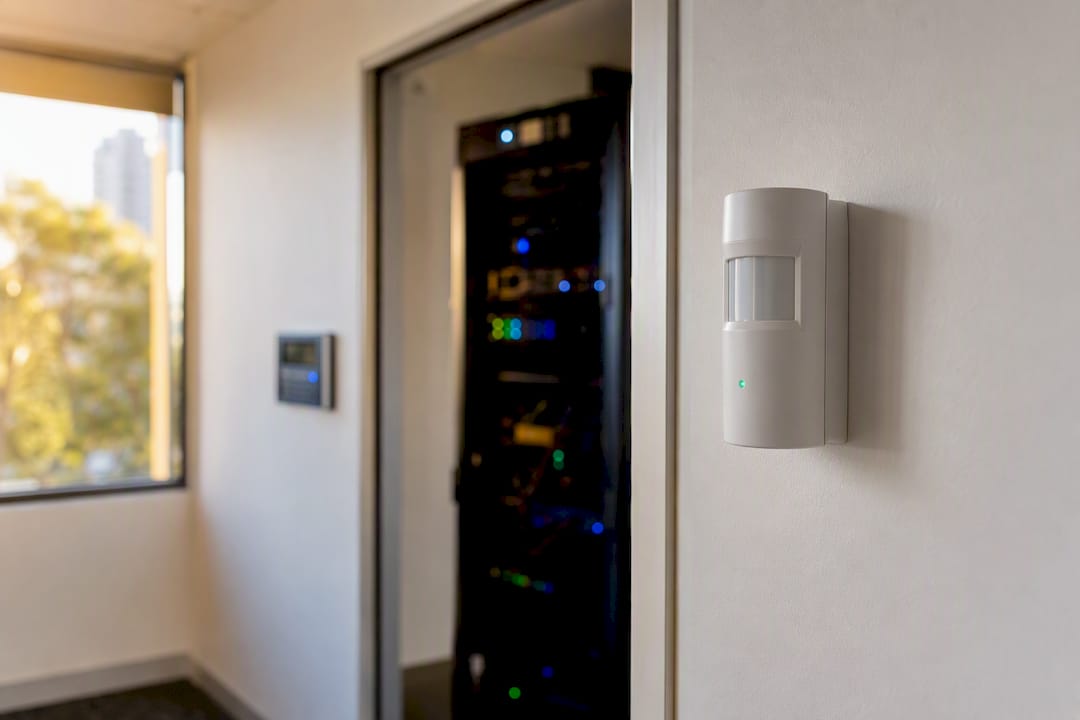
We’ve seen clients spend a few thousand dollars on a smart alarm system and never connect it to any actual response process. It logs events nobody reviews. That’s money spent on a feeling of security rather than actual security. The fix is cheap: assign someone to review alerts weekly, and mention environmental sensors explicitly in your next training session so staff know they’re part of the same system, not a separate facilities concern.
Integrating physical and cyber security policy so they don’t contradict each other
Here’s a mismatch we see constantly: the cyber policy says “no personal devices on the network,” and the physical security policy says nothing about visitor devices connecting to guest wifi that happens to sit on the same subnet as production systems. Two policies, written by two different people, contradicting each other without anyone noticing.
Good integration means one document, or at least one owner, checking that the physical rules and the cyber rules reinforce each other. If your clear-desk policy exists, your visitor escorting policy should reference it, since a visitor left alone at an unattended desk defeats the point. If your device encryption policy exists, your physical device handling policy should specify what happens to a device the moment it’s reported missing.
The businesses that get this right usually have one policy document, or a linked set, reviewed together annually, not separate PDFs drafted years apart by different consultants. It’s not glamorous work, but it’s the difference between a programme that holds together and one where the gaps are exactly where an attacker looks.
Onboarding and offboarding: physical access has to move at the same speed as account access
This is where we catch the most SMBs out. IT disables a departing staff member’s Microsoft 365 account same day, that part’s usually fine. But their building access card still works for another three weeks because nobody told the person who manages the door system.
Onboarding and offboarding need to run as one process, not two separate ones handled by different people. When someone starts, their badge, their system accounts, and their role-based access should be provisioned together, with a single checklist. When they leave, the same checklist runs in reverse, same day: badge deactivated, VPN access revoked, laptop collected and wiped, shared passwords rotated if they ever had one.
The ACSC’s guidance on account monitoring pairs naturally here: MFA and credential hygiene mean little if a former employee’s badge still opens the front door. We’ve had clients discover an ex-staff member’s access card working eight months after they left, purely because nobody owned the offboarding checklist end to end.
Talking about physical risk in your awareness messaging
Phishing training gets all the attention because it’s easy to demonstrate with a simulated email and a click-rate report. Physical risk is harder to message because there’s no dashboard for “how many people held a door open for a stranger this month.” That doesn’t mean it should get less airtime.
Frame physical risk in the same language as cyber risk, because to staff it’s genuinely the same category of decision. “Don’t click this link” and “don’t let this person in without checking their pass” are both about not trusting a request just because it looks legitimate. Practical guidance for modern workplaces makes the point that simple, concrete employee guidance beats a long policy document nobody reads.

Use real examples in training, not hypotheticals. Tell staff about the pizza box tailgating trick. Tell them about the USB drive left in a car park as a test (a genuine tactic, and a nasty one). Concrete stories land better than “please be vigilant” language, which nobody remembers past Tuesday.
What we recommend and why
Priorities matter more than perfection here. If a client’s got a fixed budget and limited staff time, MFA and access control come first, every time. They stop the incidents we actually see, not the ones that make headlines. Cameras, sensors, and fancy zoning matter, but they’re second-tier fixes compared to a stolen, unencrypted laptop or a shared door code.
IT Start holds SMB 1001 Gold certification and works with Brisbane businesses in exactly this 10 to 50 staff bracket, which is where we see this gap most often: enough complexity to have real risk, not enough headcount for a dedicated security team. The checklist above isn’t theoretical. It’s built from what actually breaks in practice.
Pro Tip: Governance beats a one-off fix. Nominate an owner, review the policy annually, and treat this as a maintained programme rather than a project you tick off once.
How IT Start can help you close the gaps fast
If you’ve read through that checklist and recognised your own office in the “unlocked server room” or “no training register” examples, you’re not alone. It’s the single most common gap we find during a first assessment. IT Start runs managed cyber security, cloud services, and managed IT support for Brisbane SMBs, and physical and cyber controls get reviewed together, not as two separate engagements nobody coordinates.
A quick assessment usually surfaces the fast wins first: MFA rollout, access control tightening, an actual asset inventory. We build the training register and role-based programme around what your business already has, not a generic template. If backups or cloud storage also need a look while we’re in there, our cloud services team covers that too.
Book a free assessment through our cyber security page and we’ll walk your setup, tell you what’s genuinely urgent, and what can wait.
Sources
For readers who want to go deeper than this checklist, a few sources are worth bookmarking:
FAQ
What is the best practice for physical security cyber awareness?
The best practice is folding physical controls (access control, visitor management, device handling) into the same annual training and reporting programme as your cyber training, with one named owner accountable for both.
Which of the following is a best practice for physical security cyber awareness in 2026?
Requiring MFA for remote and privileged access, restricting physical access to server rooms, and maintaining a training register are the core practices guidance points to for 2026, based on current ACSC and ISM guidance.
What are the 5 D’s of physical security?
Definitions vary across sources, but a common version covers Deter, Detect, Deny, Delay, and Defend, describing layers of protection from perimeter to response.
What is cybersecurity awareness and best practice?
Cybersecurity awareness is training staff to recognise and respond to security risks, and best practice means covering both digital behaviours (passwords, MFA, phishing) and physical behaviours (access control, device handling, reporting suspicious activity) in the same programme.
How often should physical security training happen?
At minimum, annually for all staff, with additional tailored sessions for privileged users like IT admins, in line with ACSC’s personnel security guidelines.