The most common security threats facing a small Australian business are phishing, ransomware, business email compromise, info-stealer malware, unpatched software, supply chain compromise and plain human error. Most of them are not clever. They work because of gaps like no MFA, backups nobody has tested and a firewall nobody has looked at since it was installed. Below are real examples of each, what we see in practice at businesses with 10 to 50 staff, and where the data and reality do not line up.
TL;DR
- The ACSC lists ransomware, exploited vulnerabilities, supply chain compromise and business email compromise among the biggest threats to Australian organisations.
- Most attacks on small businesses start with a stolen password or a click, not a hacker “breaking in”.
- Having Microsoft 365 does not mean you are backed up or secure. Under the shared responsibility model, your data, access and devices are your problem.
- MFA, tested backups, patching (including routers, NAS boxes and remote access tools) and a payment verification process stop most of what we see.
Table of Contents
- What counts as a security threat
- Why Australian small businesses are in the frame
- Security threats examples, from the front line
- Quick reference table
- What most businesses get wrong
- Where the data and reality do not match
- Our perspective
- A practical first-month plan
- How we can help
- FAQ
- Sources
What counts as a security threat
A security threat is anything that can damage, steal or lock up your data, or stop your business from running. That covers deliberate attacks (a criminal emailing a fake invoice), technical weaknesses (a server nobody patched) and honest mistakes (a staff member sending a client list to the wrong person).
The textbook lists usually run to 36 or even 50 items. For a 20-person accounting firm in Milton or a physio clinic in Indooroopilly, about a dozen matter. Those are the ones below.
Why Australian small businesses are in the frame
Criminals do not pick on small businesses out of spite. They pick on them because the effort is low. The Australian Signals Directorate says ransomware crews often target small businesses because they assume a lower level of security maturity than a large enterprise.
The reporting numbers back up the pressure. The OAIC said 2025 had the highest number of data breach notifications since the mandatory scheme began in 2018. In the first half of 2025, malicious or criminal attacks remained the leading source of notified breaches, at 59%.
Honestly, those figures are only the breaches that were reported. We see plenty of incidents in small businesses that never reach a regulator, because nobody realised personal information was involved or nobody wanted to look.
Security threats examples, from the front line
1. Phishing and credential theft
The classic. A staff member gets an email that looks like a Microsoft 365 password prompt, a shared document or a courier notice. They type in their password. The attacker now has a valid login.
A real scenario: a bookkeeper at a 15-person firm clicks a “shared file” link on a Monday morning. By lunchtime, the attacker has set up an inbox rule that forwards anything containing the word “invoice” to an outside address. Nobody notices for three weeks.
The OAIC’s reporting for July to December 2024 shows phishing for credentials sitting alongside ransomware as a leading cause of malicious breaches. That matches what we see: it is the front door to nearly everything else.
2. Business email compromise (BEC)
BEC is when someone takes over, or convincingly imitates, a real mailbox to redirect money. Typical examples are a supplier “changing bank details” or a director “urgently” asking for a transfer.
The ACSC names BEC as one of the four biggest threats to small business, and the fix is refreshingly dull: a formal verification step for any change of bank details or urgent payment request. Pick up the phone and call the number you already have on file, not the one in the email.
We see this a lot: the business has a great firewall and no payment verification rule. The money leaves through the one door nobody locked.
3. Ransomware
Ransomware encrypts your files and demands payment to unlock them, and increasingly the attacker also steals the data first and threatens to publish it. We have a separate walk-through of ransomware examples for SMBs if you want the detail.
The pattern in the real world is rarely a movie-style hack. It is usually one of three entry points: a phished password, an exposed remote desktop or VPN, or an unpatched appliance. Then the attacker sits quietly for days, finds your backups, and deletes or encrypts those first.
That last part is where the ransom decision gets made. If your backup is reachable from the same network and the same admin account, you do not have a backup. You have a second copy waiting to be encrypted.
4. Info-stealer malware
This one is overlooked and nasty. Info-stealers sit quietly on a computer and grab saved passwords, browser data and session cookies. The ACSC has published an advisory on how info-stealer malware is used to compromise corporate networks.
The bit that surprises owners: a stolen session cookie can let an attacker walk into an account without needing the password at all. Verizon’s 2025 SMB snapshot found that among ransomware victims disclosed in 2024, 54% had their domains show up in infostealer credential dumps.
How it happens in practice: a staff member’s teenager installs a dodgy game “mod” on the family PC that the parent also uses for work from home. That one machine is now a doorway into your business. It is the main reason we push hard on keeping personal and work devices separate.
5. Unpatched software and exposed devices
A vulnerability is a flaw in software or hardware. Once it is public, criminals scan the internet for anyone who has not fixed it. The ACSC describes critical vulnerabilities as flaws that can be trivial to exploit and can hand over control of your systems.
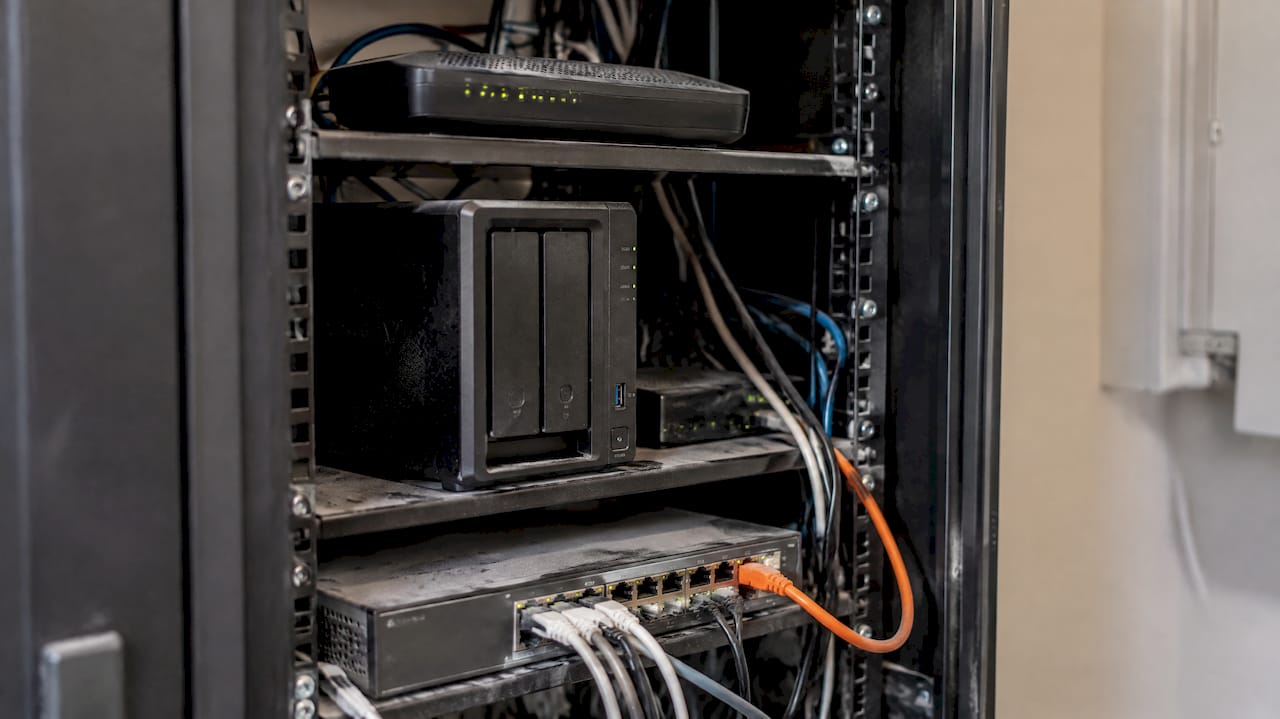
Where we find the gaps is rarely Windows. It is the old office NAS with remote access switched on, the router the ISP installed in 2019, the firewall on firmware three versions behind, the remote support tool nobody remembered. If something faces the internet, bots are testing it around the clock.
Patching is not set and forget. You need a list of everything that connects to the internet and a schedule for each item on it.
6. Supply chain compromise
Here the attacker does not go for you. They go for software or a service provider you already trust, and come in through that. Think of a compromised update for a business app, or a supplier whose mailbox has been hijacked and now sends you malicious invoices.
You cannot fully control this one, but you can limit the damage. Know which suppliers have access to your systems, remove access when a contract ends, and give vendors only the permissions they need.
7. Malware-as-a-Service
The ACSC points out that malware sold as a service means low-skill attackers can now run sophisticated campaigns. Someone with no technical ability can rent the tools. That is why “we are too small to be interesting” is not a plan. Nobody is picking you personally. The tools are cheap and the net is wide.
8. Social engineering beyond email
Phone calls to the help desk asking for a password reset. Text messages claiming to be from the CEO. A caller who knows your supplier’s name and your office manager’s first name, because it is all on LinkedIn.
A real example from our side of the fence: an attacker rang a client’s front desk, claimed to be from their IT provider, and asked the receptionist to approve an MFA prompt “to test something”. She did. This is why we tell clients that a real IT provider will never ask you to approve a prompt you did not trigger yourself.
9. Weak or reused passwords
Still. A staff member uses the same password for Xero, Microsoft 365 and a fitness app. The fitness app gets breached. Attackers try that email and password everywhere, automatically.
This is called credential stuffing, and it is exactly what MFA is for. Australian government guidance on cloud security calls MFA one of the most important security measures, because it makes stolen credentials far less useful.
10. Insider mistakes and over-sharing
Not every threat is malicious. A staff member shares a whole SharePoint folder with “anyone with the link”. Someone emails a spreadsheet of client details to a personal address to work on at home. A departing employee keeps their access for six weeks because nobody told IT.
The OAIC statistics keep showing human error as a real contributor to notified breaches, next to cyber incidents. It is not glamorous, but it is often the cheapest thing to fix.
11. Lost or stolen devices
A laptop left in a ute, a phone left in an Uber. If the device is not encrypted and not enrolled in management, you cannot wipe it remotely and you cannot prove the data was safe. That turns a $1,500 loss into a possible notifiable breach.
12. Misconfigured cloud services
This is the quiet one. Microsoft 365 or Azure is set up with defaults, and nobody reviews it. Admin accounts without MFA, mailboxes with forwarding rules, guest accounts that were never removed. Our own write-up on cloud computing security risks goes deeper if this is your situation.
Quick reference table
| Threat | How it usually starts | First fix that actually helps |
|---|---|---|
| Phishing | A convincing email or text | MFA and short, regular staff training |
| Business email compromise | Hijacked or spoofed mailbox | Call-back rule for bank detail changes |
| Ransomware | Phished login, exposed remote access, unpatched device | Offline or immutable backups, tested restores |
| Info-stealer | Infected personal or work device | Separate devices, endpoint protection |
| Unpatched software | Internet-facing device, missed in the audit | Asset list and patching schedule |
| Supply chain | Trusted vendor compromised | Limit vendor access, review it regularly |
| Social engineering | Phone call or SMS | Verification script, never approve unexpected prompts |
| Misconfigured cloud | Default settings left alone | Regular configuration review |
What most businesses get wrong
Three mistakes come up again and again.
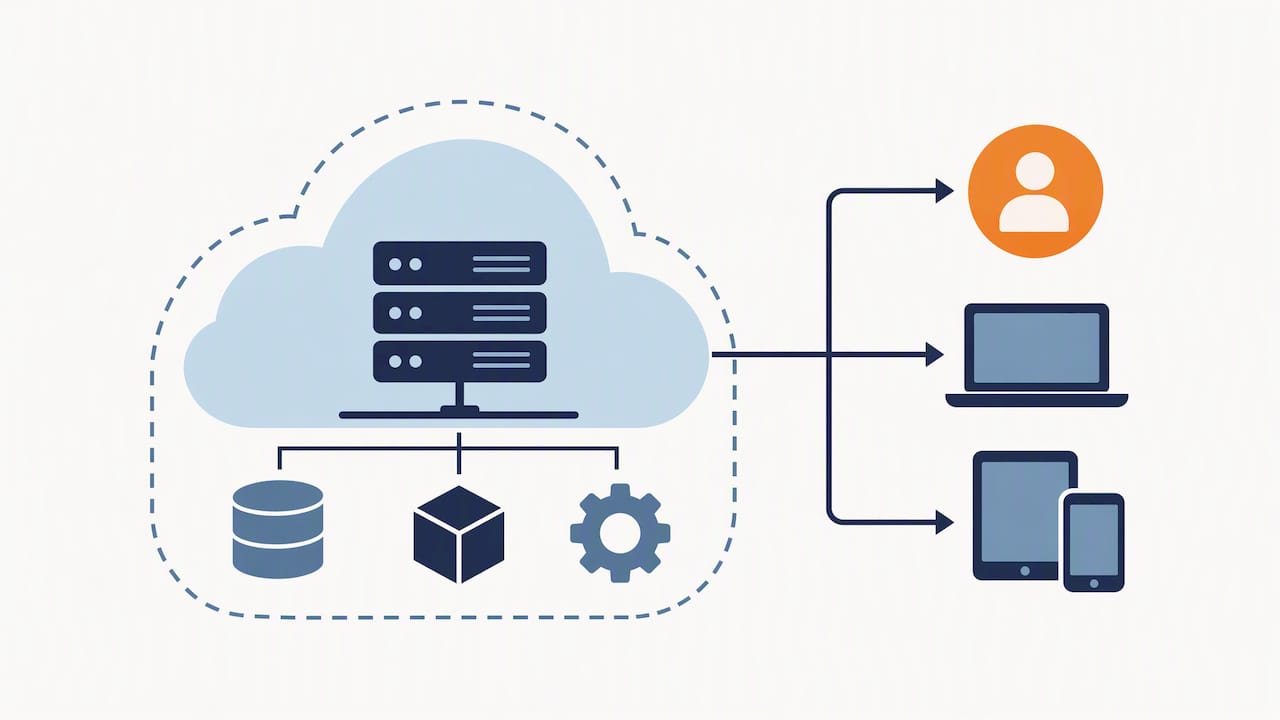
They think the cloud provider handles it. Plenty of owners assume Microsoft 365 includes security and backup. It does not work like that. Australian government guidance on the cloud shared responsibility model is clear that the provider secures the underlying service, while you stay responsible for your users, access and devices. You cannot hand your residual risk to a vendor.
They buy tools instead of fixing basics. A business pays for an expensive security product but still has shared admin passwords, no MFA and a spreadsheet of logins on the server. The tool is not the problem. The setup around it is.
They assume the backup works. Many think they are backed up when they are not. A job shows green because it ran, not because it can restore. We have opened up “backed up” environments to find the backup covering one old drive, or a cloud sync that was happily syncing the encrypted files.
Where the data and reality do not match
Reports and surveys are useful, but they tell you what was reported, not what is going on in your office.
- Reported breaches understate the problem. The OAIC figures count notifications. Plenty of smaller incidents are never classed as notifiable or are never discovered.
- “Sophisticated attack” is often an excuse. When we investigate, the sophistication is frequently low. A reused password, a missing MFA prompt, an unpatched device. The attacker was patient, not brilliant.
- Confidence is higher than capability. Ask an owner if they have MFA and they say yes. Check, and it is on for most staff, but not for the shared mailbox, the old admin account or the contractor.
- Surveys talk about large organisations. The ACSC, Verizon and others publish solid material, but SMB-specific numbers are thinner. Verizon does publish an SMB snapshot, which is worth reading if you want the small-business view.
Our perspective
We work with businesses of 10 to 50 staff, managing Microsoft 365, security, backups and networking. Here is our honest view.
Most incidents we see could have been stopped by things that cost very little. MFA on every account, no exceptions. A backup that is separate from your main environment and restored on purpose, at least once a quarter. A patching list that includes the router, the firewall and the NAS. A rule that nobody changes bank details on an email alone.
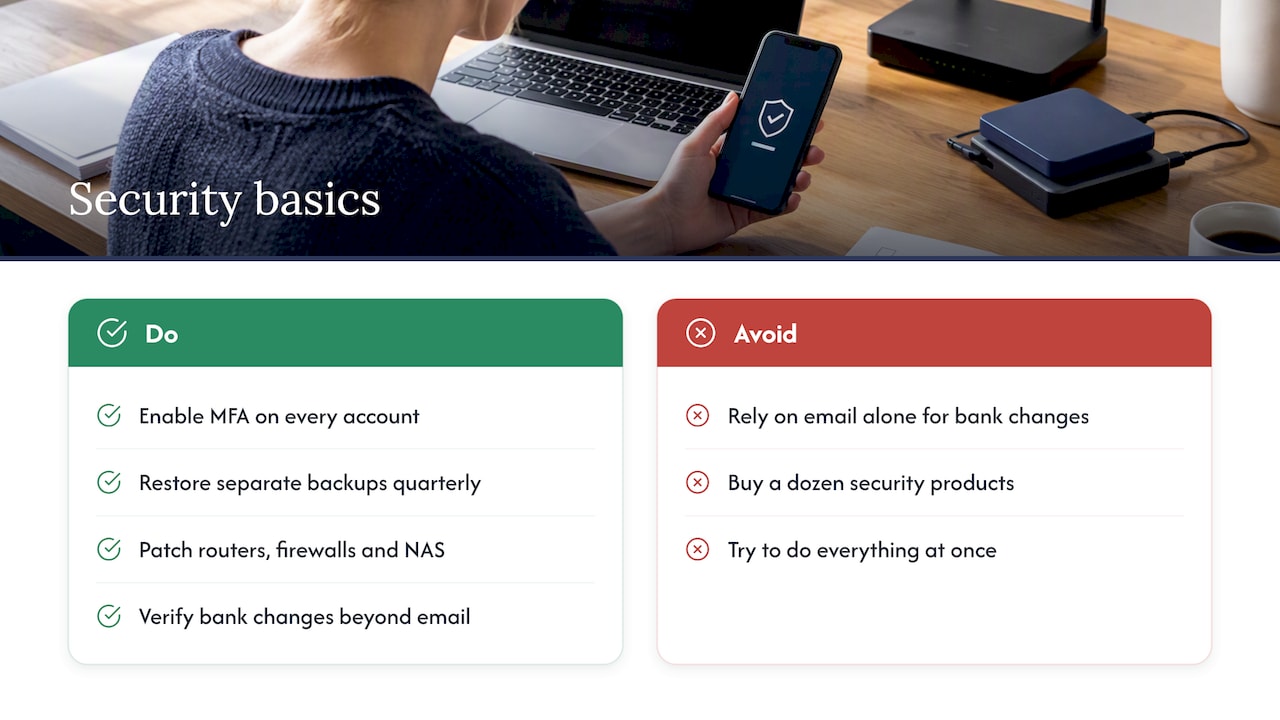
We are not fans of scare marketing. You do not need a dozen security products. You need the basics done properly and checked regularly, then you need someone to notice when something drifts. That is the part that falls over in small businesses, because the person doing IT is also the office manager.
If you want a framework, start with the ACSC’s Essential Eight and our own cyber hygiene checklist. Do not try to do all of it at once. Pick the three that hurt most if they fail.
— Matt
A practical first-month plan
- Turn on MFA for every account. Start with admins, email and finance systems. Check shared and service accounts too.
- Test a restore. Pick a real file or mailbox and restore it. Time how long it takes. Make sure at least one copy cannot be reached from your normal admin login.
- List everything internet-facing. Routers, firewalls, NAS devices, remote access tools, web servers. Check each for current firmware.
- Write a payment verification rule. One page. Phone call back to a known number for any bank detail change.
- Separate work and personal devices where you can, and enrol work laptops in device management so you can wipe them.
- Run a short staff session. Use real examples from your own inbox. Our guide on improving cyber security awareness has ideas that do not feel like a lecture.
- Agree who does what in an incident. Who do you call first? Who can shut off an account at 7pm on a Friday?
For a wider view of mitigation, our piece on cyber risk mitigation strategies covers how to prioritise, and the network security best practices checklist covers firewalls and segmentation.
How we can help
If this list made you uneasy about your own setup, that is a reasonable reaction. We offer cyber security services for Brisbane businesses, including endpoint protection, firewall management, risk assessment and compliance, and proactive managed security. For day-to-day support, backups and networking, see our business IT support services. We can start with a review of where you stand, and tell you plainly what matters and what does not.
FAQ
What are the most common examples of cyber threats?
Phishing, ransomware, business email compromise, info-stealer malware and unpatched software come up most often. The ACSC lists ransomware, exploited vulnerabilities, supply chain compromise and BEC among the biggest threats to Australian organisations. In our experience, most of them begin with a stolen password.
What are the different types of threats in information security?
They fall into three rough groups. Deliberate attacks (phishing, ransomware, social engineering), technical weaknesses (unpatched or misconfigured systems) and accidental events (human error, lost devices). A good plan covers all three, not just the attacks that make the news.
What is the biggest security threat to a small business?
There is no single answer, but compromised credentials are the most common starting point we see. A password stolen by phishing or an info-stealer lets an attacker act as your staff member. MFA is the cheapest way to cut that risk sharply.
Does Microsoft 365 protect me from these threats?
Partly. Microsoft secures the underlying service, but you remain responsible for user access, data and devices. You still need MFA, sensible configuration and a separate backup you have tested.
Do I have to report a data breach in Australia?
If you are covered by the Privacy Act and a breach is likely to cause serious harm, you must notify the OAIC and affected people under the Notifiable Data Breaches scheme. Not every small business is covered, so check your own obligations with the OAIC or a privacy adviser.
Sources
- ACSC: Small business cloud security guides, executive overview
- ASD: Small business educational pack
- OAIC: Data breach notifications increase to all-time high in 2025
- OAIC: Latest NDB statistics, January to June 2025
- OAIC: Notifiable Data Breaches Report, July to December 2024
- ACSC: Small business cyber security guide
- ACSC: The silent heist, info-stealer malware
- Verizon: 2025 DBIR SMB snapshot
- ACSC: Planning for critical vulnerabilities
- ACSC: Cloud shared responsibility model