TL;DR:
- Network firewall security monitors and controls data traffic between trusted internal networks and untrusted external networks. Proper configuration and regular review of firewall rules, combined with advanced features and supporting controls like MFA and segmentation, are critical for effective protection.
Network firewall security is the practice of monitoring and controlling data traffic between your trusted internal network and untrusted external networks using predefined rules enforced by a dedicated device or software. Every packet that enters or leaves your network gets inspected against those rules, and anything that does not match gets blocked. Regulatory frameworks like PCI DSS and FISMA both require firewall enforcement as a baseline control for protecting sensitive data. If you run a business in Brisbane and handle client records, financial data, or health information, a properly configured firewall is not optional. It is the first line of defence.
What is network firewall security and how does it protect your data?

A network firewall acts as a gatekeeper between your internal systems and the internet, inspecting every packet of data that tries to pass through. It checks the source IP address, destination IP address, port numbers, and protocol type against a set of rules you define. If a packet matches an allowed rule, it passes. If it does not, the firewall blocks it.
Here is how the decision process works in practice:
- Packet arrives at the firewall. The firewall reads the packet header, which contains the source and destination IP addresses, the port, and the protocol (TCP, UDP, ICMP).
- Rules are checked in order. Access control lists (ACLs) define what is allowed and what is not. The firewall checks each rule from top to bottom and applies the first match it finds. Rule order matters enormously. A poorly ordered ruleset can accidentally allow traffic you intended to block.
- Traffic is allowed, denied, or dropped. “Allow” passes the packet through. “Deny” sends a rejection message back to the sender. “Drop” silently discards the packet with no response. Practitioners prefer drop rules because they give attackers no confirmation that your network even exists, which reduces reconnaissance risk.
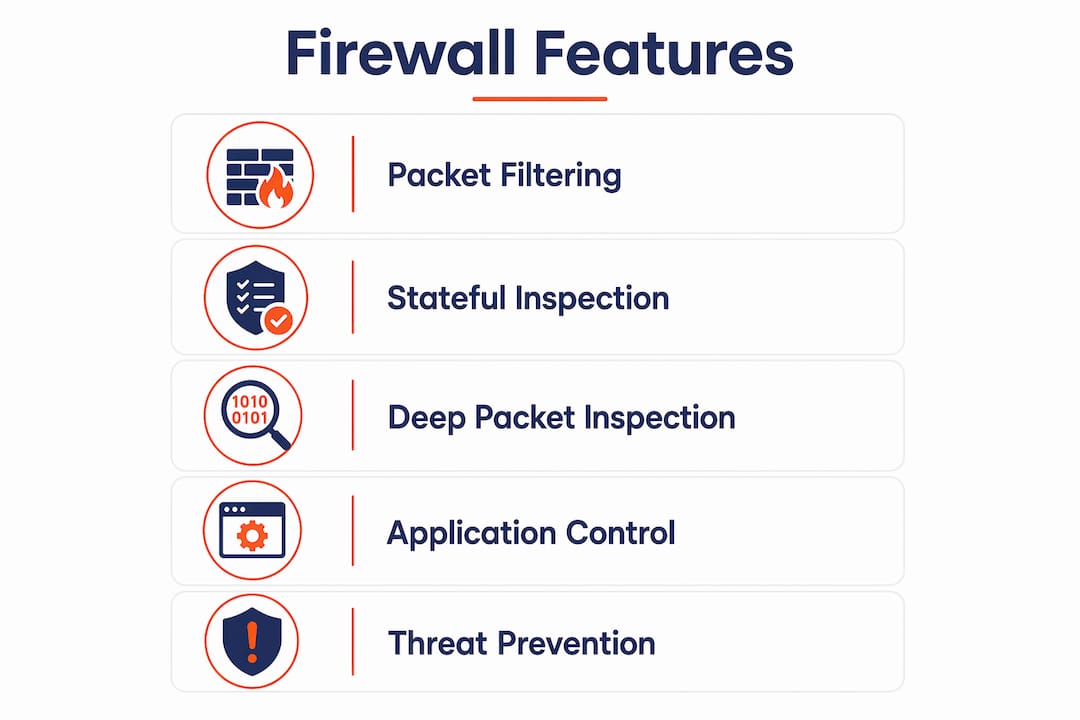
- Stateful inspection tracks active connections. A stateful firewall remembers which connections are currently open. It can tell the difference between a legitimate response to an outbound request and an unsolicited inbound connection trying to sneak through. This context-aware filtering catches a class of attacks that simple packet filtering misses entirely.
Pro Tip: Review your ACL rule order at least quarterly. We regularly find clients with broad “allow all” rules sitting above specific deny rules, which means the deny rules never trigger.
What advanced features do next-generation firewalls offer?
Basic firewalls inspect packet headers. Next-generation firewalls (NGFWs) go further by reading the actual content of packets using deep packet inspection (DPI). DPI analyses packet payloads beyond the header, which means the firewall can identify the specific application generating the traffic, not just the port it uses.
Key capabilities NGFWs add over traditional firewalls:
- Application-layer filtering. A traditional firewall sees traffic on port 443 and assumes it is HTTPS. An NGFW can identify whether that traffic is a legitimate browser session, a file-sharing application, or a command-and-control beacon from malware.
- User identity filtering. NGFWs integrate with directory services like Microsoft Active Directory. Rules can be tied to specific users or groups, not just IP addresses. This matters when staff work from multiple devices or locations.
- Geographic filtering. You can block or flag traffic from specific countries. For most Brisbane SMBs, there is no legitimate reason for inbound connections from high-risk regions.
- Intrusion detection and prevention (IDPS) integration. NGFWs pair with IDPS systems to detect known attack signatures and block them in real time, not just log them after the fact.
These features support a deny-by-default policy, where all traffic is blocked unless explicitly permitted. That is the correct posture for any business handling sensitive data.
Pro Tip: Do not enable every NGFW feature on day one. DPI at scale adds processing overhead. Start with application filtering and IDPS, then tune from there based on your traffic profile.
What common mistakes reduce firewall effectiveness?
Honestly, the firewall technology itself rarely fails. Misconfiguration is the most common cause of firewall failures, not the product. We see this constantly with new clients.
The mistakes that cause the most damage:
- Overly permissive allow rules. Rules like “allow any to any on port 80/443” are far too broad. Every unnecessary permission is an open door. Attackers look for exactly these gaps.
- Using deny instead of drop. A deny response tells an attacker your firewall is active and which ports are closed. A drop response gives them nothing. This distinction sounds minor but matters during active reconnaissance.
- Treating the firewall as the only control. Firewalls are one layer among many. Businesses that rely solely on a perimeter firewall and skip endpoint protection, MFA, or backups are building a single point of failure.
- No network segmentation. A flat network means that if an attacker gets past the firewall, they can reach every device and system without further barriers. This is where breaches become catastrophic.
The UK National Cyber Security Centre warns that firewalls alone are insufficient without threat modelling and asset identification. Businesses that skip this step waste resources protecting the wrong things while leaving real vulnerabilities undetected.
We see this play out with clients who have a decent firewall but no idea what assets sit behind it. You cannot protect what you have not catalogued.
How do you integrate firewall security with broader cybersecurity practices?
A firewall without supporting controls is like a front door with a deadbolt but no walls. Defence-in-depth means layering multiple controls so that a failure in one does not mean a breach across everything. Here is how to build that around your firewall:
- Adopt a zero-trust model. Zero-trust means no user or device is trusted by default, even inside your network. Modern network boundaries are porous, and a compromised internal credential can bypass perimeter controls entirely. Zero-trust enforces verification at every access request.
- Deploy multifactor authentication (MFA). MFA stops credential-based attacks even when passwords are stolen. Pair it with your firewall rules so that remote access requires both a valid network path and a verified identity. We still find clients with no MFA on their Microsoft 365 accounts. That is a serious gap.
- Segment your network. Network segmentation divides your infrastructure into zones. Finance systems sit in one segment, guest Wi-Fi in another, servers in another. If an attacker breaches one zone, segmentation stops them moving laterally to the rest of your environment.
- Identify your assets and model your threats. You need a current register of every device, application, and data store on your network before you can write meaningful firewall rules. Threat modelling then maps which assets face the highest risk and from which directions, so your rules are targeted rather than generic.
- Review and update rules regularly. Firewall rules accumulate over time. Staff leave, applications change, and old rules stay in place. A quarterly review removes stale rules and tightens permissions that have crept wider than intended.
Access control sits alongside firewall rules as a complementary control. The firewall decides what traffic can enter the network. Access control decides what authenticated users can do once they are inside. Both are necessary.
For businesses working with a managed service provider, these controls are typically bundled into a managed security service, which means ongoing rule reviews and threat monitoring rather than a set-and-forget configuration.
Key takeaways
Network firewall security is effective only when properly configured, regularly reviewed, and integrated with controls like MFA, network segmentation, and zero-trust architecture.
| Point | Details |
|---|---|
| Firewalls inspect all traffic | Every packet is checked against ACL rules before being allowed, denied, or dropped. |
| Drop beats deny | Drop rules hide your network from attackers; deny rules confirm its existence. |
| Misconfiguration is the real risk | Technology rarely fails. Overly permissive rules and poor rule order cause most breaches. |
| Firewalls need supporting controls | MFA, segmentation, and zero-trust are required alongside firewalls for real protection. |
| Regular rule reviews matter | Stale or overly broad rules accumulate over time and must be audited at least quarterly. |
What I have learned from years of firewall misconfiguration
Clients come to us after a breach and the first thing we check is the firewall ruleset. Almost every time, the firewall was there. It just was not configured correctly. Someone added a broad allow rule during a project three years ago and nobody ever removed it.
The thing that frustrates me most is the false confidence. Business owners see a firewall on the network diagram and assume they are protected. They are not asking whether the rules are right, whether the firmware is current, or whether anyone is reviewing the logs. The firewall becomes a checkbox rather than a control.
The other thing we see constantly is the firewall-only mindset. No MFA. No segmentation. No endpoint detection. Just a firewall sitting at the perimeter while staff connect from personal devices with no controls whatsoever. That is not a security posture. That is a perimeter with nothing behind it.
My honest advice: treat your firewall as one component in a system, not the system itself. Get your assets catalogued, get MFA deployed, segment your network, and then make sure someone is actually reviewing your firewall logs and rules on a schedule. The network security tools available to SMBs today are genuinely good. The gap is almost always in how they are configured and maintained, not in the technology.
— Matt
How IT Start helps Brisbane businesses get firewall security right
IT Start works with Brisbane SMBs to configure, monitor, and maintain firewall security as part of a broader cybersecurity programme. That means reviewing your existing ruleset, identifying gaps, and building controls that match your actual risk profile rather than a generic template. For businesses in financial services, healthcare, or legal, compliance requirements like PCI DSS add another layer of complexity that needs specialist attention. IT Start’s cybersecurity services cover firewall setup, ongoing monitoring, MFA deployment, and network segmentation. If you want to know where your current setup stands, business IT support from IT Start includes an assessment of your existing controls.
FAQ
What is a network firewall in simple terms?
A network firewall is a device or software that controls which data can enter or leave your network by checking traffic against a set of predefined rules. Anything that does not match an allowed rule gets blocked.
What is the difference between a firewall and a next-generation firewall?
A traditional firewall inspects packet headers such as IP addresses and ports. A next-generation firewall uses deep packet inspection to read packet content, enabling filtering by application, user identity, and geographic location.
Why is firewall misconfiguration such a common problem?
Overly permissive rules are often added during projects and never removed, and rule order errors mean deny rules never trigger. The most common firewall failures come from configuration errors, not technology failures.
Do firewalls protect against insider threats?
Firewalls primarily control traffic at the network perimeter. They do not stop a compromised internal account from accessing systems it is already authorised to reach. Zero-trust architecture and access controls are required to address insider and credential-based threats.
How often should firewall rules be reviewed?
Firewall rules should be reviewed at least quarterly. Staff changes, application updates, and project-specific rules all create rule bloat over time, and stale permissions expand your attack surface without anyone noticing.