
TL;DR:
- Microsoft Publisher will no longer be available after October 2026, affecting file access.
- Businesses must audit and convert .pub files to editable formats or PDFs before the deadline.
- Implementing a structured migration plan and engaging IT support ensures smooth transition and compliance.
If you are still relying on Microsoft Publisher to create newsletters, brochures, or business documents, October 2026 is a date you cannot afford to ignore. Publisher is retiring in October 2026, meaning it will no longer be included in Microsoft 365 and you will not be able to open or edit Publisher files through the application at all. For Brisbane businesses with years of documents stored in the .pub format, this is not just an inconvenience. It is a genuine risk to document accessibility, compliance, and operational continuity. This guide walks you through what is changing, how to assess your exposure, and the practical steps to protect your business.
Table of Contents
- What does Microsoft Publisher’s retirement mean for your business?
- Assessing your Publisher file risk and document inventory
- Choosing the right migration path: PDF, reauthor, or alternative tools?
- How to execute your Publisher retirement plan safely
- Why treating Publisher files as a long-term risk changes your IT strategy
- Get support for your document migration and IT strategy
- Frequently asked questions
Key Takeaways
| Point | Details |
|---|---|
| Publisher support ending | Microsoft Publisher will not be accessible or supported after October 2026 for Microsoft 365 and standalone users. |
| Act now to avoid disruption | Delaying action may result in lost access to business-critical documents and compliance issues. |
| Migration requires a plan | Combining PDF archiving and editable migration is the safest strategy for long-term document accessibility. |
| Pilot, test, and validate | Always pilot conversions on complex files before full-scale migration to prevent data or fidelity loss. |
What does Microsoft Publisher’s retirement mean for your business?
Most businesses do not think about software retirement until it is too late. Publisher’s end of life is different from a simple product discontinuation because it affects your ability to access files you may have created over many years.
Publisher 2021 support ends on 13 October 2026. On that same date, Publisher won’t be included in Microsoft 365 subscriptions. This means Microsoft 365 subscribers will lose the ability to open or edit Publisher files using the Publisher application. Your .pub files will not automatically convert or remain accessible through another Microsoft app.
Here is a clear summary of what changes and what does not:
| Scenario | Before October 2026 | After October 2026 |
|---|---|---|
| Open .pub files in Publisher | Yes | No |
| Edit Publisher templates | Yes | No |
| Publisher included in Microsoft 365 | Yes | No |
| Publisher 2021 receives security patches | Yes | No |
| Access .pub files via other apps | Limited | Limited (unchanged) |
The risks of doing nothing are significant. If your business holds contracts, compliance documents, marketing materials, or records in .pub format, those files become inaccessible once the application is gone. For industries like legal, healthcare, and financial services operating in Brisbane, this could create serious record-keeping and compliance gaps.
Important: Inaction is not a neutral choice. Every .pub file that is not converted or reauthored before October 2026 is a document your business may never easily access again.
Immediate actions to consider include auditing your file library, engaging your IT team, and reviewing the Microsoft support lifecycle for all software your business depends on. The sooner you begin, the more manageable this transition will be.
Assessing your Publisher file risk and document inventory
Before you can act, you need to know what you are dealing with. Many businesses are surprised by how many .pub files have accumulated over the years, often spread across shared drives, individual workstations, and archived folders.
Here is how to get started with a proper inventory:
- Search for .pub files across your network. Use Windows Search or a scripted file scan to locate every .pub file in your organisation. Include shared drives, OneDrive, and any local workstation storage.
- Categorise by business function. Separate files into active documents (in regular use), templates (used for ongoing production), and archival records (stored for compliance or reference).
- Identify business-critical documents. These are files required for current operations, client communications, or regulatory compliance. They need priority attention.
- Check file complexity. Documents with custom fonts, layered images, embedded objects, or complex layouts will require more effort to convert successfully and may not translate cleanly to other formats.
Not all .pub files carry equal risk. A one-off event flyer from 2018 is very different from a contract template used every week. Focus your resources on the files that matter most right now.

A practical benchmark approach is to define acceptance criteria such as page fidelity and font rendering, then run spot-checks on a meaningful sample of documents before converting the rest. This prevents nasty surprises when you scale up the migration.
Pro Tip: When reviewing complex Publisher documents, print them to a PDF first and compare the output carefully against the original before committing to a bulk conversion approach.
Working with managed IT and support specialists at this stage pays dividends. A structured inventory process supported by proactive IT support means you go into the migration with confidence rather than guesswork.
Choosing the right migration path: PDF, reauthor, or alternative tools?
Once you know which files are at risk, you need to choose the right approach for each. There is no single answer. Different documents need different solutions based on how you use them.
Here is how the main options compare:
| Approach | Best for | Pros | Cons |
|---|---|---|---|
| Convert to PDF | Archival and compliance documents | Preserves visual fidelity, universally accessible | Not editable, no future layout changes |
| Reauthor in Word | Text-heavy documents, forms, reports | Fully editable, integrates with Microsoft 365 | Time-consuming for complex layouts |
| Reauthor in PowerPoint | Presentation-style or visual layouts | Familiar tool, good for multi-column designs | Less suited for long-form documents |
| Professional design tools (e.g., Adobe InDesign) | Brand materials, brochures, catalogues | Superior design control | Requires new software and training |
Converting to PDF preserves visual accessibility but limits editability, so a dual-track approach is recommended for most businesses. This means archiving a PDF version for reference and reauthoring the editable version in a suitable alternative.
Key considerations when choosing your path:
- Templates in active use must be reauthored, not just saved as PDF. A PDF cannot be used to generate new documents.
- Compliance records may only need PDF archiving, which is faster and lower cost.
- Documents updated regularly such as price lists or service menus need a proper editable replacement in Word, PowerPoint, or a design tool.
- Branding materials like brochures and flyers may benefit from professional design software for best output quality.
You can explore detailed guidance on tools and workflows through cloud and migration resources tailored for Brisbane businesses. The goal is to match the effort level to the actual business need rather than over-engineering simple documents or under-investing in critical ones.
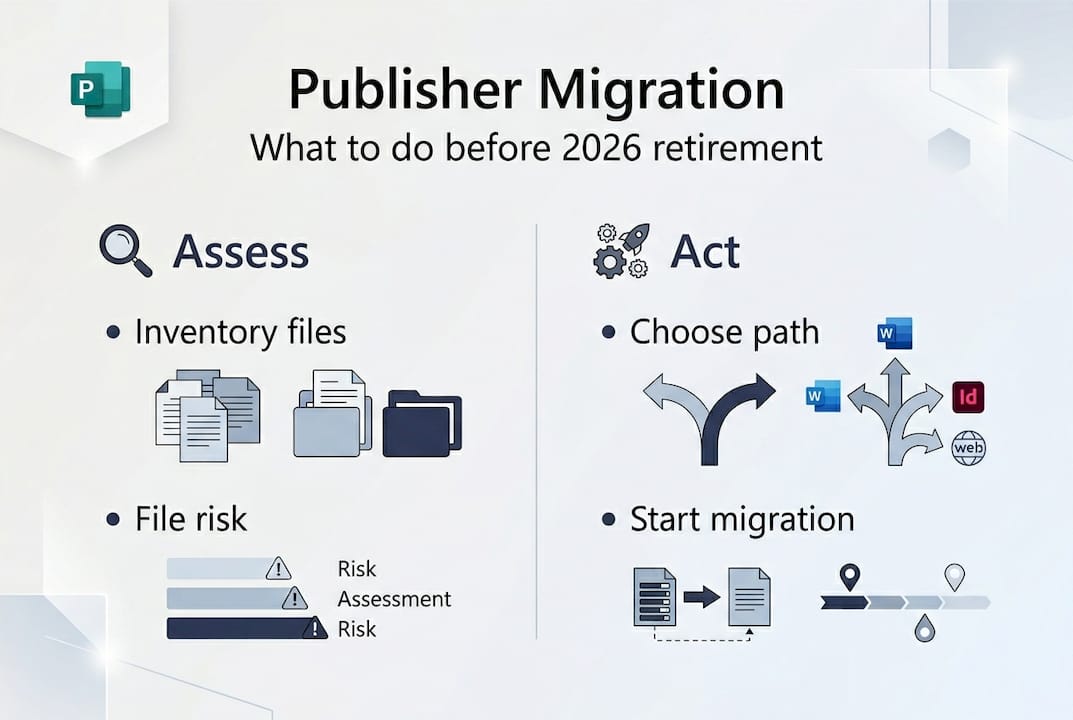
How to execute your Publisher retirement plan safely
Having identified your files and chosen your approach, execution is where most businesses either succeed or fall short. A structured plan prevents the scramble that comes from leaving this to the last minute.
Here is a step-by-step approach:
- Set your migration deadline. Work backwards from 13 October 2026. Allow at least three months for complex documents and one month for simpler archival batches.
- Run pilot tests on complex files. Scripted conversion works best when you validate the process on complex files first. Pick your five most layout-heavy .pub files and convert them manually before automating the rest.
- Convert archival documents first. Start with low-complexity files to build confidence and refine your process before tackling critical documents.
- Validate converted documents. Check each converted file against the original for page fidelity, font rendering, image quality, and legal accuracy. This step is especially important for contracts and compliance documents.
- Update templates and workflows. Replace every active Publisher template with an equivalent in Word, PowerPoint, or your chosen design tool. Brief your team on the new process.
- Document your migration. Keep a record of which files were converted, how, and when. This provides an audit trail for compliance purposes.
Pro Tip: Create a simple tracking spreadsheet with columns for file name, original location, conversion method, validation status, and responsible team member. It takes twenty minutes to set up and saves hours of confusion later.
A useful statistic to keep in mind: organisations that pilot-test conversions before bulk processing report significantly fewer document errors at the end of the project, compared to those who convert all files at once without testing. Connecting this migration to your broader Microsoft 365 hardening strategy also ensures you are not just solving one problem while creating others elsewhere.
Why treating Publisher files as a long-term risk changes your IT strategy
Most businesses look at Publisher’s retirement and see a conversion project. We see something more important: an early warning system for how digital assets age inside an organisation.
Every file format has a lifecycle. Publisher is retiring after roughly three decades, but it will not be the last tool your business relies on to face end-of-life. The businesses that handle these transitions smoothly are not the ones that react quickly. They are the ones that have built document lifecycle management into their ongoing IT strategy.
In practice, this means knowing where your critical files live, in which format, and how dependent your workflows are on specific applications. It means flagging software that is approaching end of support well before the deadline, not six months beforehand. It means treating professional IT support as a strategic function, not just a break-fix service.
Publisher’s retirement is a useful forcing function. It makes visible a problem that has been building for years in many Brisbane businesses. The real win is not just converting your .pub files. It is using this moment to establish the discipline that prevents the next software transition from causing the same disruption.
Get support for your document migration and IT strategy
Navigating Publisher’s retirement is straightforward with the right support. At IT Start, we work with Brisbane businesses to plan and execute document migrations, minimise disruption, and build IT strategies that keep your operations running smoothly well past 2026. Whether you need help auditing your file library, selecting the right replacement tools, or integrating your document workflows with cloud services, our team brings local expertise and a structured approach to every project. We also ensure that document management transitions account for cyber security considerations so your sensitive files stay protected throughout. Contact IT Start today to arrange a consultation and get ahead of the October 2026 deadline.
Frequently asked questions
Will I still be able to open Publisher files after October 2026?
No. After October 2026, Publisher will no longer be accessible through Microsoft 365 and you will not be able to open or edit .pub files using the Publisher application.
Is it enough to convert all Publisher files to PDF?
Converting to PDF works well for archival documents, but PDF conversion limits editability so any file you need to update in future must be reauthored in an editable format like Word or PowerPoint.
What tools can replace Publisher for business documents?
Common alternatives include Microsoft Word and PowerPoint for most business documents, and professional tools like Adobe InDesign for brand materials. The right choice depends on your layout needs and how frequently documents are updated. Migrating to new workflows such as Word or PowerPoint suits most small to medium businesses.
How do I check which Publisher files need urgent migration?
Start by generating a full inventory of .pub files across your network, then prioritise by business function to identify documents in active use or required for compliance before addressing archival files.