
TL;DR:
- Role-based access control requires ongoing governance, regular reviews, and proper enforcement to remain effective in SMBs. Poor implementation—including privilege creep, role explosion, or front-end-only enforcement—significantly increases security risks and audit failures. Consistent management, clear role ownership, and integration with broader security controls are essential for maintaining a secure and compliant environment.
Role-based access control is one of those things most SMBs think they have under control. They set up a few permissions when they onboarded Microsoft 365 three years ago and moved on. The role of role-based access in keeping your business data secure, however, goes well beyond that initial setup. Done properly, role-based access control is an ongoing, business-critical process that prevents data breaches, simplifies compliance audits, and stops staff from accessing systems they have no reason to touch. Done poorly, it quietly builds risk for years before something goes wrong.
Table of Contents
- Key takeaways
- The role of role-based access control for SMBs
- Common RBAC mistakes we see in SMBs
- How good RBAC improves security and compliance
- Best practices for implementing RBAC in SMB environments
- Integrating RBAC with your broader security posture
- My honest take on RBAC for SMBs
- How IT Start can help with access control
- FAQ
Key takeaways
| Point | Details |
|---|---|
| RBAC is not set and forget | Ongoing governance and regular access reviews are required to prevent privilege creep. |
| Role explosion creates risk | Too many granular roles increase complexity and make permissions harder to manage and audit. |
| Group-based assignments scale better | Assigning roles to groups rather than individuals reduces administrative sprawl and errors. |
| Server-side enforcement is non-negotiable | Hiding UI buttons is not access control. Proper RBAC requires enforcement at the server and API level. |
| Compliance depends on RBAC governance | SOC 2 and ISO 27001 audits directly examine access control quality and role ownership accountability. |
The role of role-based access control for SMBs
Role-based access control (RBAC) is a method of restricting system access so that users can only interact with the data and tools their job actually requires. Instead of granting permissions directly to individuals, RBAC assigns permissions to defined roles, and users inherit those permissions by being assigned to a role. A payroll officer gets access to payroll systems. A developer gets access to the code repository. Neither gets access to what the other has.
This is fundamentally different from Discretionary Access Control (DAC), where individual resource owners decide who gets access, and from Attribute-Based Access Control (ABAC), which evaluates dynamic contextual attributes like location, device, or time. RBAC sits in the middle: structured enough for governance, flexible enough for most SMB environments.
The core concepts you need to understand are:
- Roles: Named sets of permissions that map to a business function (e.g., Finance Viewer, IT Admin, HR Manager)
- Permissions: Specific rights to read, write, modify, or delete resources
- Scope: The boundary within which a role has effect (e.g., a single department’s SharePoint site vs. the entire tenant)
- Role assignment: The act of linking a user or group to a role
The principle of least privilege sits at the heart of well-designed RBAC. NIST SP 800-53 mandates this through control AC-6, requiring that users receive only the minimum permissions necessary to perform their tasks. Most SMBs pay lip service to this idea but struggle to practise it consistently.
The importance of role-based access becomes very clear when you look at audit outcomes. 68% of SOC 2 qualified opinions are tied to access control weaknesses, including inadequate RBAC and missing access reviews. That is not a fringe problem. That is the majority.
Common RBAC mistakes we see in SMBs
Honestly, this is where most businesses fall down. Not because they do not care, but because they start with the right intentions and then the day-to-day takes over.

The “set and forget” trap is the most common. Someone configures permissions during implementation, and nobody touches them again until an audit or an incident forces the issue. RBAC requires active governance to stay effective. Without it, you get privilege creep: staff accumulate permissions over time as they change roles, take on projects, or cover for colleagues, and nobody removes the access they no longer need.
Role explosion is the next problem. We see this a lot in businesses that try to be too precise. They end up with 47 slightly different roles for a 30-person team because someone wanted to cover every edge case. Too many roles create complexity that actually reduces security because nobody can keep track of what each role permits anymore.
A few other patterns we see regularly:
- Roles assigned directly to individual user accounts rather than to groups, which makes offboarding messy and inconsistent
- Broad built-in roles like Global Administrator handed out because they were convenient at the time
- No documented owner for each role, so nobody knows who is responsible for reviewing it
- Access reviews that exist on paper but never actually happen
Pro Tip: Never assign Global Administrator or equivalent broad admin roles to more than two accounts in your Microsoft 365 tenant. Use custom roles scoped to specific tasks for everyone else.
The most technically dangerous mistake is frontend-only RBAC enforcement. Hiding a button in the UI is not security. If the underlying API does not validate the user’s role before processing a request, anyone with a little technical knowledge can bypass the interface entirely and hit the endpoint directly. This is a real attack vector, not a theoretical one.
How good RBAC improves security and compliance
When role-based access control is implemented and maintained properly, the benefits are concrete and measurable.
| Area | Without proper RBAC | With proper RBAC |
|---|---|---|
| Onboarding speed | Manual permission requests, delays | Role assigned once, access instant |
| Offboarding risk | Stale accounts retain access for weeks | Role removed, access revoked immediately |
| Audit readiness | Scramble to document access for auditors | Role-to-permission mapping already documented |
| Separation of duties | Finance staff can also approve payments | Roles enforce distinct approval workflows |
| Compliance alignment | Ad-hoc, difficult to evidence | Aligned to NIST, SOC 2, ISO 27001 controls |
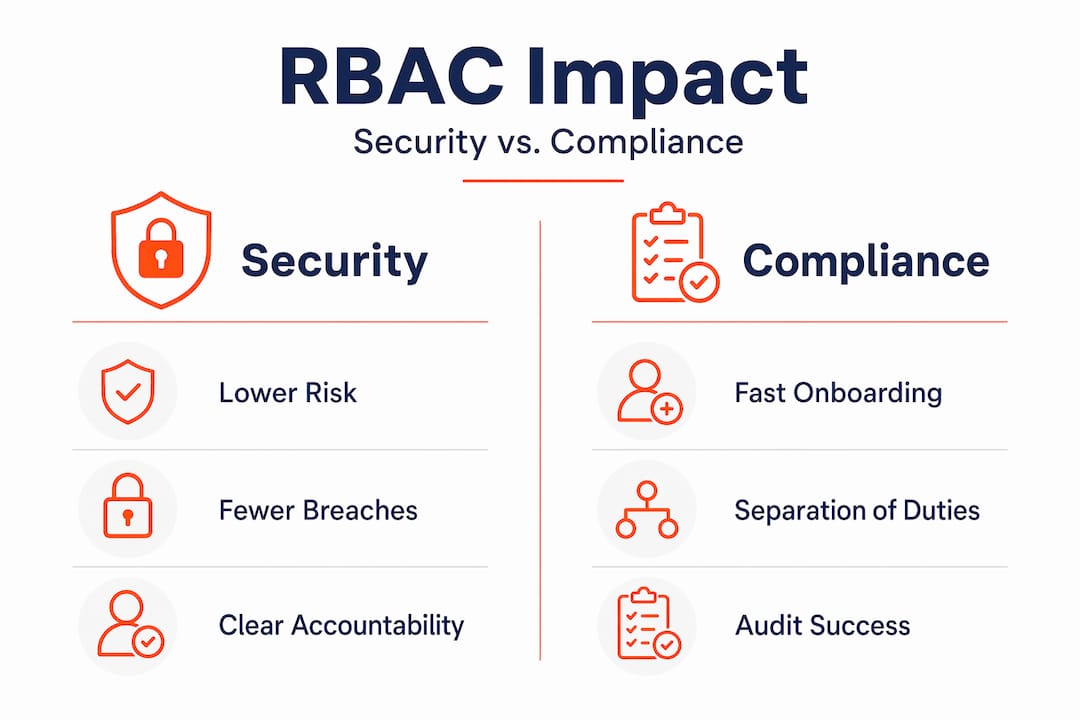
Clear accountability is one of the biggest gains. When every role has a named owner from the business side (not just IT), you have someone responsible for reviewing who holds that role and whether the permissions still make sense. ISO 27001 auditors expect this kind of asset owner accountability. IT cannot own every access decision in the business. Finance managers should own the Finance role. HR managers should own the HR role.
Onboarding and offboarding become genuinely fast. Instead of IT building a bespoke permission list for every new starter, you assign a role and they are ready to work. When someone leaves, you remove the role and access is gone. No forgotten accounts sitting active for six months.
Pro Tip: Build a simple role catalogue in a shared document: role name, owner, what permissions it grants, and last review date. Updating it takes minutes and it becomes your most valuable audit artefact.
Separation of duties is where RBAC earns its keep for compliance. Designing roles so that the person who creates a payment cannot also approve it removes a significant fraud risk. Frameworks like NIST and SOC 2 expect this kind of control to be enforced at the access layer, not just through policy documents.
Best practices for implementing RBAC in SMB environments
Getting RBAC right is not complicated, but it does require discipline. Here is how to approach it practically.
-
Start with business functions, not job titles. Map out what tasks each function in your business performs, then design roles around those tasks. Job titles change; business functions are more stable. A “Senior Accountant” title tells you little. “Financial Reporting” or “Payroll Processing” as a function tells you exactly what access is needed.
-
Assign roles to groups, not individuals. Managing group membership is far more scalable than tracking individual assignments. When someone joins a team, add them to the group. When they leave, remove them.
-
Design tiered role structures. A viewer role, an editor role, and an admin role for each system covers most scenarios without creating excessive granularity. Approve escalation from one tier to the next through a documented workflow.
-
Use Microsoft Entra Privileged Identity Management (PIM) for sensitive roles. PIM enforces just-in-time access and approval workflows, meaning admin rights are only active when genuinely needed and only after approval. This drastically reduces your standing privileged access exposure.
-
Schedule quarterly access reviews. Involve role owners from the business, not just IT. Ask: does this person still need this role? Is this role still scoped correctly? Has the business function changed?
-
Enforce RBAC server-side. Every API endpoint and service layer must validate role claims before executing actions. Do not rely on the UI to hide functionality.
-
Combine RBAC with conditional access and multi-factor authentication. RBAC tells you what a user can do. Conditional access tells you under what circumstances they can do it. Together, they form a far stronger control than either alone.
For practical examples of how Brisbane-based SMBs have applied these principles, the access control methods guide for Queensland businesses covers several real-world scenarios across professional services firms.
Pro Tip: Keep your total number of custom roles to the minimum required. If two roles have 80% of the same permissions, consolidate them. A manageable set of well-understood roles beats a large catalogue of roles nobody can explain.
Integrating RBAC with your broader security posture
RBAC does not operate in isolation. It is the foundation layer of access control, and it works best when paired with the other controls your business should already have in place.
Think of it this way: RBAC defines who can access what. But if the endpoint that user logs in from is compromised, or your backups are missing, or there is no monitoring to detect unusual access patterns, RBAC alone will not save you. The protection of sensitive data for SMBs depends on layered controls working together.
Here is where RBAC fits into the broader picture:
- Endpoint security prevents compromised devices from being used to exploit valid access permissions
- Backup and recovery ensures that even a successful breach does not result in permanent data loss
- Network segmentation limits lateral movement even when a role is compromised
- Audit logging and SIEM tools detect abnormal access behaviour that RBAC policies alone cannot stop
- Conditional access policies add real-time context checks (device compliance, location, risk signals) to every access request
For SMBs using Microsoft 365 and Azure, digital stewardship practices around ongoing role review and privilege management are an important complement to initial RBAC setup. The technical controls mean little without the governance process behind them.
Unmanaged privileged accounts are one of the highest-risk elements in any SMB environment. We regularly find accounts with standing Global Admin access that were created for a one-off project years ago and never reviewed. That is a breach waiting to happen.
My honest take on RBAC for SMBs
I have been inside a lot of SMB Microsoft 365 environments over the years. The pattern is almost always the same. Someone set up access controls during the initial deployment, did a decent job at the time, and then nobody touched it again. Three years later, there are former employees whose accounts are still active, managers with admin rights they got because it was easier at the time, and roles that no longer match what the business actually does.
The gap between the policy document and the day-to-day reality of access in most SMBs is significant. I have seen businesses go into SOC 2 readiness assessments confident about their access controls and discover within hours that they have serious gaps. The access control section consistently catches organisations off guard.
What actually works is treating RBAC as an ongoing process rather than a completed project. The businesses that do this well are not the ones with the most sophisticated tools. They are the ones with a simple role catalogue, a named owner for each role, and a quarterly review that actually happens. That is genuinely achievable for any business with 10 to 50 staff.
The other thing I would push back on is the idea that RBAC is too complex for smaller businesses to do properly. It is not. Start small. Get your Microsoft 365 roles right. Identify your three or four most sensitive systems. Design three tiers of access for each. Review them twice a year. That alone puts you ahead of most of your peers and makes any compliance audit significantly less painful.
— Matt
How IT Start can help with access control
If you have read this far and realised your RBAC situation needs attention, you are not alone. IT Start works with Brisbane SMBs across financial services, legal, healthcare, and professional services to assess existing access controls, clean up permission sprawl, and design role structures that actually match how the business operates. We manage ongoing cybersecurity services including privileged access management, access reviews, and compliance readiness support. We also implement and manage secure cloud environments with RBAC built in from the ground up. If you want a straight assessment of where your access controls stand right now, get in touch with the IT Start team.
FAQ
What is the role of role-based access control in security?
Role-based access control limits what each user can do in your systems based on their business function, directly reducing your attack surface. It enforces least privilege, supports separation of duties, and provides documented access trails that auditors require.
How does role-based access control work in Microsoft 365?
In Microsoft 365, RBAC is implemented through Entra ID by assigning built-in or custom roles to users or groups, with scope defined at the tenant, subscription, or resource level. Microsoft Entra PIM adds just-in-time activation and approval workflows for sensitive admin roles.
What is privilege creep and why does it matter?
Privilege creep occurs when users accumulate access permissions over time as they change roles or take on new responsibilities, without old permissions being removed. It increases your attack surface and is a common cause of audit failures under SOC 2 and ISO 27001.
How often should access reviews happen?
Quarterly reviews are the practical standard for most SMBs, with a mandatory review triggered by any staff departure or role change. ISO 27001 requires that access rights are reviewed at regular intervals, and auditors will ask for evidence that reviews actually occurred.
Can small businesses implement RBAC without a dedicated IT team?
Yes. Start by mapping your three to five most critical systems, define viewer and editor tiers for each, assign those roles to groups in Microsoft 365, and nominate a business-side owner for each role. A managed IT partner can design and maintain the role structure on your behalf if internal capability is limited.